

Quick Summary
Digital signage in schools works across six areas: safety and emergency alerts, daily communication, student and staff recognition, school culture and events, teaching and learning, and the front office. Safety is where the ROI is clearest. Daily communication is what keeps it running. Everything in between builds culture.
What Can Your School Do with Digital Signage Beyond Announcements?
Most schools use their screens the same way they used the PA system: morning announcements, maybe a lunch menu, and then nothing. The screens sit there. Occasionally someone updates a slide.
If you're trying to make the case for digital signage at your school or district, or your screens have been running the same content for months and you're wondering what else they can do, this piece outlines 40 ways schools are using digital signage right now.
Safety and Emergency Communication
Safety is the strongest case you can make for digital signage at the board level. This section covers six ways schools use their displays to protect students and staff.
1. Instant Emergency Alerts Across Every Screen
When something goes wrong on campus, every second counts. Digital signage lets you push an alert to every screen in the building instantly.
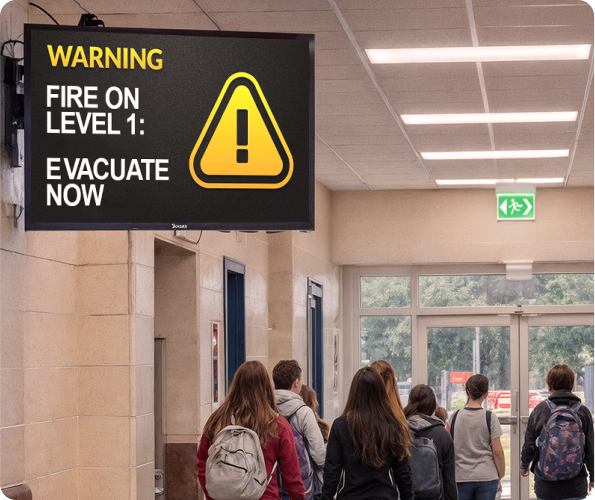
Necedah Schools in central Wisconsin cut their lockdown time from 60 seconds to about 20 using Rise Vision integrated with InformaCast from Singlewire Software. "The quick-click scenarios allow for immediate action, significantly shortening the response time in critical situations," said Kris Saylor, Technology Director at Necedah Schools.
2. Severe Weather Alerts and Shelter-in-Place Instructions
A PA announcement is easy to miss, especially for students wearing headphones or those with hearing impairments.
Visual alerts on every screen change that. Saline School District's IT Director Jay Grossman put it directly: "In the event of an emergency, we can take over all the displays at the same time and get that message out to the students." Lisa York, a special education consultant at Saline Middle School, added: "Students that might not be able to hear an alert or need a little bit extra help, Rise Vision allows them to be a part of the school and understand what's going on."
3. Zone-Based Lockdown
Not every emergency affects the whole building. Necedah Schools uses zone-based display management to lock down the middle and high school wings without sending alerts to the elementary side, preventing unnecessary panic among younger students. When the all-clear comes, one button broadcasts it across every screen and the PA simultaneously.
4. Safety Procedures and Protocols Visible Year-Round
Most schools run safety drills a few times a year. But the procedures students and staff need to remember — fire exit routes, reunification meeting points — don't have to live in a binder or get posted once and forgotten.
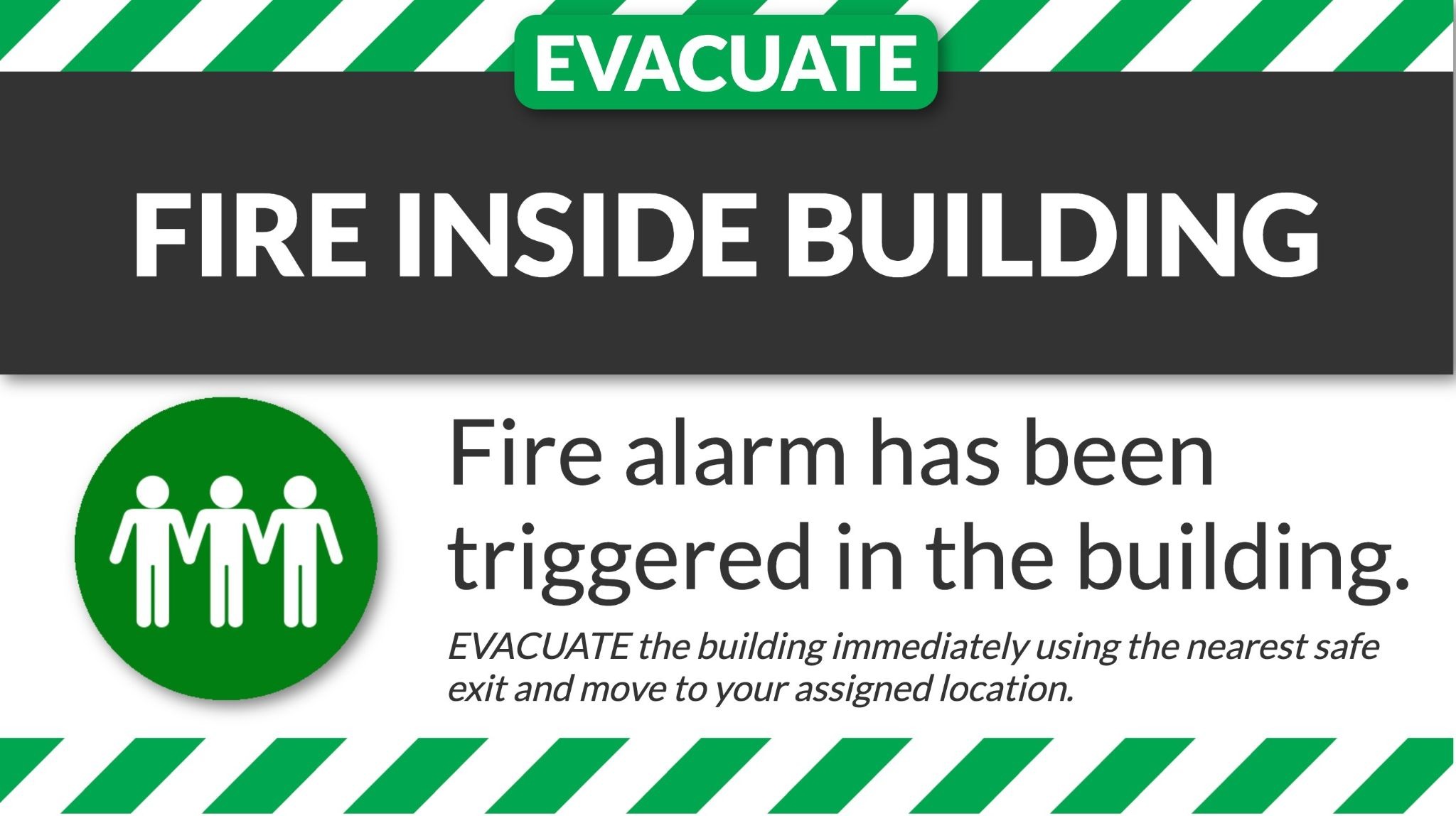
Your hallway screens can show this content every day, quietly building the muscle memory your school community needs before an emergency gets called. Rise Vision has a ready-to-use template built around the Standard Response Protocol (SRP), developed in partnership with the I Love U Guys Foundation. It gives your school a structured format for displaying those procedures on your hallway screens year-round, no design work required.
5. Pickup and Dropoff Traffic Guidance
The last 30 minutes of the school day can be some of the most chaotic, especially when parents are lined up and traffic is backed up. Outdoor digital displays can direct that flow before it becomes a problem.
Miami Country Day School placed screens in their student pickup and drop-off lots specifically for this reason, keeping traffic moving and taking the communication load off front office staff.
6. Visitor Check-In and Building Security Reminders
Many schools need visitors to sign in as a matter of policy, but the challenge is enforcing it consistently. A lobby screen displaying a clear "All visitors must check in at the front office" message is a low-effort way to reinforce that expectation before staff have to say a word.
Daily School Communication
Safety may justify the investment, but daily communication is what keeps your displays from becoming wallpaper. This section covers eight use cases.
7. Morning Announcements
The PA announcement has been the default for decades. The problem is that it competes with hallway noise, earbuds, and the general chaos of the first 10 minutes of school. A better approach is to push your morning announcements directly to classroom displays and interactive flat panels (IFPs), so every student sees them at the start of the day, right where they're already sitting.
8. Daily Lunch Menus
For a lot of students, the lunch menu is the most checked piece of information in the school day. Getting it in front of them visually, sometimes before they even get to the cafeteria, reduces confusion, speeds up the line, and cuts down on the "what's for lunch?" questions at the lunch counter.
At Monticello Trails Middle School in Shawnee, Kansas, Gina, the school's building aide who manages the displays, puts it simply: "These are middle schoolers, so that kind of stuff really catches their eye. They've made a lot of comments about it. You'll see them just standing there, watching the TV."
9. Weekly Schedule and Alternate Day Notices
The more your calendar varies, the more time staff spend answering the same questions. A screen in the hallway showing which periods are running, whether it's an A or B day, and when early dismissal kicks in, saves real time. Students move through the day with fewer surprises, and front office staff stay focused on what matters.
10. Upcoming Events and Countdowns
Students and staff are always tracking what's next on the calendar. Putting countdowns and upcoming events on your screens builds anticipation and keeps everyone oriented without a single email or flyer.
Monticello Trails Middle School runs countdowns to school breaks and upcoming events right on their hallway displays. It's a small addition to your content schedule, but it gives students and staff a sense of forward motion through the week.
11. School Calendar and Important Dates
Enrollment deadlines, testing windows, picture day, and registration cutoffs get buried in emails or documents. When the school calendar is visible throughout your building all week, students and parents show up prepared and the front office fields fewer "when is...?" questions.
Rise Vision connects directly to Google Calendar, Microsoft Outlook, or iCal so your displays can pull from the same calendar your staff is already maintaining. Theresa Stager, Principal at Saline High School, saw the difference firsthand: "Being able to import our Google Calendar... they know when the next sports events are, they know when the last days of school are. They're a little bit more aware of things that are happening because the calendar is all over and it's an interesting format that they're looking at."
12. Policy Reminders and FAQs
Students forget the rules. Not because they don't care, but because a policy explained once at the start of the year doesn't stick. Repeating key reminders like dress codes, phone policies, and hallway expectations on your displays throughout the semester keeps the standards visible without turning every teacher into an enforcer.
13. Opening Routines and the Daily Pledge
Digital signage can support any school routine that needs to happen on a consistent daily basis. Jacksonville City Schools schedules the Pledge of Allegiance to display automatically at a set time every morning. The displays show the pledge at the start of the day, then automatically move on to the next content. You can do this for any piece of content you need shown on a daily basis. Set it up once and it runs on its own, every day.
14. Bus Driver Routes and Shift Updates
Schools are using digital signage to communicate with staff as well. Warren County R-3 Schools have displays running in their transportation garage, where bus drivers check-in for route updates, schedule changes, and weekend shift sign-ups. There's no printed bulletins and no chasing people down.
You can also do this for any staff-only space, whether it's a teacher's lounge, a custodial break room, or a loading dock.
Student and Staff Recognition
When students and staff see their names on a screen in the hallway, it lands differently than an email or a certificate. A Gallup Student Poll shows that regular recognition and school engagement make students 4.5 times more hopeful about their future. This section covers seven use cases for staff and student recognition.
15. Student of the Week and Month Spotlights
Putting a student's name and photo on a hallway takes a few minutes to set up, but the student sees it every time they walk past. So do their friends, their teachers, and everyone else in the building. Cedar Crest Middle and High School in Cornwall-Lebanon School District, Pennsylvania, built a program called Wings of Praise around exactly this idea. The "lost middle" (students who aren't high achievers and aren't in trouble) tend to go unnoticed. Under the program, any student or teacher can nominate a peer for any positive action, however small. The principal signs off, and that student's photo and story goes up on Rise Vision displays across the school.
16. Attendance Recognition
Attendance interventions tend to happen quietly behind the scenes: calls home, counselor check-ins, data reviews. Displays give you a public, positive counterpart to all of that: visible recognition for students who show up.
At Lindbergh Elementary in Kansas City, Kansas, Principal Dustin Wiley used digital signage to celebrate "100% Days" — days when every student in a class showed up. It turned attendance into something worth celebrating.
17. Academic Achievements and Honor Roll
Honor roll announcements usually live in a newsletter or get read over the PA once and forgotten. Putting them on your screens extends the moment. Students walk past their name for days, not just the five seconds it takes someone to read a list.
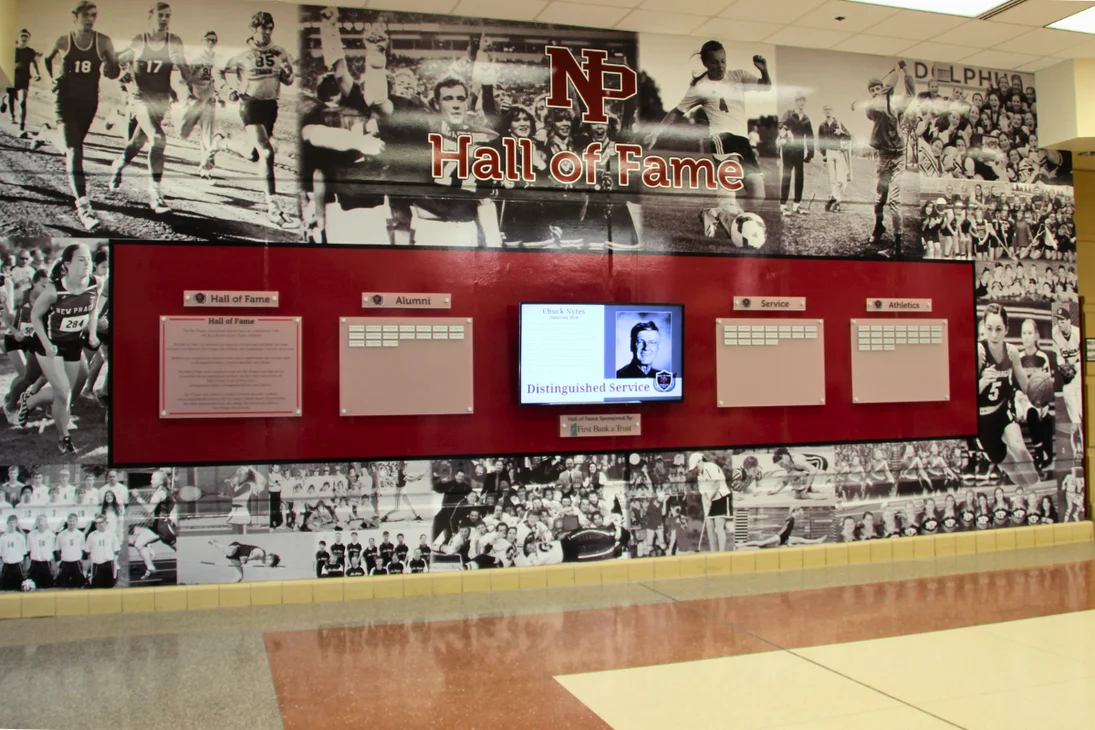
New Prague Area Schools in Minnesota does this at scale. Their digital Hall of Fame dynamically rotates student photos and bios across every campus, recognizing excellence in academics, athletics, service, and alumni contributions. Greg Pint, Director of Technology, says Rise Vision "has empowered our schools to share timely updates, recognize student achievements, and promote events efficiently."
18. Teacher Shoutouts
Teachers don't get recognized nearly enough. When they do, it's usually in a meeting room or a group email that half the school doesn't see. Public recognition on a hallway screen is different. Everyone in the building sees it.
At Lindbergh Elementary, Principal Dustin Wiley runs a program called "iSeeYou," publicly celebrating staff on hallway screens to build culture and morale. By the end of the school year, Principal Wiley aims to have featured 100% of staff.
19. Appreciation Days for Support Staff
Custodians, SROs, bus drivers, and cafeteria workers keep a school running day to day but rarely get the spotlight. At Monticello Trails Middle School, Gina and Stephanie use the displays to recognize support staff on their appreciation days where everyone can see it. It's a small thing that signals to the whole building who the school values.
20. Extracurricular and Program Highlights
Some of your highest-potential kids are the ones showing up to robotics club, the drama program, or an after-school sport. Yet, most of them never get any visibility for it. Screens let you change that without a ceremony or a newsletter.
At Lindbergh Elementary, Mr. Wiley uses digital signage to spotlight students in the school's One Community Jiu Jitsu program, a free after-school activity that's built confidence and pride, especially among girls.
21. Birthday Shoutouts
Birthdays are one of the most requested use cases for school digital signage. It's also one of the easiest to get wrong. Listing every student's birthday on a hallway screen sounds inclusive, but the logistics of keeping it accurate across hundreds of kids also gets unwieldy fast.
There are a few ways to make it work without the headaches. You can group all birthdays for the month on a single slide using one of Rise Vision's auto-updating templates. Some schools run a weekly birthday display instead, keeping it fresh without the logistics of tracking every student daily. And for students with summer birthdays, you can run a dedicated display before the school year ends so kids born in June, July, or August still get their moment.
School Culture and Community Events
Announcements keep people informed. Culture is what makes them want to be there. Here are eight use cases to use digital signage to build your school's identity and culture.
22. Mental Health and Wellness Support
Your school counselor is probably underused in the building, and usually not because students don't want help. They don't know where to go, or they don't feel comfortable walking in cold. A screen in the hallway showing your counselor's name, photo, office location, and drop-in hours removes that barrier without anyone having to make an announcement.
23. Promoting Performances, Games, and School Events
The biggest barrier to event attendance is awareness. Parents and students who would show up often don't, because they didn't know about it in time or forgot once they did. A display in the hallway that promotes an upcoming game or performance changes that and ensures students are aware of what's going on in their school.
At Miami Country Day School, they took event promotion a step further and started adding QR codes to their event displays. Students and parents could scan directly from the screen to buy theater tickets.
24. Spirit Weeks and School Pride Content
Content such as spirit week, homecoming, rivalry games, and school colors get students looking at the displays. You can run themed content for each day of spirit week, swap in school colors and mascot graphics during homecoming, and keep the energy going all week long.
25. Student Artwork, Films, and Creative Work
Students' creative work tends to end up on a classroom wall or in a folder. Digital displays give student works a real audience.
Mr. Dustin Wiley saw this firsthand when he was an Assistant Principal at Wyandotte High School. Students in art classes were making short films, and the school used Rise Vision to give those films a platform to actually be seen. Dustin recalls, "When I brought [Rise Vision] to the high school, it literally changed the game. We had art classes and the short films that they were making were able to be shown in the cafeteria and in the hallways."
26. Fundraising Campaigns and Real-Time Progress
Fundraisers stall when people don't know how close the school is to its goal. Putting a live progress tracker on your hallway screens turns your campaign into something the whole school is watching together. When students can see the number moving, they get invested in moving it further.
You can run a simple thermometer graphic that gets updated daily, or tie it to a live data source that updates automatically.
27. Donor and Sponsor Recognition
Schools that have community sponsors or donors often bury that recognition in a program booklet or a plaque in a quiet hallway.
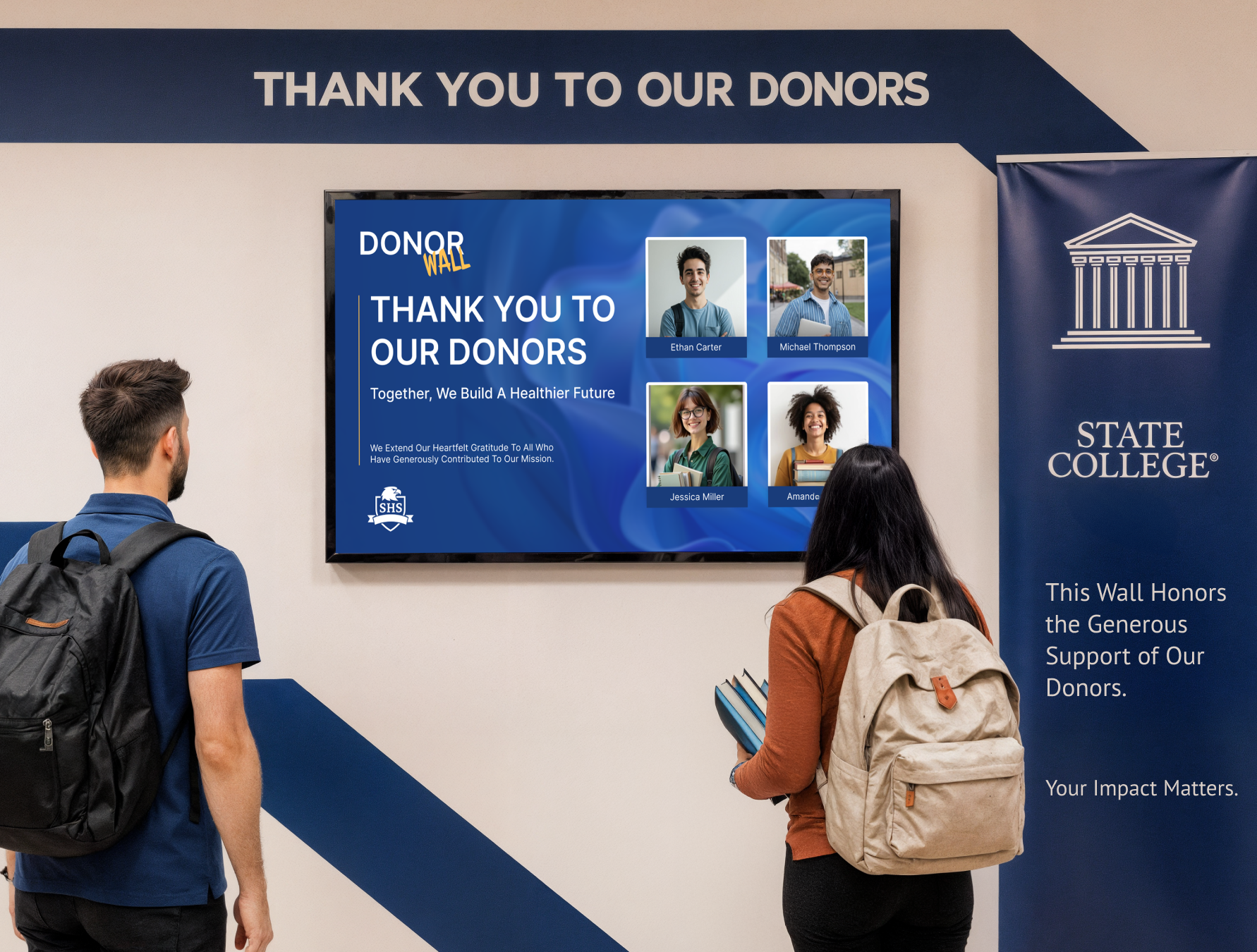
A dedicated display that rotates donor names and sponsor logos gives that recognition real visibility, making the case to future sponsors that their support will actually be seen. This is especially useful during capital campaigns, annual fund drives, or after a major facility upgrade.
28. Sports Scores, Schedules, and Team News
Displays are one of the easiest ways to keep the whole school connected to what your athletes are doing. Game schedules, recent scores, and roster spotlights are content students stop to look at.
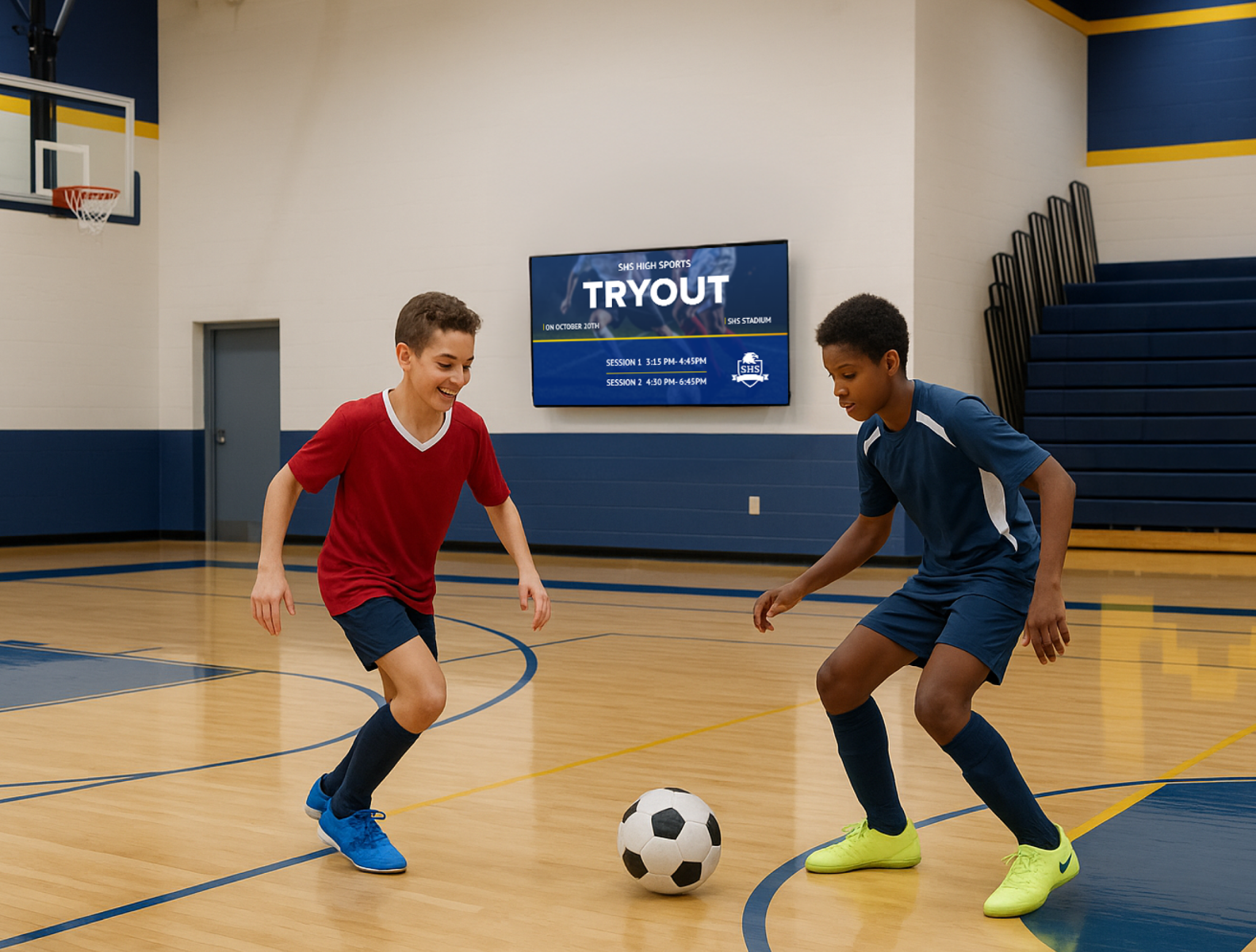
Jacksonville City Schools' high school broadcasting team, Golden Eagle Media, takes this further. They create custom graphics for live-streamed sports events and post them on the school's displays.
29. Multilingual Communication for Diverse Families
If a significant portion of your school community doesn't speak English as a first language, English-only signage is only communicating with part of your school. Displays running content in home languages reach families who get missed by every other communication channel.
At Lindbergh Elementary, where many families speak Spanish and Nepali, Mr. Wiley uses digital signage specifically to bridge that gap.
Teaching and Learning
Screen sharing is the biggest differentiator in this section, but not every use case requires it. Here are five ways to put your displays to work inside the classroom and across your curriculum.
30. Wireless Screen Sharing for Student Presentations
When students can share their screen wirelessly from anywhere in the room, presenting becomes a normal part of the school day.

Dr. Wiley saw this shift firsthand at Lindbergh Elementary after pairing Rise Vision's screen sharing with existing Apple TVs in classrooms. "I was in a third grade class and they did a presentation, shared their screen, and was just going through the slides like they were at Apple doing the keynote," he said. "I feel like pairing students with the technology and things that you can put in front of them, it's gonna be like second nature to them."
31. Teacher-Managed Classroom Displays
When teachers control what's on their own classroom display, the display becomes part of how they run the room. Teachers can empower their students by sharing assignment due dates, reading objectives, class reminders, and extracurricular announcements when they aren't using their classroom IFPs or displays for teaching.
Paul Owens, a teacher at Sparta Area Schools, puts it this way: "Rise Vision has been a fantastic tool for our school. I use it to display our student newscast, Spartan News, on hallway screens, and it's been incredibly reliable. The platform is very fast and easy to update, which is essential since I need to make changes every day. It has significantly improved my workflow and made managing our daily announcements much more efficient."
32. Auto-Updating Templates
Not every piece of content on your screens needs to be created from scratch. Rise Vision has 50+ auto-updating templates that pull fresh content to your displays daily.
At Monticello Trails Middle School, Gina uses the "History — On This Day" template on the hallway displays. It pulls a new historical fact every day automatically. It's the kind of low-effort, high-value content that keeps screens engaging between more important announcements.
33. STEM and Curriculum-Tied Content
Screens in classrooms and common areas can reinforce what students are learning. A math challenge on the cafeteria screen, a science fact in the hallway, a vocabulary word tied to the current reading unit. It's ambient learning that doesn't require a lesson plan.
Rise Vision has templates built specifically for academic content. Content partnerships like STEMscopes, Animalia, and Common Sense bring curriculum-tied material directly to your screens.
At Nahunta Primary in Georgia, Media Specialist Kailee Rowell uses digital signage to drive reading participation. She displays the top 10 AR point earners per grade level on the school's screens, turning reading into something students actively compete for.
34. Financial Literacy Displays
According to Ramsey Solutions, 87% of Americans say high school didn't leave them fully prepared to handle money in the real world. For most students, concepts like budgeting, credit, and interest never get covered in a meaningful way. A dedicated display in a classroom or common area showing financial concepts daily builds that knowledge over time without taking up class time.
Rise Vision has a dedicated Financial Literacy Lab solution built specifically for schools, giving you a structured way to run this content as part of a broader financial education program.
Visitor Experience and Front Office
The front office and main lobby are where visitors form their first impression of your school. Here are six use cases for displays that make that impression count.
35. Welcome Signs Personalized for Visitors and Guests
A screen in your lobby that displays a welcome message for a visiting dignitary, an accreditation team, or a community partner signals that your school was expecting them and prepared for their arrival. It's a small gesture that makes a strong impression.
You can schedule these personalized welcome signs ahead of time, set them to display during the visiting window, and later revert to standard lobby content automatically.
36. Digital Directories
Printed building maps go out of date the moment a room gets reassigned or a staff member moves offices. A digital directory on a screen near the entrance stays current because you update it once in Rise Vision and it reflects everywhere immediately.
.webp?width=2376&height=1800&name=Digital%20Directories%20(2).webp)
For larger buildings or multi-building campuses, this is especially useful. Visitors and new families can find what they're looking for without flagging down a staff member.
37. Conference Room Scheduling
A screen outside each conference room that shows real-time availability eliminates double bookings and the awkward walk-in mid-meeting. Staff can see at a glance whether a space is taken and when it frees up, without having to check a calendar or knock on a door. Rise Vision has a dedicated conference room scheduling solution built for exactly this.
38. Meeting and Event Schedules
A digital calendar wall in your lobby tells staff, parents, and visitors exactly what's happening in the building without anyone having to ask. Rise Vision syncs directly with Google Calendar or Outlook, so your meeting and event schedule updates automatically across your displays the moment you make a change.
39. Parent-Facing Lobby and Foyer Displays
Parents who come in for pickup, drop-off, or a quick meeting spend time in your lobby whether you plan for it or not. A screen running school news, upcoming events, and recognition content turns that wait into something useful. It also gives parents a window into what's happening at school that they wouldn't otherwise see.
40. Contact Info and Orientation Content for New Families
New families navigating your school for the first time have a lot of questions that your front office staff end up answering over and over. A display in the lobby that covers key contacts and how to reach the main office handles those questions before anyone has to ask them. It's also useful at the start of the school year when you have a wave of new families coming through orientation.
41. Volunteer Opportunities and Community Programs
A display in the lobby or common area that shows volunteer opportunities reaches parents when they're already in the building and thinking about the school.
Digital displays also work for community-facing programs like after-school activities, adult education nights, and other district initiatives.
Put Your Screens to Work with Rise Vision
Schools like Necedah, Miami Country Day, Monticello Trails, and Lindbergh Elementary are putting their displays to work across all the aforementioned use cases. What they all have in common is that they needed a platform that was flexible, affordable, and easy enough for non-IT staff to manage. That's Rise Vision.
You can see how it works for your school with a free 14-day trial. And if you subscribe and it's not the right fit within 30 days, you get your money back.
More From Our Blog
-
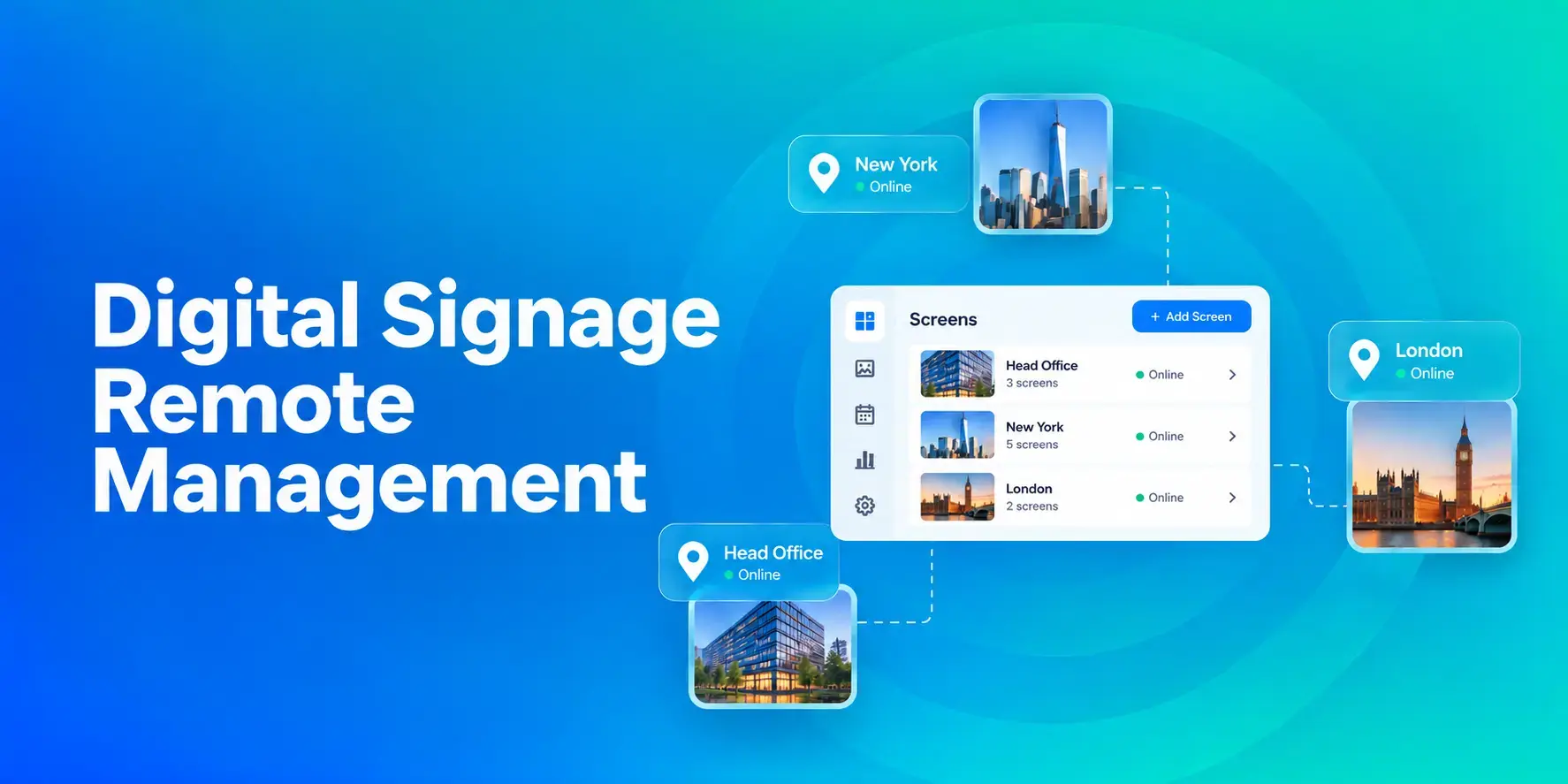
Digital Signage Remote Management: How to Run Every Screen From One Place
Digital signage remote management lets you control screens, schedules, and display health from an online platform. To get started, choose a hardware-agnostic platform, connect your media players or[…]
Read More -

ScreenBeam Review 2026: Features, Pricing, and Limitations
ScreenBeam sells wireless display receivers that let people cast to a screen from any device without an app. You need one receiver per display, and they run from $299.99 to $1,199.99. Cloud-based[…]
Read More -
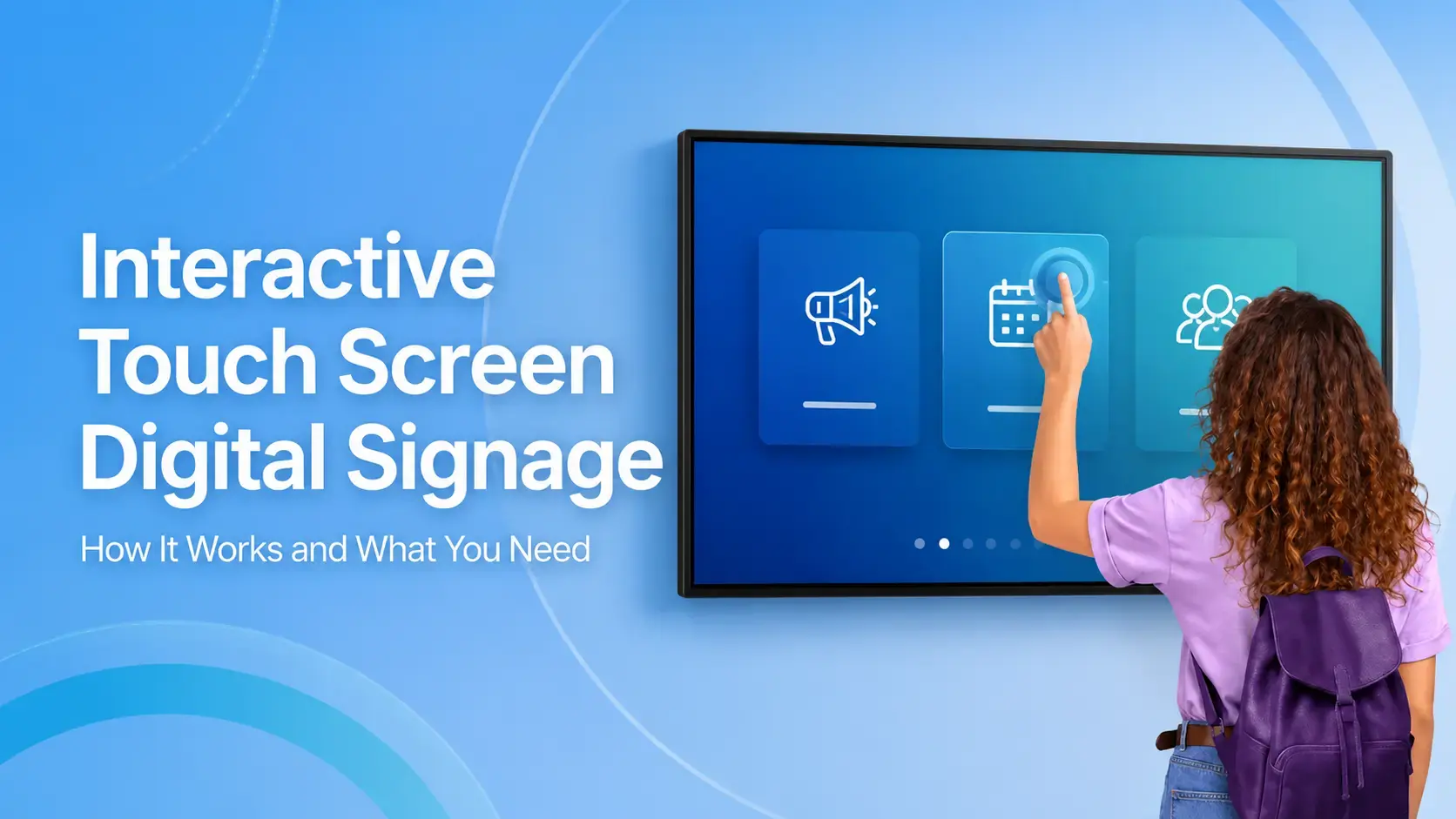
Interactive Touch Screen Digital Signage: How It Works and What You Need
Interactive touch screen digital signage lets viewers tap a display to find what they need. It pairs a commercial touch display with content software. Common uses include wayfinding, visitor[…]
Read More
12,300+ Organizations Trust Rise Vision, You Can Too
































Schedule a Free Demo
You deserve the #1 all-in-one platform for digital signage, screen sharing, and emergency alerts.





