

Quick Summary
Play Digital Signage gets a lot of things right. It’s easy to get up and running, your first screen is completely free, and it plays nice with almost any hardware you throw at it. For a small team or a single-location setup, it’s a genuinely solid choice. But once your organization starts to scale, you start seeing the cracks.
If you’ve officially outgrown Play, we’ll cover seven great alternatives to look at next. But first, here are the top three picks:
|
# |
Tool |
Best For |
|
1 |
Rise Vision |
Organizations of any size that need digital signage, screen sharing, and built-in emergency alerts in one platform |
|
2 |
Appspace |
Large enterprises that need signage, room booking, and employee communication in one place |
|
3 |
NoviSign |
Small and mid-sized teams in retail, healthcare, and education that need a template-driven editor with interactive display support |
Why Listen to Us?
Rise Vision works with more than 12,300 organizations across 100+ countries, from schools and manufacturers to warehouses and multi-site teams that rely on digital signage every day.
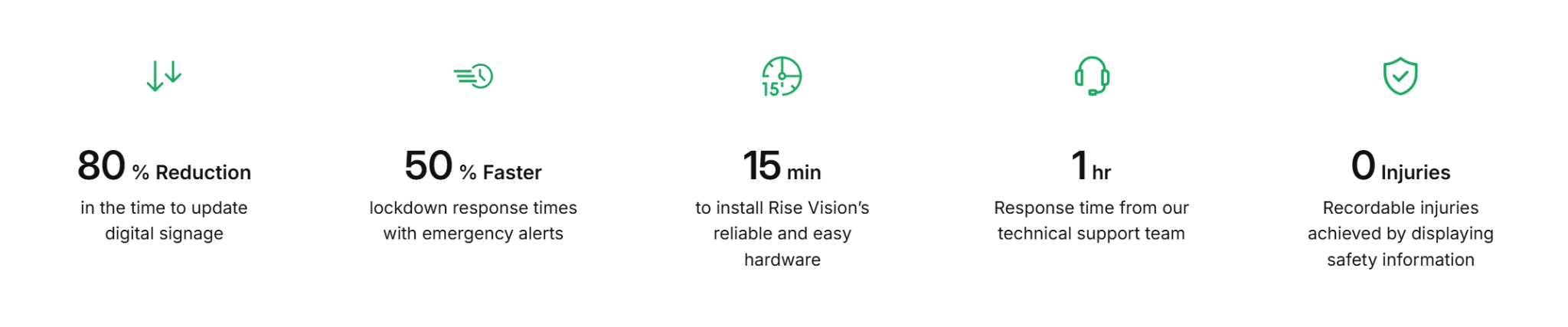
This experience gives us a clear idea of what organizations need, and we use that knowledge to compare digital signage platforms.
What is Play Digital Signage?
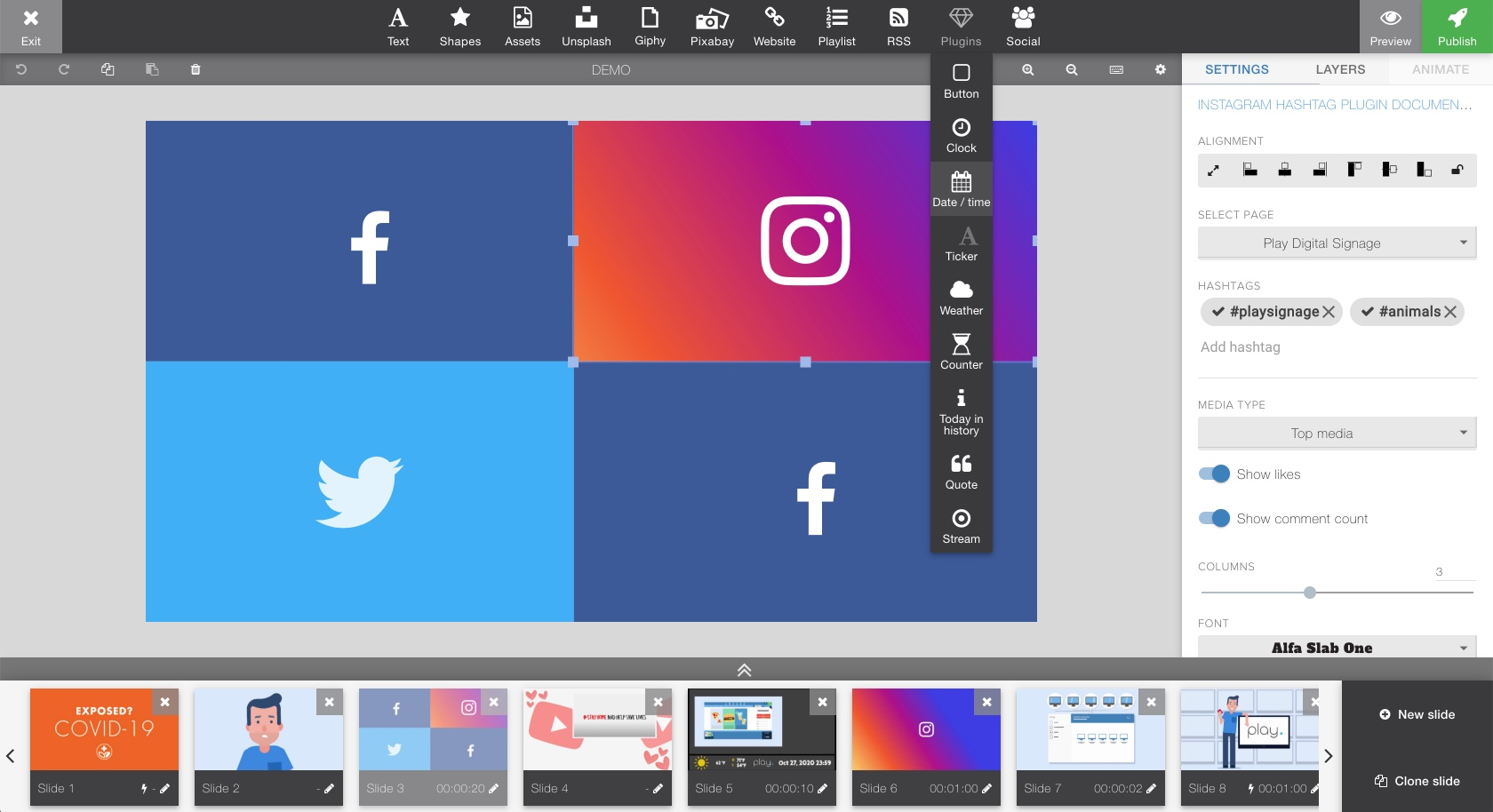
Play Digital Signage is a cloud-based digital signage platform built around simplicity. It supports a wide range of operating systems and devices, including Windows, macOS, Android TV, and smart TVs from Samsung, Sony, and LG. That gives teams room to use existing hardware instead of buying proprietary players.
Their pricing model is pretty unique, too. Instead of charging a flat fee per screen, you only pay for how much your screens are actually active. And if you leave a review on an approved site within 30 days of signing up, your first screen is free forever.
Key Features
- Drag-and-drop editor: Build and publish content quickly, even without design experience.
- 50+ plugins: Connect to Google Workspace, Power BI, Canva, social media feeds, YouTube, RSS, and more.
- Zone-based layouts: Split a single screen into multiple content areas that run simultaneously.
- Offline playback: Content remains on the media player and continues to play without an internet connection.
- Remote screen management: Update and control all screens from a single cloud dashboard.
What We Like About It
- Free first screen with no credit card required.
- Fast, intuitive setup that non-technical users pick up quickly.
- Affordable per-screen pricing with volume discounts.
- 24/7 live chat and email support included with all plans.
- Flexible hardware compatibility reduces upfront costs.
Why Look for Play Digital Signage Alternatives?
The Page-Based Editor Can Feel Limiting for More Advanced Layouts
Play uses a page/layout approach rather than a timeline-style editor, which works well for straightforward signage. But if you are trying to tightly coordinate multiple elements on one screen, like keeping a live widget running alongside timed media, some teams may find that workflow less flexible than platforms built around timeline-based scheduling.
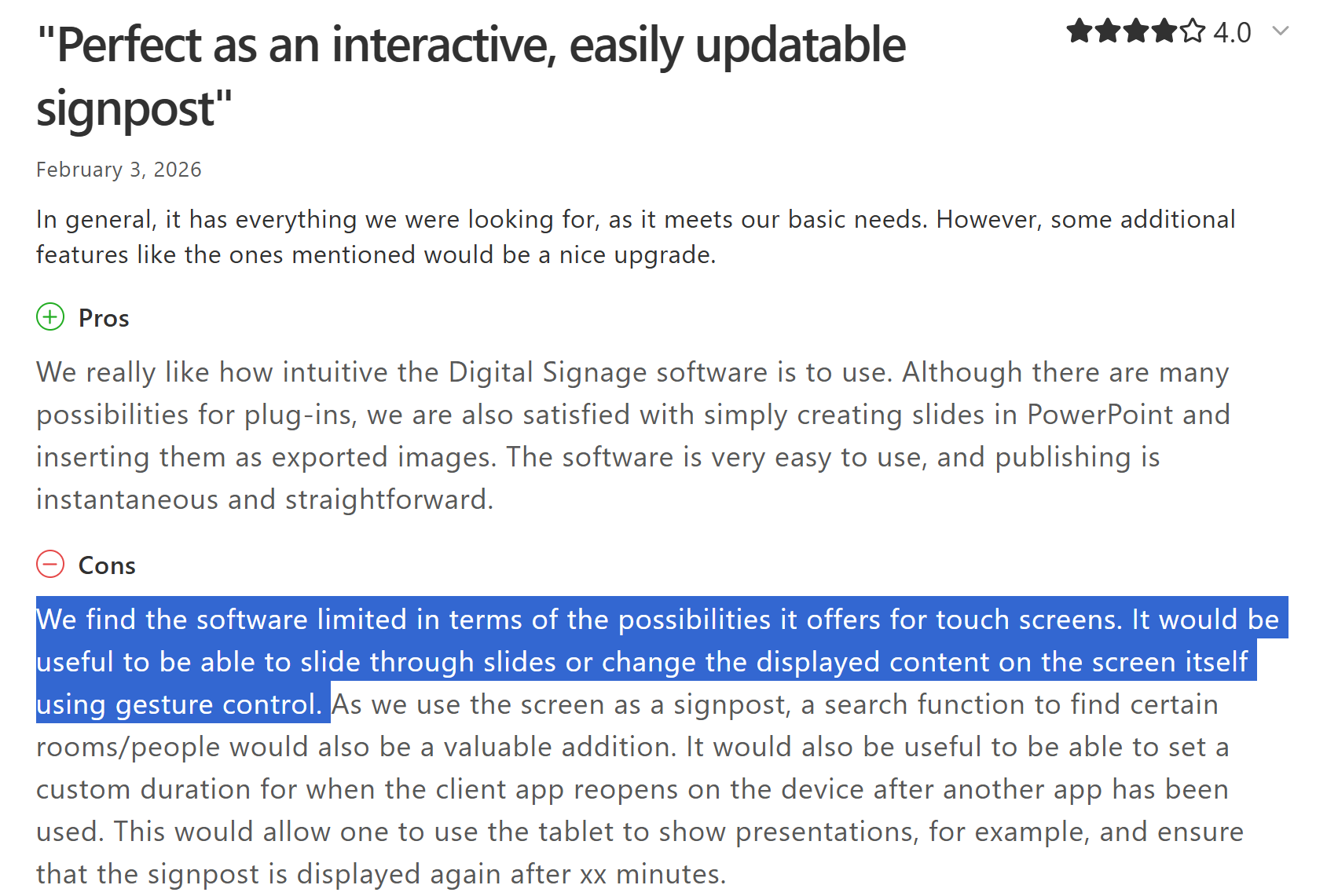
Interactive and Touch Features are Limited
Play handles touchscreens by relying on basic clickable "hotspots" to jump between flat slides, essentially treating your display like a PowerPoint presentation. It lacks modern, smartphone-style gesture support—meaning users can't naturally swipe, scroll, or pinch to zoom. For interactive kiosks or directories, this button-only navigation feels incredibly rigid and dated.
7 Best Play Digital Signage Alternatives
|
# |
Tool |
Best For |
Key Strength |
Starting Price |
|
1 |
Rise Vision |
Organizations of any size needing signage, screen sharing, and emergency alerts in one platform |
Built-in CAP alerts and broad hardware support with 1-hour support response |
$11/display/month |
|
2 |
Appspace |
Large enterprises managing signage, room booking, and employee communication |
Unified platform for signage, desk booking, and internal messaging |
Custom pricing |
|
3 |
NoviSign |
Small and mid-sized teams in retail, healthcare, and education |
Template-driven editor with offline playback and interactive display support |
$20/screen/month |
|
4 |
OptiSigns |
Teams wanting flexible hardware support and broad app integrations |
140+ app integrations with a free plan for up to 3 screens |
Free, then $10/screen/month |
|
5 |
TelemetryTV |
IT-led teams managing large, security-critical deployments |
Hardened TelemetryOS with SOC 2 and PCI-DSS compliance |
$9/device/month |
|
6 |
Yodeck |
Small teams wanting affordable signage with reliable hardware |
Free media player on annual plans with unlimited storage and bandwidth |
$8/screen/month |
|
7 |
ScreenCloud |
Businesses relying on third-party tool integrations |
80+ app integrations with strong uptime and instant content updates |
$24/screen/month |
1. Rise Vision
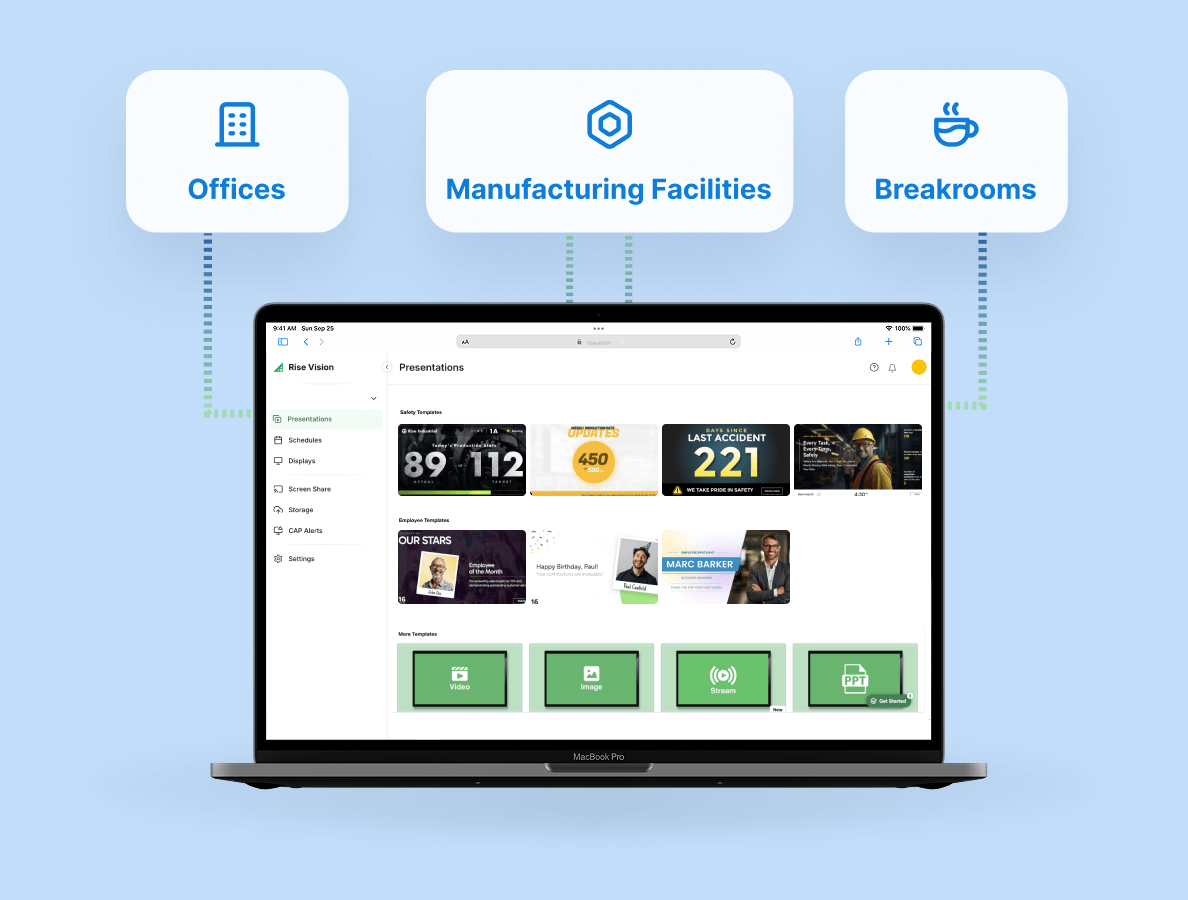
Rise Vision is a cloud-based digital signage platform used by organizations across 100+ countries for announcements, emergency alerts, wireless screen sharing, and day-to-day communication.
Compared with Play Digital Signage, one practical difference is how we handle emergency alerts. Both platforms support CAP-based emergency alerts, but the setup experience is different. Play's approach is a bit more technical, relying on an API and a token-driven setup. We, on the other hand, let you configure everything directly inside our admin dashboard using built-in provider integrations.
Rise Vision also includes wireless screen sharing, so the same screens used for signage can double as presentation displays in classrooms, meeting rooms, or shared spaces. Plus, because we support almost any operating system—including Android, Windows, ChromeOS, Apple TV, and BrightSign—you can easily use the hardware you already own instead of replacing it.
This mix of simplicity and scale is exactly why large organizations trust us to keep their teams informed. For example, FirstFleet uses our platform across more than 100 logistics terminals in the US to stream real-time load data, weather updates, and driver metrics.
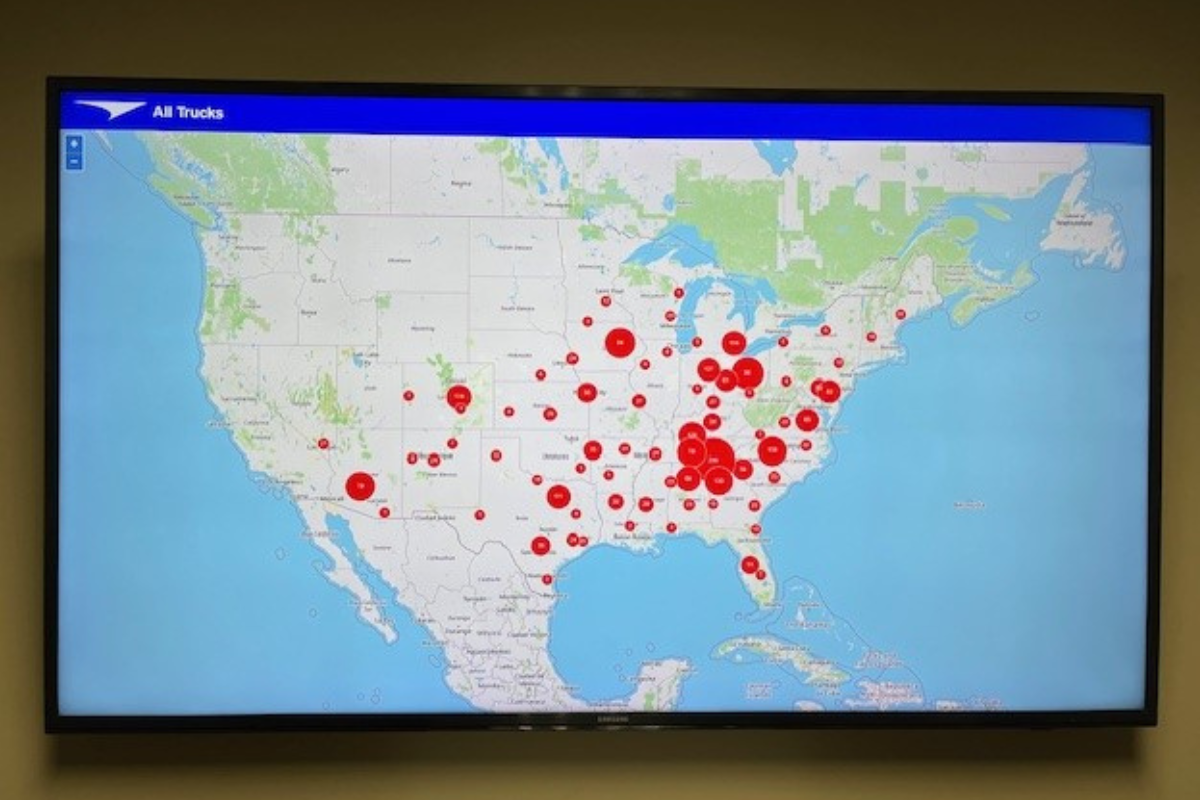
For their IT team, the best part is how low-maintenance the network is. As they put it: “Once you set it up, it just goes.”
Key Features
- CAP-based emergency alerts: Push urgent alerts to all connected screens instantly from the dashboard.
- Wireless screen sharing: Share content from any device to any screen without cables.
- 750+ templates and an AI design tool: Create professional presentations from a simple text prompt, with no design skills required.
- Broad hardware support: Runs on Android, Windows, Linux, ChromeOS, Apple TV, Amazon Signage Stick, BrightSign, and more.
- Centralized multi-location management: Group displays, set permissions, and manage content across all sites from a single dashboard.
- 40+ integrations: Connects with Canva, Google Workspace, Microsoft 365, Power BI, social media feeds, live weather, and more.
Pricing
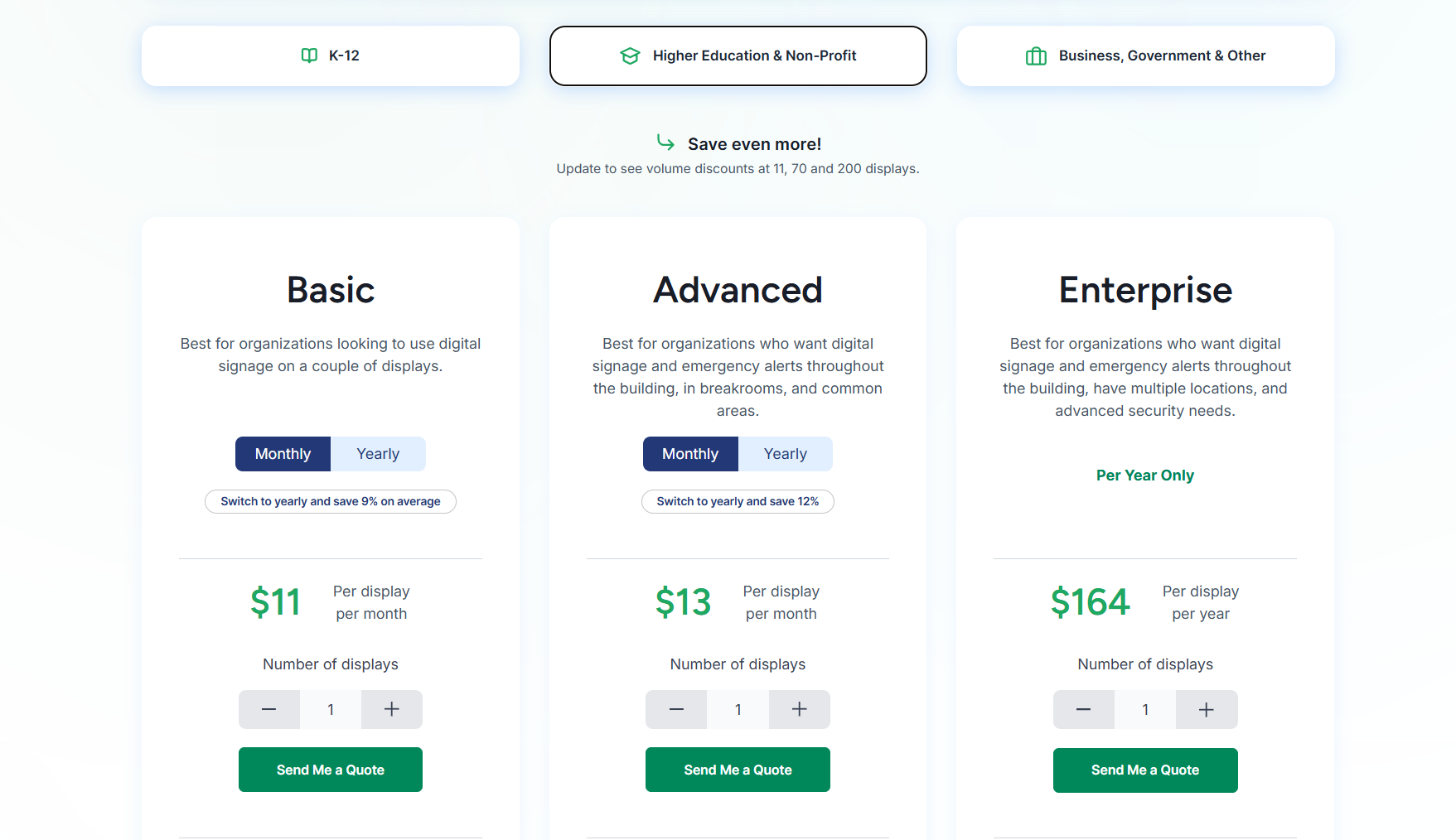
- Basic: $11/display/month.
- Advanced: $13/display/month.
- Enterprise: $164/display/year or $1,399/school/year for an unlimited license.
Higher Education and Non-Profit
- Basic: $11/display/month.
- Advanced: $13/display/month.
- Enterprise: $164/display/year.
Business and Government
- Basic: $12/display/month.
- Advanced: $14/display/month.
- Enterprise: $180/display/year.
Pros
- Built-in emergency alerts require no technical configuration.
- Combines signage, screen sharing, and alerts in one platform.
- Runs on a wide range of existing hardware.
- Free onboarding, training, and support included.
- 1-hour support response time.
Cons
- Interactive display features require a high-cost annual add-on license.
2. Appspace
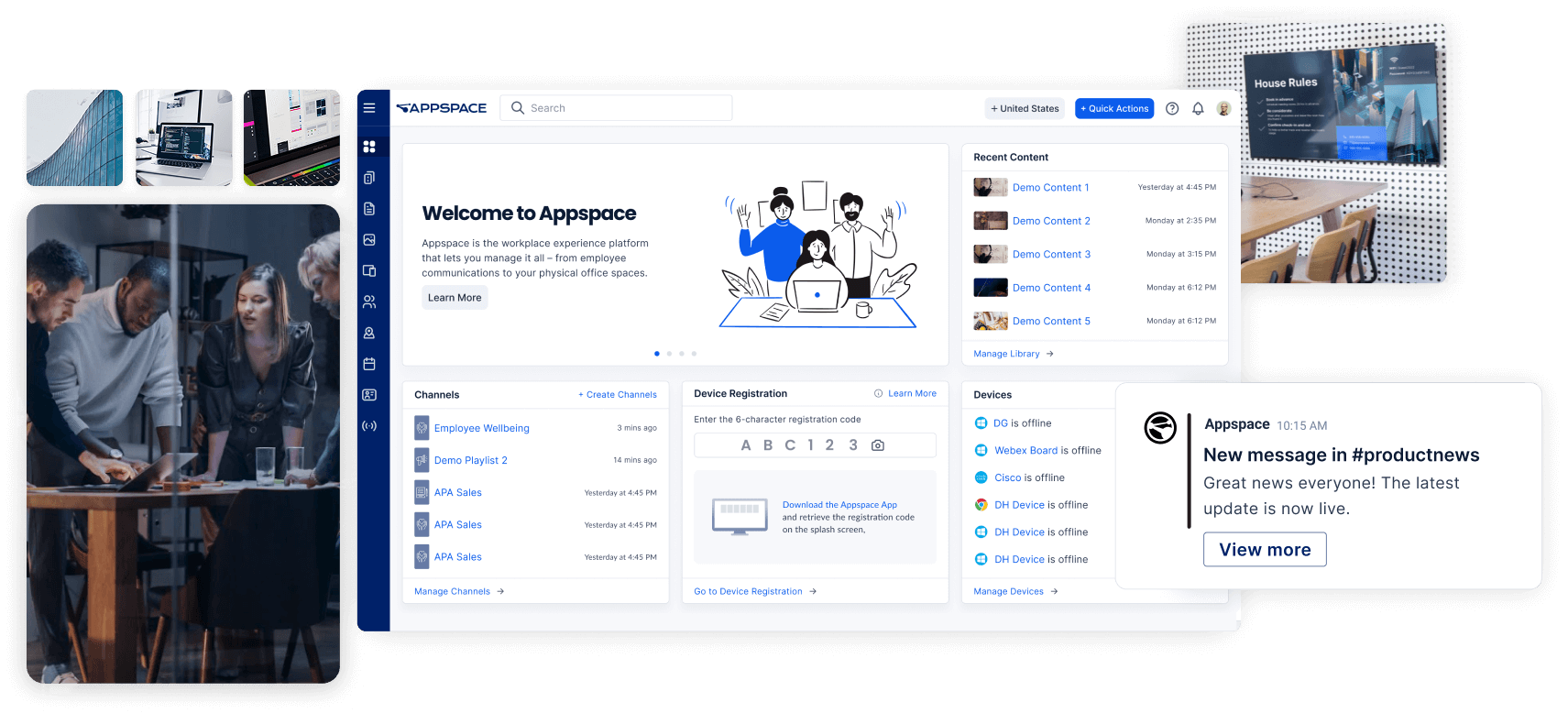
Appspace is an enterprise workplace platform that does more than digital signage. It delivers content to screens, mobile devices, and intranets at the same time. This makes it a good choice for large organizations that want signage, workplace communication, and space booking in one system.
Key Features
- Appspace orchestration: Publishes consistent messaging across digital signs, mobile apps, Slack, and Microsoft Teams simultaneously.
- Space reservation: Employees can book desks or meeting rooms directly from touchscreen displays.
- Appspace Intelligence: AI-driven tools for content writing, automated translations, and real-time engagement analytics.
- Cards templates: Pre-designed templates for news, weather, and social media, ideal for non-designers.
- Cisco and Microsoft integrations: Connects with Microsoft 365 and Cisco Webex devices.
Pricing
- Custom pricing based on products, user count, and workplace modules.
Pros
- Combines signage, desk booking, and internal communication in one platform.
- Scales well for large organizations with thousands of endpoints.
- High-quality templates keep content on-brand.
Cons
- Pricing is not transparent.
- Initial configuration is more complex than simpler platforms.
- The admin dashboard can feel overwhelming due to the volume of features.
3. NoviSign
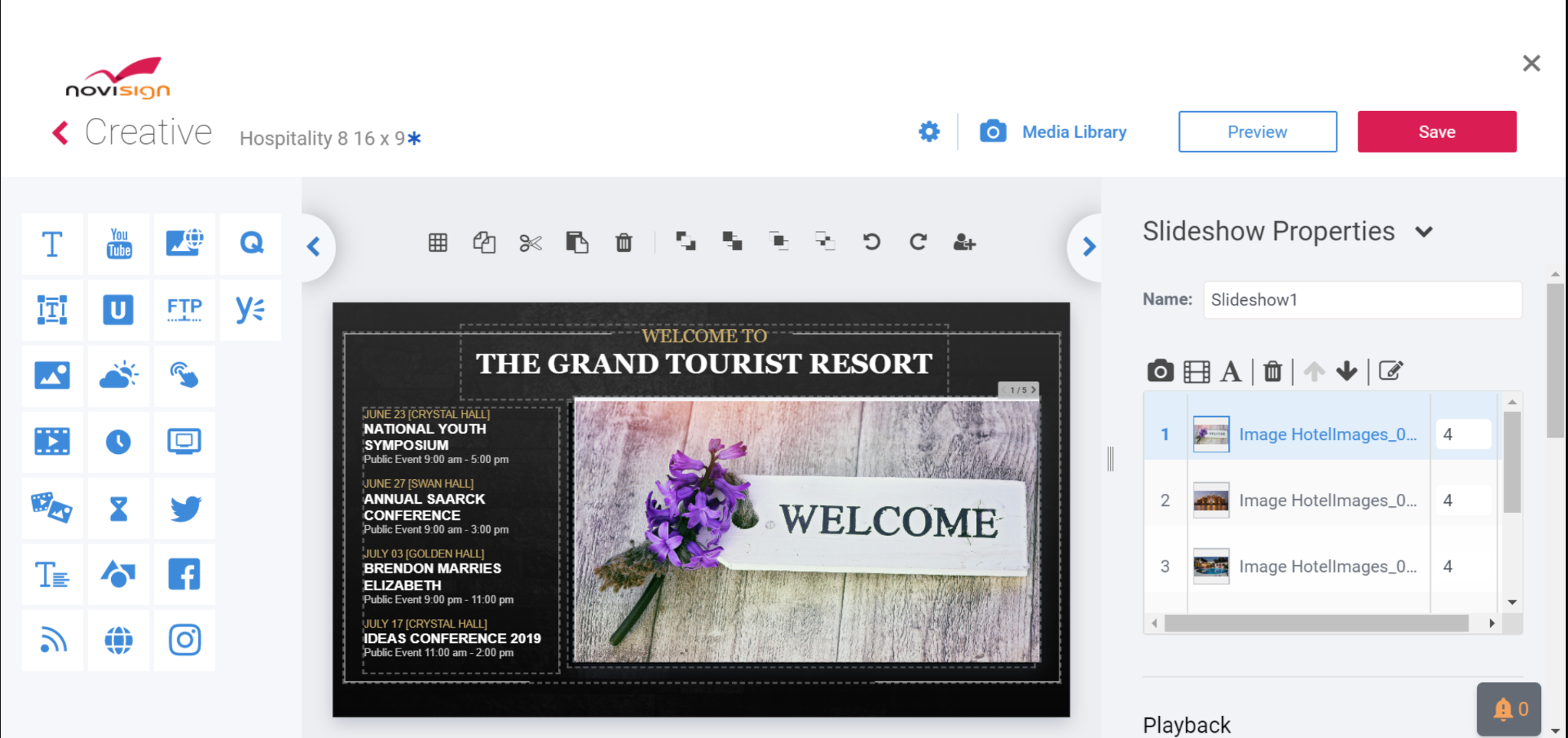
NoviSign is a digital signage platform built around template-driven content creation. Its drag-and-drop, browser-based editor and broad hardware support make it a practical option for small and mid-sized teams in retail, healthcare, and education who want to create and publish content without design experience or external software.
Key Features
- Online studio editor: Drag-and-drop design suite with ready-made templates for quick content creation.
- Interactive engagement tools: Supports touchscreen directories, QR codes, and polls.
- Hybrid offline playback: Caches content on the player so screens keep running during internet outages.
- Rich widget library: Pull in live social media updates, weather data, and streaming video using over 20 built-in widgets.
- Proof-of-play reports: Access playback logs showing exactly which content ran, on which screen, and when.
Pricing
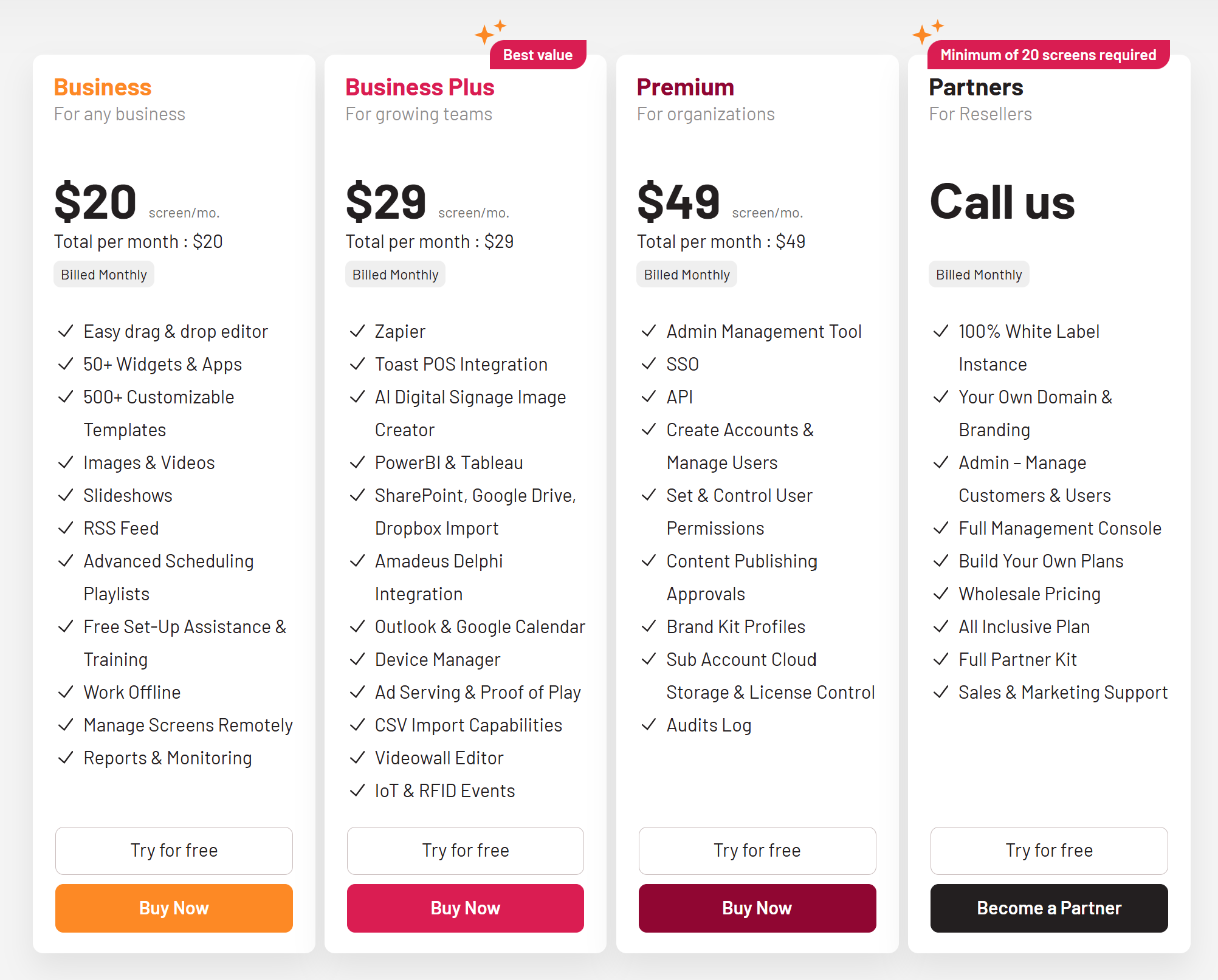
- Business: $20/screen/month.
- Business Plus: $29/screen/month.
- Premium: $49/screen/month.
Pros
- Intuitive interface for non-designers.
- Broad hardware support, including Android and ChromeOS.
- Responsive customer support with training videos.
Cons
- The backend interface can feel sluggish compared to competitors.
- Design previews may differ from live screens.
- Pricing increases quickly at scale.
4. OptiSigns
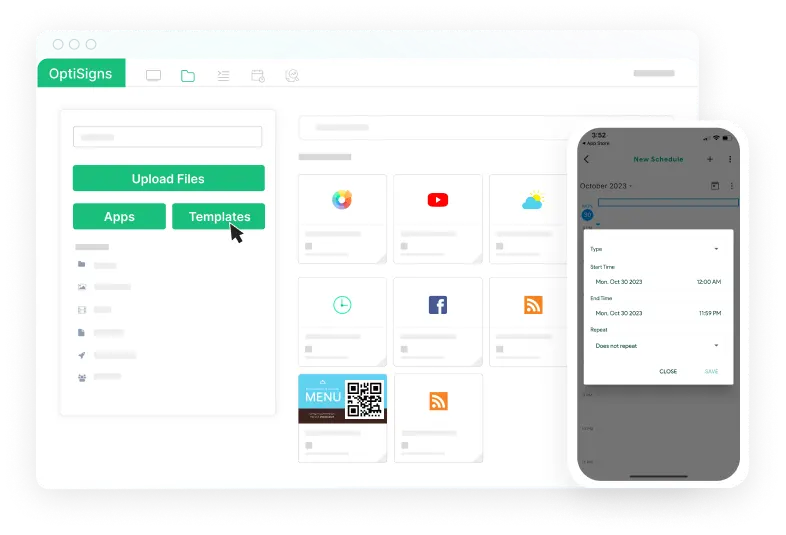
OptiSigns is a cloud-based digital signage platform that lets you create, schedule, and manage content across multiple screens from anywhere. It supports a wide range of media formats, integrates with multiple apps, including Google Slides, Power BI, and social media feeds, and runs on Android, Windows, ChromeOS, and smart TVs.
Key Features
- 140+ app integrations: Connect to Google Slides, Power BI, Instagram, YouTube, and more.
- Drag-and-drop designer: Build and publish content directly on the platform without external tools.
- Split-screen zones: Display multiple content types on a single screen.
- Mobile admin app: Update and monitor screens on the go from Android or iOS.
- Broad hardware support: Runs on Android, Amazon Fire, Windows, ChromeOS, Raspberry Pi, and more.
Pricing
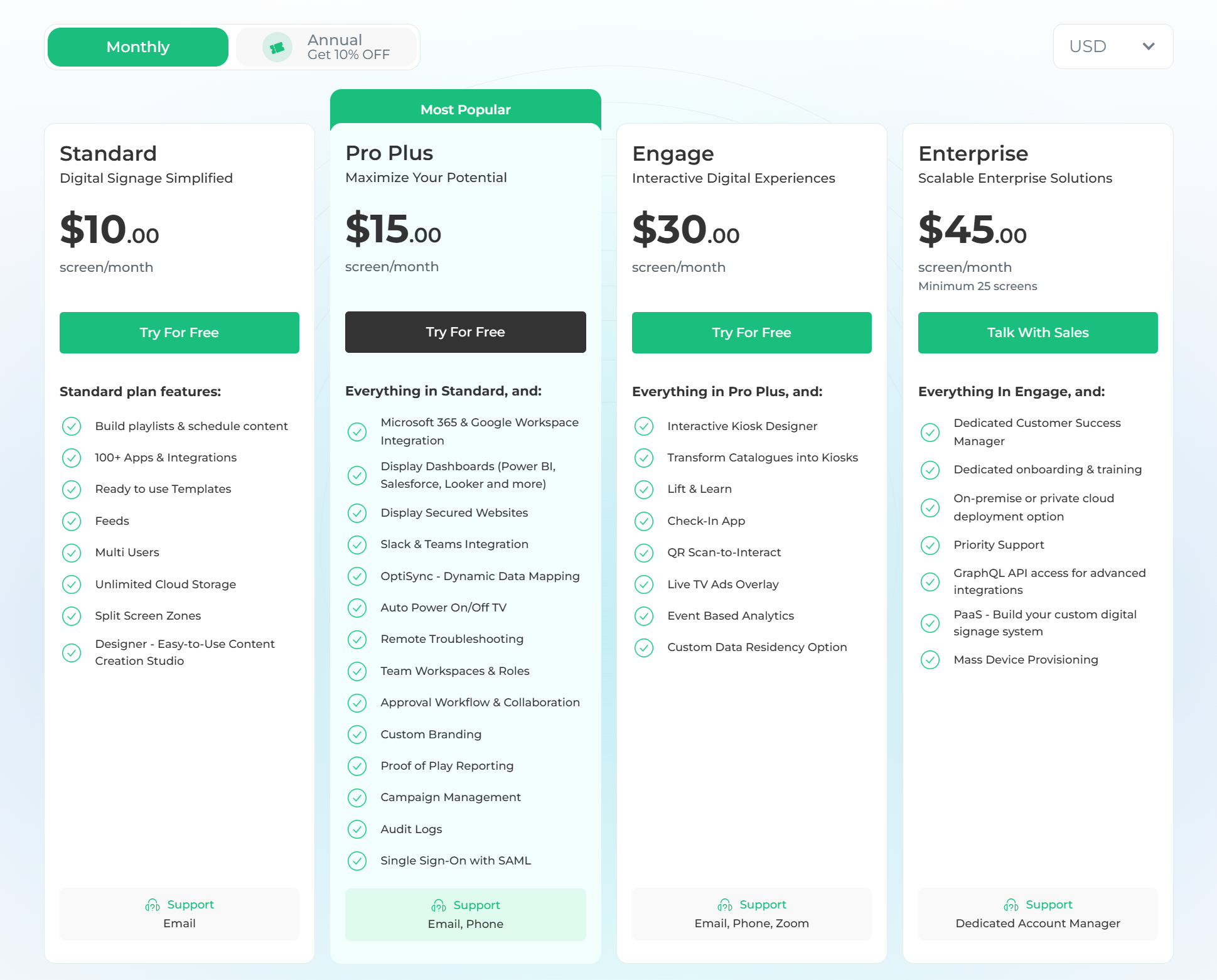
- Free: $0 for up to 3 screens.
- Standard: $10/screen/month.
- Pro Plus: $15/screen/month.
- Engage: $30/screen/month.
- Enterprise: $45/screen/month.
Pros
- Easy setup with broad hardware compatibility.
- Entry-level pricing with a free plan for up to 3 screens.
- Strong app and integration library.
Cons
- Content updates can feel manual at higher volumes.
- Design tools are limited for teams with higher visual standards.
- Harder to keep content consistent across multiple locations at scale.
5. TelemetryTV
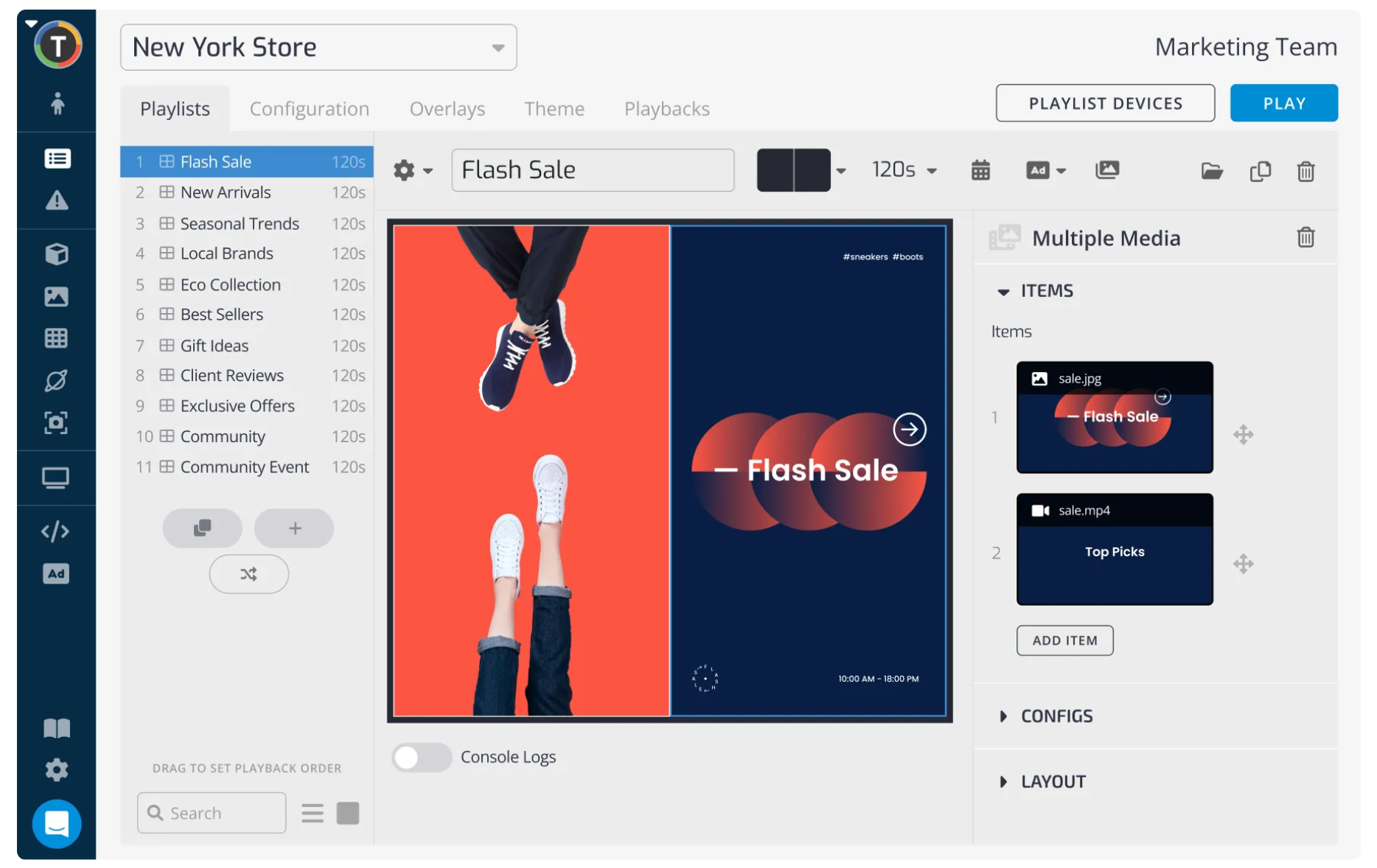
TelemetryTV is a cloud-based digital signage platform built for organizations that need secure, large-scale screen management with minimal on-site intervention. It runs on a proprietary hardened operating system, TelemetryOS, designed to reduce maintenance and keep screens running around the clock.
Key Features
- TelemetryOS: A stripped-down Linux-based OS designed to run signage software with minimal resource usage.
- 70+ turnkey apps: Built-in app library featuring native Canva integration and live data feeds.
- Automatic provisioning: Set up hundreds of devices simultaneously without manual configuration.
- CAP-based emergency alerts: Instantly override scheduled content for site-wide emergency broadcasts.
- SOC 2 and PCI-DSS compliance: Built to meet security requirements for regulated industries.
Pricing
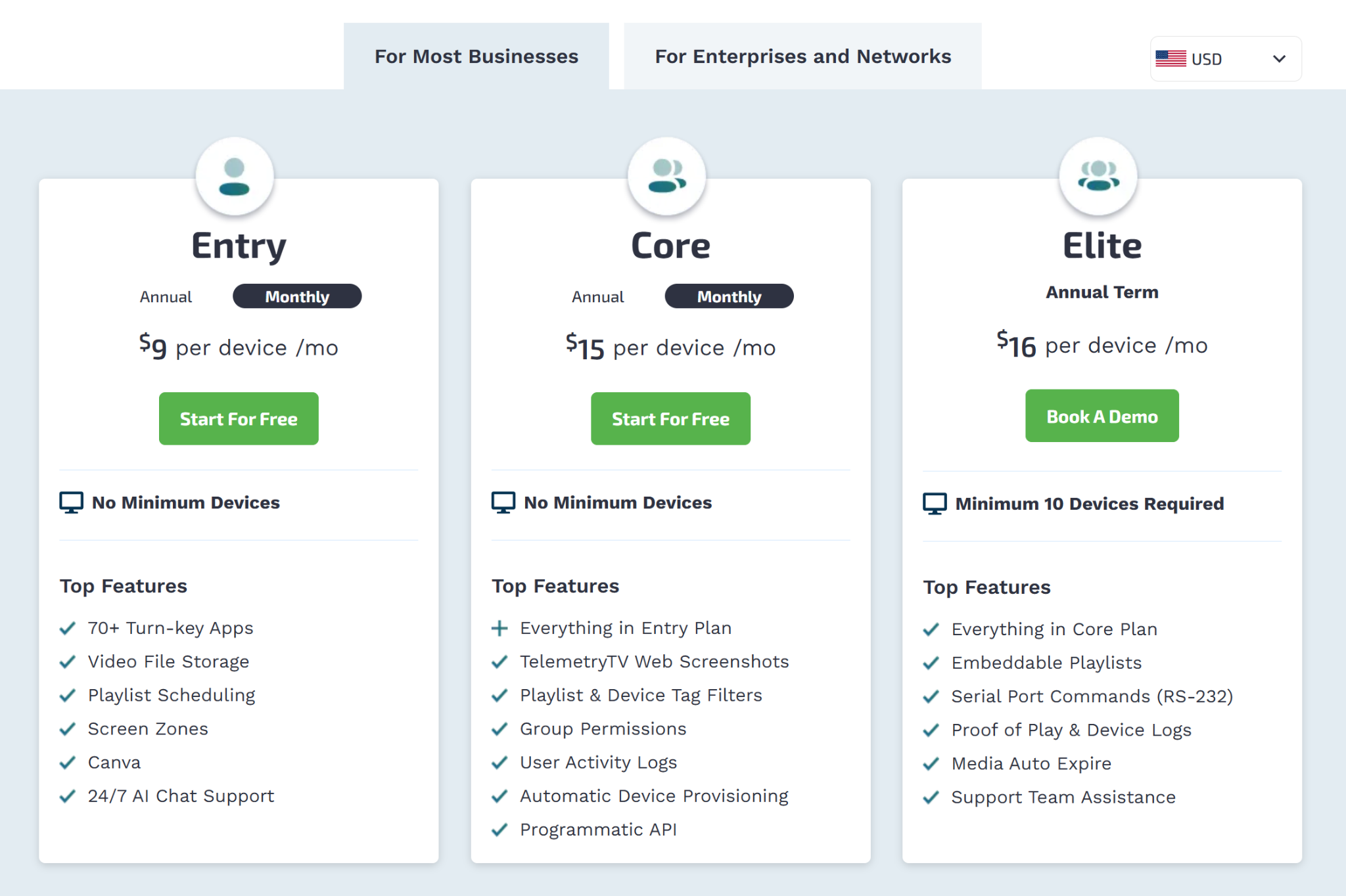
- Entry: $9/device/month.
- Core: $15/device/month.
- Elite: $16/device/month (annual term only).
- Enterprise: $35/device/month (annual term only).
- Network: $9/device/month (annual term only).
Pros
- SOC 2 and PCI-DSS compliance for regulated industries.
- TelemetryOS reduces crashes and maintenance needs.
- Native Canva integration is built into the dashboard.
Cons
- Feature depth can overwhelm smaller or non-technical teams.
- The enterprise plan requires a minimum of 100 devices.
- Many dynamic tools require a live internet connection.
6. Yodeck
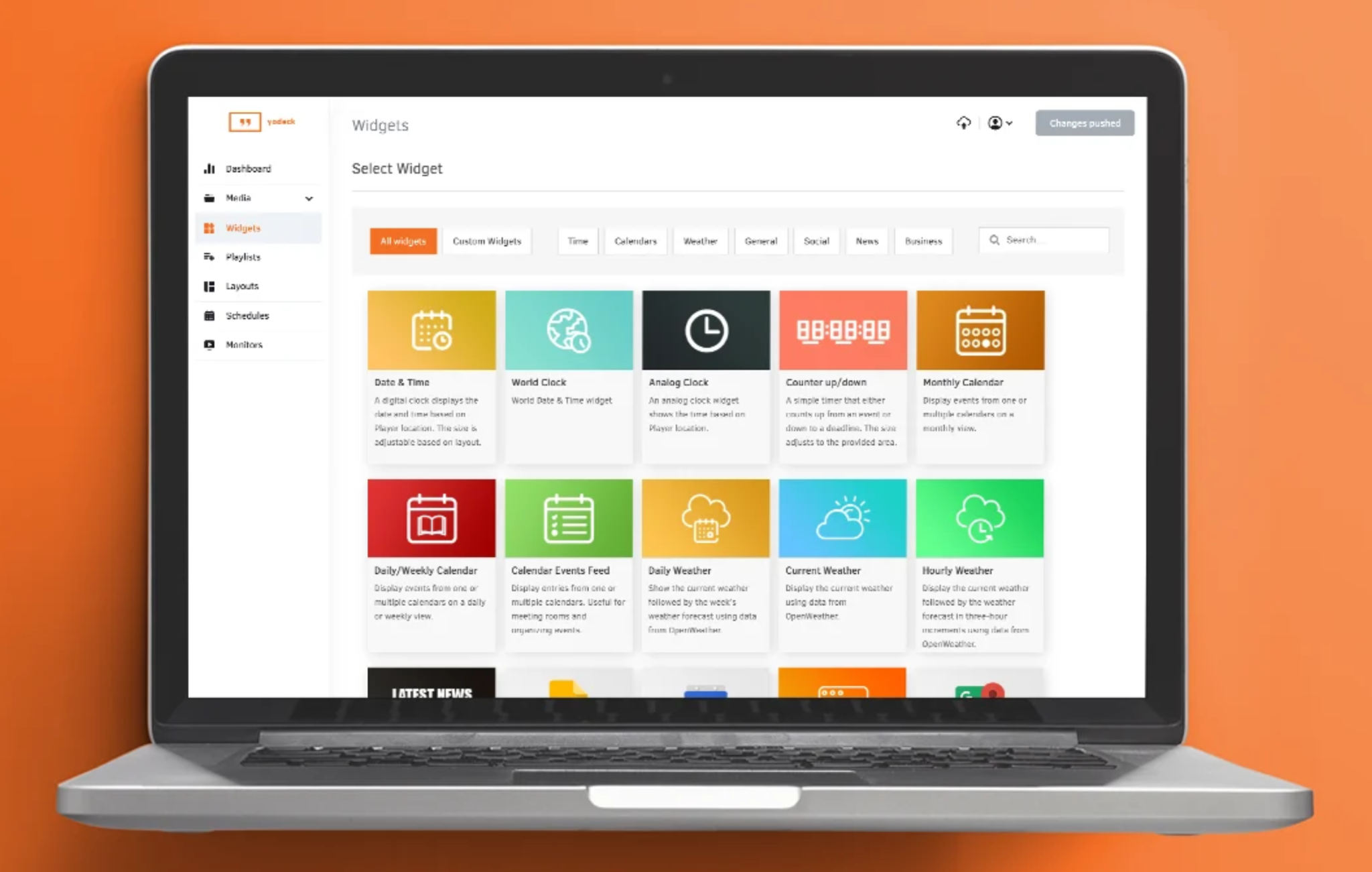
Yodeck is a cloud-based digital signage platform designed for teams seeking affordable, reliable screens without a complex setup. It runs on Raspberry Pi hardware, offers 500+ templates, and includes a free media player with annual plans, making it a cost-effective option on this list.
Key Features
- Free hardware offer: Get a free Yodeck media player when you commit to an annual subscription.
- Remote power management: Control screen power via HDMI-CEC.
- Plug-and-play pairing: Connect new screens quickly using a unique activation code.
- 500+ templates: Build and publish content faster with ready-made designs.
- Layout zone editor: Create multi-zone screen layouts that display different types of content in separate regions at the same time.
Pricing
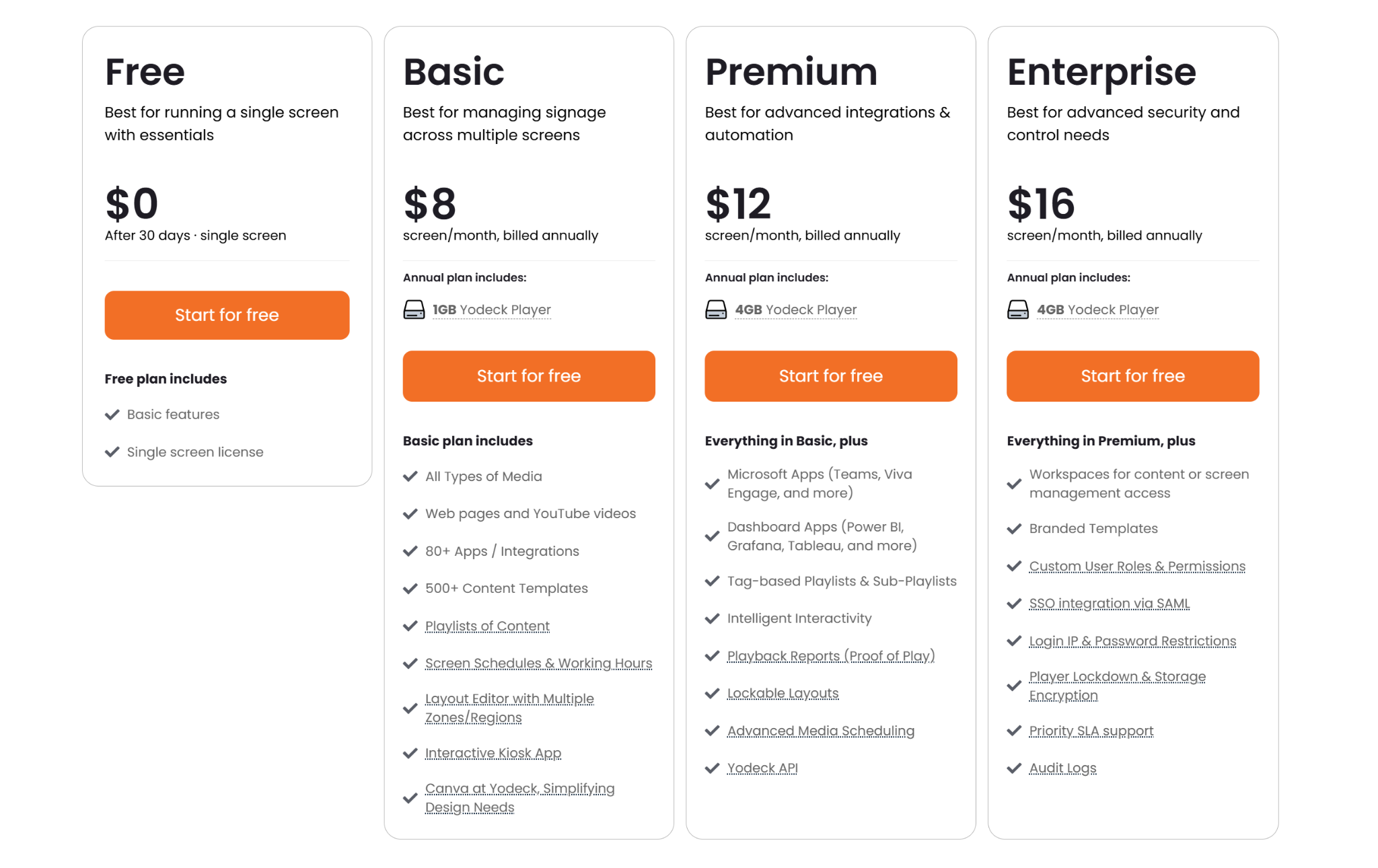
- Free: $0 per screen.
- Basic: $8 per screen per month.
- Premium: $12 per screen per month.
- Enterprise: $16 per screen per month.
Pros
- Affordable entry-level pricing with a free single-screen option.
- Reliable Raspberry Pi hardware built for continuous playback.
- Unlimited storage and bandwidth on all paid plans.
Cons
- No native app for Apple TV or macOS.
- Amazon Fire TV and Stick devices come with notable feature restrictions.
- Free hardware is only fully owned after one year of continuous service.
7. ScreenCloud
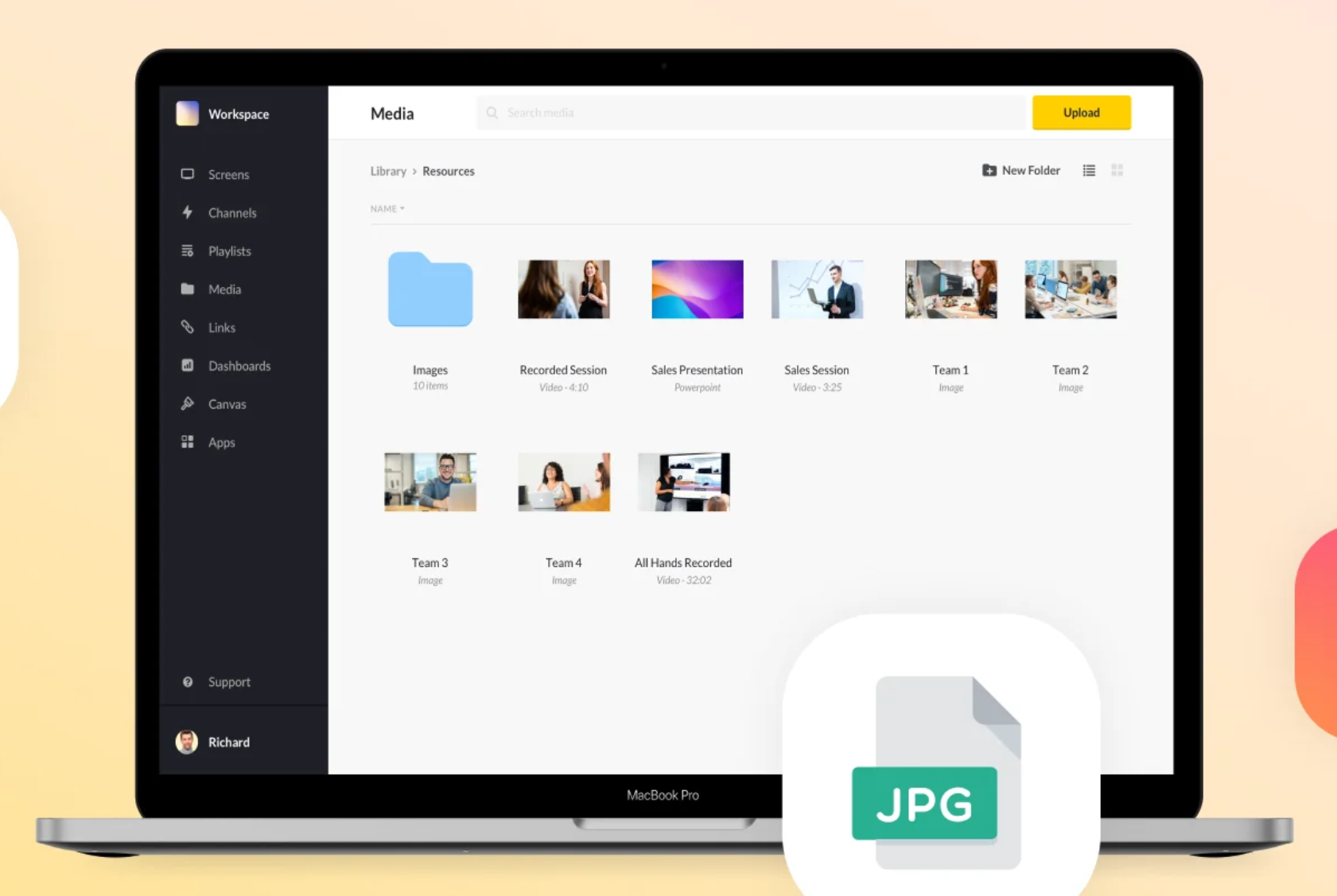
ScreenCloud is a cloud-based digital signage platform designed for businesses that need centralized control across multiple screens and locations. It is a strong fit for teams that rely heavily on third-party tools and want their data visible on screens without manual updates.
Key Features
- 80+ free app integrations: Connect tools such as Slack, Microsoft Teams, and Google Slides directly to your screens.
- Canvas design tool: Create and customize screen layouts in-browser using drag-and-drop blocks, no design software required.
- Emergency casting: Instantly broadcast safety alerts or live streams to all screens.
- Centralized screen management: Group screens by location, department, or building and update all of them from one place.
- Enterprise security: Role-based access controls and MFA protect publishing rights across your entire screen network
Pricing
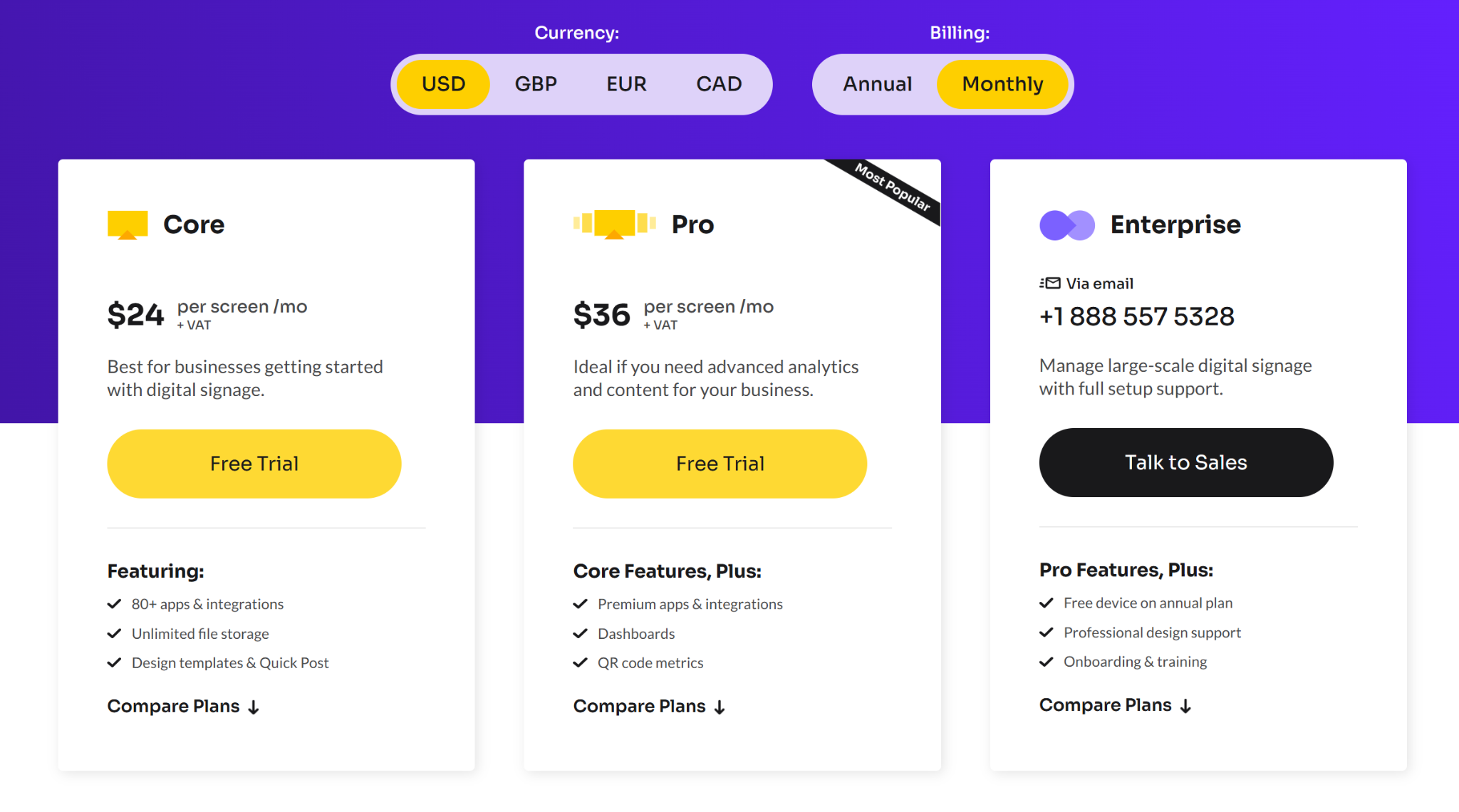
- Core: $24/screen/month.
- Pro: $36/screen/month.
- Enterprise: Custom pricing.
Pros
- Fast screen pairing with simple activation codes.
- Strong uptime SLA with offline playlist caching.
- Content updates are pushed instantly across all time zones.
Cons
- Monthly per-screen pricing becomes expensive at scale.
- Built-in templates feel limited for complex custom designs.
- Performance can lag during network drops.
How We Evaluated Play Digital Signage Alternatives
We evaluated each platform based on factors that affect how teams manage screens daily: how quickly you can start, whether non-technical staff can update content without help, how the platform handles urgent communication, and the real cost as your screen count grows.
We also compared each platform to Play Digital Signage, focusing on areas where organizations often outgrow it.
How to Choose the Best Play Digital Signage Alternative
Start by asking what Play Digital Signage is not providing right now. That answer usually points you to the right platform.
- Built-in vs configured features: If you need emergency alerts or screen sharing, check whether they are included out of the box or require extra setup. That difference matters when something urgent happens.
- Your team's technical comfort: A platform with more features is only useful if your team can use it. Prioritize tools non-technical staff can manage without outside help.
- How support works: Some platforms include free onboarding and fast response times. Others treat support as a paid add-on. Know what you are signing up for before you commit.
- Hardware flexibility: If you already have screens and media players, choose a platform that works with them. Switching hardware mid-rollout is expensive and disruptive.
- Pricing transparency: Some platforms publish clear pricing. Others require a quote. If you manage a budget, that difference affects how quickly you can get approval to move forward.
Stop Troubleshooting, Start Communicating
Whether you’re managing five screens or 500, your signage should not feel like a second job. Rise Vision combines digital signage, screen sharing, and emergency alerts in a single platform, backed by a support team that responds within one business hour. It is the move you make when you are ready to stop troubleshooting and start communicating. Try it risk-free with a 30-day money-back guarantee.
Frequently Asked Questions
Why Do Organizations Typically Look for Alternatives to Play Digital Signage?
While Play is a great, budget-friendly option for a single screen or a small lobby, teams often hit a wall as they grow. The most common reasons people look for an alternative include clunky multi-location management, a lack of true timeline-based editing (Play uses a slide-by-slide, PowerPoint-like setup), limited touchscreen gesture controls, and a thinner template library that requires more manual design work.
If We Switch from Play to Rise Vision, Do We Need to Buy New Hardware?
Most likely, no. We know how expensive hardware overhauls can be, so we designed our platform to run smoothly on almost anything. Whether your current Play setup runs on Android, Windows, ChromeOS, Apple TV, Fire OS, or BrightSign, you can usually transition your existing media players right over to us without spending a dime on new equipment.
Is There a Limit to How Many Screens You Can Manage?
No hard limit. Rise Vision scales to whatever size your organization needs. You pay based on the number of displays, and the platform handles deployments from a handful of screens to hundreds across multiple locations.
How Do Emergency Alerts Compare Between Play and Rise Vision?
While both platforms technically support CAP-based emergency alerts, Play requires a technical, API- and token-driven setup to get things working. We built crisis overrides directly into our admin dashboard using native provider integrations. Anyone on your team can link your mass-notification system instantly—no coding or development skills required to push an urgent safety broadcast.
Is Rise Vision Easy to Manage if We Have Dozens or Hundreds of Locations?
Absolutely. Play can get a little overwhelming when you try to coordinate content across different branches or buildings. We built our platform for centralized, multi-site control, allowing you to push synchronized schedules, playlist overrides, and local updates across thousands of screens seamlessly.
More From Our Blog
-
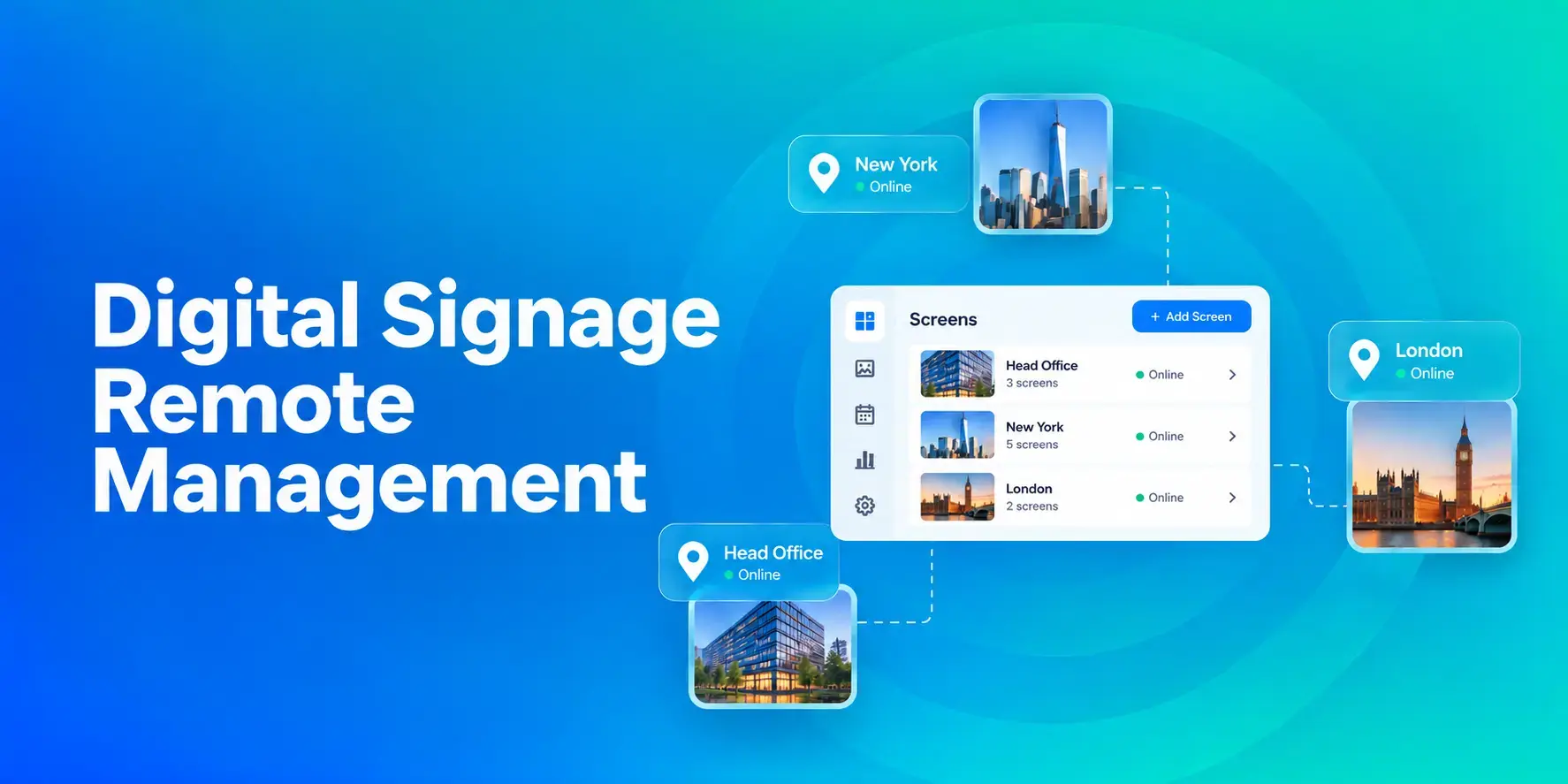
Digital Signage Remote Management: How to Run Every Screen From One Place
Digital signage remote management lets you control screens, schedules, and display health from an online platform. To get started, choose a hardware-agnostic platform, connect your media players or[…]
Read More -
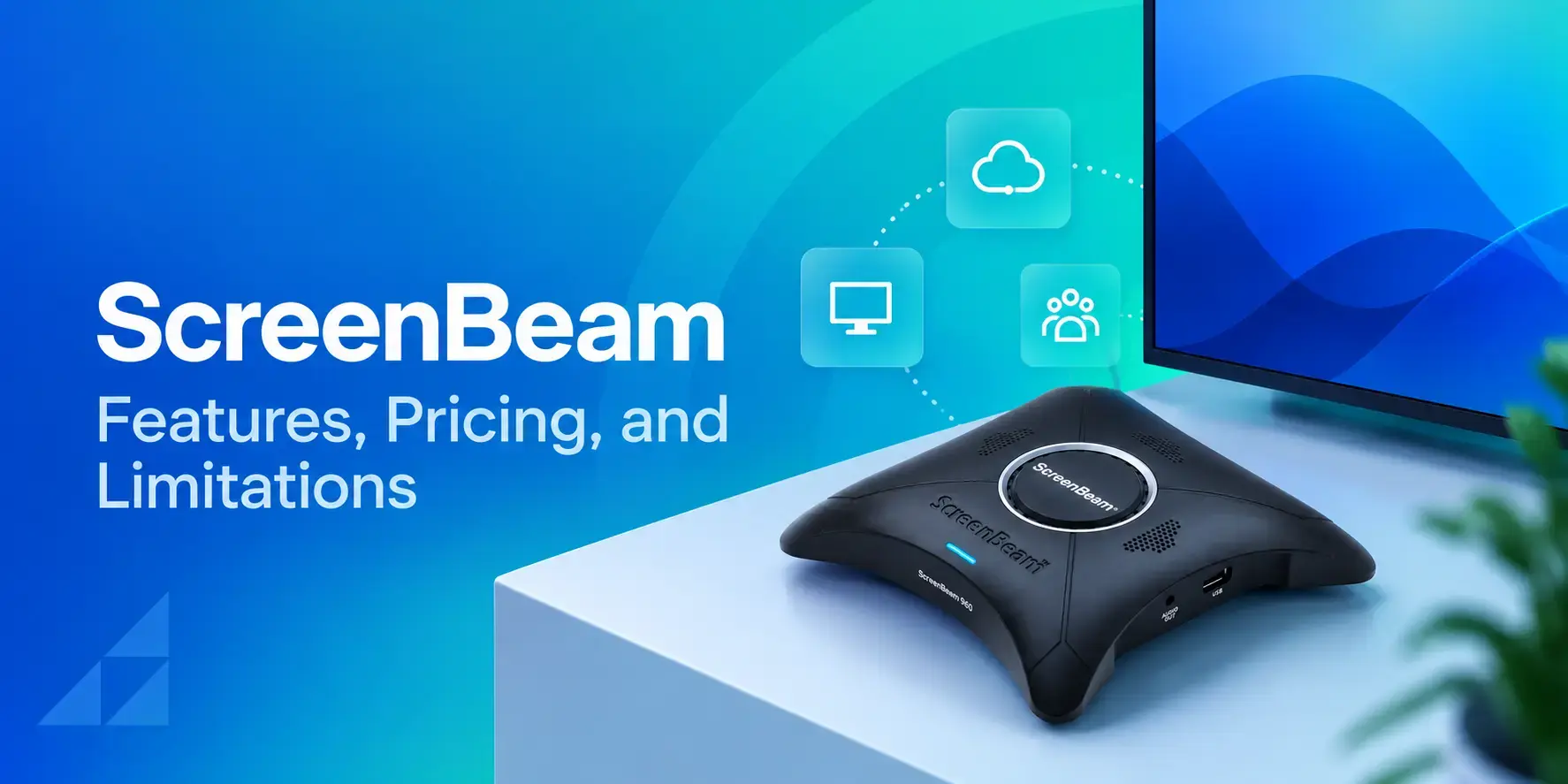
ScreenBeam Review 2026: Features, Pricing, and Limitations
ScreenBeam sells wireless display receivers that let people cast to a screen from any device without an app. You need one receiver per display, and they run from $299.99 to $1,199.99. Cloud-based[…]
Read More -
Interactive Touch Screen Digital Signage: How It Works and What You Need
Interactive touch screen digital signage lets viewers tap a display to find what they need. It pairs a commercial touch display with content software. Common uses include wayfinding, visitor[…]
Read More
12,300+ Organizations Trust Rise Vision, You Can Too
































Schedule a Free Demo
You deserve the #1 all-in-one platform for digital signage, screen sharing, and emergency alerts.





