

Quick Summary
Interactive touch screen digital signage lets viewers tap a display to find what they need. It pairs a commercial touch display with content software. Common uses include wayfinding, visitor check-in, meeting room panels, and recognition walls. Most buyers focus on the display, but the software is what keeps content current across every screen.
Interactive Displays Need More Than Good Hardware
Touch screen displays have become a practical fixture in spaces where organizations need people to do more than glance at a screen. School hallways, hospital staff areas, corporate meeting rooms, university common spaces: staff and students who need to find information, check schedules, or navigate a building tend to get a lot more out of a display they can interact with than one they can only read.
The catch is that "interactive touch screen signage" covers a lot of ground. There's the display hardware itself, the operating system it runs, and the software managing what shows up on screen. Most buying decisions focus too heavily on the hardware and not enough on whether the content layer is manageable day-to-day.
This guide covers what interactive touch screen digital signage is and how it works. You will see the common use cases of interactive displays, what to look for in the hardware, and how to manage the content once the screens are live.
Why Listen to Us
Rise Vision powers displays for 12,300+ organizations across more than 100 countries. Our platform runs interactive templates for wayfinding, directories, and recognition on touch displays. Schools, hospitals, and corporate offices use it to keep those screens current from one platform.
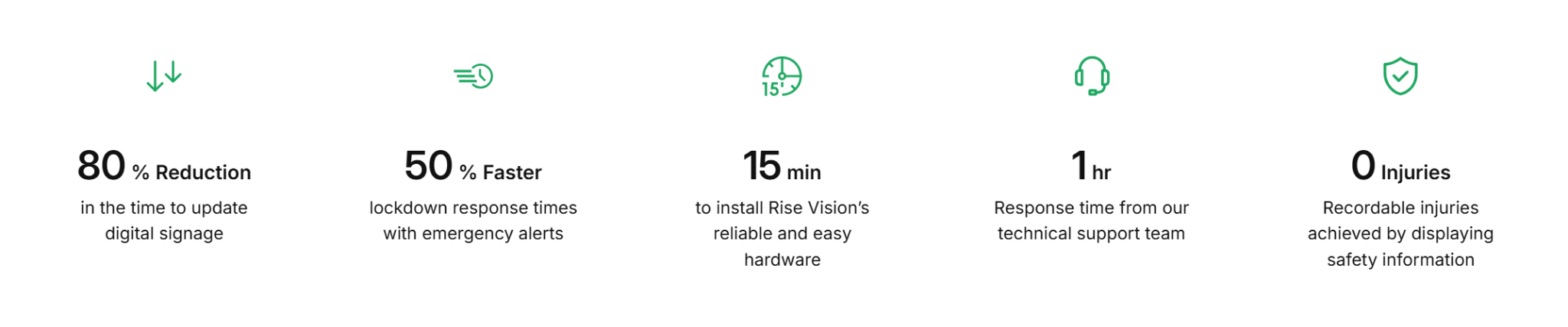
This guide reflects what we build and support for interactive signage every day.
What Is Interactive Touch Screen Digital Signage?
Interactive touch screen digital signage is a commercial display that responds to viewer touch input. A standard digital sign plays a scheduled loop that viewers can only watch. A touch-enabled display lets each viewer choose what appears on the screen. Someone taps a directory entry, opens a campus map, or checks a meeting schedule.
Every setup combines three layers that each handle part of the job:
- The display hardware registers the touch through built-in sensors or an added overlay.
- The operating system passes that input to the software.
- The software then decides what content appears next.
Many commercial digital signage displays ship with touch built in or available as an option.
How Interactive Touch Screen Digital Signage Works
The process runs in a set order every time someone approaches the screen.
1. The display shows scheduled content: For most of the day, the screen runs a normal signage loop. Announcements, event schedules, and welcome screens rotate on a playlist schedule.
2. A viewer touches the screen: That first touch interrupts the loop and opens the interactive layer. The display switches from a passive sign to a tool the viewer controls.
3. The software serves the interactive content: The viewer taps through a directory, map, or schedule built from a template. Nobody writes code, and the content comes from the same platform that runs the regular playlist presentation.
4. The viewer finds what they need and leaves: They locate the room, event, or name they came for. No staff member has to answer the question in person.
5. The screen resets to its loop: After a set idle period with no touch, the display returns to scheduled content. It waits for the next viewer and repeats the process.
Common Uses for Interactive Touch Screen Signage
Touch displays earn their cost in a few specific situations. Each one replaces a task that staff would otherwise handle by hand.
Wayfinding and Building Directories
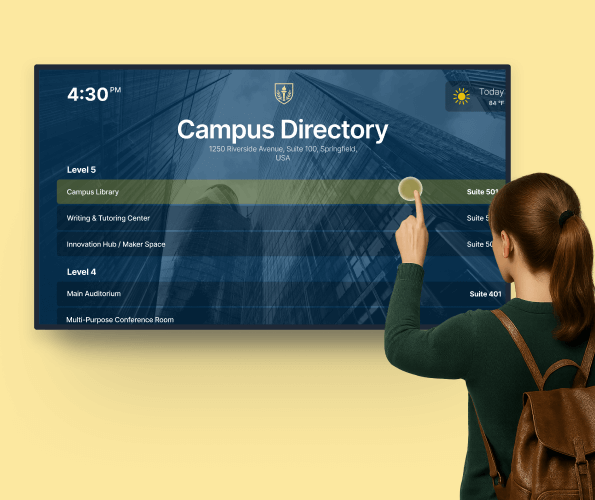
Visitors use touch directories to find offices, departments, and rooms on their own. A searchable map gives each person a route instead of a static diagram. Large campuses use this most because printed directories go out of date fast. Schools, hospitals, and corporate offices run wayfinding through interactive digital signage templates.
Self-Service Information and Visitor Check-In

Reception staff answers the same handful of questions dozens of times a day. A touch kiosk lets visitors check in, request directions, or browse event details themselves. Staff time then goes to the requests a screen cannot resolve. This works well in lobbies, clinics, and office entrances.
Meeting Rooms and Collaboration Spaces
Interactive flat panels work as digital whiteboards in meeting rooms and training spaces. Teams annotate slides, sketch ideas, and save the session as a file.
Annotation and multi-user touch matter more here than in any other setting. Corporate offices and universities use these panels for brainstorming and group reviews.
Recognition and Donor Walls
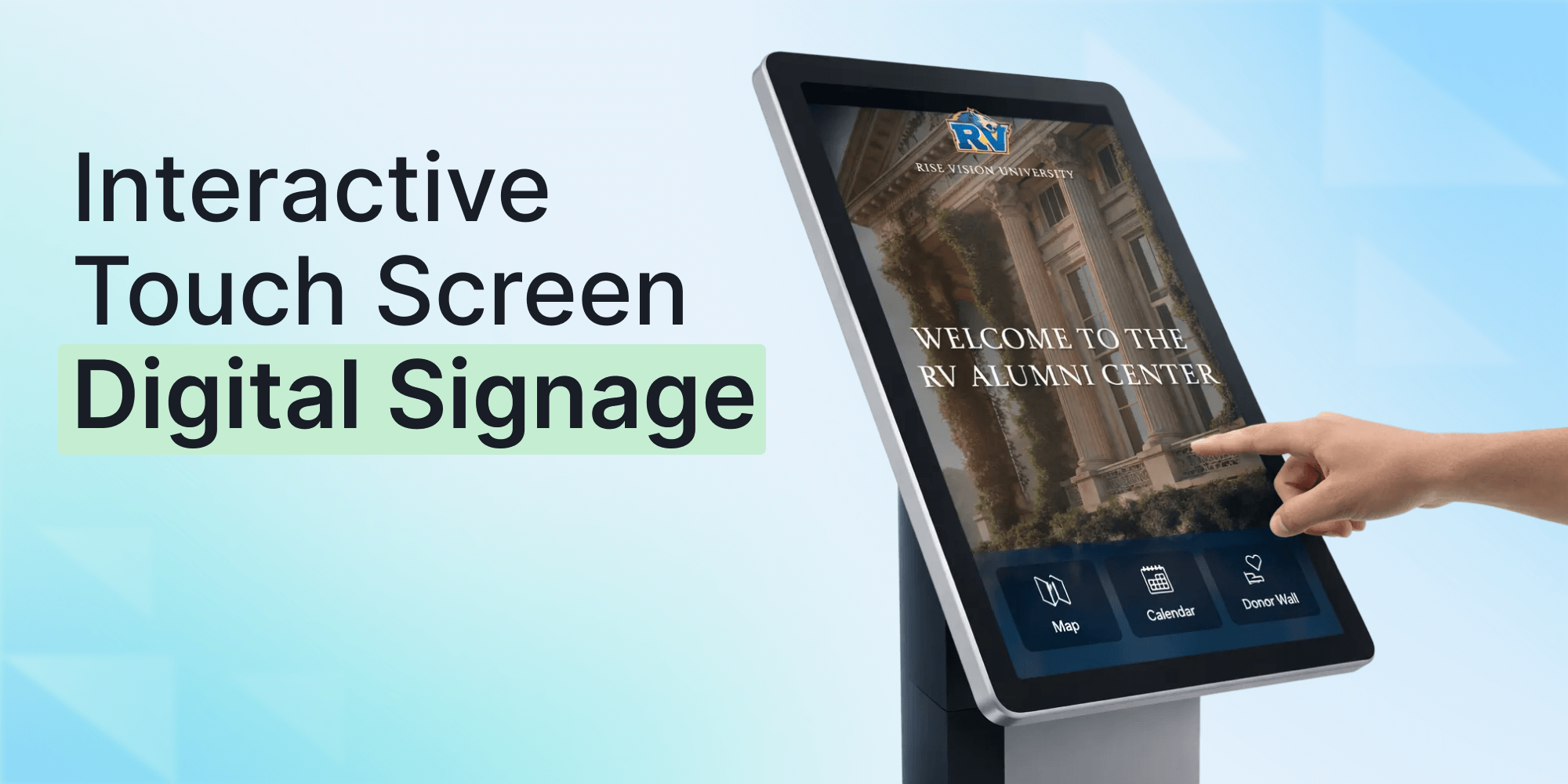
Touch recognition walls let viewers browse honorees, award history, and donor milestones.
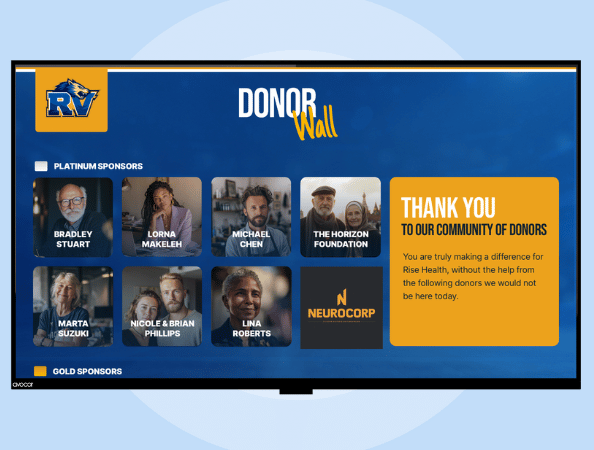
One screen replaces a hallway of printed plaques that nobody updates. Schools, universities, and nonprofits use these to keep recognition current without reprinting anything.’
Choosing the Touch Display Hardware
Commercial touch displays come in different setups. Interactive flat panels ship with touch sensors built into the display. Touch overlays add a sensor frame to an existing commercial screen. Freestanding kiosks package the display, computer, and enclosure for public floors.

A few commercial display lines show up repeatedly in schools, offices, and facilities. This table sets each one against its best-fit setting and standout detail.
The brand matters less than matching the display to the room. A Samsung Flip suits a space where annotation is the point. A SMART Board fits K-12 classrooms, though its software leans toward the classroom rather than general signage. For interactive signage specifically, We recommend Elo 4K Touch Displays paired with the Rise Vision Media Player.
Apart from the brand you decide to use, these technical details help decide whether a display fits your space.
- Touch technology: Projected capacitive (PCAP) screens respond like a smartphone and suit menus and maps. Infrared (IR) frames register gloved hands, which matters in industrial settings.
- Duty rating: A lobby screen may run 16 to 24 hours a day. Panels rated for that use resist image burn-in across years of service.
- Orientation: Confirm portrait support early, since vertical layouts rule out some otherwise strong panels.
The display is only half the setup, since it still needs software to run.
Rise Vision: Software Built for Interactive Touch Screen Digital Signage
Rise Vision makes it simple to recognize people and guide visitors with interactive signage anyone can manage. Hall of fame boards, donor walls, and digital directories run on your touch displays. Between touches, the same screens show your regular signage content.
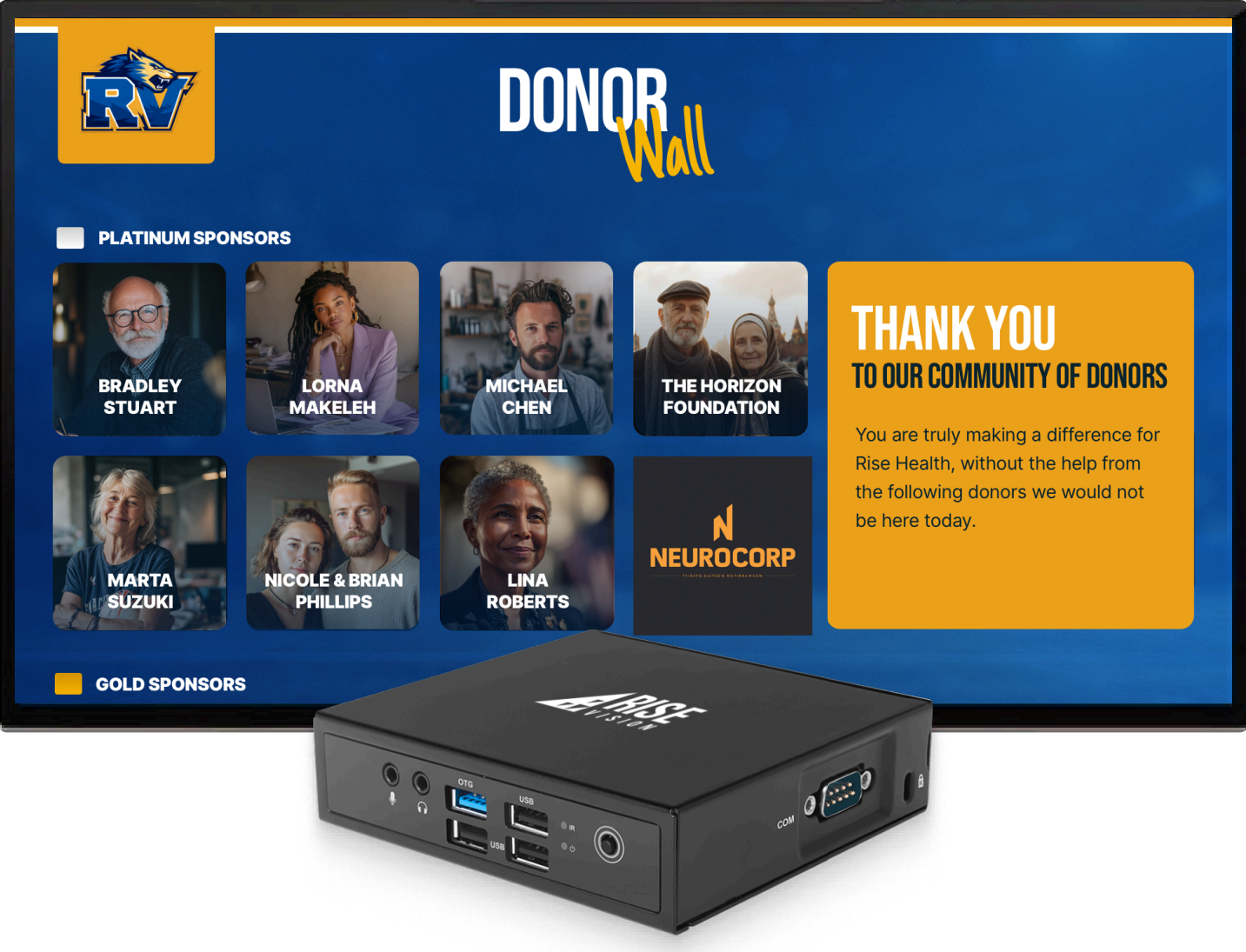
Here's how Rise Vision helps deliver recognition and wayfinding.
- Touch-ready templates: Save hours of content creation time with prebuilt templates for wayfinding maps, building directories, and recognition walls that your team can customize.
- No-code setup: Load rooms, names, and schedules into a template without costly custom development or writing code to build an interactive screen.
- Dual-mode displays: The display runs regular signage between touches, opens the interactive layer when someone taps, and resets to signage afterward.
- One cloud-based platform: Manage and update content across every display from a single platform instead of carrying a USB drive to each screen.
- Calendar integrations: Meeting room panels and event boards pull schedules from Google Calendar, Outlook Calendar, and iCal files automatically.
Interactive templates and touchscreen support come through the Interactive Display License, an add-on to the Advanced plan billed at $1,200 per display per year.
Manage Every Interactive Screen From One Platform
An interactive screen is only as useful as the content on it. A directory with wrong room numbers or a schedule stuck on last week helps no one, and keeping that content current is a software job.
Rise Vision transforms static walls and directories into dynamic, interactive experiences for recognition and navigation. Your team builds them from templates, then updates every screen from a single platform.
Test the interactive templates on your own screens first. 30 days risk-free, money-back guaranteed.
More From Our Blog
-
Yodeck vs ScreenCloud vs Rise Vision (2026 Comparison)
Yodeck is the cheapest way to run a few screens. ScreenCloud is the polished corporate pick. Rise Vision combines digital signage, screen sharing, and emergency alerts in one platform, and it's the[…]
Read More -
The Best Chrome Sign Builder Alternatives for Schools in 2026 (Free and Paid Options)
Google stopped supporting Chrome Sign Builder in kiosk mode after ChromeOS 150 in July 2026. So you'll need a replacement for any screen that's still running it. For schools that want to keep their[…]
Read More -
Digital Signage Remote Management: How to Run Every Screen From One Place
Digital signage remote management lets you control screens, schedules, and display health from an online platform. To get started, choose a hardware-agnostic platform, connect your media players or[…]
Read More
12,300+ Organizations Trust Rise Vision, You Can Too
































Schedule a Free Demo
You deserve the #1 all-in-one platform for digital signage, screen sharing, and emergency alerts.





