

Quick Summary
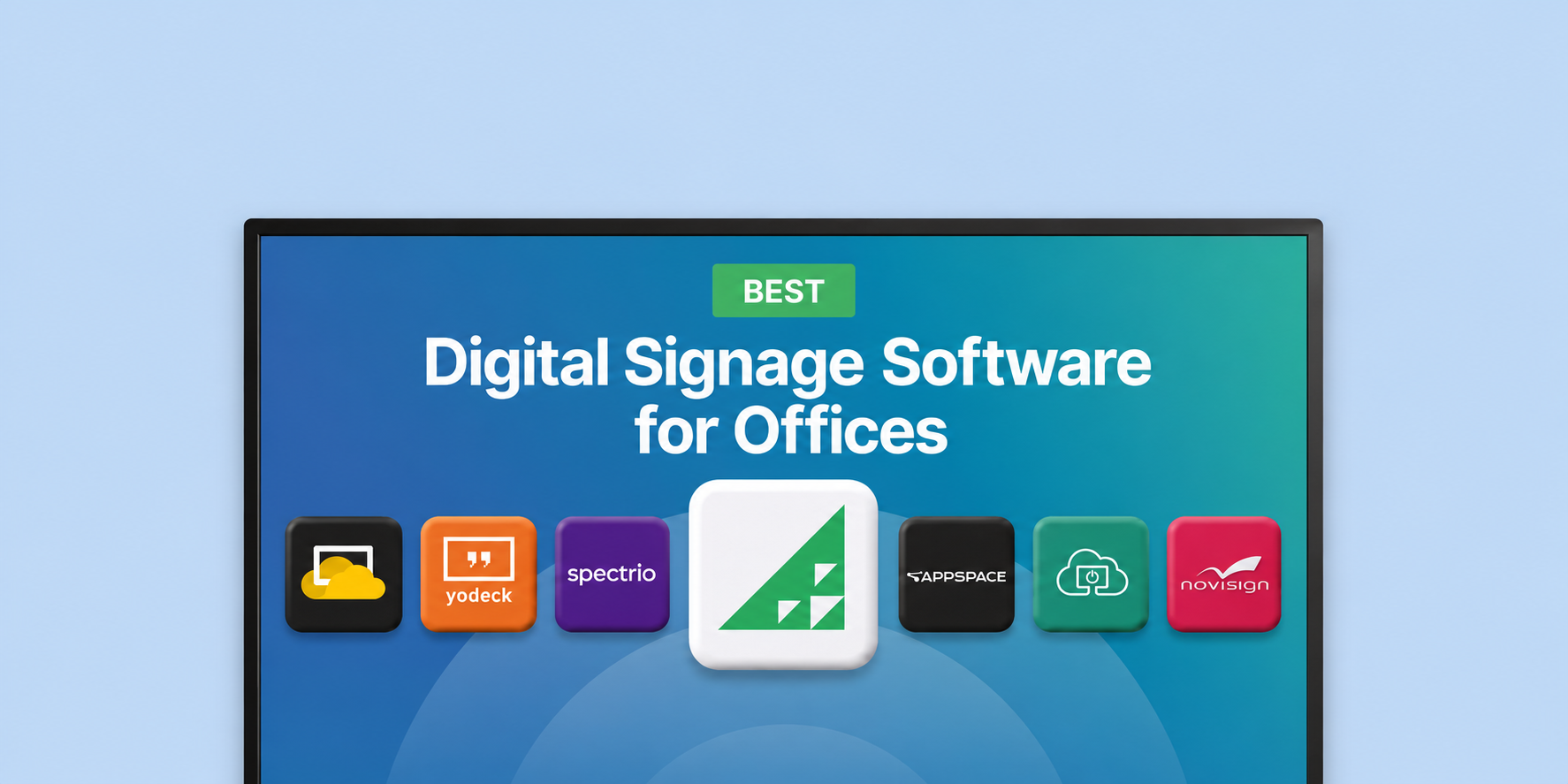
We reviewed seven digital signage solutions for offices, and here are our top picks:
|
# |
Tool |
Best For |
|
1 |
Rise Vision |
Corporate teams managing multiple screens across floors or locations |
|
2 |
ScreenCloud |
Teams that rely heavily on third-party app integrations |
|
3 |
OptiSigns |
Offices wanting broad app integrations and flexible hardware |
Fixing Stale Office Communication
Managing communication across a corporate office sounds simple until you're actually doing it. You've got lobby displays, conference room screens, break room TVs, maybe a few monitors on the floor, and no clean way to push consistent messaging to all of them without logging into something separately or calling IT. The content goes stale. Nobody updates it. People stop looking.
The right digital signage software for offices solves this by bringing screen management into one simple dashboard. HR and operations teams can schedule daily announcements, show live company metrics, and send emergency alerts to every floor or building right away.
These are the platforms we covered in this review to help you manage internal communication as efficiently as possible.
Why Listen to Us?
At Rise Vision, we have worked with more than 12,300 organizations, including corporate offices, manufacturers, and multi-site teams that use digital signage every day.
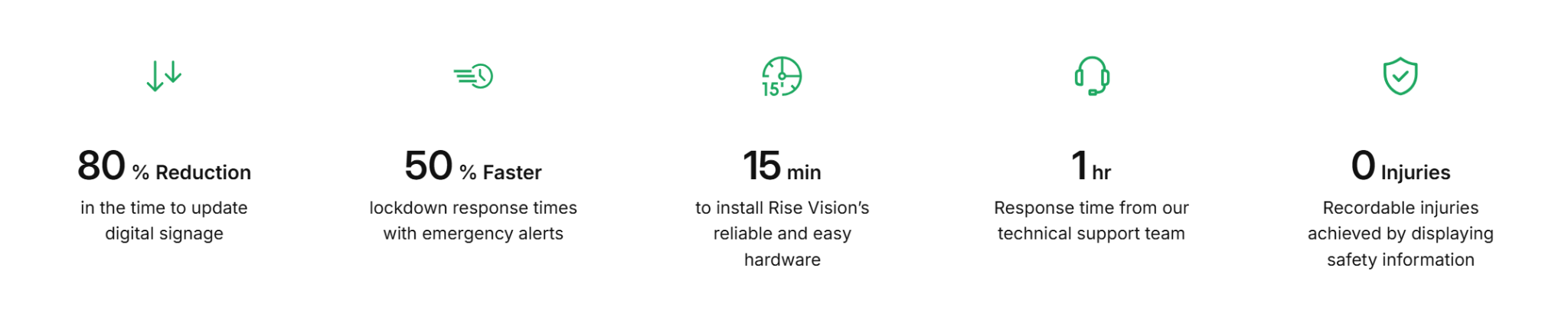
With a 99% customer satisfaction rating and over 30 years in the industry, we understand what makes a platform easy for non-technical staff to use and reliable for offices with many locations.
Best Digital Signage Software for Offices
|
# |
Tool |
Best For |
Support |
Starting Price |
|
1 |
Rise Vision |
Corporate teams managing multiple screens across floors or locations |
Phone, email, Zoom, and remote desktop on all plans |
$12/display/month |
|
2 |
ScreenCloud |
Teams that rely heavily on third-party app integrations |
Scales by plan |
$24/screen/month |
|
3 |
Yodeck |
Small teams and budget-conscious deployments |
Email and live chat |
$8/screen/month |
|
4 |
Spectrio |
Organizations that need both internal and customer-facing displays |
Not publicly specified |
Custom pricing |
|
5 |
Appspace |
Large enterprises managing signage alongside room booking and employee comms |
Scales by plan |
Custom pricing |
|
6 |
OptiSigns |
Offices wanting broad app integrations and flexible hardware |
Scales by plan |
$10/screen/month |
|
7 |
NoviSign |
Small to mid-sized offices wanting a simple template-driven setup |
Email and phone support |
$20/screen/month |
1. Rise Vision
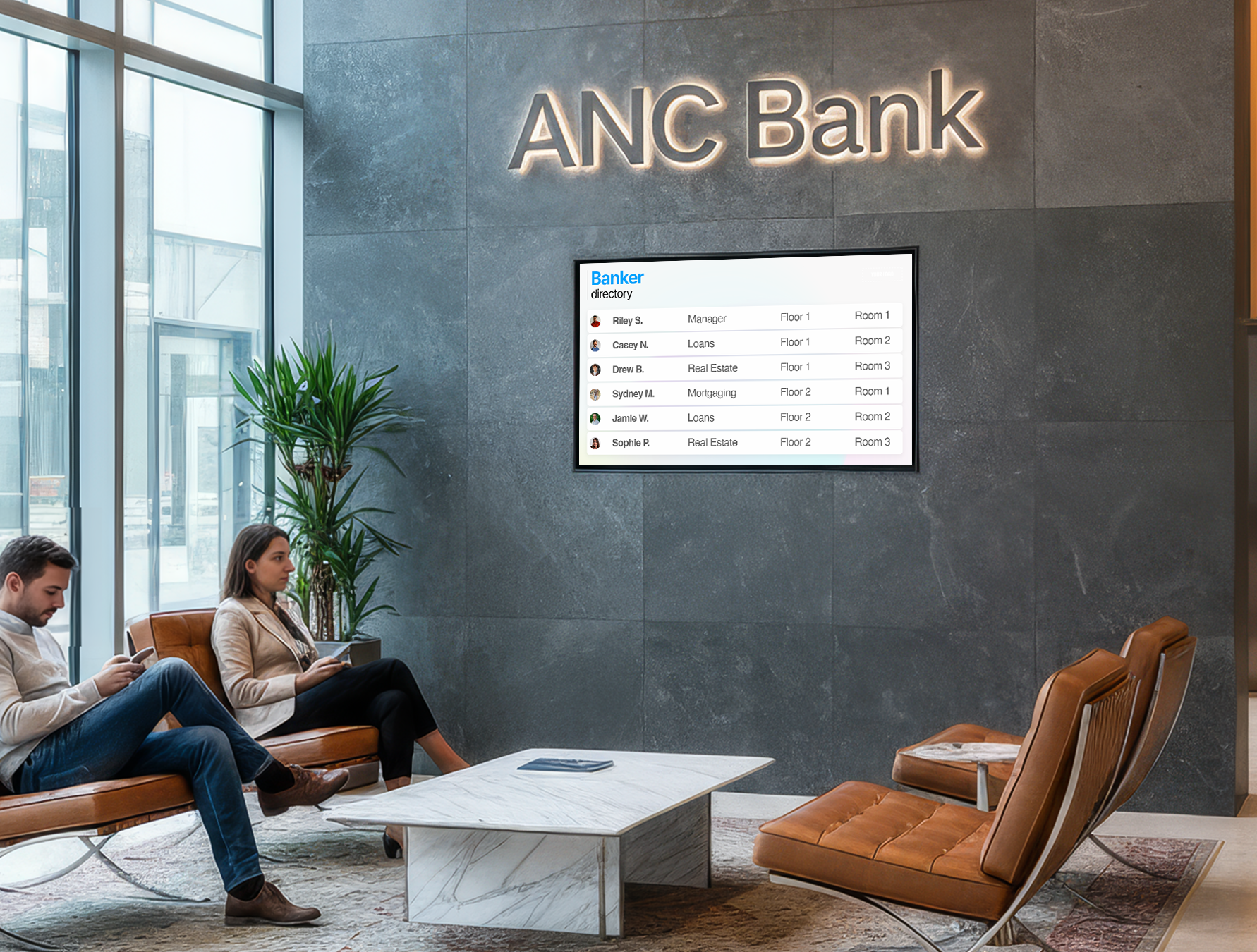
Rise Vision covers the full scope of corporate digital signage without requiring a dedicated IT resource to keep it running. You can manage displays remotely, schedule content weeks in advance, and pull your existing Google Workspace and Microsoft 365 workflows directly into what's on screen.
The template library covers most standard corporate use cases: meeting room displays, employee recognition boards, announcement screens, and safety messaging. If you need something custom, the editor is flexible enough to build it without design experience.
Screen sharing is included, which is useful for conference rooms where someone needs to present without plugging in a cable. And when something urgent comes up, the emergency alert feature lets you push a critical message to every screen in the building without disrupting your normal content schedule once the alert clears.
Crown Cork and Seal used Rise Vision to replace static whiteboards and bulletin boards across their facility. Jeff Burroughs, their Health and Safety Manager, now spends just 15 to 20 minutes a month updating content, down from five hours on the whiteboards. As Jeff put it,
"It's a phenomenal way for us to communicate different messaging to the staff on a regular basis. It's been really, really good for us."
Key Features
- 750+ templates and an AI design tool: Pick a ready-made template for your meeting room, break room, or lobby screen, then publish it in minutes. Type what you need, and the AI builds the presentation for you.
- Automated scheduling: Rotate wellness tips, open enrollment reminders, or office event notices based on time of day or which floor the display is on.
- Google Workspace and Microsoft 365 integration: Your Google Calendar or Outlook meeting schedule appears automatically on your conference room screen.
- CAP-based emergency alerts: One click sends a message to every screen in the building at once, overriding whatever is currently playing.
- Wireless screen sharing: Present from any device to any conference room display without cables or adapters.
- Centralized multi-location management: Manage every screen across floors or offices from one dashboard. Send different content to different locations or push the same message everywhere at once.
- TV dashboards: Display Power BI KPIs, sales metrics, or project progress on any screen during team huddles or in common areas without switching inputs or sharing cables.
Pricing
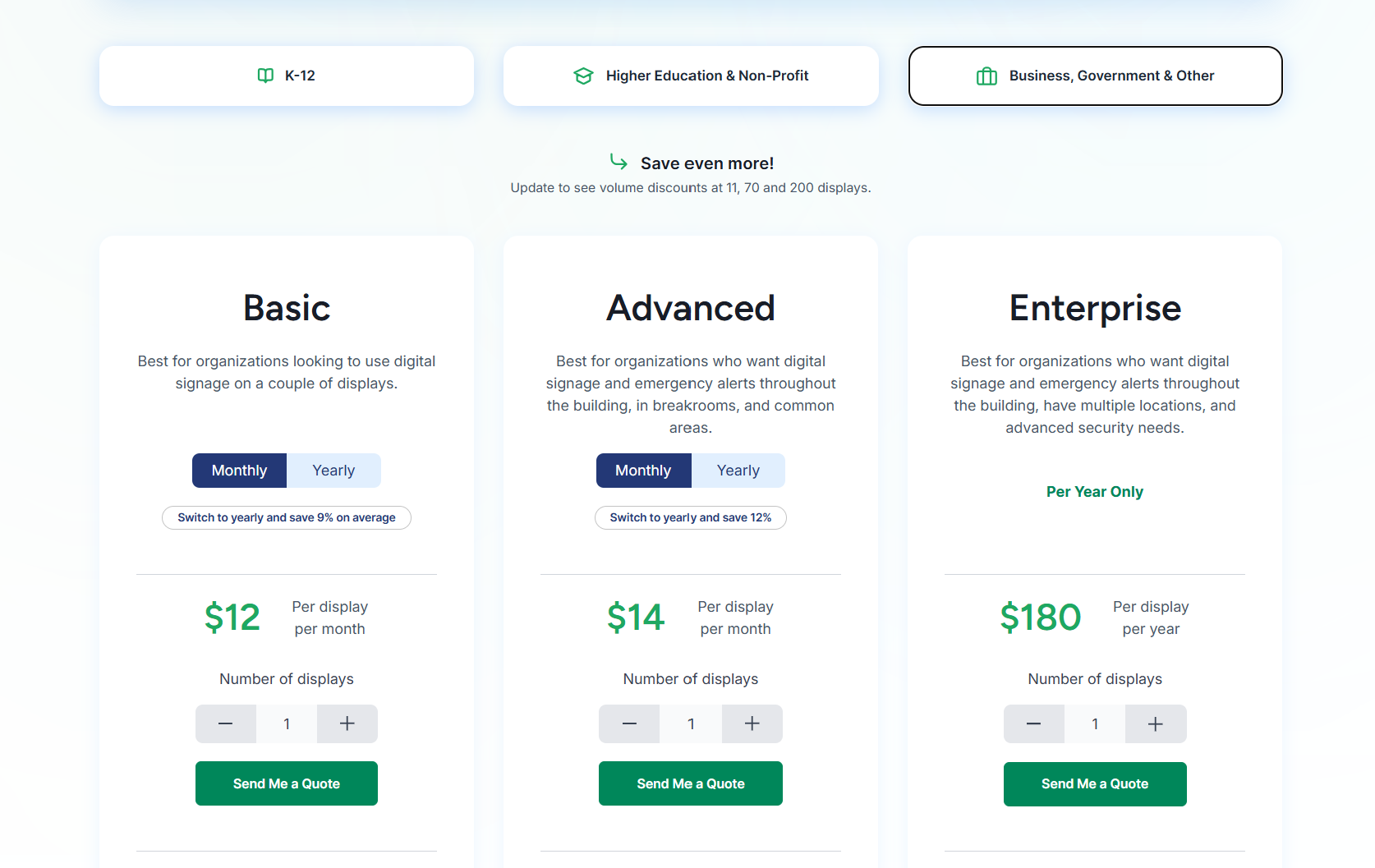
- Basic: $12/display/month.
- Advanced: $14/display/month.
- Enterprise: $180/display/year.
Pros
- Runs on hardware you already own.
- Signage, screen sharing, and alerts in one.
- Non-technical staff can manage it independently.
- Support responds within one business hour.
- Manages communication across multiple buildings from one account.
Cons
- Interactive display features cost extra annually.
2. ScreenCloud
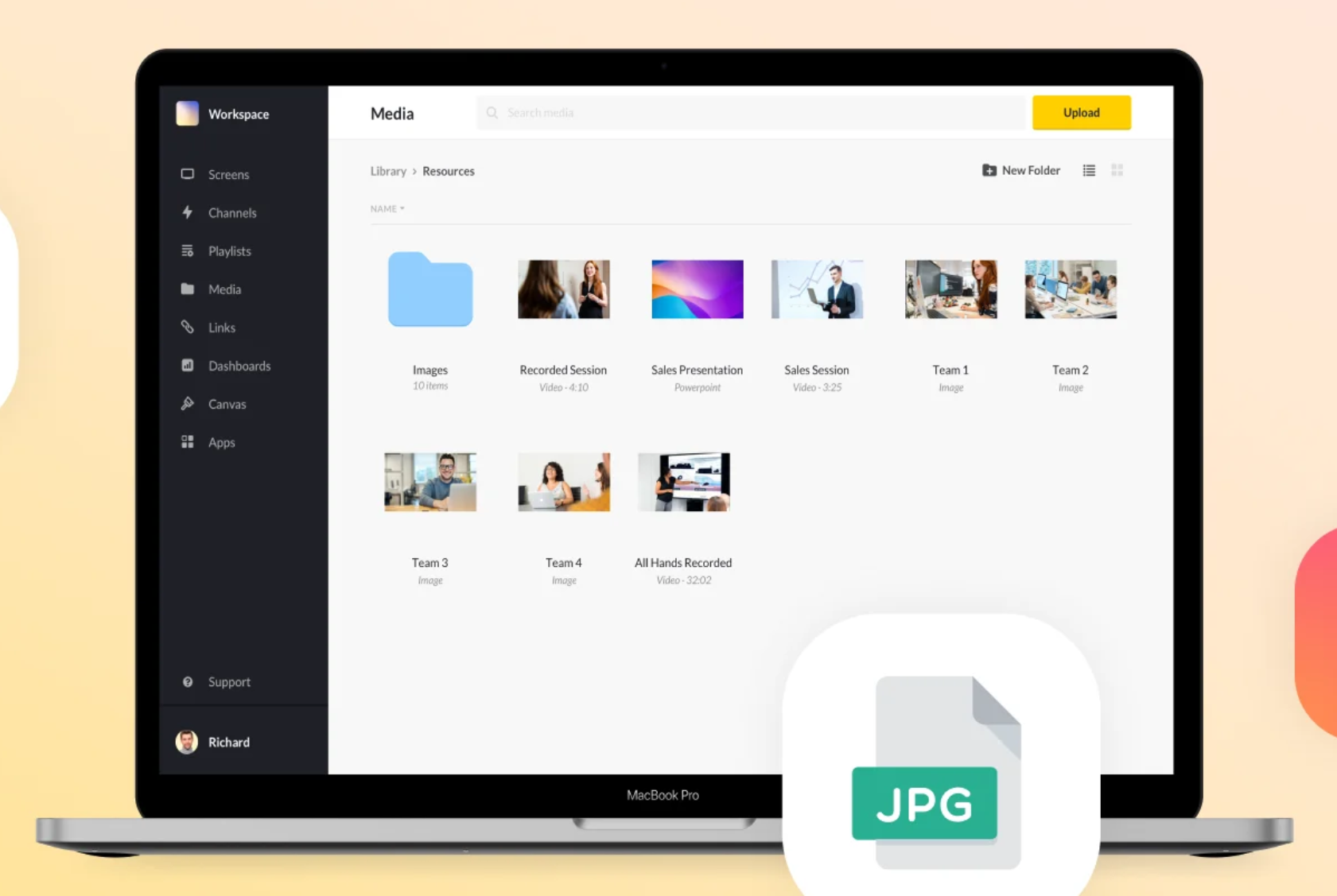
ScreenCloud is a cloud-based option with a clean interface and an app marketplace covering common integrations. Teams that want a simple setup and don't need deep customization tend to like it. Integrations cover tools like Slack, Google Sheets, and social feeds.
Key Features
- 80+ app integrations: Connect tools like Slack, Microsoft Teams, and Google Slides, and show that content directly on your screens without manual updates.
- Emergency casting: Push a safety message or live video feed to every screen instantly, overriding scheduled content.
- Centralized screen management: Push content to every floor, building, or location from one admin dashboard without switching accounts.
- Canvas design tool: Build branded announcement slides and internal communication layouts directly in your browser without extra tools.
- Enterprise security: SSO and multi-factor authentication control, which team members can access and publish to your screens.
Pricing
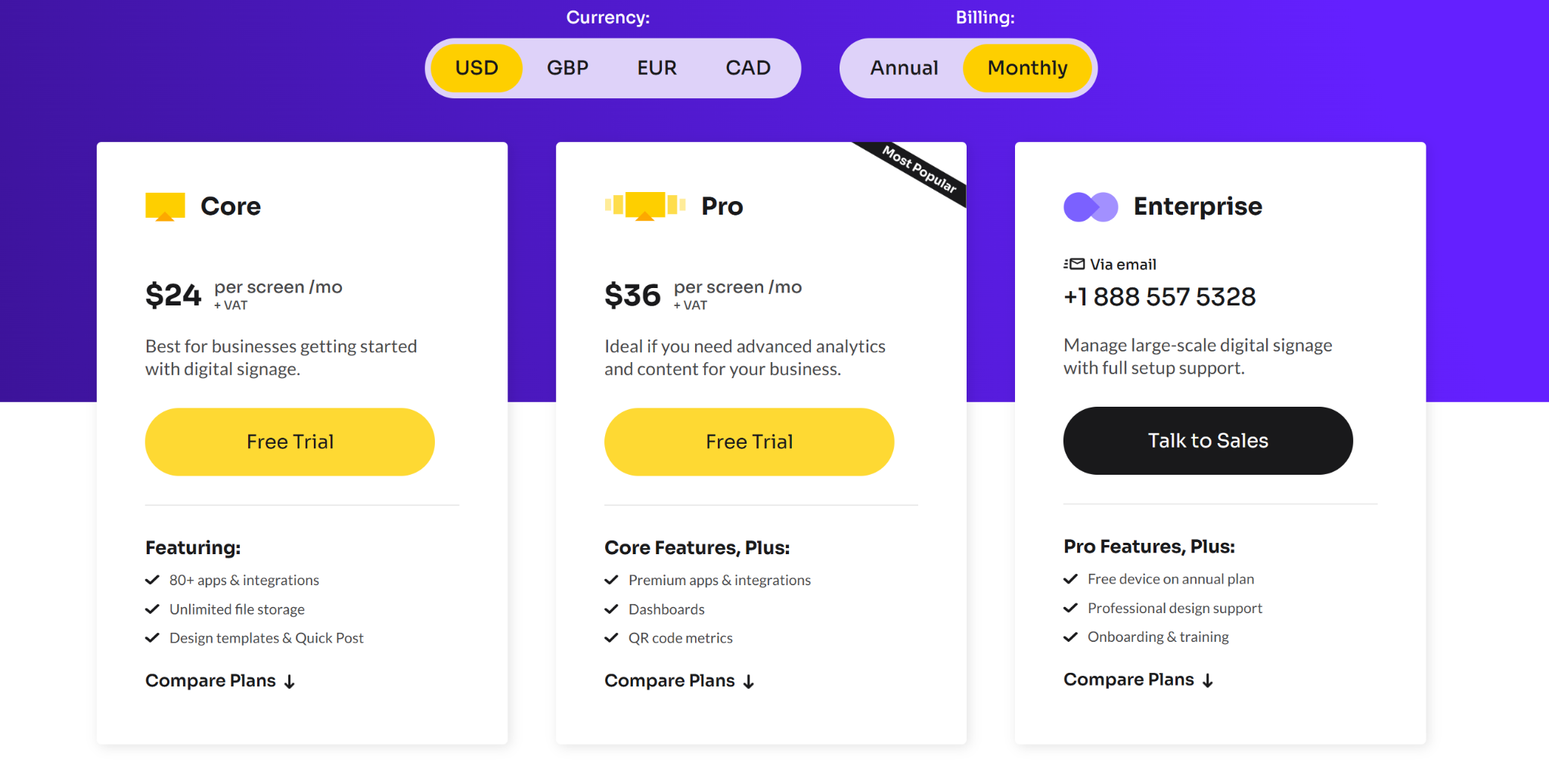
- Core: $24/screen/month.
- Pro: $36/screen/month.
- Enterprise: Custom pricing.
Pros
- Clean interface, fast setup.
- Strong third-party app library.
- Reliable uptime with offline caching.
Cons
- Gets expensive fast at scale.
- Templates feel limited for custom designs.
- Performance can lag during network drops.
3. Yodeck
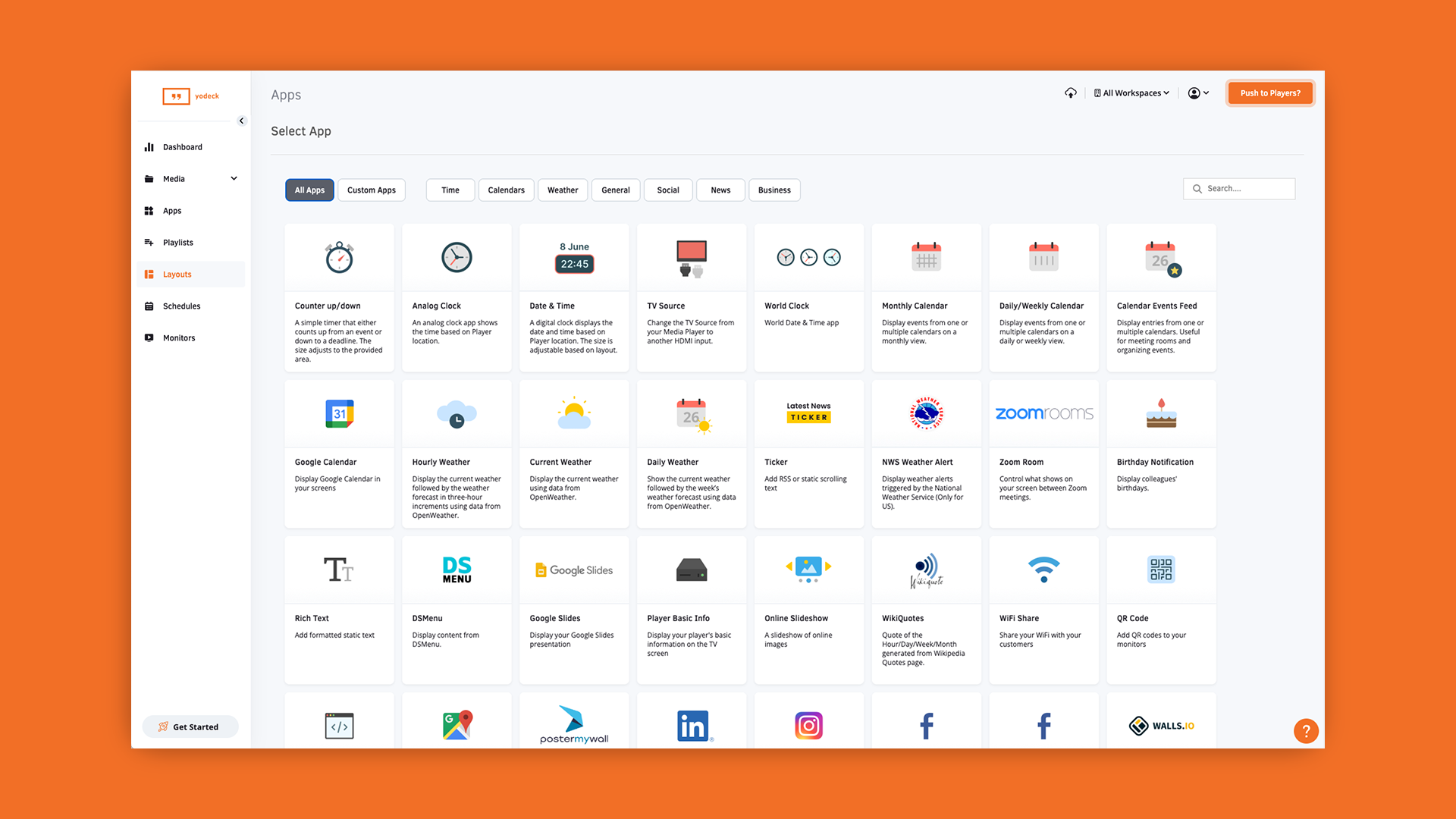
Yodeck is popular with smaller teams and budget-conscious deployments. Pricing starts at $8 per screen per month, and it works well with Raspberry Pi hardware, which keeps costs down further. The interface is functional. Good for straightforward use cases, but teams needing deeper enterprise support or more advanced content workflows may find it limiting as they grow.
Key Features
- Free media player with annual plans: Annual subscribers get a Raspberry Pi-based Yodeck media player at no extra hardware cost.
- 500+ templates: Ready-made layouts for announcements, schedules, and office communication.
- Remote power management: Control screens remotely from your dashboard.
- Layout zone editor: Divide screens into sections for announcements and a company calendar.
- Plug-and-play pairing: Add screens in minutes with a unique activation code.
Pricing
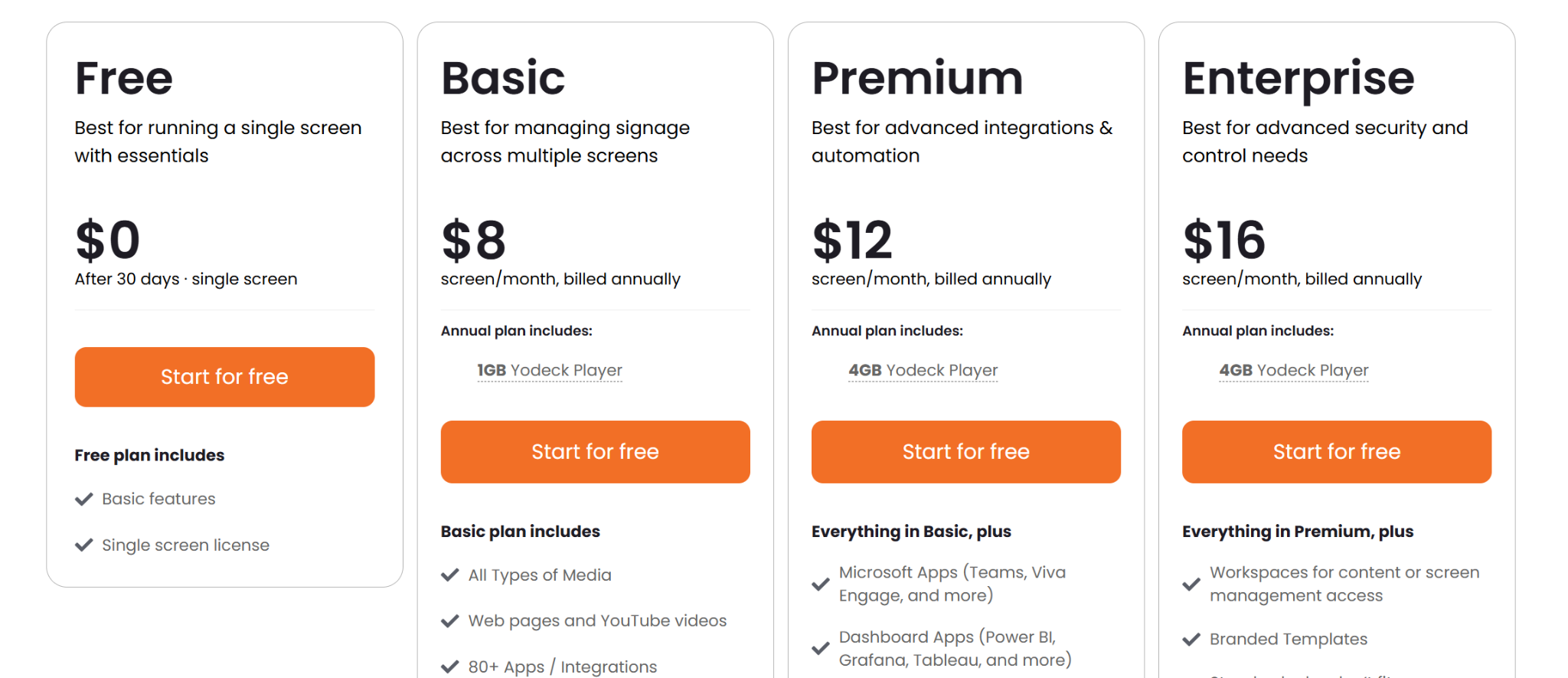
- Free: $0 for one screen.
- Basic: $8 per screen per month.
- Premium: $12 per screen per month.
- Enterprise: $16 per screen per month.
Pros
- Lowest entry price on this list.
- Free hardware with an annual plan.
- Unlimited storage on all paid plans.
Cons
- No native Apple TV or macOS support.
- Enterprise support is locked to the top tier.
- Feature gaps on non-Raspberry Pi hardware.
4. Spectrio
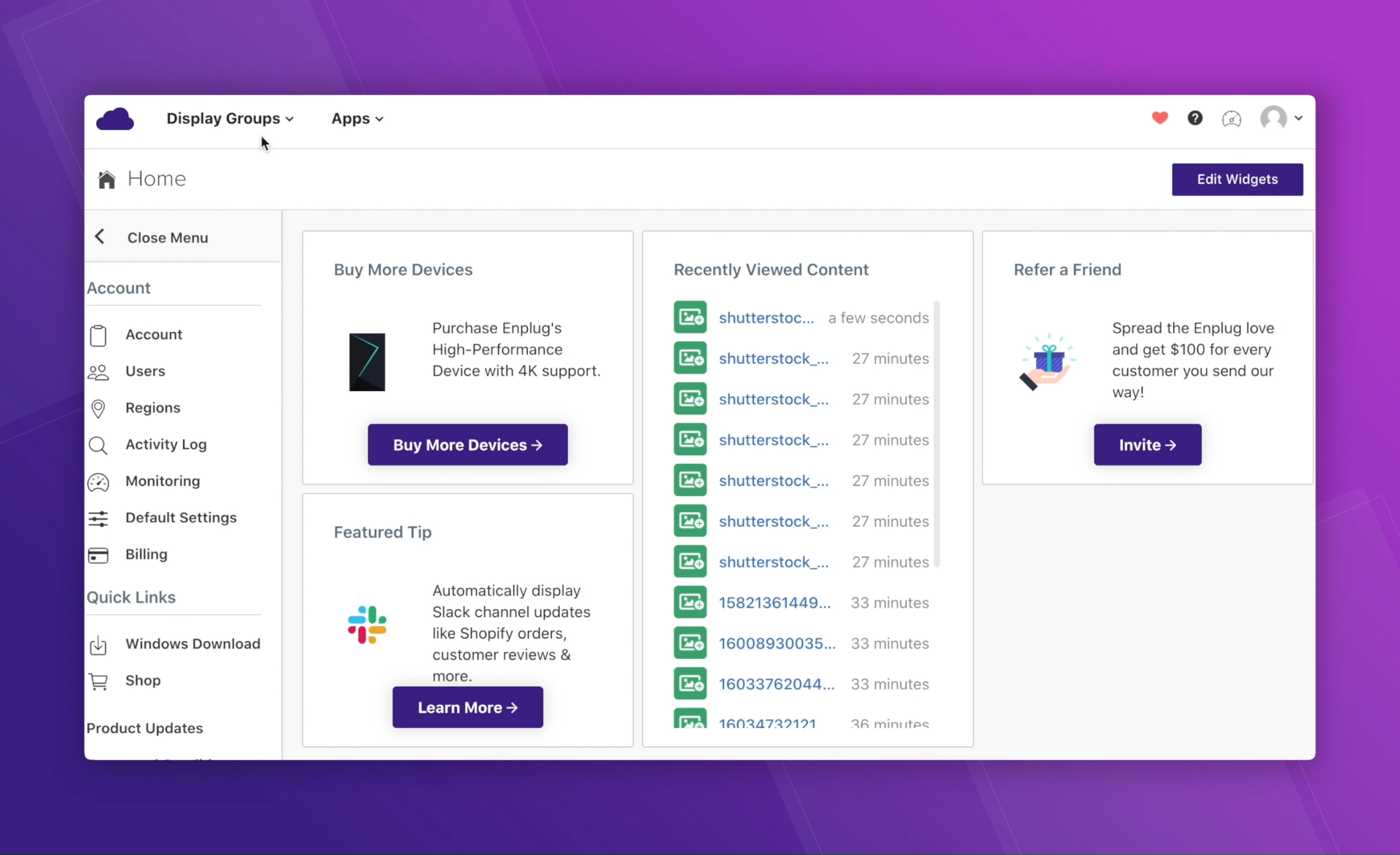
Spectrio acquired the digital signage company Enplug in 2021 and has since broadened its focus toward customer engagement technology, covering digital signage alongside on-hold marketing and interactive kiosk tools.
Spectrio supports employee communications for corporate environments, though its feature set and positioning have shifted more toward customer-facing use cases since the acquisition. Worth evaluating if you want a single vendor covering both internal and customer-facing displays, but for pure internal communications, it's more than most corporate offices need.
Key Features
- 4K Engage Media Player: Pre-configured device that connects to any screen via HDMI, with local content storage ensuring continuous playback during internet outages.
- 100+ app integrations: Supports apps like Power BI, Google Calendar, Instagram, and Microsoft Teams for automatic content updates.
- Audience measurement: Tracks foot traffic and engagement duration across locations.
- Spectrio Cloud: Offers a single dashboard for scheduling and managing content on all screens and locations.
- Multi-solution platform: Merges digital signage, background music, on-hold messaging, and interactive kiosk management in a single account.
Pricing
- Custom pricing only. Contact Spectrio for a quote.
Pros
- Pre-configured players, plug-and-play setup.
- Covers signage and customer-facing media.
- SOC 2 certified.
Cons
- No public pricing, harder to budget.
- Less suited for pure internal comms.
- Long-term contracts limit flexibility.
5. Appspace
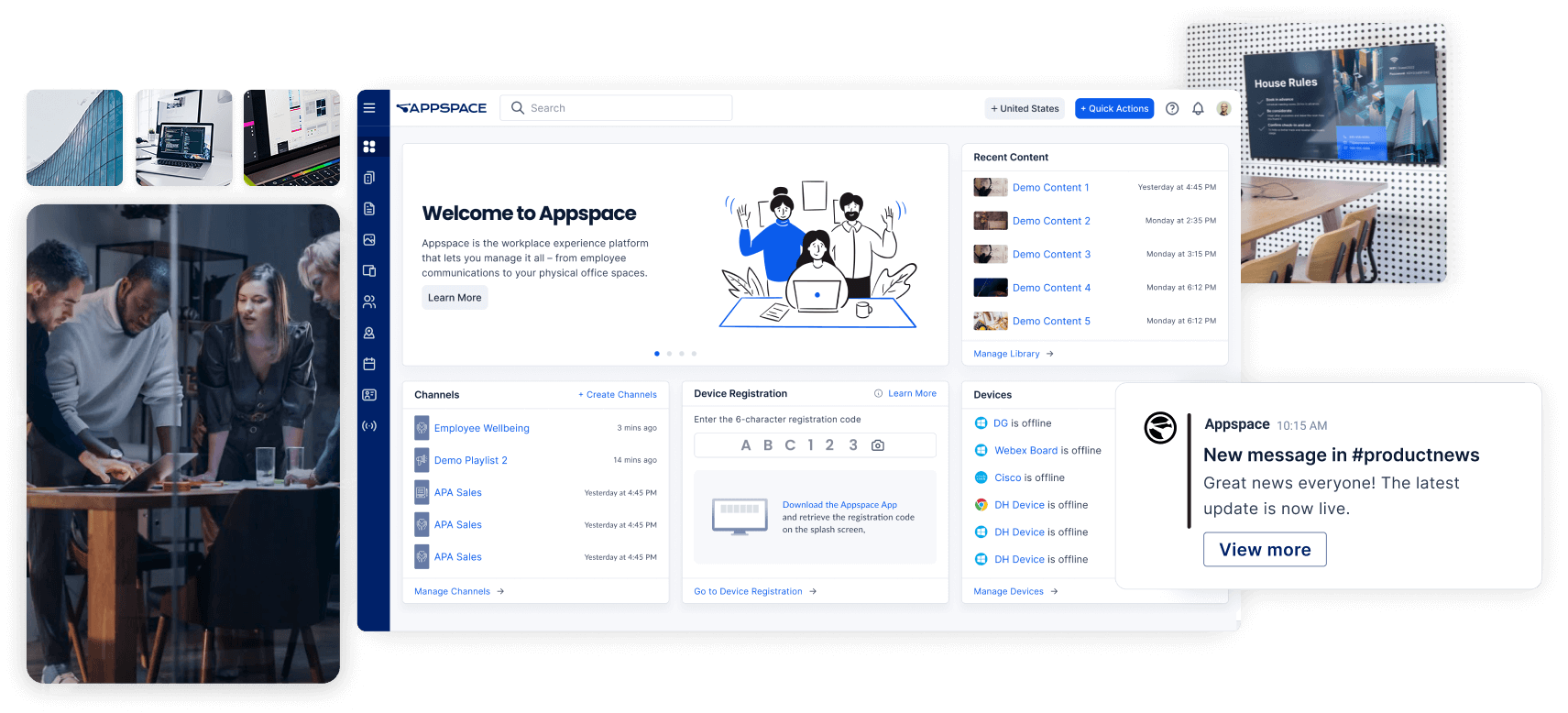
Appspace sits firmly in the enterprise category. It covers digital signage alongside room booking, visitor management, and employee experience tools, making it a fit for larger organizations that want those functions in one place. The trade-off is complexity and cost. For a straightforward office signage deployment, it's likely more than you need.
Key Features
- Space reservation: Employees book meeting rooms directly from a touchscreen display outside the room. The system updates in real time.
- Appspace orchestration: Send the same message to lobby screens, employee mobile apps, Microsoft Teams, and Slack from a single place.
- Appspace Intelligence: AI tools for content writing, automated translations, and real-time engagement analytics.
- Card templates: Pre-built layouts for company news, weather, and social media updates.
- Cisco and Microsoft integrations: Connects directly to Microsoft 365 and Cisco Webex, so your screens stay in sync with your existing tools.
Pricing
- Custom pricing based on products, user count, and modules required.
Pros
- Manages signage and meeting room bookings from one platform.
- Scales well for large enterprises.
- Strong Microsoft and Cisco integrations.
Cons
- Pricing not publicly available.
- Steep learning curve for new users.
- Overkill for straightforward signage deployments.
6. OptiSigns
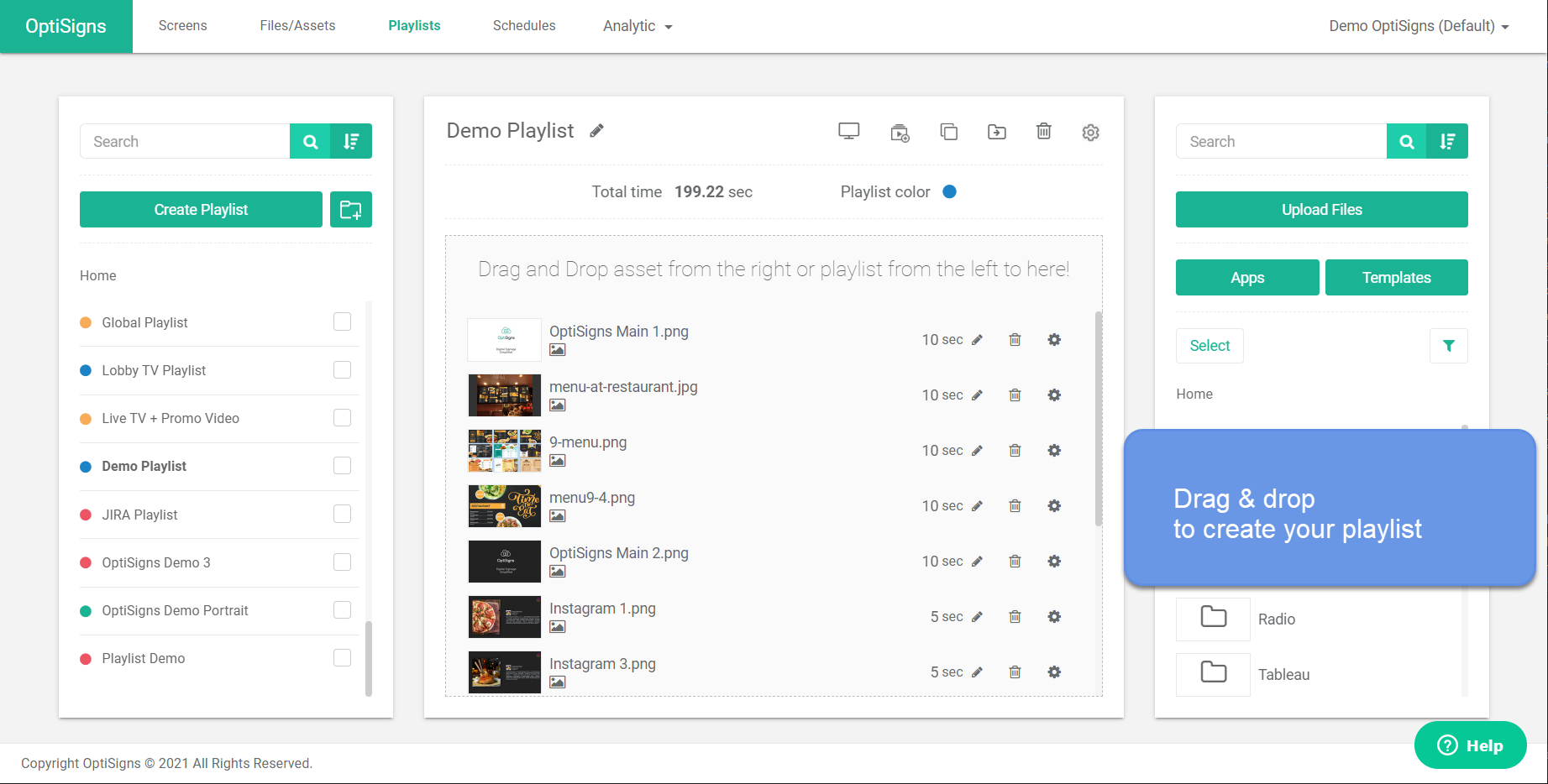
OptiSigns is a cloud-based digital signage platform with broad hardware support and one of the largest app integration libraries in this category. For corporate offices, it covers core communication needs: company announcements, meeting room displays, KPI dashboards, and employee-facing content.
The platform also lets you repurpose idle conference room screens into active displays, with an optional wireless presentation add-on through their Aericast integration.
Key Features
- Drag-and-drop designer: Build branded announcements and meeting room layouts visually without opening external design software.
- Split-screen zones: Show a live KPI feed alongside company news or a meeting calendar on the same display.
- Mobile admin app: Update lobby screens or floor monitors directly from your phone while away from your desk.
- 140+ app integrations: Pull live data from Power BI, Google Slides, Instagram, and other tools your team already uses.
- Conference screen repurposing: Turn idle meeting room screens into active displays that show schedules, announcements, or dashboards between bookings.
Pricing
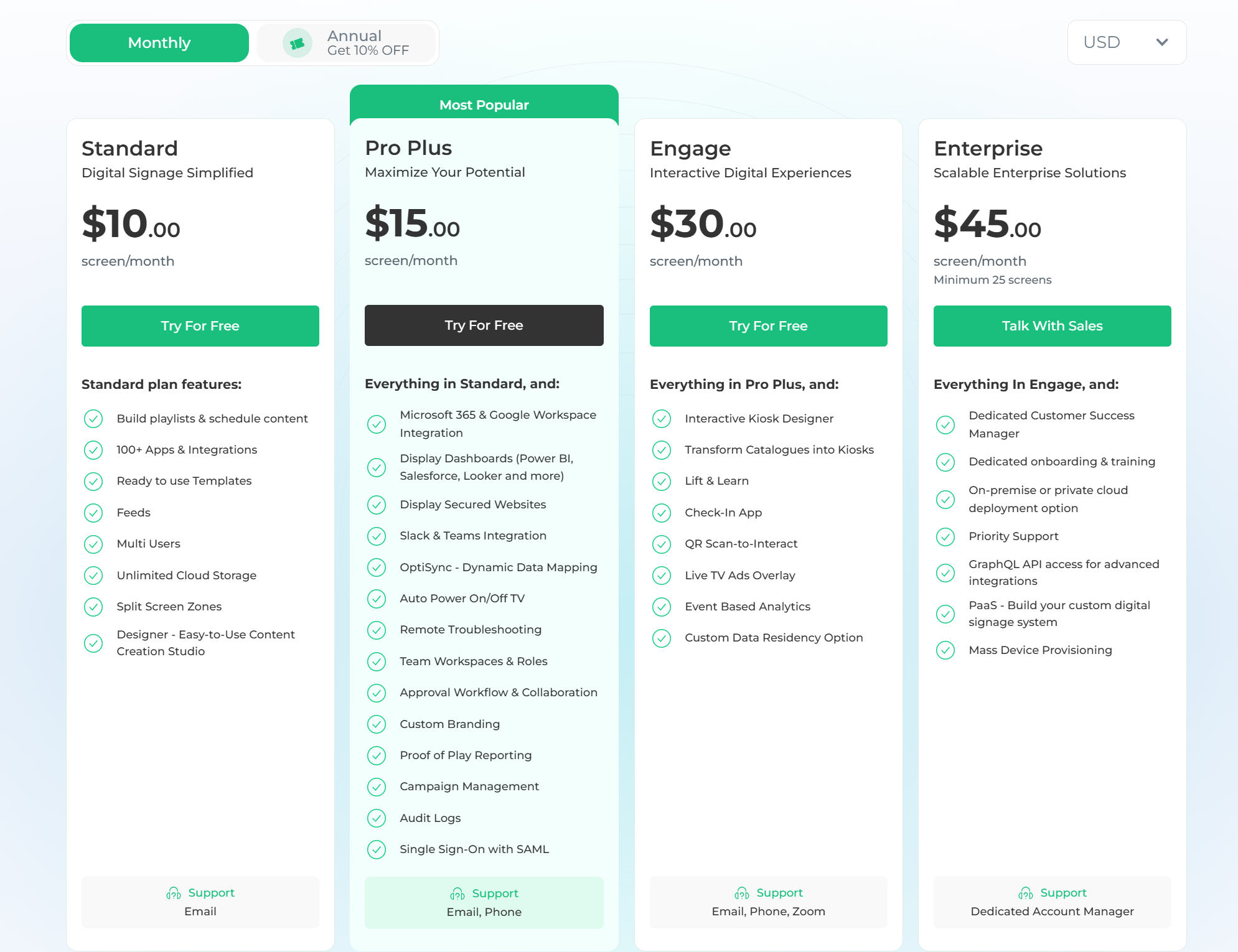
- Free: $0 for up to 3 screens.
- Standard: $10/screen/month.
- Pro Plus: $15/screen/month.
- Engage: $30/screen/month.
- Enterprise: $45/screen/month.
Pros
- Free plan covers up to 3 screens.
- Strong app and integration library.
- Wide hardware compatibility across existing devices.
Cons
- CAP emergency alerts are only available on Pro Plus and above.
- Content updates feel manual at higher volumes.
- Screen sharing requires a paid add-on.
7. NoviSign
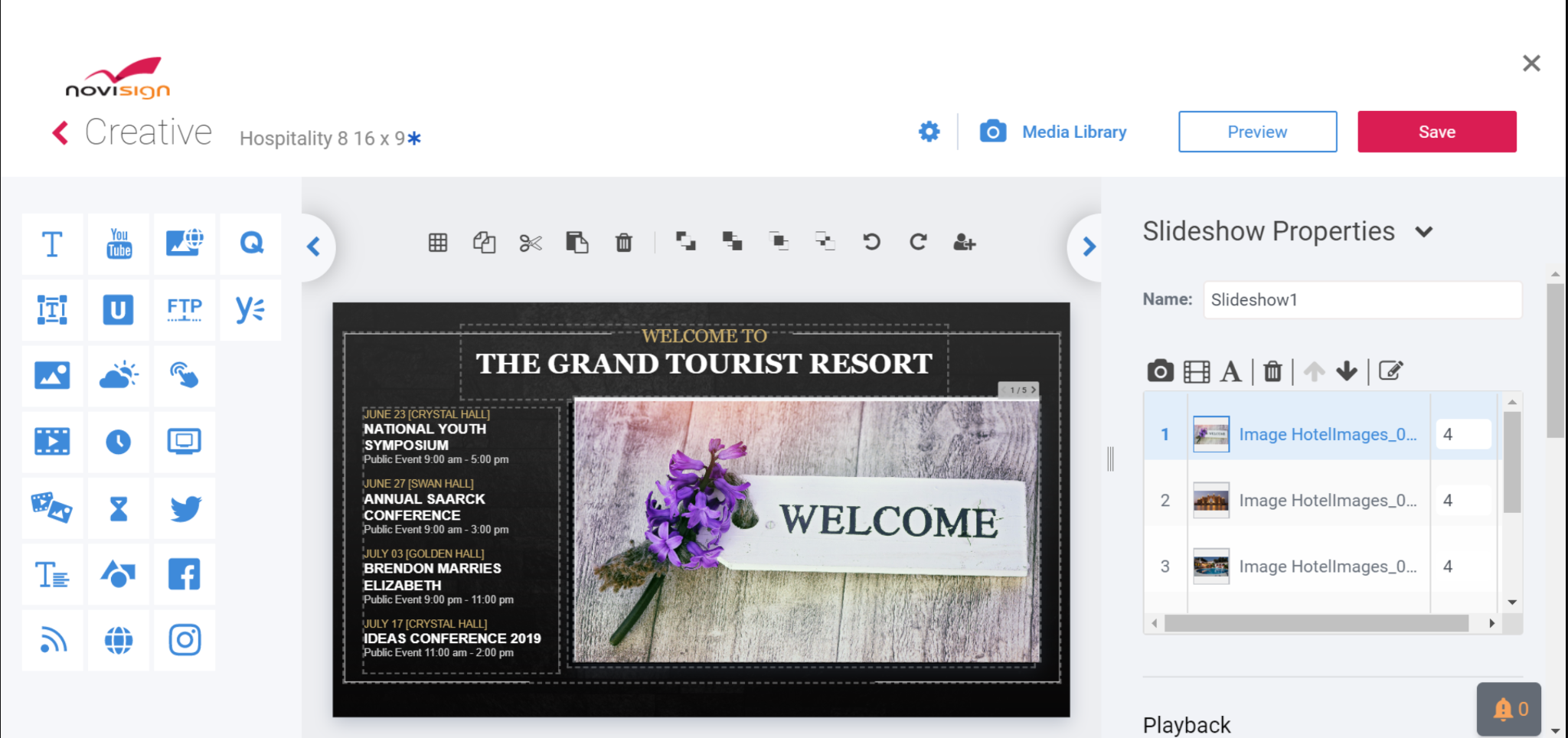
NoviSign is a template-driven digital signage platform that works well for offices that need a straightforward setup. It handles common office use cases: lobby displays, internal announcements, meeting schedules, employee recognition, and KPI boards. The browser-based editor lets anyone on your team create and update content without installing extra software or having advanced technical experience.
Key Features
- Online studio editor: A drag-and-drop design suite with 200+ templates designed for office environments, including lobby screens, bulletin boards, and employee recognition displays.
- Rich widget library: Embed live RSS feeds, social streams, YouTube content, and Google Slides into office screen playlists.
- Proof-of-play reports: Verify what content ran on each display across your office floors, including timing and screen status.
- Playlist scheduling: Queue different content for different times of day, days of the week, or specific office events without manual intervention.
- Interactive engagement tools: Support touchscreen directories, QR codes, and polls for lobbies and common areas.
Pricing
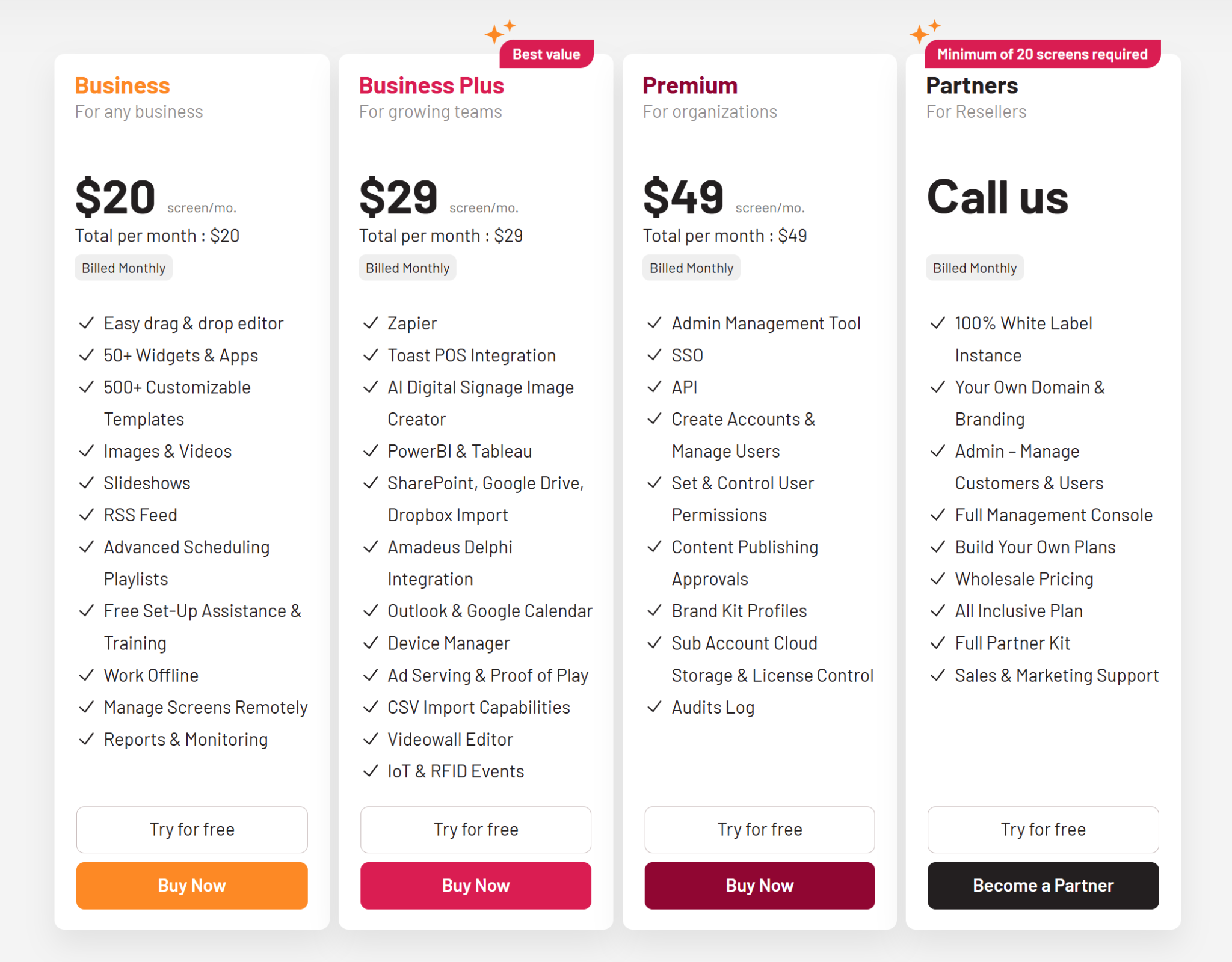
- Business: $20/screen/month.
- Business Plus: $29/screen/month.
- Premium: $49/screen/month.
Pros
- Simple setup, no design experience needed.
- Broad hardware support, including Android and ChromeOS.
- Responsive support with training resources included.
Cons
- The backend interface feels slower than on newer platforms.
- Design previews can differ from what appears on live screens.
- Pricing rises quickly as screen count grows.
How to Choose the Best Digital Signage Software for Your Office
Not every platform is built with office environments in mind. Some are designed for retail, some for hospitality, and the feature sets reflect that. Here is what actually matters for a corporate office:
- Centralized control: If someone has to walk up to each screen individually to update content, the system will eventually be ignored. One dashboard for every display in the building is non-negotiable at any real scale.
- Scheduling: Corporate communication is time-sensitive. This includes all-hands reminders, compliance notices, and visitor information. You need to queue content for specific dates, times, or displays without scrambling.
- Tool integrations: Pulling a Google Calendar event or Microsoft Teams announcement directly into a display removes a manual step that would otherwise be skipped.
- Emergency alerts: A building notice or safety message needs to go up immediately. The ability to override scheduled content and push to all screens at once matters more than most teams realize until they need it.
- Hardware flexibility: Check whether the platform works with devices you already have. Replacing hardware before you even get started adds cost and delays the rollout.
Upgrading Your Office Displays
Fixing stale office communication is about making things easier for the people who manage it. If updating a lobby screen or meeting room display is too complicated, people will stop using the system. The platforms we reviewed help by centralizing control and connecting directly to the calendar and messaging tools your team already uses.
If you need a straightforward solution that lets non-technical staff update screens independently without back-and-forth, Rise Vision is a solid starting point. Match your software to your team's daily routine, and turn your blank monitors into a communication channel the whole office relies on.
FAQ
What is the Best Digital Signage Software for Corporate Offices?
Rise Vision is a strong fit for most corporate environments. It covers the features that matter at scale: remote management, content scheduling, Google and Microsoft integration, and emergency alerts, with pricing that holds up for multi-screen or multi-location deployments.
Do I Need Special Hardware to Run Digital Signage Software?
Most modern platforms support a range of hardware, including commercial displays, media players, and in some cases, existing screens with a connected device. Some platforms require proprietary hardware. Confirm compatibility before purchasing.
Can Digital Signage Software Integrate With Google Workspace or Microsoft 365?
Yes, several platforms support these integrations. Rise Vision connects with both, pulling calendar events, meeting schedules, and other data directly into your displays without manual updates.
How Many Screens Can I Manage With Digital Signage Software?
Most platforms scale from a handful of screens to hundreds or more. The practical limit is usually the budget rather than the technical capability. Centralized management means adding screens doesn't proportionally add administrative work.
Is Digital Signage Software Difficult to Set Up?
Setup complexity varies. Cloud-based options are generally up and running quickly. You connect your displays, build or choose your content, and schedule it. Most corporate teams can get started without technical expertise beyond the initial hardware setup.
What Kind of Content Works Best on Corporate Office Displays?
Meeting room schedules, company announcements, employee recognition, safety reminders, and way-finding information all perform well. Content that updates regularly and stays relevant to the people walking past tends to get more attention than static graphics that never change.
How Much Does Corporate Digital Signage Software Cost?
Pricing varies widely. Some platforms charge per screen per month, others offer flat-rate plans. Rise Vision's pricing is transparent and published on our website. For a full picture based on your specific screen count and setup, our pricing page is the best starting point.
More From Our Blog
-

Digital Signage Remote Management: How to Run Every Screen From One Place
Digital signage remote management lets you control screens, schedules, and display health from an online platform. To get started, choose a hardware-agnostic platform, connect your media players or[…]
Read More -
ScreenBeam Review 2026: Features, Pricing, and Limitations
ScreenBeam sells wireless display receivers that let people cast to a screen from any device without an app. You need one receiver per display, and they run from $299.99 to $1,199.99. Cloud-based[…]
Read More -

Interactive Touch Screen Digital Signage: How It Works and What You Need
Interactive touch screen digital signage lets viewers tap a display to find what they need. It pairs a commercial touch display with content software. Common uses include wayfinding, visitor[…]
Read More
12,300+ Organizations Trust Rise Vision, You Can Too
































Schedule a Free Demo
You deserve the #1 all-in-one platform for digital signage, screen sharing, and emergency alerts.





