Quick Summary
Carousel Digital Signage is a long-running, cloud-based digital signage platform. In short:
- What It Does Well: Strong accessibility, flexible emergency alerts and support for a wide range of screens and media players.
- Where It Falls Short: A 10-player minimum, email-only support on the entry plan and a learning curve for new editors.
- Cost: $25 per player per month on the Core plan, so the smallest contract comes to $3,000 a year.
- Verdict: It's a capable platform, but if you want affordable signage that anyone on your team can run, you'll find better value elsewhere.
Is Carousel Digital Signage Worth It?
Carousel Digital Signage has been around since 1997 and holds a 4.8 out of 5 rating on Capterra. So it's clearly doing something right.
But when teams come to us looking for an alternative, we tend to hear the same two complaints: it's expensive, and it's not as easy to use as they'd like.
So how can a platform be so highly rated and still have customers looking to switch?
Well, both things can be true. Carousel has plenty going for it, but whether it's a good fit depends on what you need, how many screens you're managing, and what you're willing to spend. Even the level of support you get can depend on your plan.
That's why it's worth taking a closer look at what Carousel actually offers before you sign up or renew.
But first…
Why Listen to Us?
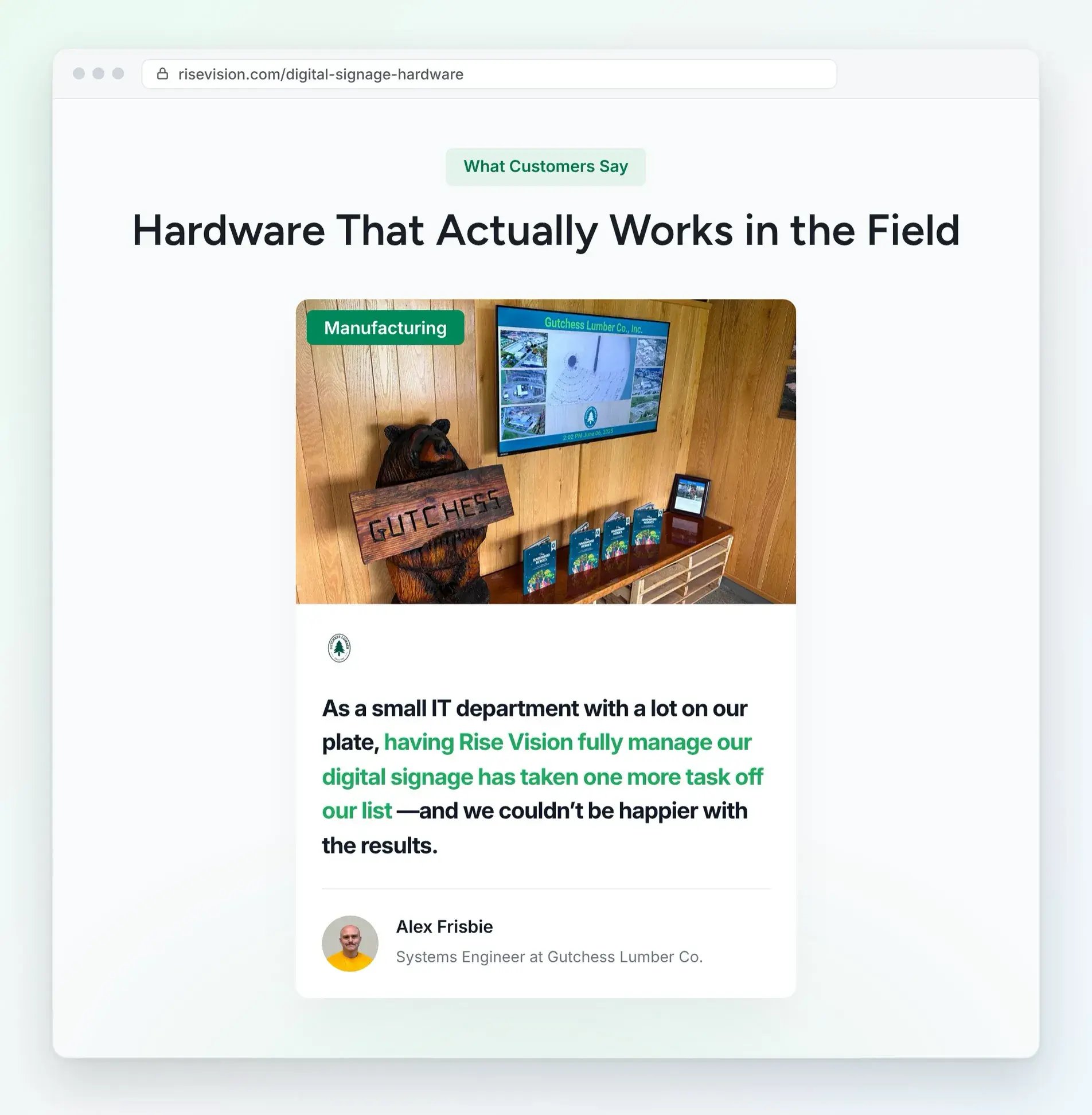
Since 1992, we've been empowering organizations worldwide to communicate, teach and collaborate better. Today, more than 12,300 organizations run Rise Vision on over 77,000 displays. That includes Kent State University and Gutchess Lumber. At Gutchess, Systems Engineer Alex Frisbie says getting their displays through our Hardware as a Service program "has taken one more task off our list."
This year alone, we've talked with teams running Carousel at schools, colleges and businesses. They range from a four-screen office to a university with hundreds of displays. So we know where Carousel works well and where teams get stuck, and that's exactly what this review covers.
What Is Carousel Digital Signage?
Carousel Digital Signage is a cloud-based platform that helps organizations create, schedule, and manage content across their screens. It’s used by schools, colleges, government offices, and businesses to share everything from daily announcements to event schedules and company updates.
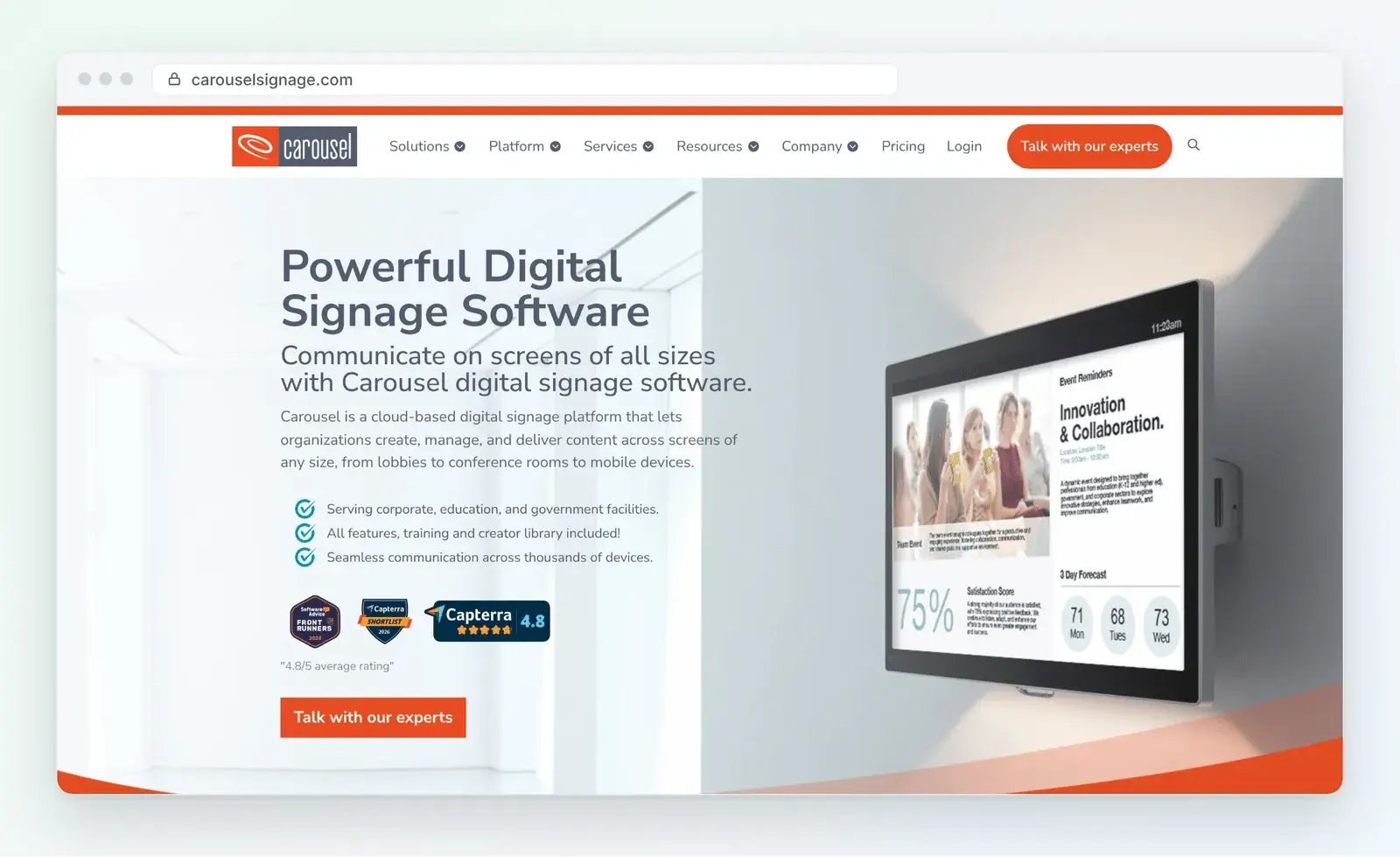
The company is based in Minneapolis and was previously known as Tightrope Media Systems.
Carousel organizes screen content using three main elements:
- Channels: Think of a channel as the entire screen layout.
- Zones: These are the different sections of the screen, each showing its own content.
- Bulletins: These are the individual pieces of content, such as announcements, images, and videos, that appear in each zone.
For example, a school might use the main part of a lobby screen to show announcements, with a smaller section at the bottom displaying the weather and upcoming events. If you've used other signage software, you may know this setup as a zoned template, where one layout splits the screen into sections that each play their own content.
If you’ve used Carousel before, you might remember Carousel 7, the older version that ran on your own servers. Carousel stopped selling it in 2021 and ended technical support in 2023.
Today, new customers can only purchase Carousel Cloud, its cloud-based version.
Key Features of Carousel Digital Signage
Carousel gives you a solid set of tools for creating, approving and displaying content. These are its key features:
- Templates and Integrations: Start from the templates in Carousel's Creator Library, or pull in content from Canva, Google Slides and PowerPoint. Power BI needs the Pro or Enterprise plan.
- Scheduling and Approvals: Give each bulletin its own start and end dates, and require approval before a department's posts go live.
- CAP Emergency Alerts: Override whatever's playing with zone or full-screen alerts, either by hand or straight from your safety system. Carousel supports the Common Alerting Protocol (CAP), the standard format that alert systems use, and lists InformaCast, Raptor and CrisisGo as partners.
- Wide Hardware Support: Run Carousel on BrightSign players, Apple TV, Amazon Signage, ChromeOS, and supported LG, Samsung, Sony and Philips displays.
Pricing
Carousel charges per player per month, which in practice means per screen:
- Core: $25 per player per month, with a 10-player minimum
- Pro: $22 per player per month, with a 30-player minimum
- Enterprise: custom pricing from the sales team
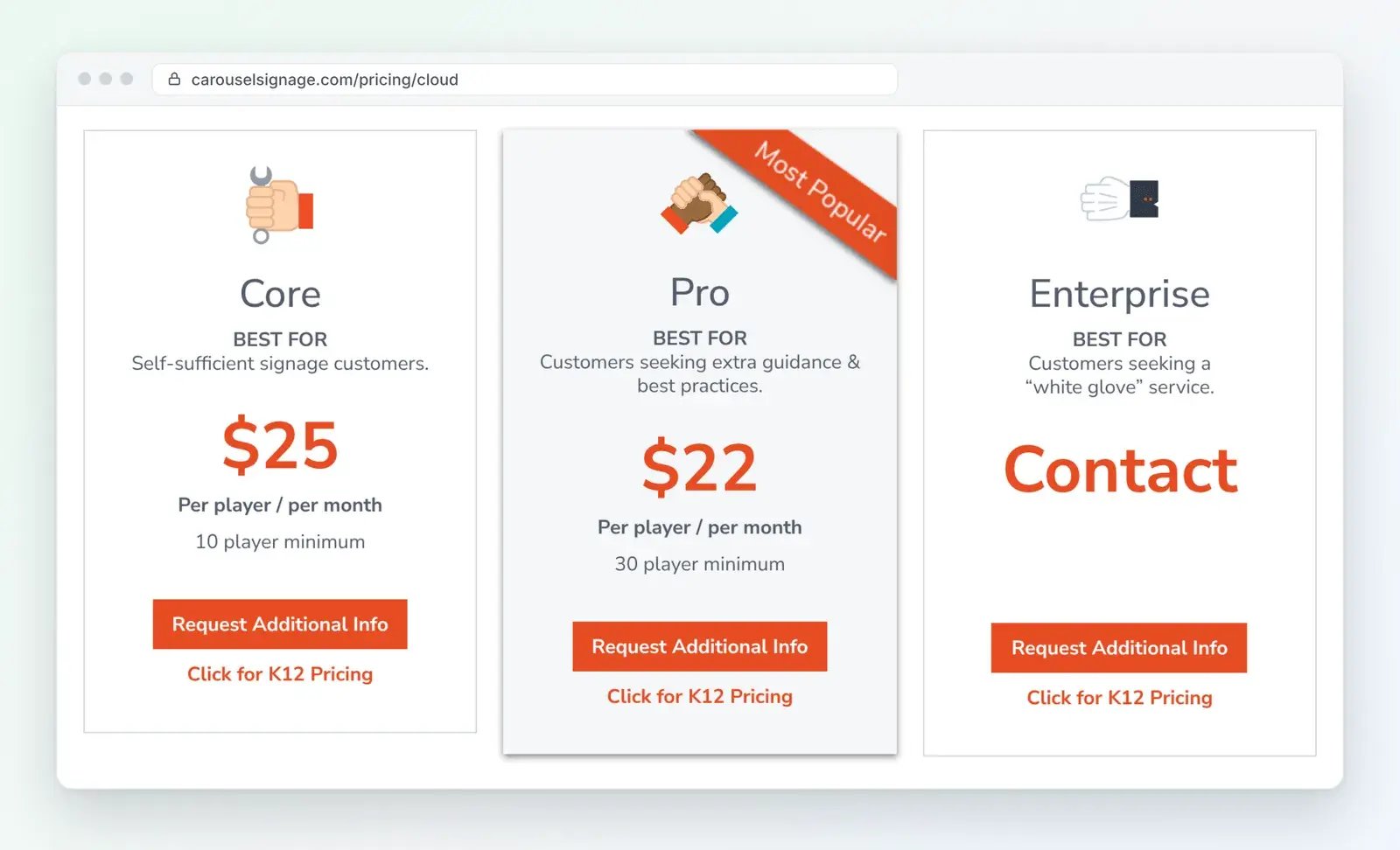
Every plan includes unlimited users and every feature except Power BI. K-12 schools can also get lower rates by filling out a form on Carousel's site. Just keep an eye on the renewal terms. Unless you pay monthly, your contract renews automatically for another year, and you'll need to cancel at least 90 days before it ends.
What We Like
We'll be honest. Some teams we talk to are happy with Carousel, and for good reason:
- Carousel takes accessibility seriously. An independent audit by Level Access found that Carousel substantially conforms to WCAG 2.1 AA and 2.2 AA, the Web Content Accessibility Guidelines. It also publishes a screen-reader-friendly web page that mirrors your screens, which helps if you have ADA requirements to meet.
- Training comes with every plan. You get Carousel Academy's online courses at no extra cost. And since users are unlimited, training new staff never adds to your bill.
- Carousel can run without a separate player. On supported LG, Samsung, Sony and Philips commercial displays, Carousel runs on the screen itself. That means one less box to buy, mount and keep updated.
- You decide who posts what, right down to each zone. You set roles and approvals for each person and zone, so your front office can update the lobby without touching anyone else's screens. You can even give your safety team alert-only accounts.
What We Don't Like
We also found some more drawbacks worth knowing about:
- You might pay for screens you don't have. The Core plan has a 10-player minimum, so if you run four screens, you still pay for 10. That's $3,000 a year at $25 per player per month, or $750 for each screen you use. Smaller teams bring this up with us, and it's easy to see why.
- Help can take a while on the entry plan. Core comes with email support and a two-business-day response time, and phone support is only on Enterprise. So if a screen goes blank on Monday morning, for example, you might not hear back until Wednesday.
- It takes time to learn. Channels, zones and bulletins get easier with practice. But they're a lot to take in if you just want to post this week's announcements. The built-in layout tool can be slow to work with, too. And Carousel's own FAQ says setup usually takes seven to 30 days.
- It's cloud only, with no self-serve trial. Carousel retired its on-premise version and says a perpetual license replacement is "not likely." So if you bought Carousel 7 outright, staying supported means paying yearly for software you'd already paid for once. There's also no free trial you can start on your own, so your first step is a demo with sales.
A Better Alternative: Rise Vision
Rise Vision is the all-in-one platform for digital signage, screen sharing and emergency alerts. We help you communicate, teach, collaborate and improve safety affordably, all backed by fast support and flexible hardware options. And you can get started in minutes, with a 30-day money-back guarantee.
We built Rise Vision so you can delegate the management of your digital signage to anyone in your organization in just a few minutes. And from a single platform, you can schedule, approve and update content across all your displays, ensuring consistency everywhere.
Save money and use our recommended Rise Vision Media Player and Rise Vision Displays. Or bring your own hardware, like Apple TV, BrightSign Series 4 and newer, ChromeOS devices and LG webOS commercial displays. You can even choose the ownership model that works best for your needs. Buy your hardware outright, or go with Hardware as a Service, where you pay a yearly fee and we manage it for you.
We have accessibility covered, too. Our app and templates conform to WCAG 2.2 AA, and Accessible Web's independent audits confirm it. Plus, you can try everything free for 14 days, with no credit card required.
Key Features
Rise Vision gives you everything you need to create content, manage your screens and keep people safe. Our key features include:
- One Platform: Combine digital signage, screen sharing and emergency alerts into one platform, enabling engaging communication, seamless collaboration and instant emergency notifications.
- 750+ Templates: Forget about static displays. Save time and boost engagement with 750+ professionally designed, animated, customizable templates. They make it simple for anyone on your team to create polished signage, even without design experience.
- AI Presentation Design: Turn a sentence into a professional, customizable design in seconds with our AI design tool, no design skills required.
- Popular Integrations: Automatically pull content from services like Google Workspace, Microsoft 365, Canva, local weather, news and more.
- CAP-Enabled Compatibility: Integrate with leading Common Alerting Protocol (CAP) systems like Raptor, Alertus, InformaCast, CrisisGo and more for streamlined, automated alerts.
- Multi-Location: Easily expand your digital signage network and manage communications across your organization with user roles, unlimited users, single sign-on (SSO), account hierarchy and more..
Pricing
Save hundreds with our simple, transparent pricing. We have options for every organization, volume discounts and affordable recommended hardware. These are our prices for one to 10 displays.
| Plan | Schools, Colleges and Non-Profits | Businesses and Government | What It Adds |
|---|---|---|---|
| Basic | $119 per display per year, or $11 per month | $132 per display per year, or $12 per month | 750+ templates, integrations and unlimited users |
| Advanced | $138 per display per year | $156 per display per year | CAP emergency alerts |
| Enterprise | $164 per display per year | $180 per display per year | Screen sharing, automatic alert overrides and SSO |
You pay for Advanced and Enterprise yearly. K-12 schools can also get an Unlimited license that covers every display in a school for $1,399 a year. And volume discounts start at 11, 70 and 200 displays.
Why Choose Rise Vision?
So why pick us over Carousel? It comes down to three things: pricing, ease of use and emergency alerts across every location.
Simple, Transparent Pricing With No Display Minimum
We price per display, with no minimum, so you only pay for the screens you have. That makes the biggest difference for smaller sites. For example, these are the yearly costs for four screens with emergency alerts on every one:
- Carousel Core: 10 players at $25 a month comes to $3,000 a year.
- Rise Vision Advanced: four displays at $156 each comes to $624 a year on our business pricing, or $552 for schools, colleges and non-profits.
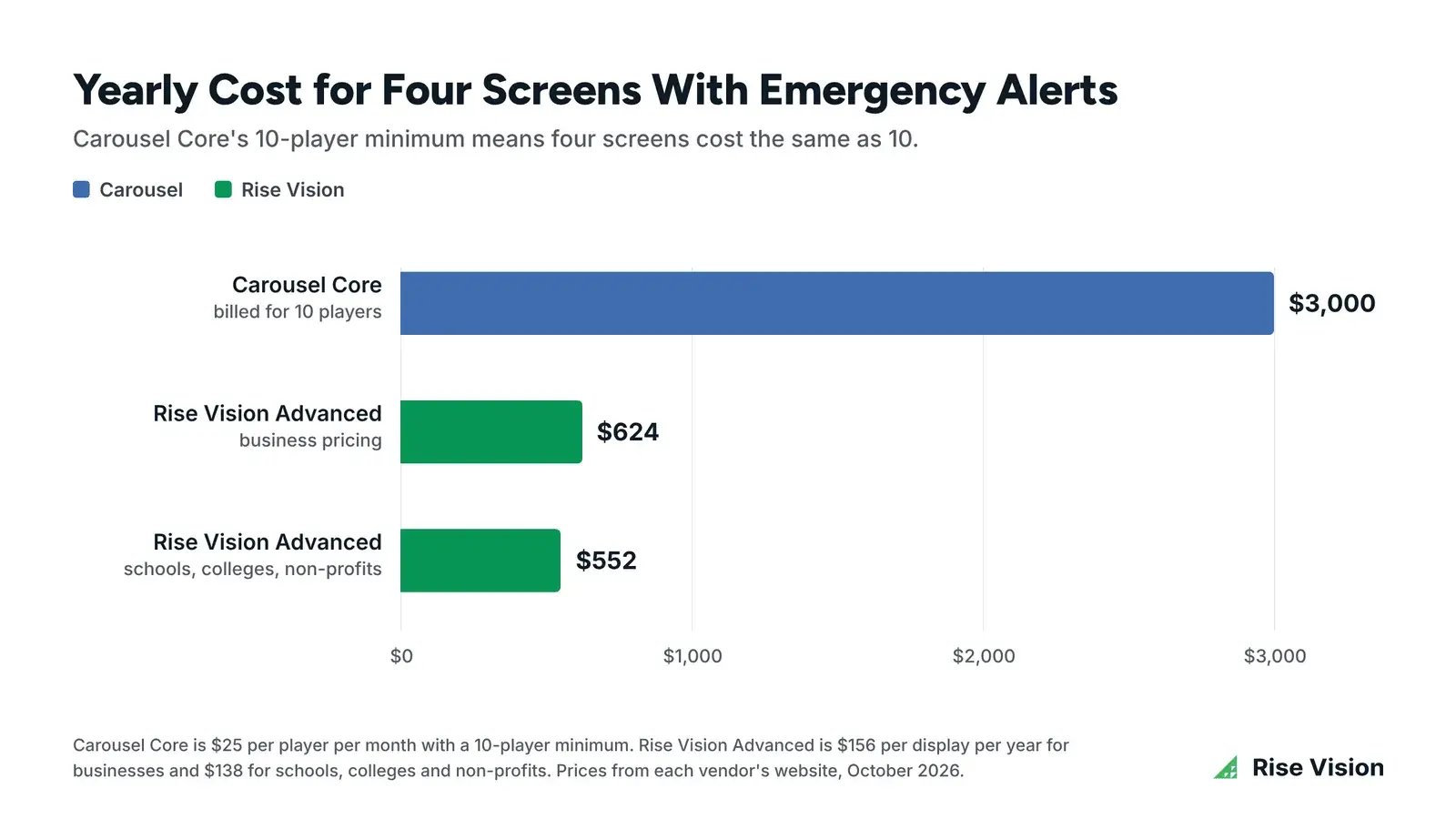
That leaves $2,376 in your budget every year, even at our business rate. And at 10 screens, our Advanced plan still comes to $1,560 a year against Carousel's $3,000. Carousel does offer K-12 schools lower rates on request, but its 10-player minimum still applies.
If you're budgeting for the whole setup, not just the software, this video breaks down what screens, media players, installation and software cost, with three example budgets.
Easy Enough for Anyone on Your Team
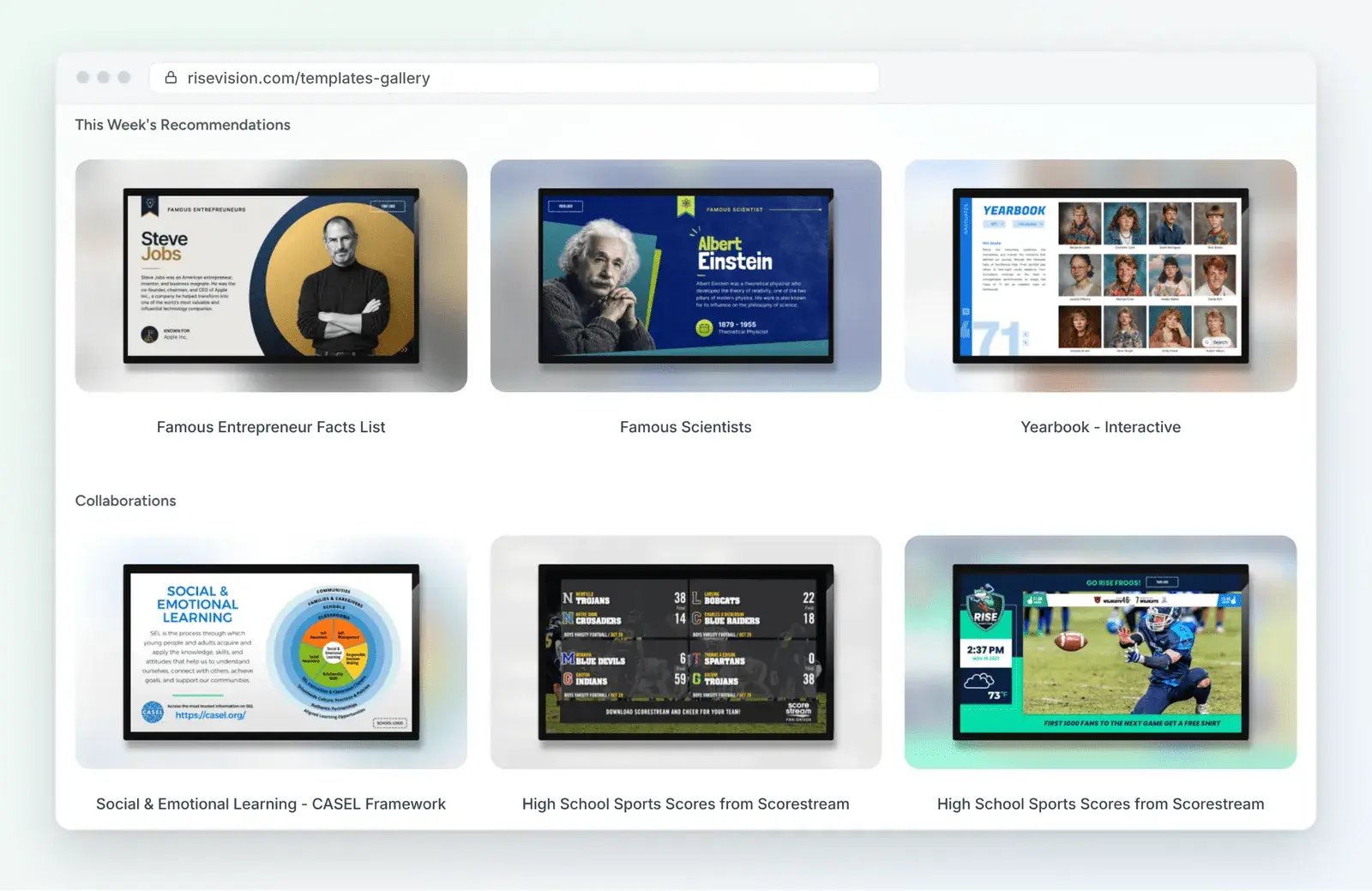
You don't need a designer or dedicated IT team to run Rise Vision. Instead, you'll save hours of content creation time every week with 750+ professionally designed, animated and customizable templates.
Plus, you'll stay inspired all year and keep your digital signage fresh with our weekly template recommendations and annual template calendar. And our AI design tool makes it easy for anyone to create polished signage quickly, without needing design experience.
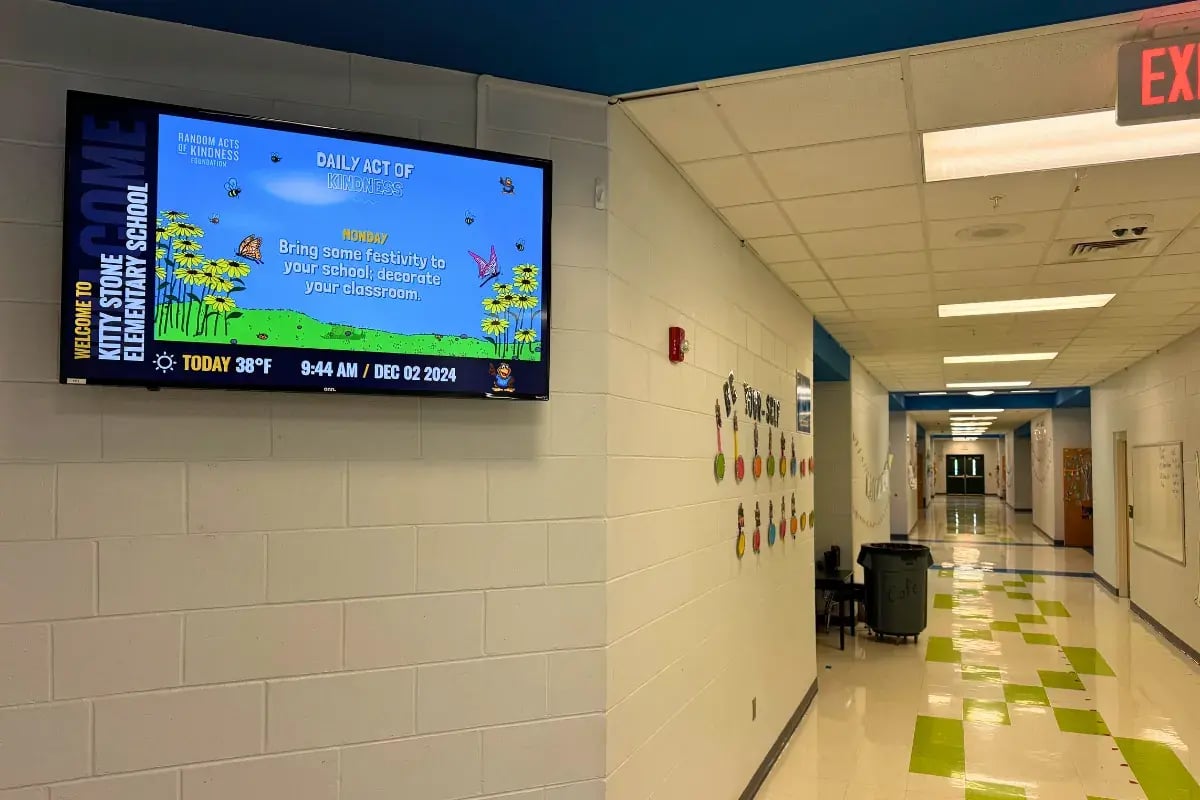
Jacksonville City Schools in Alabama is an example. The district grew from three displays to 14 across two schools, and the elementary school's bookkeeper runs the screens there. As Joshua Dobbins, the district's Desktop Administrator, put it, "I taught our bookkeeper in five minutes, and I never had to touch it again."
Stuck? You'll get help within one business hour by phone, email or remote desktop support, from a team backed by a 99% satisfaction rating. Plus, our free training sessions and customer success team will guide you through implementation and onboarding.
Emergency Alerts and Multi-Location Control in One Platform
Our emergency alerts provide instant, clear visual notifications to ensure critical information reaches everyone in your organization. With customizable templates for weather alerts, lockdowns and evacuations, we help reduce confusion in stressful situations. Our alerts also integrate with leading CAP systems, so your emergency management system triggers them instantly, with no manual intervention.
For example, Necedah School District in Wisconsin connected Rise Vision to Singlewire InformaCast. Lockdowns that used to take up to 60 seconds now take about 20.
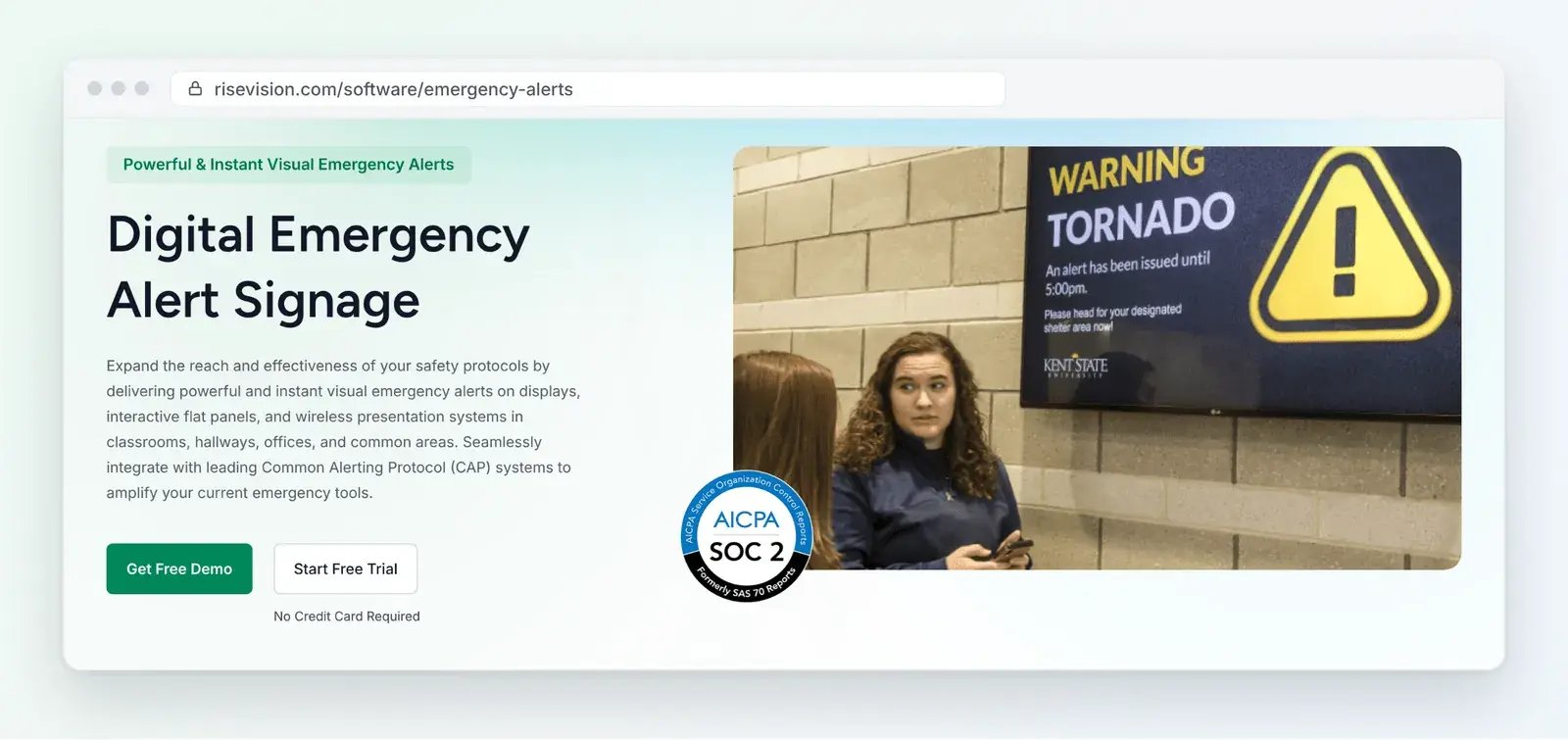
You can also manage emergency notifications across multiple locations or buildings from a single platform. And if you have lots of departments, our account hierarchy lets each one run its own screens. Meanwhile, your IT team keeps an eye on everything. That's how Rutgers University manages more than 200 displays. Every department has its own sub-account, and campus IT can reach all of them. User roles then give each person access to only what they need.
Why Rise Vision Is the Better Alternative to Carousel
Carousel gets a lot right, from accessibility to emergency alerts. But its 10-player minimum can leave you paying for screens you don't have, and help on the entry plan can take two business days.
With Rise Vision, you get simple, transparent pricing with no display minimum and help within one business hour. Anyone on your team can create content with our 750+ templates, and you can send emergency alerts from the same platform. See it for yourself in a free demo.
More From Our Blog
-
Visix Digital Signage Review 2026: Features, Pricing, Pros and Cons
Visix digital signage is a long-established system built for large organizations with their own IT teams. Its biggest strengths are meeting room signs, touchscreen wayfinding and calendar[…]
Read More -
Amazon Signage Stick Review: Price, Specs, and Setup
The Amazon Signage Stick is a $99.99 media player that plugs into a TV's HDMI port and boots straight into your signage software. For announcements, menus, or lobby screens on Wi-Fi with a shared[…]
Read More -
ScreenCloud Digital Signage Software Review: Features, Pricing, Pros and Cons
Best for: Organizations that want a polished digital signage platform with a broad app library, strong security, and flexible content management. Standout features: 80+ apps and integrations, SOC 2[…]
Read More
12,300+ Organizations Trust Rise Vision, You Can Too





























Schedule a Free Demo
You deserve the #1 all-in-one platform for digital signage, screen sharing, and emergency alerts.