

Quick Summary
- Best for: Organizations that want a polished digital signage platform with a broad app library, strong security, and flexible content management.
- Standout features: 80+ apps and integrations, SOC 2 Type 2 security, and Cast for temporarily taking over screens with important content.
- Pricing: Starts at $20 per screen per month on an annual Core plan and goes up to $36 per screen on monthly Pro billing.
- Main drawback: Per-screen pricing can get expensive as your network grows.
- Support: Support levels vary by plan and issue severity, with Enterprise adding premium support and direct phone access.
Is ScreenCloud a Good Digital Signage Platform?
ScreenCloud is a cloud-based digital signage platform used by more than 10,000 organizations. It supports a wide range of apps and integrations, including Google Workspace, Microsoft 365, Canva, and YouTube, and gives teams tools to create, schedule, and manage content across multiple screens.
On paper, it covers most of what you'd expect from a modern digital signage platform. But whether it's the right fit depends on what you need, how many screens you're managing, the hardware you already have, and which features matter most to your team.
In this review, we'll look at ScreenCloud's features, pricing, hardware support, ease of management, customer support, strengths, and limitations. We'll also compare it with Rise Vision so you can see where each platform fits.
Key Features of ScreenCloud
- Canvas design editor: Canvas is ScreenCloud's built-in design tool, and every plan includes design templates. Pro adds custom fonts and lockable design templates.
- Channels and zones: Channels schedule content by time and day, and they can combine several playlists. They also let you split a screen into zones that show different content at once.
- 80+ apps and integrations: The library includes Google Workspace, Microsoft 365, Canva, and YouTube. A Dropbox Gallery app also sends new photos to your screens automatically. Pro adds premium apps like Power BI and SharePoint.
- Hardware and device management: ScreenCloud has players for Chrome, Android, Amazon, Windows, Mac, iOS, and BrightSign devices. It also sells its own $95 PIXI player and a $199 ScreenCloud OS player, both with remote device management built in.
Pricing
ScreenCloud charges per screen, and it's cheaper to pay annually than month to month. It has three plans:
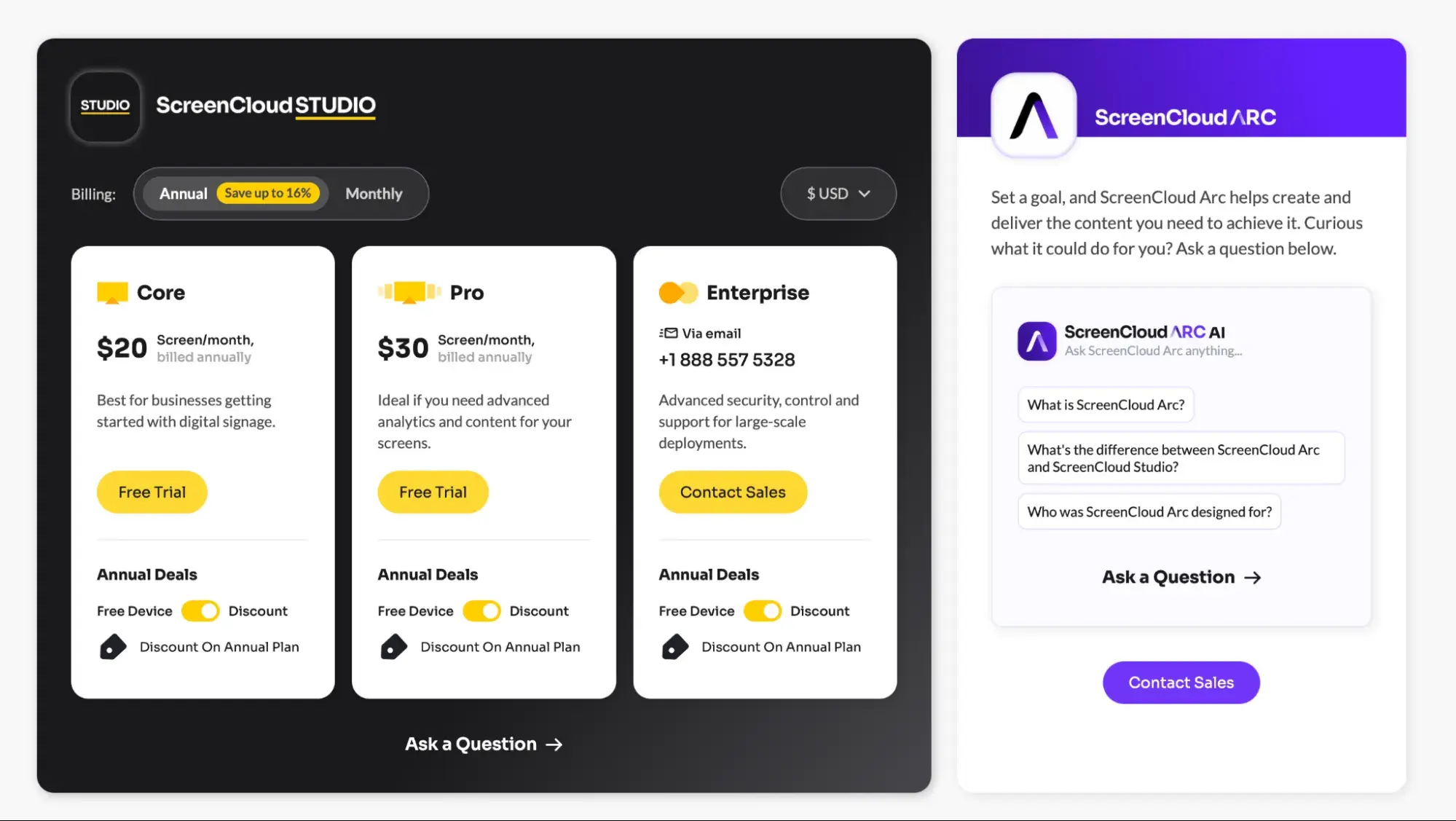
- Core: $20 per screen per month on an annual plan, or $24 month to month. It includes 80+ apps, unlimited file storage, and design templates.
- Pro: $30 per screen per month on an annual plan, or $36 month to month. It adds premium apps, Dashboards, QR code metrics, audit logs, and proof of play logs, which record what played on each screen.
- Enterprise: Custom pricing on annual plans only. It adds single sign-on (SSO), which lets staff log in with accounts they already have. It also adds dedicated onboarding and training, design support, and premium support.
New annual customers also get a free media player, or 17% off the first year if they already have one. That offer doesn't apply to renewals or to screens you add later, though. ScreenCloud's education and non-profit discount is 5% off software licenses, and it doesn't cover hardware.
It's worth running the numbers for your own screen count. At list prices, 50 screens cost $12,000 a year on Core or $18,000 a year on Pro. And every paired screen counts as a license, so you pay for it even when it's offline.
What We Like About ScreenCloud
1. There's a Lot You Can Do Without Building Everything Yourself
ScreenCloud's app library is one of its strongest areas. If your content already lives in Google Workspace, Microsoft tools, Canva, Dropbox, dashboards, or other business platforms, there's a good chance you can connect it rather than rebuilding it specifically for your signage.
For larger organizations managing several types of screen content, that can save a lot of manual work.
2. Cast Makes Temporary Screen Takeovers Easy
Cast solves a very specific problem well. You can override normal content, show something important for a set period, then return to the original schedule without rebuilding playlists or changing your setup. For schools, offices, and other organizations where information can change quickly, that's genuinely useful.
3. Security Is Strong
ScreenCloud undergoes an independent SOC 2 Type 2 audit each year covering areas including security, reliability, privacy, and data protection. Every plan also includes unlimited users, while higher plans add more detailed permissions, audit logs, and SSO. That makes it easier to give different teams access without sharing a single account.
4. You Have Plenty of Hardware Options
ScreenCloud supports a wide range of third-party hardware, and you can also buy dedicated ScreenCloud players if you'd rather have the software and hardware from the same vendor. That's useful if you already have compatible devices across your organization and don't want to replace everything just to change signage software.
Things to Consider Before Choosing ScreenCloud
1. Per-Screen Pricing Can Add Up
ScreenCloud's pricing is straightforward, but it scales directly with your number of screens.
That's not necessarily a problem for a small or stable network. It becomes more important when you're rolling signage out across classrooms, buildings, campuses, or multiple locations.
In our own conversations with school and university IT teams, cost as the screen count grows has come up more than once.
Before committing, we'd calculate the cost at your expected future screen count rather than only comparing today's bill.
2. Several Useful Features Start on Pro
Core covers the basic signage functionality, but some features organizations may consider important sit on Pro.
That includes Dashboards, Power BI, SharePoint, proof-of-play reporting, audit logs, custom permissions, ScreenCloud Touch, custom fonts, and lockable templates.
If several of those are on your requirements list, it makes more sense to compare your budget against the $30 annual Pro rate rather than the $20 Core starting price.
3. Support Depends on Your Plan and Issue Severity
Core and Pro include Standard Support, with 24/5 access to ScreenCloud's human support team and 24/7 access to its AI assistant.
ScreenCloud's Standard Support response targets depend on the severity of the issue:
- P1 critical: 1 hour
- P2 high: 6 hours
- P3 medium: 1 business day
- P4 low: 2 business days
Premium Support improves most of those response targets and adds phone support, a customer success manager, a dedicated support engineer, and priority handling. It's included with Enterprise and can also be requested as an add-on on other plans.
We've also heard mixed experiences directly from some education teams, including cases where support took longer than they expected. Those are individual experiences rather than ScreenCloud's published service levels, but they're worth weighing alongside the formal SLA.
4. Be Careful With Consumer Fire TV Hardware
ScreenCloud still works with some older Fire TV devices, but it doesn't recommend buying most of them for new deployments.
Several Fire TV Stick models released from 2023 onward aren't supported, including newer Fire OS 8 devices, and ScreenCloud also doesn't currently support Amazon devices running Vega OS. ScreenCloud recommends the purpose-built Amazon Signage Stick or its own PIXI player instead.
That's worth checking if your current signage network depends heavily on consumer Fire TV Sticks.
A Better Alternative: Rise Vision
Rise Vision is the all-in-one platform for digital signage software, screen sharing, and emergency alerts in schools. That means we help you communicate, teach, and improve safety affordably, with flexible hardware options and exceptionally fast support. We've been at it since 1992, and today more than 12,300 organizations trust Rise Vision.
We understand that K-12 budgets are tight. That's why we offer incredibly competitive pricing, whether it's through our flat, low-price unlimited license or the option to purchase individual display licenses. It's also why we offer affordable hardware or the ability to bring your own.
With our easy-to-use software, you can delegate your digital signage to anyone in your district in just a few minutes. For example, Jacksonville City Schools in Alabama grew from three displays to 14 screens across two schools. Non-technical staff, even a bookkeeper, manage the content.
Key Features
- Digital Signage: Create engaging content with 750+ customizable templates and powerful integrations with tools like Google Workspace, Microsoft 365, Canva, weather, social media, and more.
- Screen Sharing: Enhance teaching with wireless screen sharing from any device to any display. Teachers don't need an account, or they can opt for secure, moderated sessions to control who shares.
- Emergency Alerts: Keep your school safe with instant alerts. We integrate with leading emergency systems via the Common Alerting Protocol (CAP) to send alerts to your displays. Those include CAP systems like Raptor, Alertus, InformaCast, and CrisisGo.
- District Management: Manage digital signage, screen sharing, and emergency alerts across your school district with user roles, unlimited users, single sign-on (SSO), account hierarchy, and expert help.
Pricing
We have options for every organization, plus volume discounts at 11, 70, and 200 displays. For K-12, you can choose from three plans:
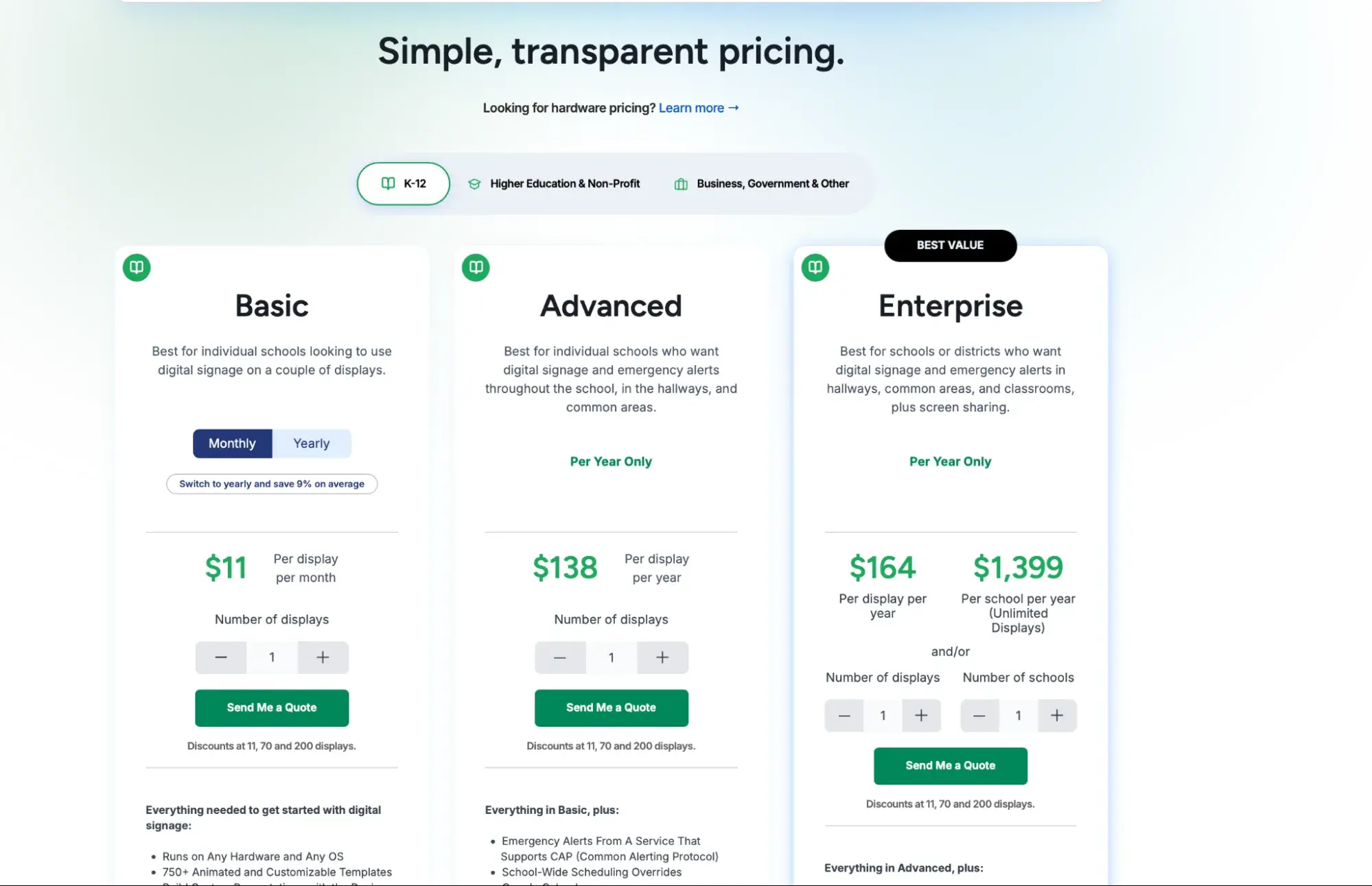
- Basic: $11 per display per month, or $119 per display per year
- Advanced: $138 per display per year, and it adds emergency alerts
- Enterprise: $164 per display per year, or $1,399 per school per year for unlimited displays, and it adds screen sharing and SSO
And if we're not the right fit, our 30-day money-back guarantee has you covered.
Why Choose Rise Vision?
Pricing That Fits Your Budgets
Save hundreds with our simple, transparent pricing. For K-12, our Advanced plan costs $138 per display per year. ScreenCloud Core works out to $240 per screen per year on an annual plan. At 50 displays, that's $6,900 a year with us before volume discounts, compared with $12,000 on ScreenCloud Core.
Our Enterprise plan also comes as an Unlimited license, with unlimited displays for $1,399 per school per year. For a school with 30 screens, that's $1,399 a year, compared with $7,200 on ScreenCloud Core at list price.
Help Within One Business Hour
Get help within one business hour by phone, email, or remote desktop support from a team backed by a 99% satisfaction rating. That response time comes with every plan, compared with a six-hour target on ScreenCloud's Core and Pro plans.
We'll also get your organization up to speed with free training sessions. Our customer success team will guide you through implementation and onboarding, too.
One Platform That Works With Your Hardware
We combine digital signage, screen sharing, and emergency alerts into one platform. Save money with our recommended displays and media player. Or bring your own hardware and use existing devices with our extensive operating system support.
We're compatible with popular operating systems like Android, Windows, Chrome OS, and Linux, and devices like Amazon Signage Sticks, Raspberry Pi, and Apple TV. That way, you can scale at your own pace without vendor lock-in.
Is ScreenCloud Worth It?
ScreenCloud is a capable digital signage platform, but its per-screen pricing can get expensive as your network grows.
For schools and districts, Rise Vision offers a more affordable way to scale, with digital signage, emergency alerts, screen sharing, and one-business-hour support in one platform.
If you're comparing the two, get free demo to see how Rise Vision would work for your schools and screen count.
FAQs
Does ScreenCloud Have a Free Trial?
Yes. ScreenCloud offers a 14-day free trial, and you don't need a credit card to start it.
If you don't upgrade when the 14 days end, ScreenCloud's trial terms say you'll lose access to the account and the data you provided during the trial will be deleted.
How Much Does ScreenCloud Cost per Month?
ScreenCloud Core costs $20 per screen per month when you pay annually, or $24 on monthly billing.
Pro costs $30 per screen per month annually, or $36 month to month.
Enterprise pricing is custom and annual only.
At the annual rates, 100 screens would cost $24,000 per year on Core or $36,000 per year on Pro before discounts.
What Devices Work With ScreenCloud?
ScreenCloud supports a broad range of hardware, including compatible Android, ChromeOS, Windows, iPadOS, BrightSign, Amazon Fire, Samsung Tizen, and LG webOS Signage devices.
Compatibility depends on the exact device and operating system version, so check ScreenCloud's current hardware requirements before buying players or planning a large rollout.
ScreenCloud also sells its own PIXI and ScreenCloud OS media players.
Can You Still Use Amazon Fire TV Sticks With ScreenCloud?
Some older Fire TV devices still work with ScreenCloud, although the company doesn't recommend most consumer Fire TV hardware for new purchases.
Several newer Fire TV Stick models aren't supported, and Amazon's newer Vega OS isn't currently compatible with ScreenCloud. ScreenCloud recommends the Amazon Signage Stick or its PIXI player for new deployments.
What Are the Best Alternatives to ScreenCloud?
That depends on what you're trying to do.
For schools and districts, Rise Vision is worth comparing if you need digital signage, CAP-based emergency alerts, screen sharing, predictable K-12 pricing, and the option to license unlimited displays per school.
For any alternative, compare more than the starting price. Look at the features you need, your screen count, hardware compatibility, support levels, and what the platform will cost once your network grows.
More From Our Blog
-
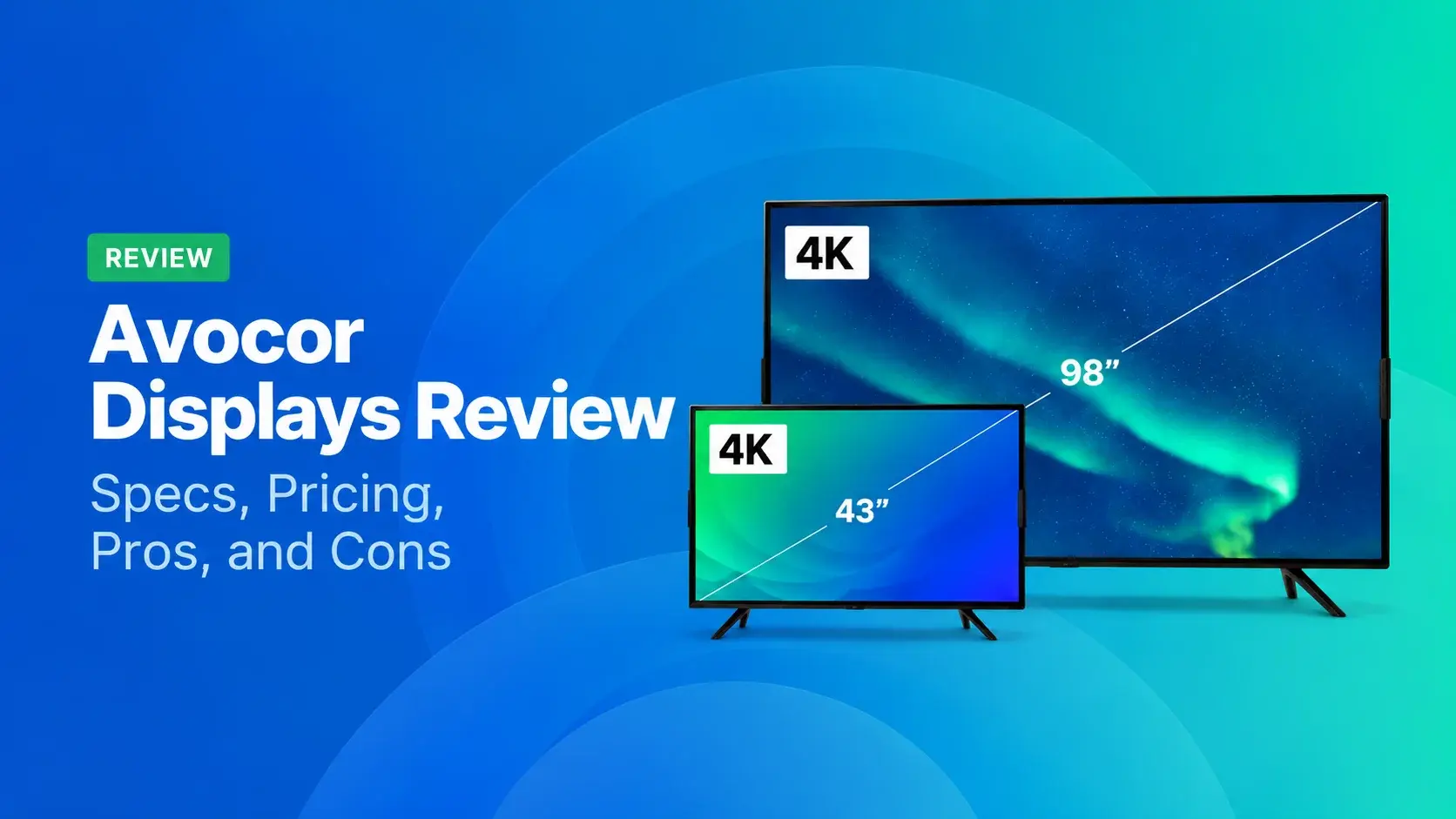
Avocor Displays Review: Every Series Compared
Avocor makes commercial displays across more than a dozen series. For classrooms, you'll want the S, A, or E50 Series, and for meeting rooms, the G or H Series. The E92 and L Series are ultra-wide,[…]
Read More -
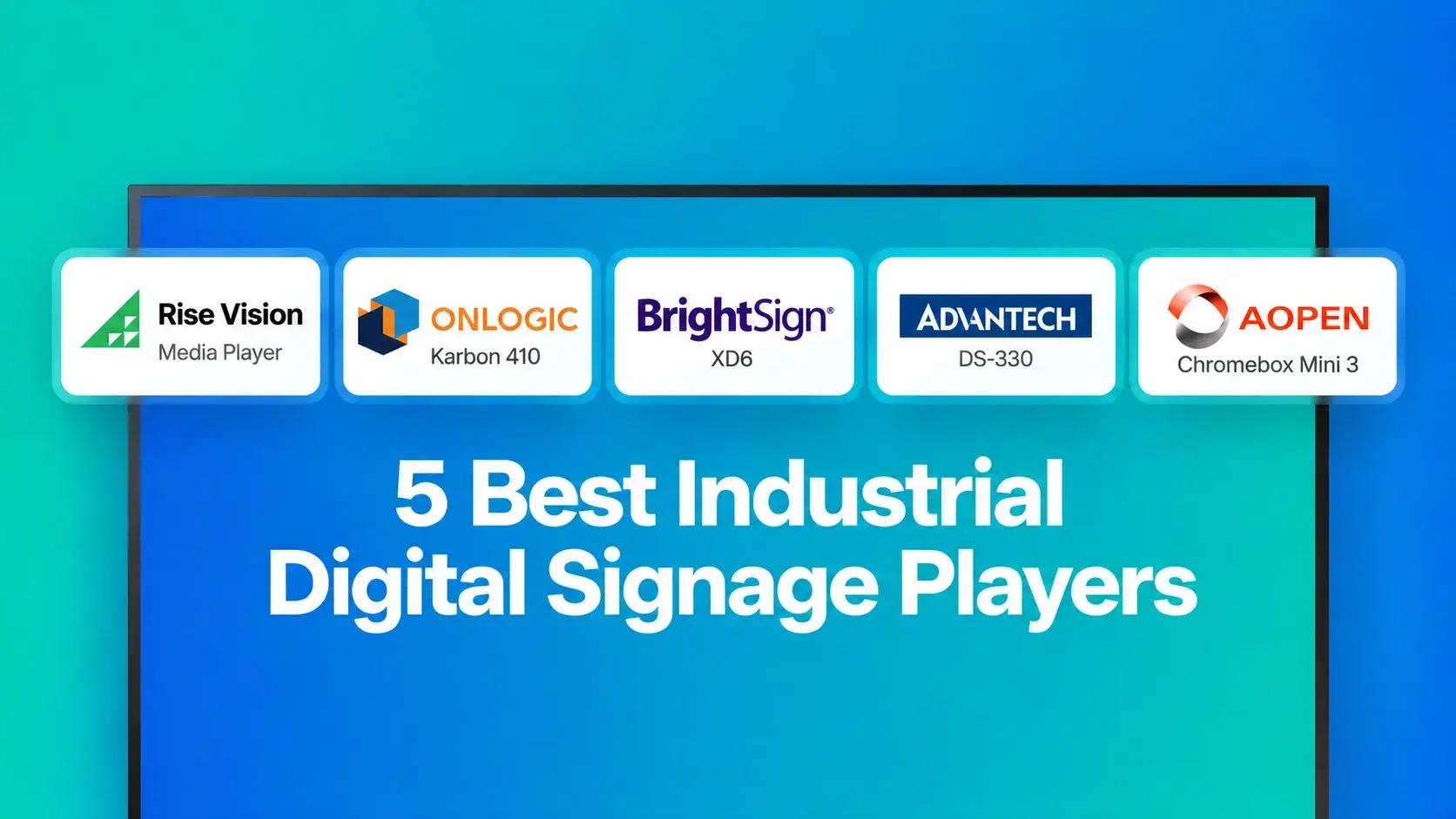
We Reviewed the 5 Best Industrial Digital Signage Players for 2026
We reviewed five digital signage players that can handle different industrial environments, from standard break rooms and production floors to areas exposed to extreme temperatures.
Read More -
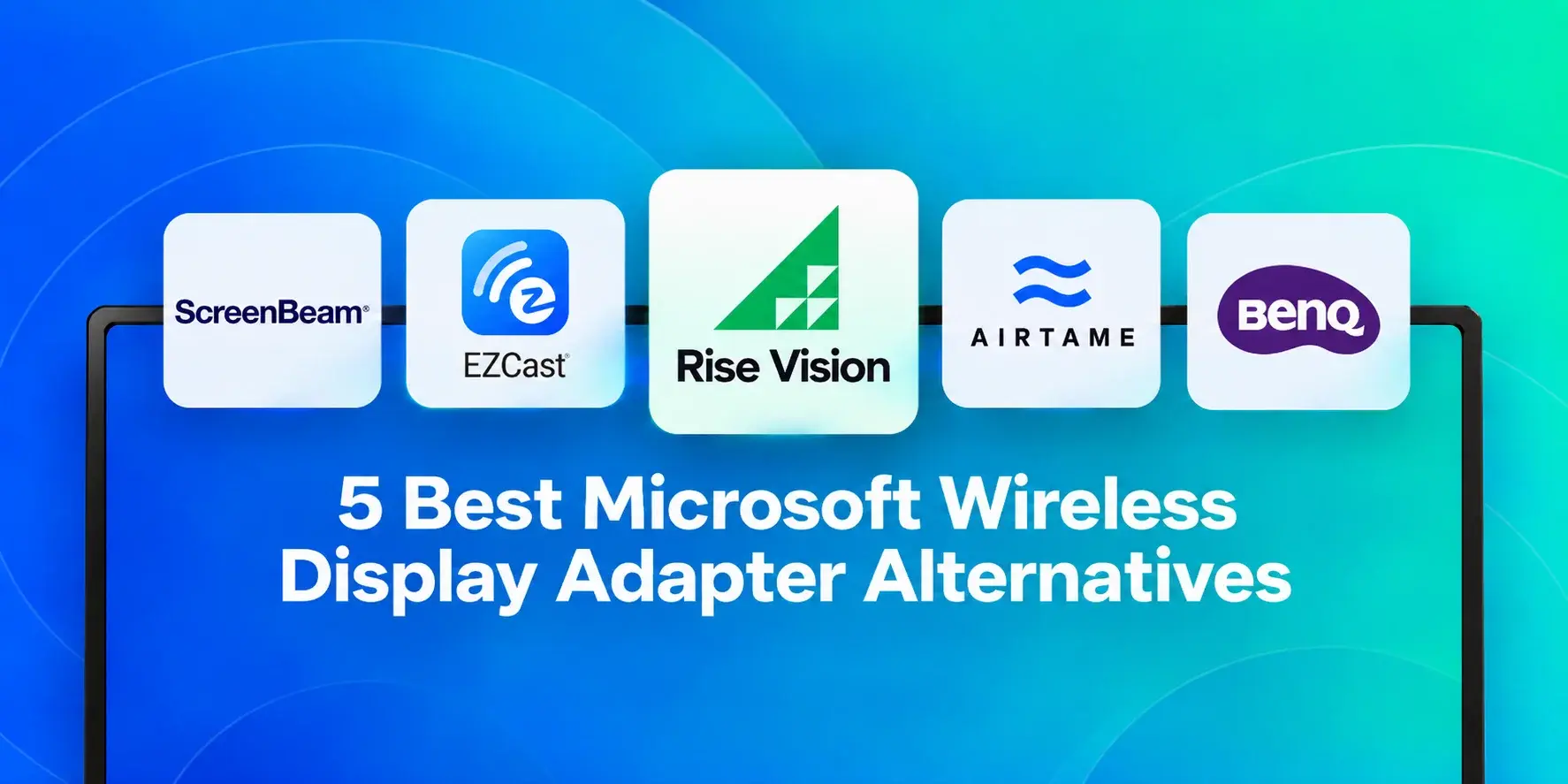
We Reviewed 5 Microsoft Wireless Display Adapter Alternatives for Schools
If you’re looking for an alternative to Microsoft’s discontinued Wireless Display Adapter, this guide covers five options in detail. Here’s a quick overview of the top three:
Read More
12,300+ Organizations Trust Rise Vision, You Can Too
































Schedule a Free Demo
You deserve the #1 all-in-one platform for digital signage, screen sharing, and emergency alerts.





