

Quick Summary
If you’re looking for an alternative to Microsoft’s discontinued Wireless Display Adapter, this guide covers five options in detail. Here’s a quick overview of the top three:
|
# |
Tool |
Best For |
|
1 |
Rise Vision |
Browser-based screen sharing without dongles or proprietary hardware |
|
2 |
ScreenBeam 1000 EDU Gen 2 |
The closest Miracast-based hardware replacement |
|
3 |
Airtame 3 |
Schools with budget for premium hardware that want screen sharing and digital signage from a single device. |
Looking for the Best Microsoft Wireless Display Adapter Alternatives?
For years, the Microsoft Wireless Display Adapter was the easy answer for classroom screen sharing. It cost around $50 and plugged straight into a display's HDMI port. Then Microsoft discontinued it in 2023.
In a recent conversation with Fillmore Unified School District, their IT team told us how much they'd loved "the little dongle" and how they'd been looking for a replacement since it went away. They demoed a couple of alternatives, but found each one "either doesn't work or is way too expensive." It’s a story we hear a lot, and you’re probably nodding along right now.
If you're trying to figure out your next step, this guide reviews five practical alternatives to help you find the right fit for your district. (For a broader look at the category, see our full wireless presentation systems roundup.)
Why Listen to Us?

Rise Vision has helped schools communicate and collaborate since 1992. We combine digital signage, screen sharing, and emergency alerts into one platform, enabling seamless teaching, engaging communication, and instant emergency notifications. We’ve seen schools navigate the shift away from the WDA firsthand, so we know what works and what doesn’t.
A Quick Look at 5 Microsoft Wireless Display Adapter Alternatives
|
# |
Tool |
Key Features |
Pricing |
|
1 |
Rise Vision Screen Sharing |
Browser-based sharing from any device; Standard and Moderated Modes; multi-display support (up to 10 displays) |
$164/display/yr or $1,399/school/yr |
|
2 |
ScreenBeam 1000 EDU Gen 2 |
Native Miracast; extended desktop; IT management tools |
~$549.99/unit |
|
3 |
Airtame 3 |
Cross-platform; built-in Ethernet; cloud management |
$749 - $1,299 per screen for three years |
|
4 |
EZCast Pro Dongle II |
4K output; split-screen for four devices; no subscription |
$139/unit |
|
5 |
BenQ InstaShow WDC15 |
Button-based; no app or network needed; plug-and-play |
$799/kit (MSRP) |
Now let's look at each alternative in detail.
1. Rise Vision
Best For: Schools that want to stop buying hardware dongles entirely and get screen sharing, digital signage, and emergency alerts in one platform.
Rise Vision is the all-in-one platform for digital signage, screen sharing, and emergency alerts. Our screen sharing transforms any display into a wireless presentation hub for teaching and collaboration. Because it runs entirely in the browser, teachers never have to deal with adapters, dongles, or extra software. They simply open a web browser, go to risevision.com/join, and type in the code shown on the display. From there, they can share a specific window or their entire screen instantly.

That also solves the cross-platform problem from Microsoft’s adapter. The old adapter only supported Windows and some Android devices. Chromebooks, iPads, and Macs couldn't connect to it. With Rise Vision, a teacher's Windows laptop, a substitute's Chromebook, and a student's iPad all share to the same display the same way. We also have Android and iOS apps for supported devices if anyone on your team prefers a native app.
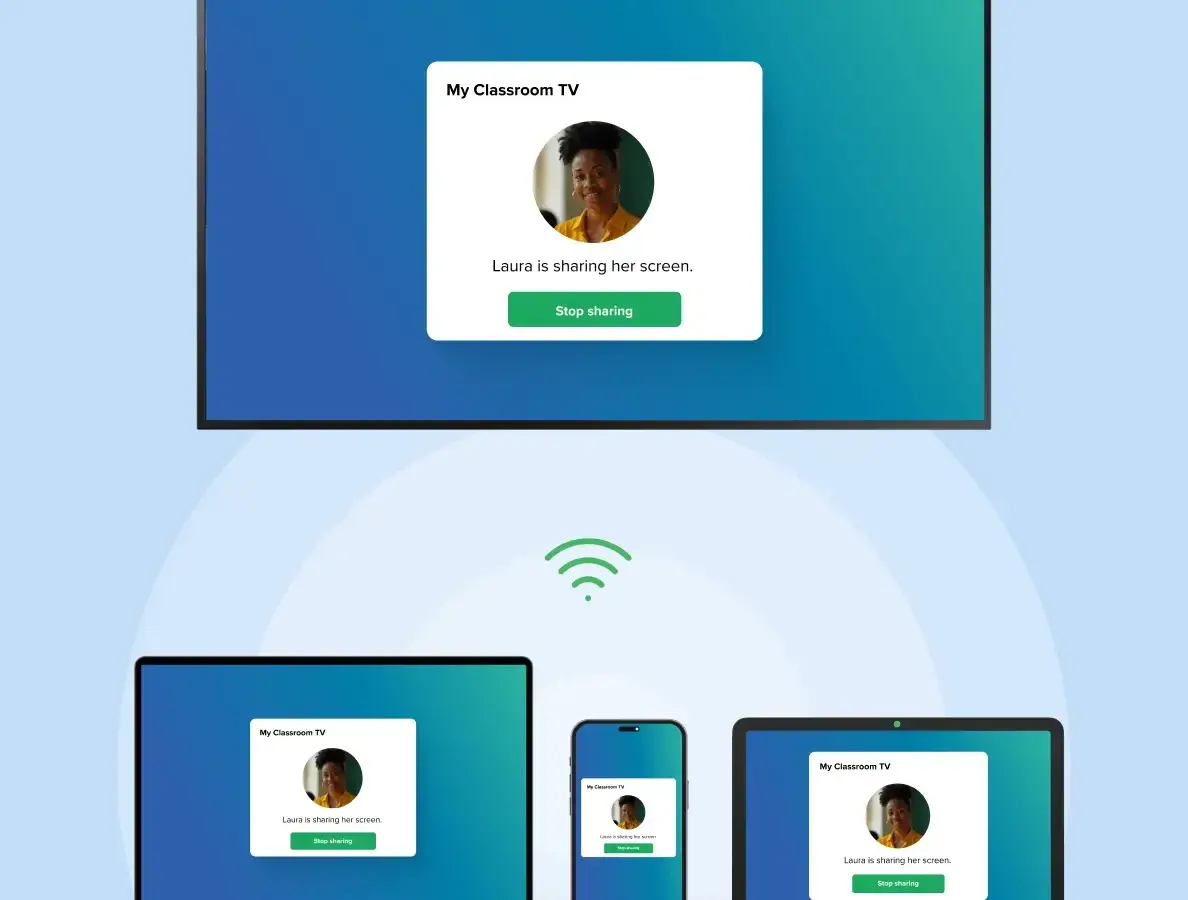
For everyday lessons, teachers can start sharing right away without even needing a Rise Vision account. If you need a bit more control, Moderated Mode lets a moderator approve each person before they can present, so you always know who’s sharing.
And you don’t have to worry about what network they’re on. It works across the school’s main network, guest Wi-Fi, VLANs, and wired connections.
On the hardware side, you can use our recommended Rise Vision Media Player or Rise Vision Displays. Or you can bring your own hardware and give old displays and interactive flat panels a new life. Either way, you can control every screen-sharing device through the centralized, cloud-based platform.
Key Features
- Browser-Based Screen Sharing: Share your screen by going to risevision.com/join and entering a code, with no special training or software needed.
- Cross-Platform Compatibility: Share from any device to any display without adapters, dongles, proprietary hardware, or apps. Rise Vision is completely OS agnostic.
- Standard and Moderated Modes: Use Standard Mode for quick, everyday sharing or switch to Moderated Mode so a moderator can approve who presents.
- Multi-Display Screen Sharing: Share one screen to up to 10 displays simultaneously in a single session, so one presentation reaches every corner of a large classroom.
- Code Connect Security: Ensure presenters share to the correct display by entering an on-screen code, preventing unwanted streams.
- Cross-Network Sharing: Let teachers and students share from any network, including VLANs, Wi-Fi, and Ethernet connections.
- All-in-One Platform: Get the most competitive pricing for screen sharing, digital signage, and emergency alerts by working with one vendor.
Pricing
Screen sharing is part of our Enterprise plan, which costs $164/display/year or $1,399/school/year for Unlimited Displays (K-12). That pricing also covers digital signage and emergency alerts. Plus, Rise Vision offers a 30-day money-back guarantee.
Pros
- No hardware dongles to buy, replace, or manage
- Works with any device and any operating system
- Bundles screen sharing with digital signage and emergency alerts in one platform
- Easy to use for non-technical staff.
- Pricing is transparent, with free training and fast support for every tier.
Cons
- Screen sharing requires the Enterprise plan
- Mirrors the screen rather than extending it, so teachers lose the second-monitor presentation view
2. ScreenBeam 1000 EDU Gen 2
Best For: Schools that want a direct Miracast-based hardware replacement and have the budget for it.
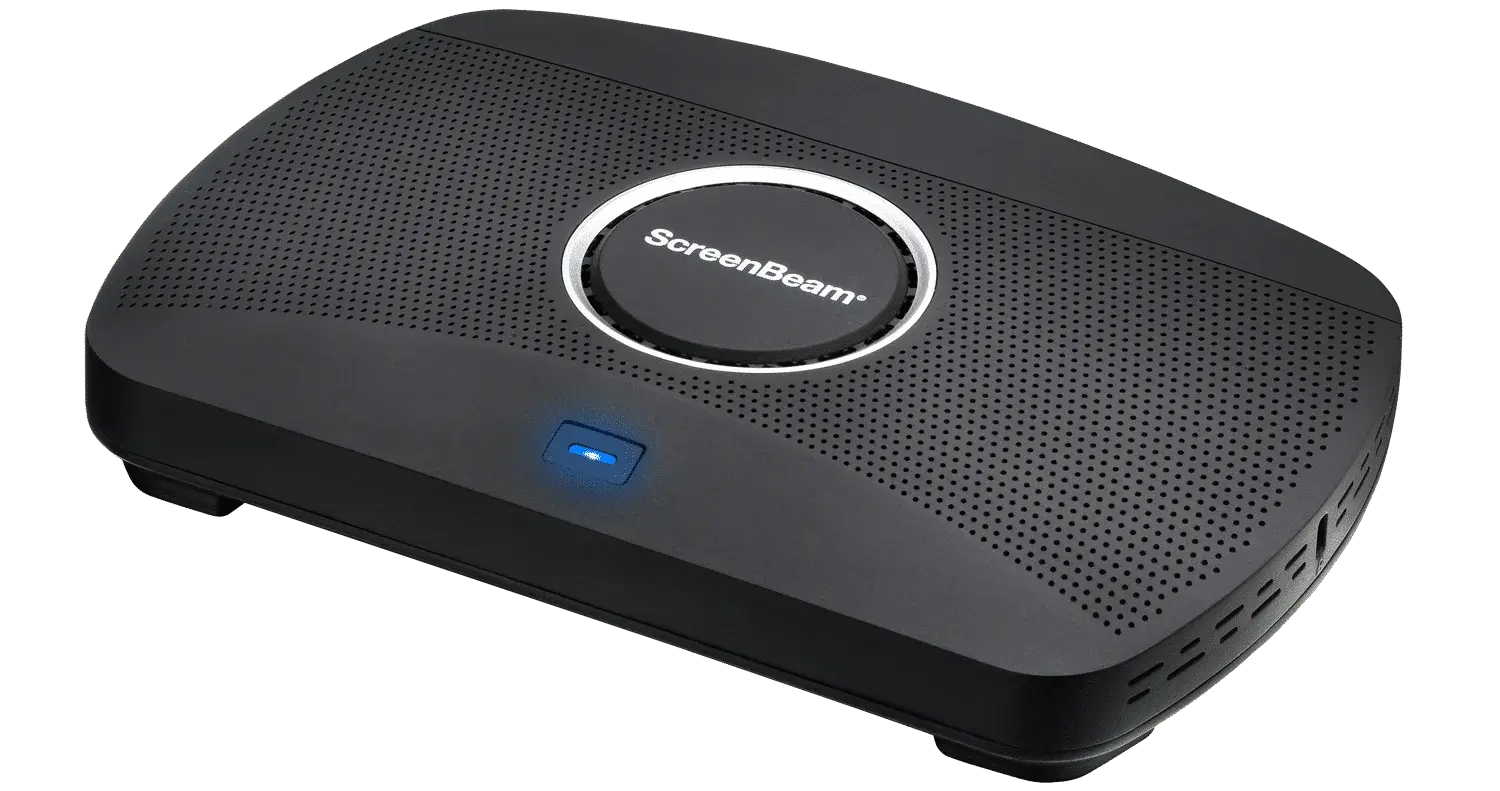
ScreenBeam 1000 EDU Gen 2 is a wireless display receiver built specifically for accredited K-12 schools (see our full ScreenBeam review). It's the closest thing on this list to the original Microsoft adapter experience. Teachers can connect through Miracast on Windows with no app, just like the old adapter. But ScreenBeam goes further by adding AirPlay for Macs and iPads and Google Cast for Chromebooks, which the Microsoft adapter never supported.
But the hardware cost is roughly 10 times what the Microsoft adapter used to cost. That’s a significant jump for districts buying in bulk. And since each room needs its own receiver, costs scale directly with your room count.
Key Features
- Native Miracast Support: Connect from Windows devices using the built-in Win+K shortcut without installing any software or drivers.
- Extended Desktop Mode: Show a presentation on the classroom display while keeping notes visible on the teacher's laptop.
- IT Management Tools: Deploy and manage receivers across a school district through ScreenBeam's management console.
- Touchback Support: Enable touch interaction on interactive flat panels connected to the ScreenBeam receiver.
Pricing
$549.99 (SKU: SBWD1000EDUG2), sold only to accredited K-12 institutions
Pros
- Closest one-to-one Miracast replacement for the Microsoft WDA
- Native Windows support without any app or driver
- Extended desktop mode for teacher presentations
Cons
- Roughly 10 times the cost of the original Microsoft adapter
- Signage and alert tools depend on the Administrative Tools subscription after the included three years.
- It's sold only to accredited K-12 institutions, so district offices outside that scope need another model.
3. Airtame 3
Best For: Schools with budget for premium hardware that want screen sharing and digital signage from a single device.
Airtame 3 is a small box that plugs into a classroom TV or projector so teachers can share their screen to it wirelessly. The same box can also run digital signage and emergency alerts on that screen. That makes it a good fit if you want one device per room that does more than screen sharing.
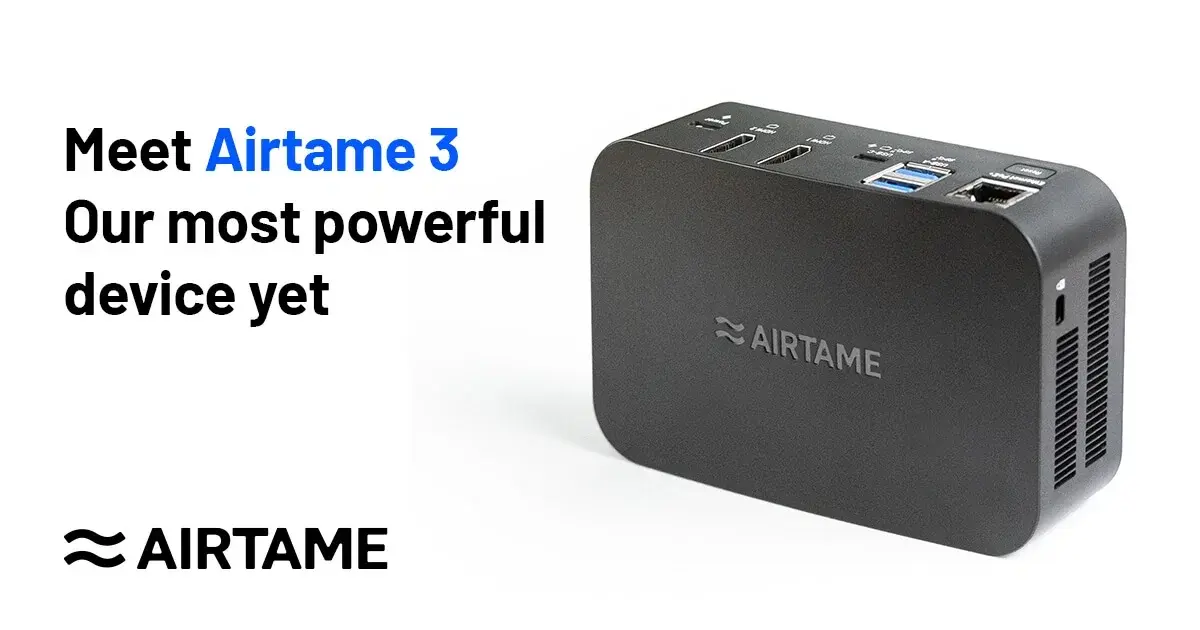
Image: Airtame
But for teachers who loved the Microsoft adapter, how they connect is the big difference. The old dongle worked with Windows + K, which uses Miracast. On Airtame 3, Miracast and Apple's AirPlay are still in beta, and Chromebook casting (Google Cast) isn't out yet. So for now, teachers share through Airtame's app or a browser page.
Key Features
- Cross-Platform Screen Sharing: Receive screen sharing from Windows, Mac, Chromebook, iOS, and Android devices through a single receiver.
- Built-In Ethernet: Connect directly to the school network via Ethernet for more reliable performance than Wi-Fi-only devices.
- Cloud-Based Management: Deploy and manage all Airtame devices across a district through Airtame Cloud.
- Digital Signage Mode: Display announcements, schedules, or other content when screen sharing is not in use.
Pricing
Airtame 3 is sold with a software license bundled in, and the license covers the first three years.
- Airtame 3 + Core: $749 for three years at education pricing.
- Airtame 3 + Hybrid: $1,299 for three years, for both business and education. Hybrid adds video calling, which is aimed at meeting rooms.
- After three years: the license renews at $80 per device per year for Core, or $300 for Hybrid, at education pricing.
Our Airtame pricing breakdown walks through the renewal costs in more detail.
Pros
- Supports major operating systems
- Combines screen sharing and digital signage
- Built-in Ethernet and PoE+
- Remote device management
Cons
- More expensive than basic wireless display adapters
- Requires an ongoing license for full functionality
- Native Miracast support is currently in public beta
4. EZCast Pro Dongle II
Best For: Budget-conscious schools that need reliable wireless screen sharing in individual classrooms, and don't need cloud-based management across multiple campuses.
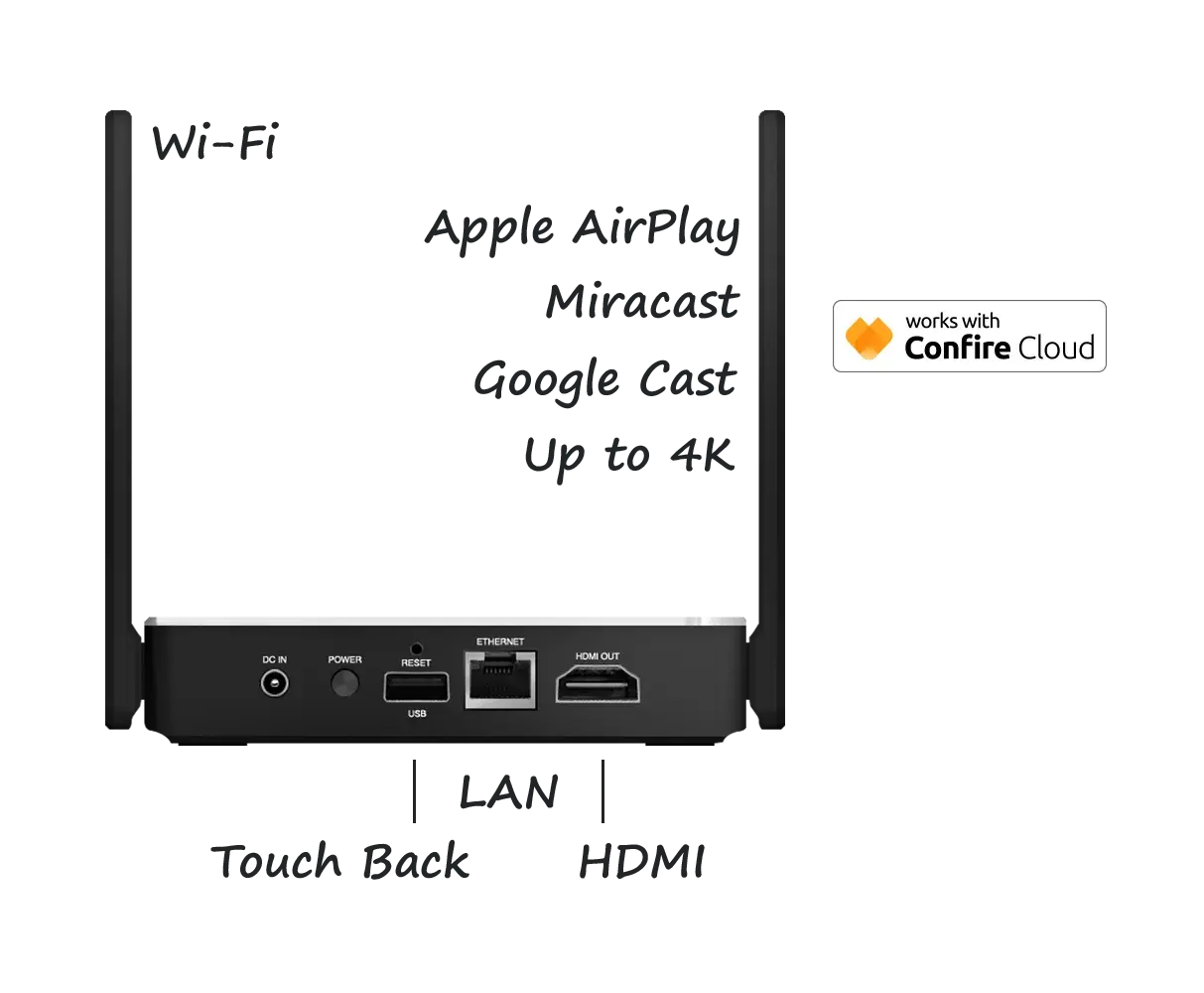
EZCast Pro Dongle II is the most affordable hardware-based alternative on this list. At around $139 per unit, it costs roughly three times what the Microsoft Wireless Display Adapter did. But it's still well below most dedicated classroom presentation systems.
The dongle plugs into a display's HDMI port and receives screen shares over 5GHz Wi-Fi. Teachers and students can connect from Windows, Mac, Chromebook, iOS, and Android devices using built-in AirPlay, Miracast, or Google Cast.
It runs as a desktop app on the local network, not a cloud dashboard. That's fine for a single school, but it's more work for district IT teams managing devices across several campuses. The dongle also needs a 5GHz Wi-Fi network and has no Ethernet port, so rooms with weak Wi-Fi coverage can be a problem.
Key Features
- Split-Screen Mode: Up to four devices can share to one display at the same time for side-by-side comparison and collaborative lessons.
- Native Casting Support: Mirror from Windows, Mac, Chromebook, iOS, and Android using AirPlay, Miracast, or Google Cast, with no app required.
- 4K Output: Display content at up to 4K resolution (30fps) over 5GHz Wi-Fi.
- Local Device Management: Update firmware and manage settings across multiple dongles with the free EZCast Pro CMS tool.
Pricing
Around $139 per unit (prices vary by retailer), with no subscription fees.
Pros
- Most affordable hardware option on this list
- Split-screen mode supports up to four simultaneous presenters
- Works with built-in casting on most devices, including Chromebooks
- No ongoing subscription or renewal fees
Cons
- Management tool is local-network only, with no cloud console for multi-campus districts
- Requires 5GHz Wi-Fi and has no Ethernet option
- Split-screen mode doesn't support audio or video
- Smaller support ecosystem than ScreenBeam or Airtame
5. BenQ InstaShow WDC15
Best For: Schools that need reliable wireless presentation in rooms with unreliable or no Wi-Fi connectivity.
BenQ InstaShow WDC15 is a wireless presentation system that takes a different approach from the other alternatives on this list. Instead of using Wi-Fi or Miracast, it uses its own dedicated wireless connection between a transmitter button and a receiver.
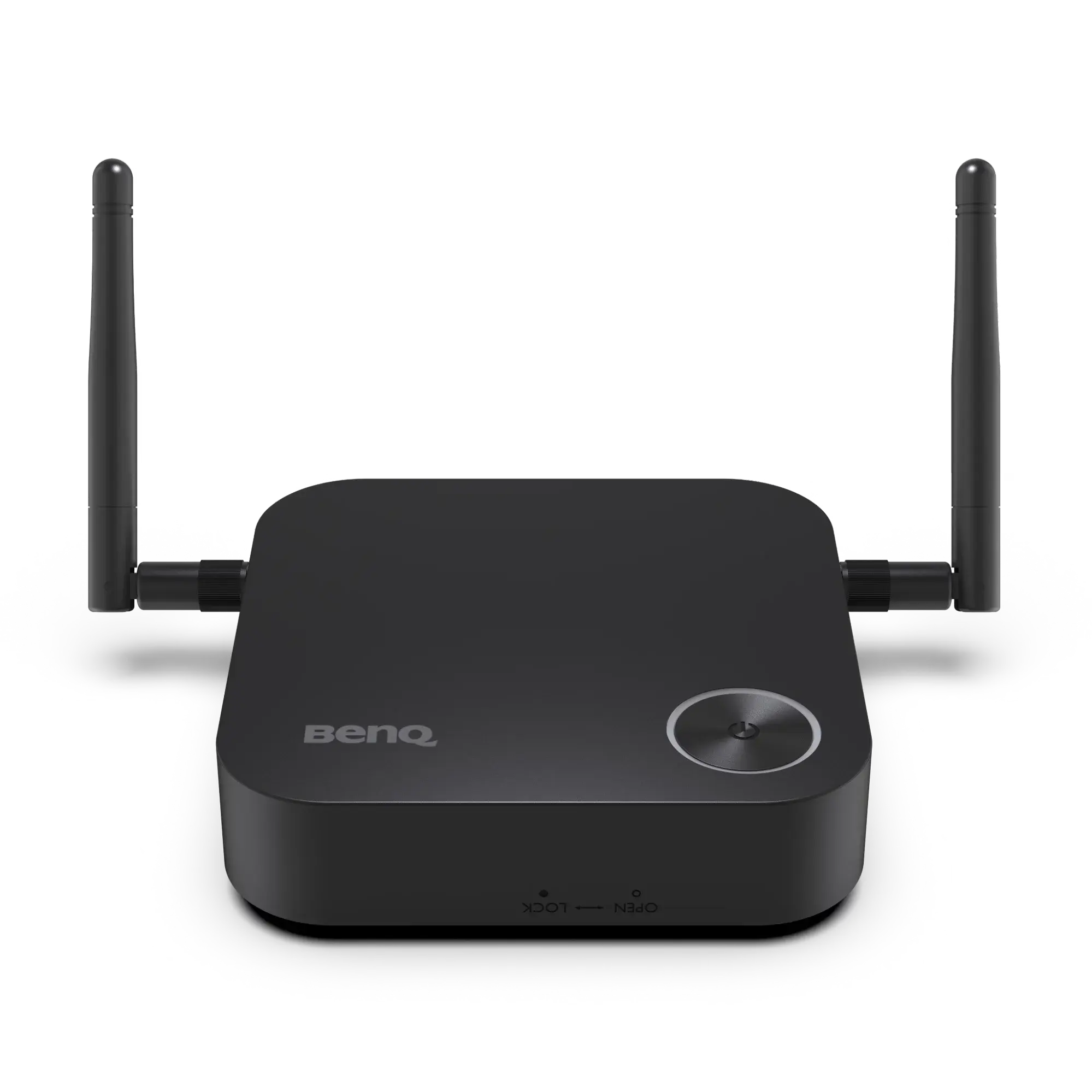
The presenter plugs the InstaShow button into their laptop via HDMI or USB-C and presses it. Their screen appears on the display within a few seconds. It does not need an app, a network connection, or a driver to work. Since it runs on its own wireless signal, it works even in rooms without Wi-Fi or where the network is unreliable.
That independence from the network is the main advantage. Guest speakers, substitute teachers, or anyone with a laptop can walk in and present without connecting to the school's Wi-Fi. The downside is that you will need a physical transmitter button per presenter, which is another piece of hardware to buy, track, and manage. At $799 per kit, it is also one of the most expensive options on this list.
Key Features
- Button-Based Sharing: Press a physical button to share your screen instantly, with no app or software needed on the presenter's device.
- No Network Required: Operate on a dedicated wireless connection, independent of the school's Wi-Fi network.
- Plug-and-Play Setup: Connect the button via HDMI or USB-C with no drivers or software to install.
- Guest-Friendly Design: Let anyone present without needing network access, login credentials, or pre-installed software.
Pricing
$799 per kit (MSRP, includes one transmitter button and one receiver). Additional transmitter buttons are sold separately. Contact BenQ for education pricing.
Pros
- Works completely independently of the school network
- No app, driver, or software installation needed
- Extremely simple for guest presenters and substitute teachers
Cons
- Requires a physical transmitter button per presenter, adding another piece of hardware to manage
- One of the highest price points on this list at $799 per kit
- No digital signage or additional platform features
How to Choose?
Start with how your teachers share their screen, and then pick the hardware to fit. These five questions will get you most of the way there.
- Which devices do your teachers and substitutes use? If everyone's on Windows, any Miracast receiver will feel familiar. But what happens when a substitute shows up with a Chromebook? Then you'll need Google Cast, a browser option, or an app they can open without admin rights. Our guide to wireless screen sharing for education walks you through setting one up.
- Do teachers need a true second screen? Miracast and AirPlay receivers like ScreenBeam can extend a desktop, while browser-based sharing, including ours, mirrors a tab, window, or screen. That's a big change for teachers who keep their notes on the laptop, so it's worth asking them before you decide.
- How many steps does it take to start sharing? The Microsoft adapter was popular because it was simple. If the replacement takes more than a few seconds, teachers won't use it. The fewer steps between "I want to share" and the screen showing up on the display, the better.
- Who's allowed to take over the screen? If students share too, moderation matters a lot, and it's a big part of keeping classroom screen sharing secure. Rise Vision lets a teacher approve students first. With a simple adapter, whoever connects first gets the screen.
- What does it cost across all your rooms? The per-unit price only tells part of the story. A $550 receiver across 40 classrooms is $22,000 in hardware alone. Rise Vision's Unlimited license is $1,399 per school per year and covers every display, with screen sharing, digital signage, and emergency alerts included.
Pick the Replacement That Fits How Your Classrooms Share
Microsoft's adapter set a high bar for being cost-effective and simple, but it only ever worked with Windows and Android. These days, teachers and subs walk in with all kinds of devices, so you need something that works for every one of them.
If that sounds like your district, Rise Vision gives you screen sharing from any device to any display, without adapters or dongles. Plus, you get digital signage and emergency alerts on the same platform. Get a Free Demo to see how it works in your classrooms.
More From Our Blog
-
Avocor Displays Review: Every Series Compared
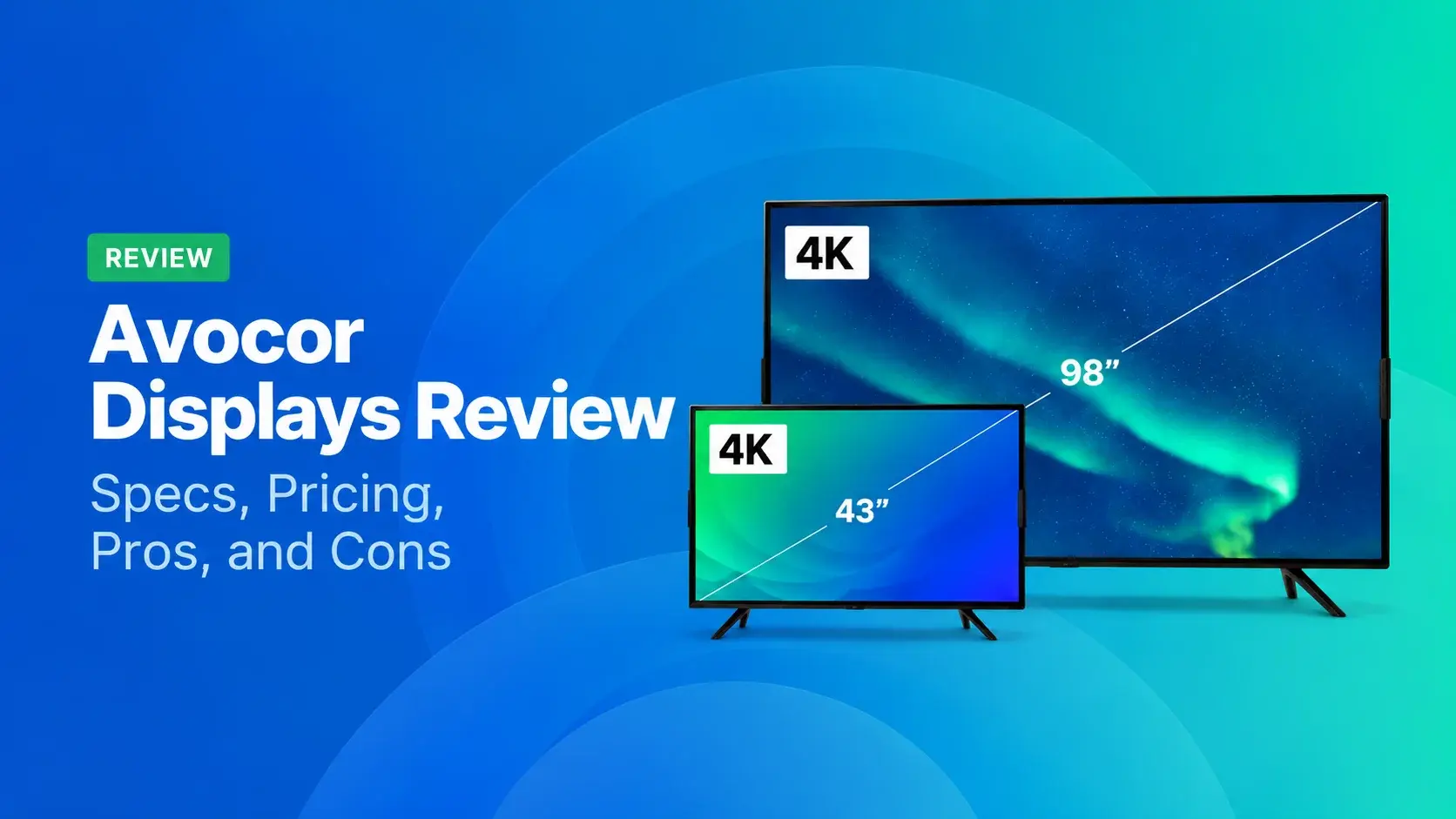
Avocor makes commercial displays across more than a dozen series. For classrooms, you'll want the S, A, or E50 Series, and for meeting rooms, the G or H Series. The E92 and L Series are ultra-wide,[…]
Read More -
We Reviewed the 5 Best Industrial Digital Signage Players for 2026
We reviewed five digital signage players that can handle different industrial environments, from standard break rooms and production floors to areas exposed to extreme temperatures.
Read More -
Yodeck vs ScreenCloud vs Rise Vision (2026 Comparison)
Yodeck is the cheapest way to run a few screens. ScreenCloud is the polished corporate pick. Rise Vision combines digital signage, screen sharing, and emergency alerts in one platform, and it's the[…]
Read More
12,300+ Organizations Trust Rise Vision, You Can Too
































Schedule a Free Demo
You deserve the #1 all-in-one platform for digital signage, screen sharing, and emergency alerts.





