

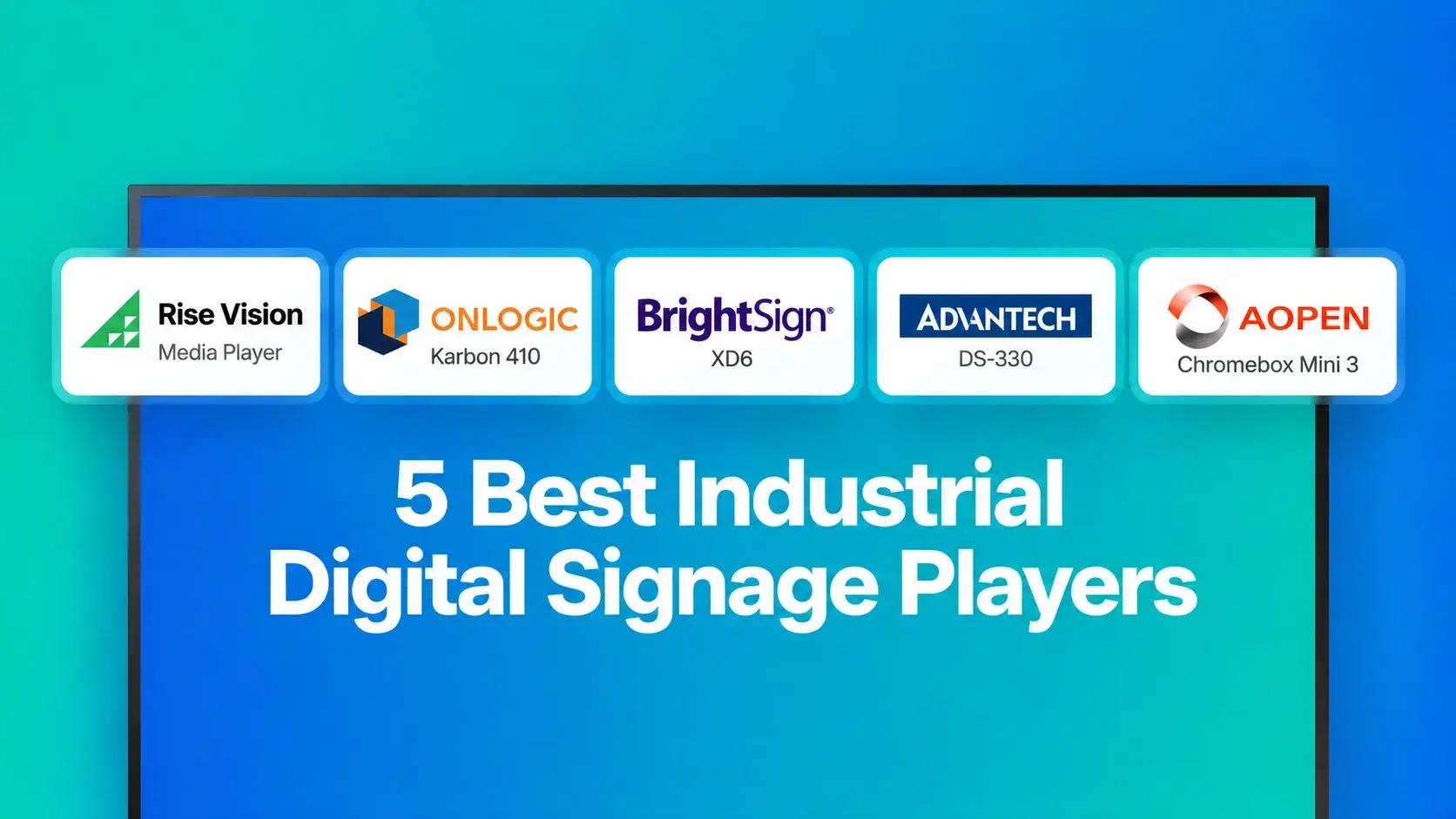
Quick Summary
We reviewed five digital signage players that can handle different industrial environments, from standard break rooms and production floors to areas exposed to extreme temperatures.
Our top three are the Rise Vision Media Player, OnLogic Karbon 410, and BrightSign XD6.
|
Player |
Best For |
Starting Price |
|
Rise Vision Media Player |
Managing digital signage, screen sharing, and emergency alerts through one platform |
$300 outright or $95/year on a 5-year term |
|
OnLogic Karbon 410 |
Extremely hot or cold industrial environments |
From around $1,649, depending on configuration |
|
BrightSign XD6 |
Installations where you want to power the player over Ethernet |
Around $720 |
Looking for the Best Digital Signage Player for your Industrial Site?
A media player that works perfectly in an office or break room may not hold up as well on a factory floor or loading dock.
Take the Apple TV 4K. Apple rates it for operating temperatures between 32° and 95°F (0° and 35°C) and advises against using it in areas with significant dust or airborne particles. That may be fine for a climate-controlled room, but industrial sites can expose hardware to much hotter, colder, or dustier conditions.
And temperature is only half of it. You also need to think about what happens when something goes wrong. If the player is mounted high up or somewhere hard to reach, you don't want someone climbing a ladder every time it needs restarting. It sounds unusual, but we've spoken with teams doing exactly that.
So for this list, we looked at more than whether each player could handle heat, cold, or dust. We also considered performance, connectivity, compatibility, remote management, and how practical each option is to run day to day.
But first…
Why Listen to Us?
Since 1992, we've been empowering organizations to communicate and collaborate better. Today, more than 12,300 organizations trust Rise Vision. That includes industrial teams at GXO Logistics, FirstFleet, Gutchess Lumber Co., and Oakdale Electric Cooperative.
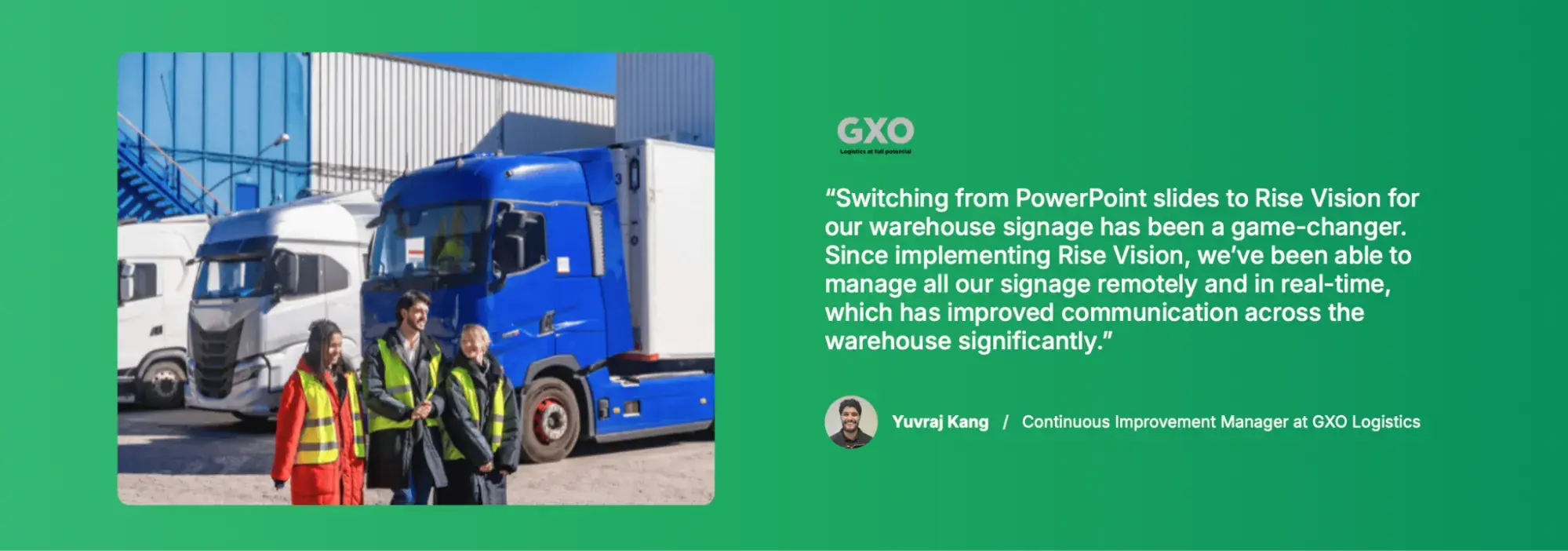
Yuvraj Kang is the Continuous Improvement Manager at GXO Logistics, which moved its warehouse signage from PowerPoint slides to Rise Vision.
"Since implementing Rise Vision, we've been able to manage all our signage remotely and in real-time," Kang says.
We also offer our own commercial-grade media player while supporting a wide range of other hardware. So we've seen firsthand how different hardware setups perform in warehouses, manufacturing facilities, and other demanding environments.
What Are Industrial Digital Signage Players?
An industrial digital signage player is the small computer that sits behind your screen and tells it what to show.
You can think of it like a streaming box, except it’s being used in places like factories, warehouses, loading areas, and production floors. Depending on where it’s installed, that can mean you need hardware that can handle wider temperatures, dustier environments, longer operating hours, or simply more demanding day-to-day use.
You’ll generally come across three types:
- Dedicated signage players: Purpose-built devices designed primarily to run digital signage.
- Industrial PCs: Usually fanless Windows or Linux computers built for environments where you may need wider temperature ranges, more ports, or more rugged hardware.
- ChromeOS devices: Chromeboxes and similar devices that can run signage in kiosk mode and be centrally managed through Google Admin.
The hardware and software also need to work together. Some signage platforms only support certain operating systems or players, while others give you more flexibility. So it’s worth choosing both at the same time rather than buying the hardware first and figuring out the software later
Why Are Industrial Digital Signage Players Important?
- They’re better suited to demanding environments: A normal consumer device may be perfectly fine in an air-conditioned office, but the requirements change on a factory floor or warehouse. Fanless players, for example, don’t have a fan that can pull dust into the device, while solid-state storage has no spinning parts.
- They help you reach employees who aren’t sitting at a computer all day: Microsoft surveyed 9,600 frontline workers in 2022 and found that 63% said messages from leadership weren’t reaching them. Screens around warehouses, production areas, and break rooms give you another way to put important updates where people will actually see them.
- They can save your IT team a lot of walking around: If your setup supports remote management, IT can check screens, restart players, or troubleshoot problems without physically going to every display. That matters when screens are spread across a large warehouse or mounted somewhere awkward.
- They can keep important content running when something goes wrong: Features such as automatic startup after a reboot and offline or cached playback can help keep content on screen during temporary power or network interruptions. The exact capabilities depend on the player and signage platform, so these are worth checking before you buy.
- They’re often built for longer deployments: Commercial and industrial players tend to come with longer support and warranty options than consumer streaming devices.
The 5 Best Industrial Digital Signage Players
We compared each player on reliability, connectivity, remote management, installation requirements, software compatibility, and cost.
|
Player |
Best For |
Reliability |
Connectivity |
Remote Management |
Installation Requirements |
Software Compatibility |
Starting Price |
|
Rise Vision Media Player |
Teams that want signage, screen sharing, and emergency alerts in one platform |
Commercial-grade, tamper-proof design built for extended use; rated from 0°C to 45°C |
Wi-Fi and Ethernet |
Remote monitoring, updates, troubleshooting, and reboots through Rise Vision |
Connects to any display with HDMI |
Built specifically for Rise Vision |
$300 outright or $95/year on a 5-year term |
|
OnLogic Karbon 410 |
Extremely hot or cold industrial environments |
Fanless; rated from -40°C to 70°C |
Two Gigabit Ethernet ports, with optional Wi-Fi and PoE+ |
Depends on the software and management stack you install |
9–48 V DC input; one DisplayPort, with up to three displays using MST |
Windows IoT Enterprise |
Around $1,649, depending on configuration |
|
BrightSign XD6 |
Installations where powering the player over Ethernet makes deployment easier |
Fanless; rated from 0°C to 50°C; 5-year warranty on eligible registered units |
Gigabit Ethernet with PoE+; optional Wi-Fi and cellular |
Free BrightSign Control for player monitoring and management |
PoE+ or 12 V power adapter; supports 4K and dual-4K configurations |
BrightSignOS withCMS integrations |
Around $720, depending on model and supplier |
|
Advantech DS-330 |
Remote or unattended sites where out-of-band recovery matters |
Fanless; Atom version rated from -20°C to 60°C |
Two 2.5GbE ports, two RS-232 ports, USB, HDMI, and USB-C |
OOB monitoring, reboot, and recovery through WISE-DeviceOn or Allxon |
12–24 V DC input; supports up to three displays |
Windows 10/11 IoT; Linux support available by project |
Around $1,220, depending on configuration |
|
AOPEN Chromebox Mini 3 |
Teams already managing devices through Google Admin |
Fanless; rated from 0°C to 45°C |
Gigabit Ethernet plus wireless connectivity |
Managed through Google Admin with the appropriate ChromeOS management license |
Two HDMI outputs plus USB-C display support |
ChromeOS |
Contact for pricing |
1. Rise Vision Media Player
The Rise Vision Media Player is a compact, reliable device designed for seamless integration with Rise Vision's software. It powers our digital signage, screen sharing, and emergency alerts with smooth performance. It also handles demanding schedules that include animated templates, live data, and video.
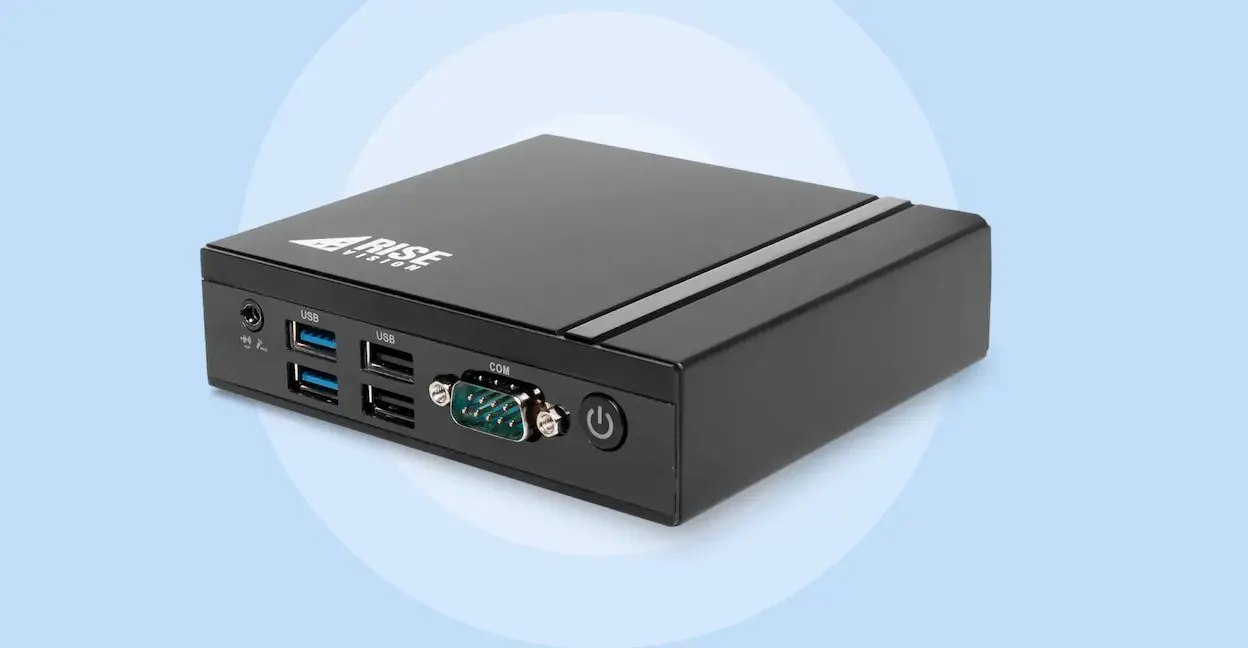
That matters on an industrial site, where it's hard to reach deskless workers who don't have corporate email access. We make it easy to centrally manage and distribute important company updates to displays across your workplace. Because the same player runs our emergency alerts, your production dashboard screens can also deliver instant, high-contrast visual alerts.
Getting your players up and running is simple, too. The player is built for ease of use and long-term reliability, with plug-and-play functionality and a tamper-proof design. Bulk activation tools help when you're rolling out a whole facility at once.
After that, you manage every player through our cloud-based platform. Rise Vision has high uptime and provides notifications if there's a problem with your displays. And if something does go wrong, you get help within one business hour by phone, email, or remote desktop support.
You don't necessarily need new screens, either. Our platform ensures reliable performance on commercial screens, consumer TVs, projectors, and more. If you're buying new screens anyway, our commercial-grade Rise Vision displays combine a media player and display into an all-in-one solution.
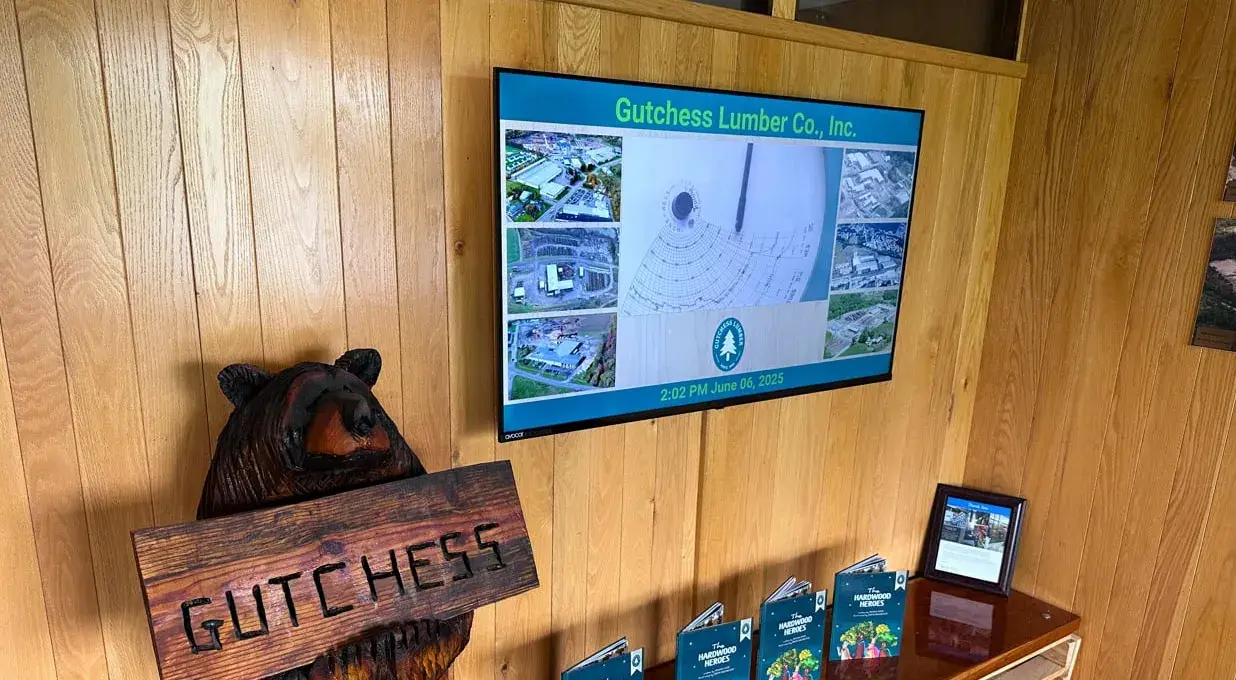
And if part of your site already runs other players, that's fine. Rise Vision is compatible with popular operating systems like Android, Windows, Chrome OS, and Linux. That means you can bring your own hardware and scale at your own pace without vendor lock-in.
Key Features
- High Performance: Handle demanding schedules that include animated templates, live data, and video, with 4K playback at 60fps.
- Simple Setup: Deploy and manage your players with easy-to-use software, bulk activation tools, and fast support.
- Single-Purpose Device: Reduce unauthorized network access risks with a player that's locked for Rise Vision software.
- Security Features: Protect your network with no open ports, full disk encryption, and regular firmware updates.
- Designed for Longevity: Reduce downtime and maximize performance with commercial-grade hardware built for extended use.
- Operating Temperature: Run the player in temperatures from 0°C to 45°C (32°F to 113°F) with 0.7 m/s of airflow.
- Flexible Purchasing Options: Choose the ownership model that works best for your needs, from outright purchase with a two-year warranty to Hardware as a Service with a three- or five-year warranty.
Pricing
The Rise Vision Media Player is $300 to buy outright. Or you can pay $95 per year on a five-year Hardware as a Service term. Software is licensed separately, per display:
- Basic: $12 per display per month
- Advanced: $156 per display per year, adding CAP emergency alerts and notifications if there's a problem with your displays
- Enterprise: $180 per display per year, adding screen sharing, Power BI, and dashboards
Larger rollouts get volume discounts, and you're also covered by our 30-day money-back guarantee.
Pros
- One player powers digital signage, screen sharing, and emergency alerts, so you don't juggle multiple systems.
- Free training and guided onboarding get your team up to speed quickly.
- Hardware as a Service lets you pay $95 a year instead of $300 up front.
Cons
- It's designed for Rise Vision's software, so skip it if your screens run another signage platform.
2. OnLogic Karbon 410
OnLogic Karbon 410 is another good industrial signage player, especially if temperature is a big concern. It's a rugged, fanless industrial computer rated to operate from -40°C to 70°C (-40°F to 158°F). For comparison, BrightSign's XT5 is rated from -10°C to 50°C. That makes the Karbon a much better fit for very cold or hot parts of a facility where standard signage hardware may be outside its operating range.
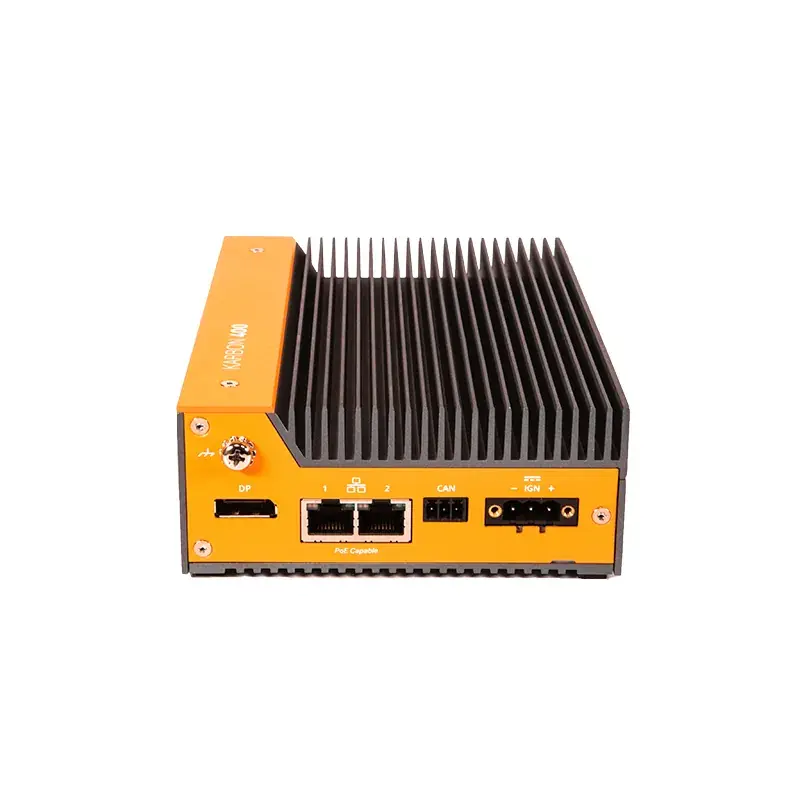
OnLogic also protects the internal components with its Hardshell fanless design, which helps keep out dust, debris, chemicals, and moisture. Just keep in mind that its humidity rating is for non-condensing environments.
Key Features
- Wide Temperature Range: Operates from -40°C to 70°C, making it suitable for environments where conventional media players may be outside their rated range.
- Wide Power Input: Runs from a 9–48 V DC supply.
- Hardshell Fanless Design: Protects internal components from dust, debris, chemicals, and moisture without relying on a cooling fan.
- Rugged Testing: Tested for shock and vibration using IEC 60068 and MIL-STD-810H methods, with additional certifications for industrial applications.
Pricing
Pricing depends heavily on the configuration. Current third-party listings put the Karbon 410 at around $1,649, while configurations bundled with ZEDEDA cost considerably more.
The standard system comes with a two-year limited warranty, with extended warranty options available on select configurations.
Pros
- One of the widest operating temperature ranges in this list.
- Fanless design with no moving parts.
- Flexible power, networking, mounting, and expansion options.
- You can choose your own compatible signage software rather than being tied to a proprietary signage OS.
- One player can support multiple displays with an MST hub.
Cons
- It's an industrial PC rather than a ready-to-run signage appliance, so you'll still need to choose, install, and manage your signage software.
- Remote management depends on the software or device-management stack you add.
- At around $1,649 before software and other configuration options, it's one of the more expensive choices on this list.
3. BrightSign XD6 and XT5
BrightSign takes a different approach. Its players are purpose-built for digital signage and run BrightSignOS rather than Windows or ChromeOS.
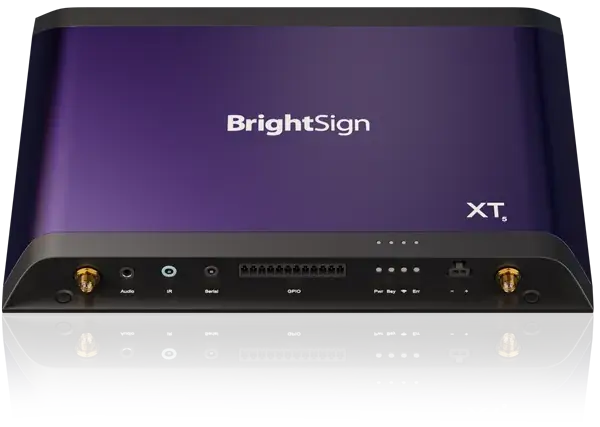
For industrial installations, the XD6 and XT5 are the models we'd look at first. Both support Power over Ethernet, or PoE+, which means the player can receive its network connection and power through the same Ethernet cable. Your display will still need its own power, but PoE+ can make the player itself much easier to install in awkward locations.
Temperature tolerance depends on the model. The XT5 operates from -10°C to 50°C (14°F to 122°F), while the newer XD6 is rated from 0°C to 50°C. So they're more tolerant of cold than a typical consumer streaming box, although they don't come close to the Karbon 410's -40°C minimum.
In our hands-on experience, BrightSign hardware is very stable once it's running. Getting it running takes more steps, though, because you have to apply a setup file to each player first.
Key Features
- PoE+: Power the player and provide its network connection over the same Ethernet cable.
- High-Resolution Playback: XT5 supports video up to 8K, while XD6 supports high-performance 4K playback.
- Dual-Screen Support: XT5 models can drive two displays from one player.
- Built-In NPU: Both product families include a neural processing unit for supported AI and edge applications.
Pricing
BrightSign's own website currently asks buyers to contact sales for current pricing, so street prices vary by reseller.
At the time of writing, the XD236 is listed at around $720, while the XD1036 is around 713–820 depending on the seller. XT5 models run from roughly $1,005 for the XT245 to $1,305 for the XT2145.
BrightSign Author is available for free if you want to create and publish content locally. BrightSign Author Plus, its cloud CMS, costs $139 per player per year after a 30-day trial.
Pros
- Purpose-built hardware and operating system for digital signage.
- More than 200 certified CMS options.
- PoE+ can simplify installation by removing the player's separate power cable.
- Strong 4K and 8K playback options, depending on the model.
Cons
- Initial provisioning is more involved than with some plug-and-play signage players.
- Advanced fleet diagnostics, bulk management, and snapshots require BrightSign Control Plus rather than the free Control tier.
- The XT5's -10°C minimum is good for many installations, but it isn't designed for the same extreme temperatures as the Karbon 410.
- You still need to make sure your chosen CMS supports BrightSignOS.
4. Advantech DS-330
The Advantech DS-330 is another option for parts of a facility where a standard media player may struggle with the temperature.
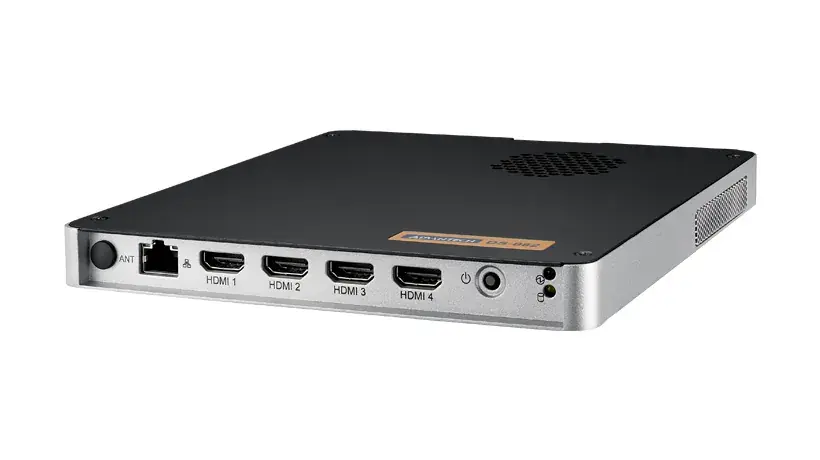
Its Atom x7433RE version is rated to operate from -20°C to 60°C (-4°F to 140°F), assuming 0.7 m/s of airflow. That's a wider cold-weather range than the BrightSign XT5, which is rated down to -10°C.
Where the DS-330 gets particularly interesting is remote recovery. It includes out-of-band, or OOB, management, which lets IT remotely monitor, troubleshoot, and reboot the player even when the operating system isn't responding. So if Windows freezes on a player at the other end of a warehouse or at a remote site, you may be able to recover it without sending someone out to the device
Key Features
- Wide Operating Range: The Atom x7433RE model operates from -20°C to 60°C with the required airflow.
- Dual 2.5GbE: Two 2.5 Gigabit Ethernet ports give you faster wired networking and some redundancy in how you connect the player.
- Powered Serial Ports: Two RS-232 ports can supply 5V or 12V for compatible industrial equipment and peripherals.
- Triple Display Support: Run up to three displays through two HDMI outputs and USB-C, with resolutions up to 4K at 60Hz.
Pricing
The DS-330 is sold in several configurations, so pricing varies depending on the processor, memory, storage, operating system, and other options you choose.
If you're comparing quotes, make sure you're looking at equivalent configurations. The base hardware may not include the memory, storage, or operating system you need. Advantech offers Windows 10 and Windows 11 IoT support, while Linux support is available on a project basis.
Pros
- The Atom version can operate down to -20°C, giving it a wider cold-weather range than several dedicated signage players.
- Out-of-band management can help IT recover an unresponsive device without physically reaching it.
- Fanless design makes it better suited to dusty environments than hardware that relies on an exposed cooling fan.
- Supports up to three displays.
Cons
- Only the Atom x7433RE model gets the full -20°C minimum, and that rating assumes 0.7 m/s of airflow.
- It's essentially an industrial PC, so you'll still need to configure the operating system and compatible signage software.
- Linux support is project-based rather than a standard supported configuration.
- VESA and pole mounting require optional mounting hardware.
5. AOPEN Chromebox Mini 3
The AOPEN Chromebox Mini 3 makes more sense when extreme temperatures aren't your main concern and your IT team already manages ChromeOS devices.
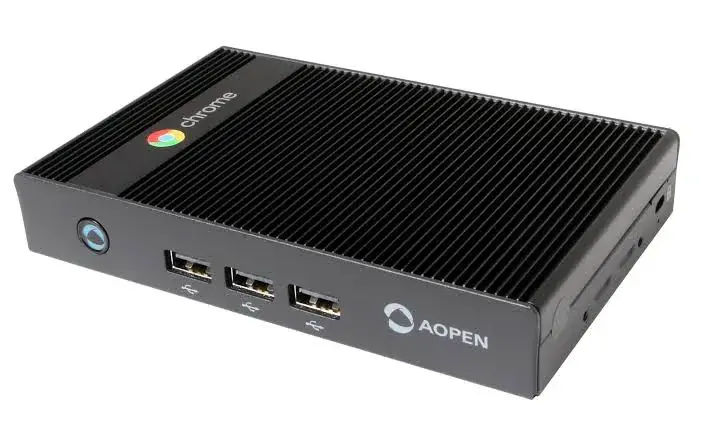
It's a compact, fanless ChromeOS media player rated from 0°C to 45°C (32°F to 113°F). That makes it better suited to climate-controlled areas such as offices, break rooms, control rooms, and indoor production spaces than an unheated loading dock in winter.
The big advantage is management. If your organization already uses Google Admin, your IT team can manage the Chromebox alongside its other ChromeOS devices.
Key Features
- Fanless Design: No cooling fan to clog with dust or create additional moving parts.
- Dual 4K Outputs: Two HDMI 2.1b ports let you connect two displays, with support for 4K output.
- Gigabit Ethernet: Connect over a wired Gigabit Ethernet connection when Wi-Fi isn't ideal.
- Google Admin Management: Remotely monitor, reboot, troubleshoot, and configure kiosk devices from Google's Admin console.
Pricing
AOPEN doesn't currently publish a US list price for the Chromebox Mini 3, so you'll need to get pricing from AOPEN or one of its distributors.
For centrally managed kiosk deployments, Google's Kiosk & Signage Upgrade currently costs $25 per device per year. That's roughly $2.08 per month, but Google bills the upgrade annually.
Keep in mind that some ChromeOS devices may already include an applicable management upgrade, so whether you need to buy a separate license depends on how your devices are purchased and enrolled.
Pros
- Fits naturally into an environment where IT already manages ChromeOS devices through Google Admin.
- Remote rebooting, screenshots, device monitoring, and offline alerts are available through Google's management tools.
- Fanless design removes one common point of failure in dusty environments.
- Comes with a three-year warranty.
Cons
- Its 0°C minimum makes it a poor choice for freezing or unheated areas.
- Centralized Google Admin management requires an appropriate ChromeOS management upgrade unless one is already bundled with the device.
- There's no public AOPEN price, so you'll need a quote before you can budget accurately.
- For truly harsh industrial environments, its operating temperature range is much narrower than the OnLogic Karbon 410 or Atom-based Advantech DS-330.
How to Choose an Industrial Digital Signage Player
Start with where the screen will actually be installed. A player tucked behind a display in an air-conditioned break room has very different requirements from one sitting on a freezing dock or hot production floor.
Here are the main things to check:
1. Check the operating environment
Start with the manufacturer's operating temperature range, then look at dust, humidity, vibration, and airflow requirements.
If the player will sit somewhere especially dusty, a fanless design can also be useful because there's no cooling fan pulling particles into the device.
2. Think about power and connectivity
Check what you actually have available at the installation point.
Do you have Ethernet, Wi-Fi, or both? Does the player need a separate power supply? If it supports PoE, remember that this may power the player over Ethernet, but your display will usually still need its own power source.
3. Look at what IT can do remotely
This becomes much more important once you have screens spread across a warehouse, factory, or multiple sites.
At a minimum, look for things like:
- device health monitoring
- remote reboots
- screenshots
- offline notifications
- remote software updates
- troubleshooting tools
For harder-to-reach installations, it's also worth checking what happens if the operating system itself stops responding. Some industrial systems offer out-of-band management for exactly that situation.
4. Check your display requirements
How many screens will each player run? What resolution do you need? Are you running 4K content? Do you need portrait displays, video walls, or multiple outputs from one player?
Check the available HDMI, DisplayPort, or USB-C outputs before you buy.
5. Make sure it works with your signage software
Hardware and software need to be chosen together.
Check that your signage platform supports the player's operating system and, more importantly, the specific features you plan to use. Digital signage may work on one device while features such as remote rebooting, screen sharing, emergency alerts, or display control have different hardware requirements.
Match the Player to Each Part of Your Site
You may not need the same type of media player everywhere.
The important thing is to match the hardware to the conditions, connectivity, content, and management requirements of each part of your site. And if you do end up using different hardware, choosing a signage platform that supports those devices can still let your team manage content centrally.
Rise Vision gives you one cloud-based platform for digital signage, screen sharing, and emergency alerts, with support for a wide range of hardware and operating systems. You can use compatible hardware you already own or deploy our commercial-grade media player where it makes sense.
Get a Free Demo to see how Rise Vision could work across your industrial site
FAQs
How Much Does a Signage Player Cost?
It varies quite a bit.
Basic or repurposed hardware can cost very little, while commercial and rugged industrial players can run from a few hundred dollars to $1,500 or more.
The hardware is only part of the cost, though. Depending on your setup, you'll also need to budget for signage software, device-management licences, mounting hardware, adapters, and support.
Our digital signage cost guide breaks down the other costs to consider.
What Is the Best Operating System for Digital Signage?
The best operating system for digital signage is the one your IT team already patches and your signage software supports. The industrial PCs we compared run Windows or Linux. If you want automatic updates and Google's Admin console, ChromeOS gives you both. And BrightSignOS runs BrightSign's own software or a CMS from one of its 200+ partners.
Can I Use an Amazon Firestick for Digital Signage?
We don't recommend it, and Rise Vision doesn't support the Amazon Fire TV Stick. If you want an Amazon device, consider the Amazon Signage Stick instead.
The Fire TV Stick is a consumer streaming device. Amazon rates the Fire TV Stick 4K for operating temperatures between 32°F and 95°F (0°C and 35°C).
That's fine for many climate-controlled rooms, but it can quickly become a problem in an unheated loading area, hot production space, or another part of the site that falls outside that range.
For those environments, look for commercial or industrial hardware rated for the conditions where you're actually installing it.
Can I Use My TV as Digital Signage?
Yes. A TV becomes digital signage once you add a media player and signage software. Rise Vision's platform ensures reliable performance on commercial screens, consumer TVs, projectors, and more. On a hot or dusty floor, pair your TV with a fanless player, and keep both within their rated temperatures.
More From Our Blog
-
Avocor Displays Review: Every Series Compared
Avocor makes commercial displays across more than a dozen series. For classrooms, you'll want the S, A, or E50 Series, and for meeting rooms, the G or H Series. The E92 and L Series are ultra-wide,[…]
Read More -
We Reviewed 5 Microsoft Wireless Display Adapter Alternatives for Schools
If you’re looking for an alternative to Microsoft’s discontinued Wireless Display Adapter, this guide covers five options in detail. Here’s a quick overview of the top three:
Read More -
Yodeck vs ScreenCloud vs Rise Vision (2026 Comparison)
Yodeck is the cheapest way to run a few screens. ScreenCloud is the polished corporate pick. Rise Vision combines digital signage, screen sharing, and emergency alerts in one platform, and it's the[…]
Read More
12,300+ Organizations Trust Rise Vision, You Can Too
































Schedule a Free Demo
You deserve the #1 all-in-one platform for digital signage, screen sharing, and emergency alerts.





