

Quick Summary
Getting a message to every employee is genuinely hard when half your workforce is on a shop floor, in a warehouse, or between jobs. We reviewed 13 of the best employee communication software options to find the ones that actually reach everyone, not just the easy half.
Here are our top three picks:
Chat and Email Alone Won't Reach Your Whole Workforce
Finding the right employee communication software for internal teams would be simpler if everyone on your team worked the same way. Most don't. Office workers check Slack between meetings. Shift workers on a production floor don't. Teachers spend the day in classrooms, not at a desk. Healthcare staff are almost never at a computer. A single tool rarely reaches all of them, and organizations that try to force one anyway end up with consistent gaps in who actually gets information.
Two or three channels used together tend to cover the whole workforce better than one tool trying to do everything. This guide walks through 13 options across chat, mobile, intranet, and screen-based communication.
Why Listen to Us
Rise Vision is used by 12,300+ organizations across 100+ countries, including schools, manufacturers, warehouses, and hospitals. Our platform is built to keep setup simple so that teams can focus on impactful communication rather than complicated tools.
How We Evaluated These Tools
Every tool in this guide went through the same review process. We separated platforms that reach a real cross-section of employees from the ones that only work for people already at a computer.
Each tool was assessed on:
- Workforce fit: whether it reaches desk-based, frontline, mobile, or physical-space workers.
- Features: what the tool actually does and how well those features work in real use.
- Pricing: what it costs to get started and whether pricing is public or gated behind sales.
- Pros and cons: where the tool performs well and where it has limitations in day-to-day use.
- User ratings: verified customer scores from G2 or Capterra.
We summarized the results below, followed by a deeper look at each tool.
Compare the 13 Best Employee Communication Software
The comparison table below shows who each platform is built for, where pricing starts, its user rating, and the strengths of each tool.
1. Rise Vision
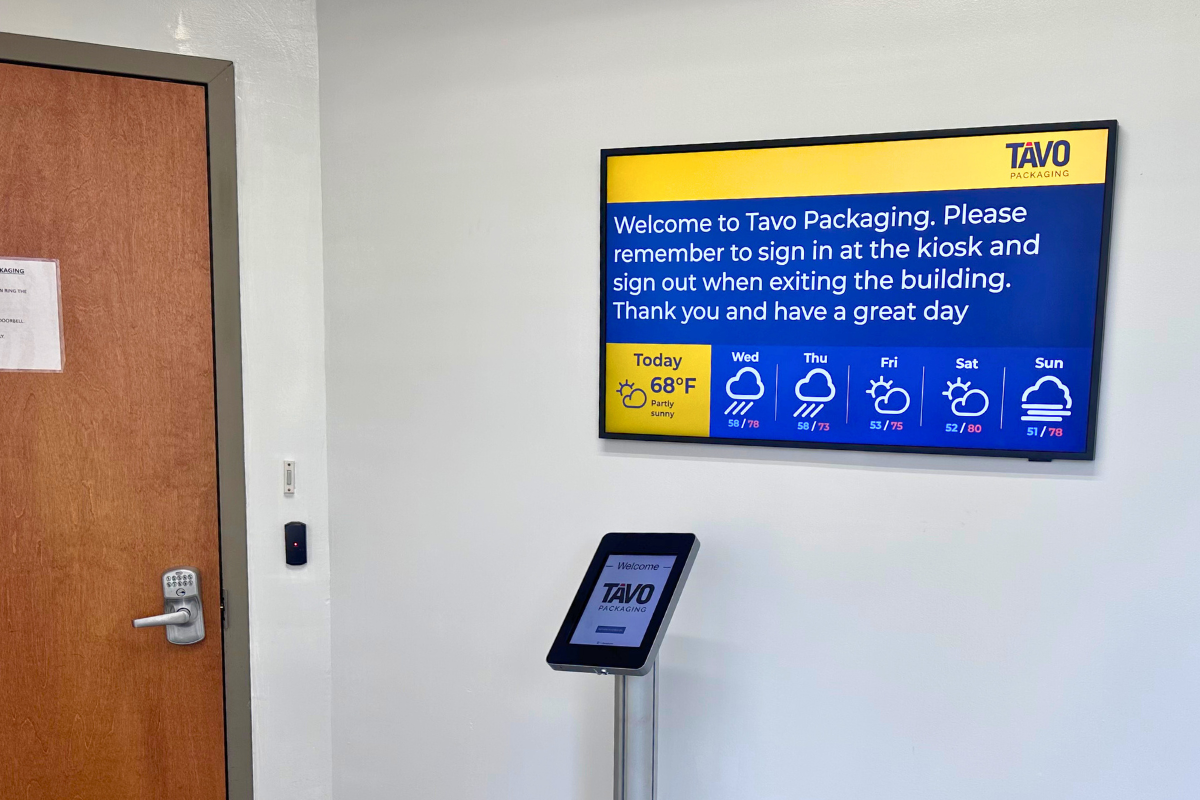
Rise Vision handles the part that most apps miss: the physical space. It's a digital signage platform that puts live content on screens throughout a building, covering break rooms, factory floors, school hallways, and hospital wings. Content gets updated remotely and pushed to multiple displays at once. The 750+ pre-built templates and the AI presentation design and editing tool cut down on setup time, and emergency alerts go out to every screen in seconds when they're needed.
One customer, Rasmussen Mechanical Services, reached 67% more employees after adding screens to break rooms across their seven locations.

Screen sharing is built in too, so any display can function as a wireless presentation hub. No adapters, no proprietary hardware. Users can share from a browser on any device, or choose a moderated session for environments where you want more control over what gets on screen. For organizations already running on Google Workspace or Microsoft 365, the platform pulls content from both directly.
For any organization where a significant portion of the workforce spends the day away from a desk, digital signage fills a channel that messaging apps and email can't.
The tools below cover the desk-based and mobile sides of internal communications. They work alongside a screen-based setup, not in place of it. Organizations exploring this approach can start with free digital signage to test the impact before committing.
Key Features
- Real-time announcements: Push policy updates, HR news, and company wins to every screen instantly.
- Screen sharing in meeting rooms: Wireless sharing from any device, no adapters or dongles needed.
- Conference room scheduling: Live availability and meeting details displayed outside every room.
- Emergency alerts: Override every screen at once through dozens of CAP provider integrations.
- Integrations: Native Power BI, Google Workspace, Microsoft 365, and social feed integrations.
Pricing
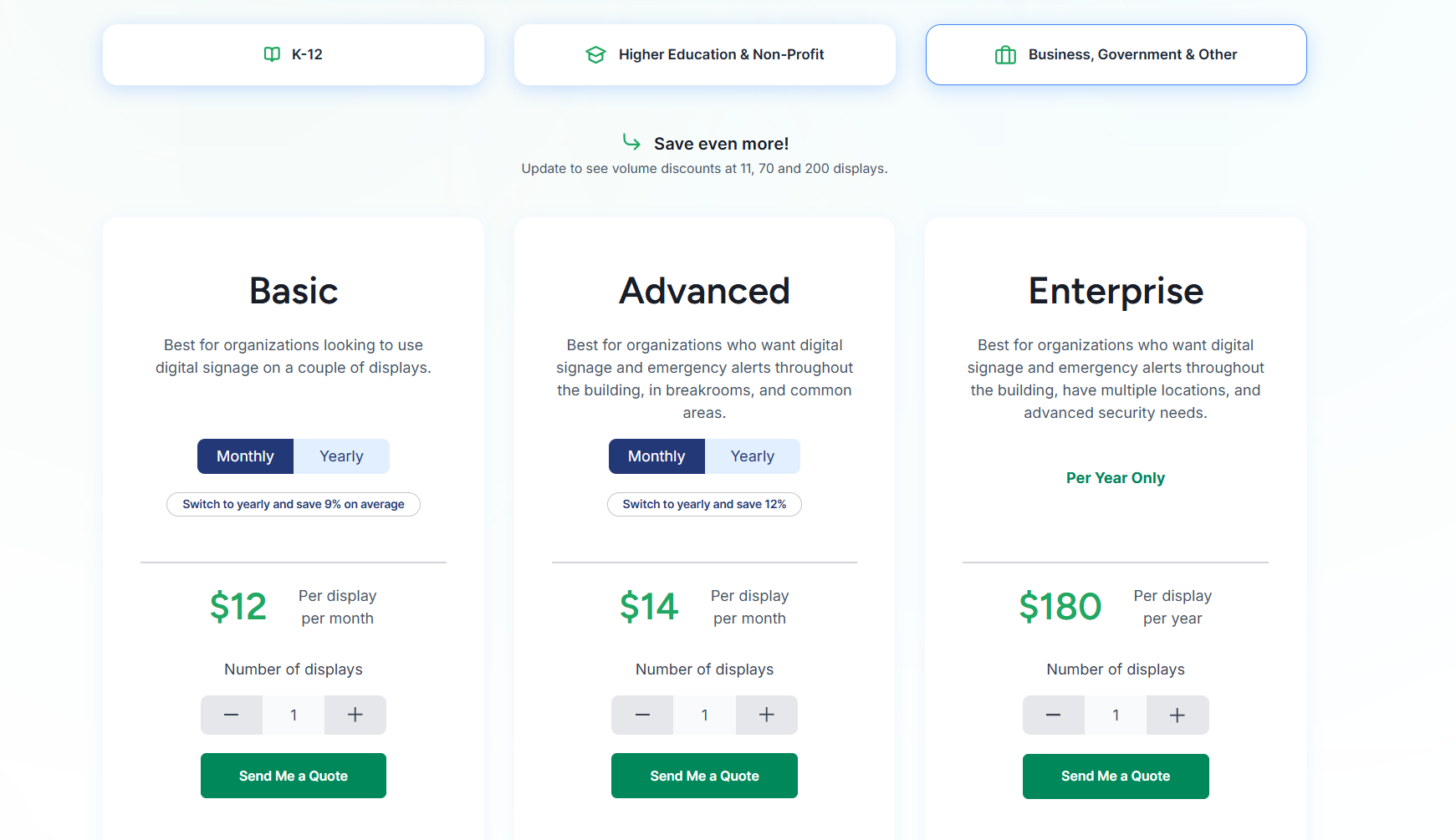
Business, Government & Other
Optional add-ons: Interactive templates ($1,200/display/year), AI credits ($300 per 600 credits/year).
Pros
- Reaches every employee, no login required.
- Content updates from one central cloud dashboard.
- Native integrations with Microsoft 365 and Google Workspace.
- Emergency alerts override every screen instantly.
- Screen sharing and signage in one platform.
Cons
- Requires displays to be installed in shared spaces.
2. Slack
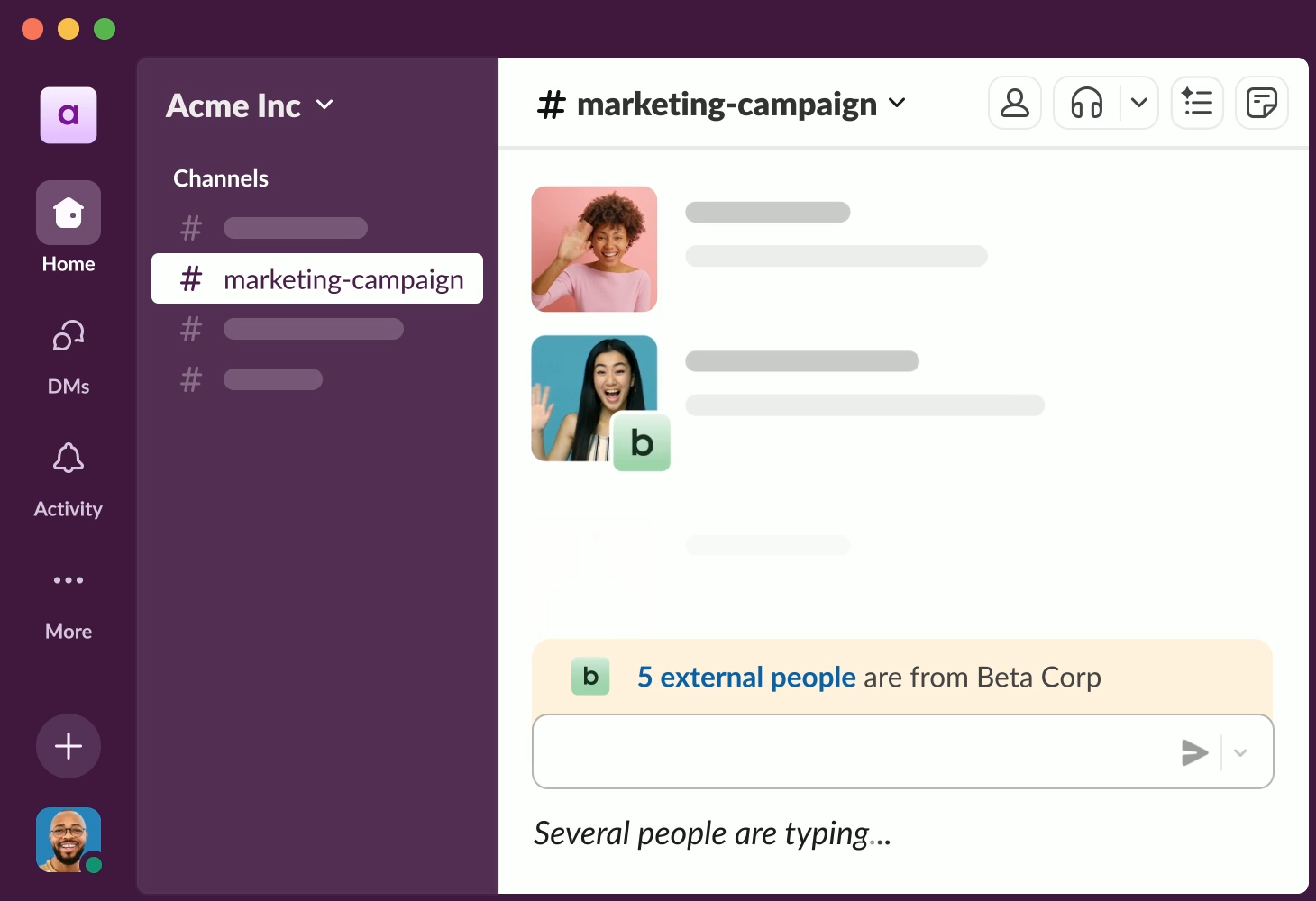
Slack is the standard messaging tool for office-based and remote teams. Channels organize conversations by team or topic, direct messages handle one-on-one exchanges, and integrations with tools like Google Drive, Zoom, and most major project management platforms mean teams can handle a lot of day-to-day coordination without switching apps.
The limitation shows up in environments where people aren't regularly checking screens. Frontline staff, shift workers, and anyone moving through a physical environment will miss messages unless someone follows up directly. It's effective for desk-based teams and less suited for reaching people in motion.
Key Features
- Channels and threads: Conversations organized by team, project, or topic.
- Huddles: Quick audio and video calls with screen sharing.
- App integrations: Connects with 2,600+ third-party tools like Google Drive and Zoom.
- Slack Connect: Secure external collaboration with clients and vendors.
- Slack AI and search: Channel summaries, thread recaps, and searchable message history.
Pricing
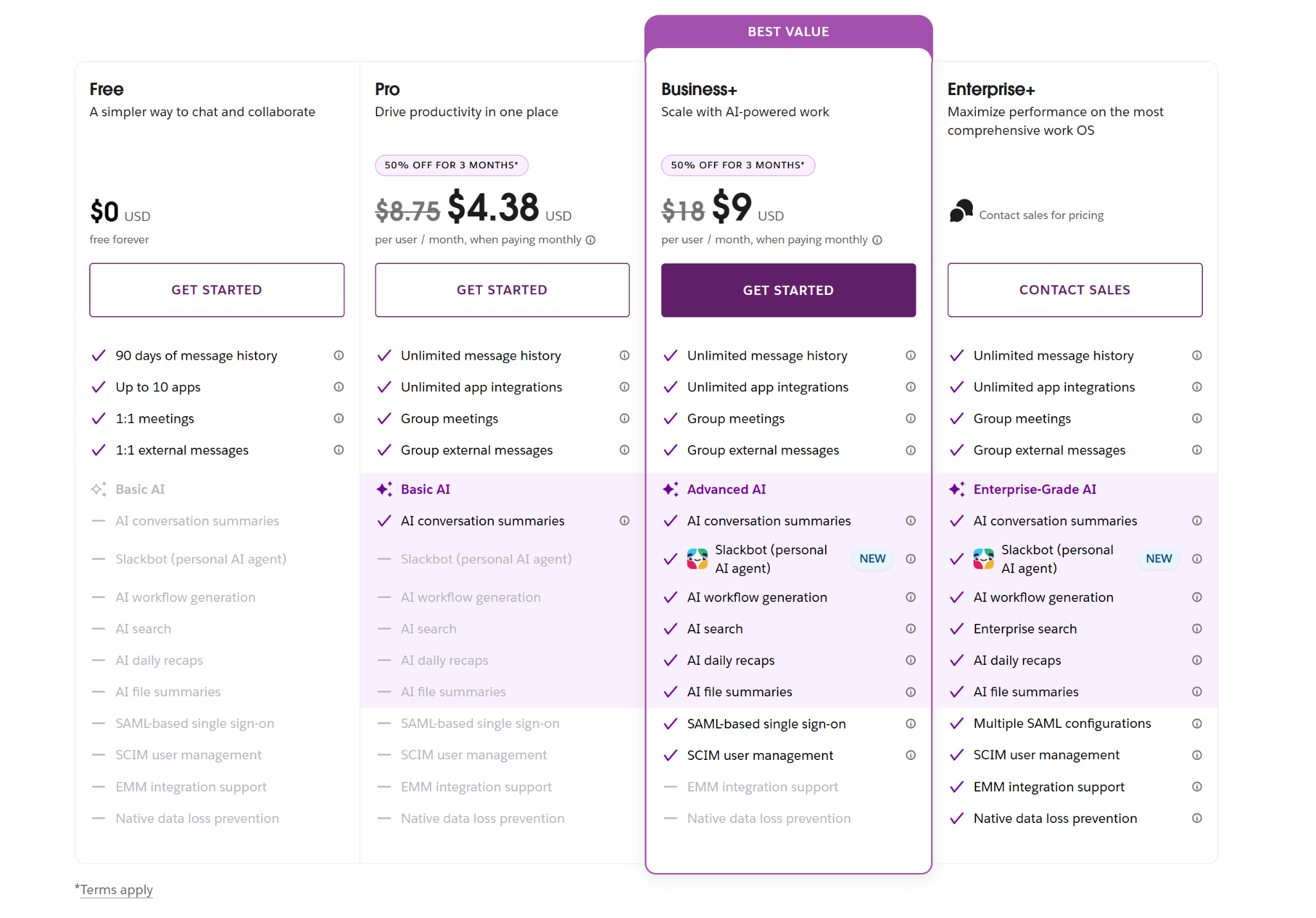
- Free plan available.
- Pro: $8.75/user/month, billed monthly.
- Business+: $18/user/month, billed monthly.
- Enterprise+: custom pricing.
Pros
- Organizes conversations by channel to prevent email clutter.
- Deep integration with common office productivity tools.
- Strong search across messages, files, and past decisions.
Cons
- Not built for frontline or non-desk workers.
- Per-user pricing gets expensive at scale.
- Lacks native task management for project tracking.
3. Microsoft Teams
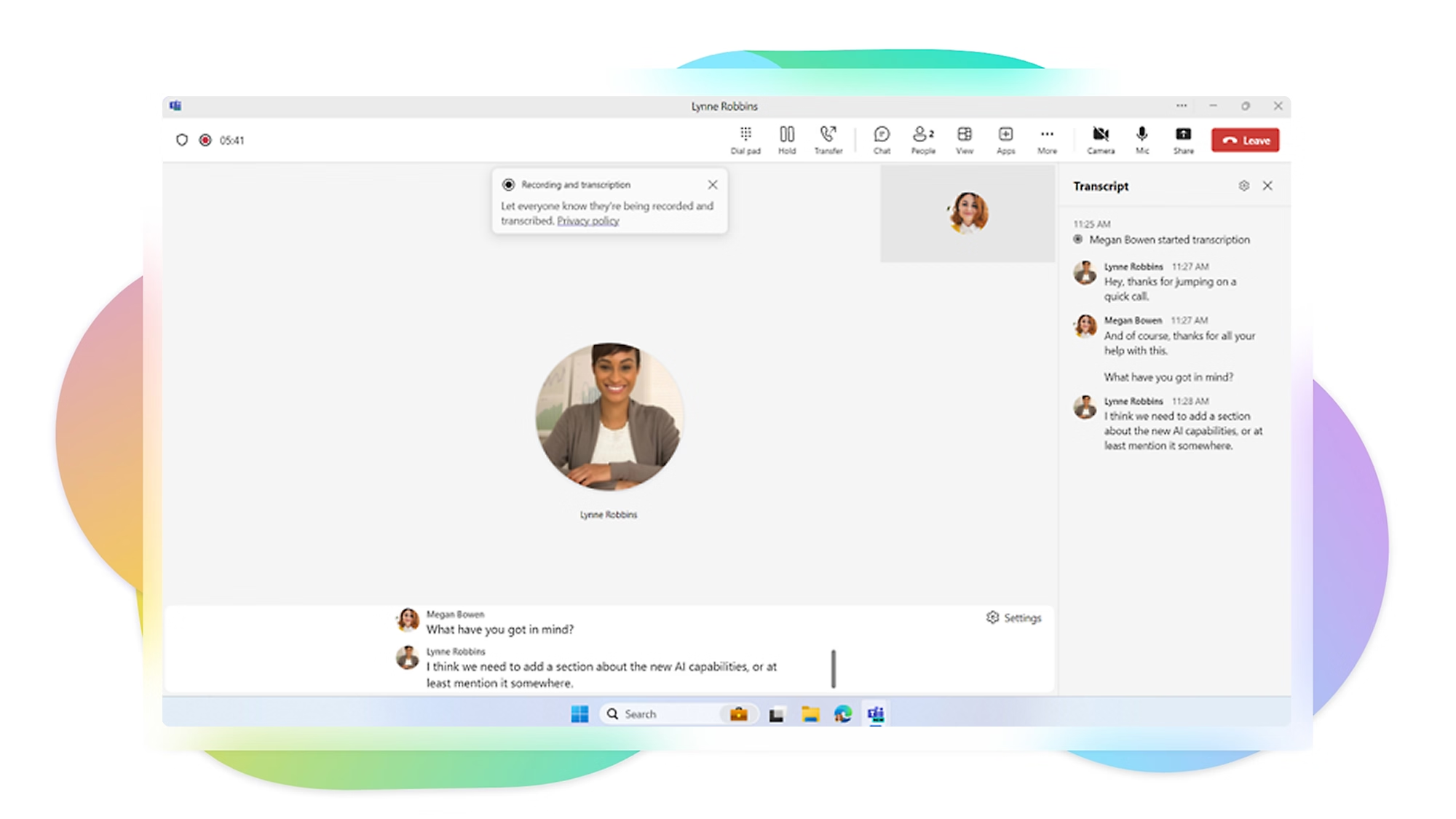
Teams covers more ground than Slack. Messaging, video conferencing, file sharing, and deep integration with Microsoft 365 make it a natural choice for organizations already running on Outlook and SharePoint. Larger teams with formal department structures tend to find the channel setup more manageable than Slack's more informal feel.
The video and document collaboration tools make it particularly useful for hybrid workforces where some people are remote, and others are on-site. Like Slack, it's built around the assumption that users are actively logged in and checking in throughout the day, which doesn't hold for shift-based or frontline environments.
Key Features
- Microsoft 365 integration: Native access to Word, Excel, PowerPoint, SharePoint, and Outlook.
- Video conferencing: Meetings with recording, live captions, and AI-powered recaps.
- Chat and channels: Team messaging organized by department or project.
- Screen sharing: Share slides, apps, or your whole desktop during meetings.
- Bots and automation: Custom bots and Power Automate workflows for repetitive tasks.
Pricing
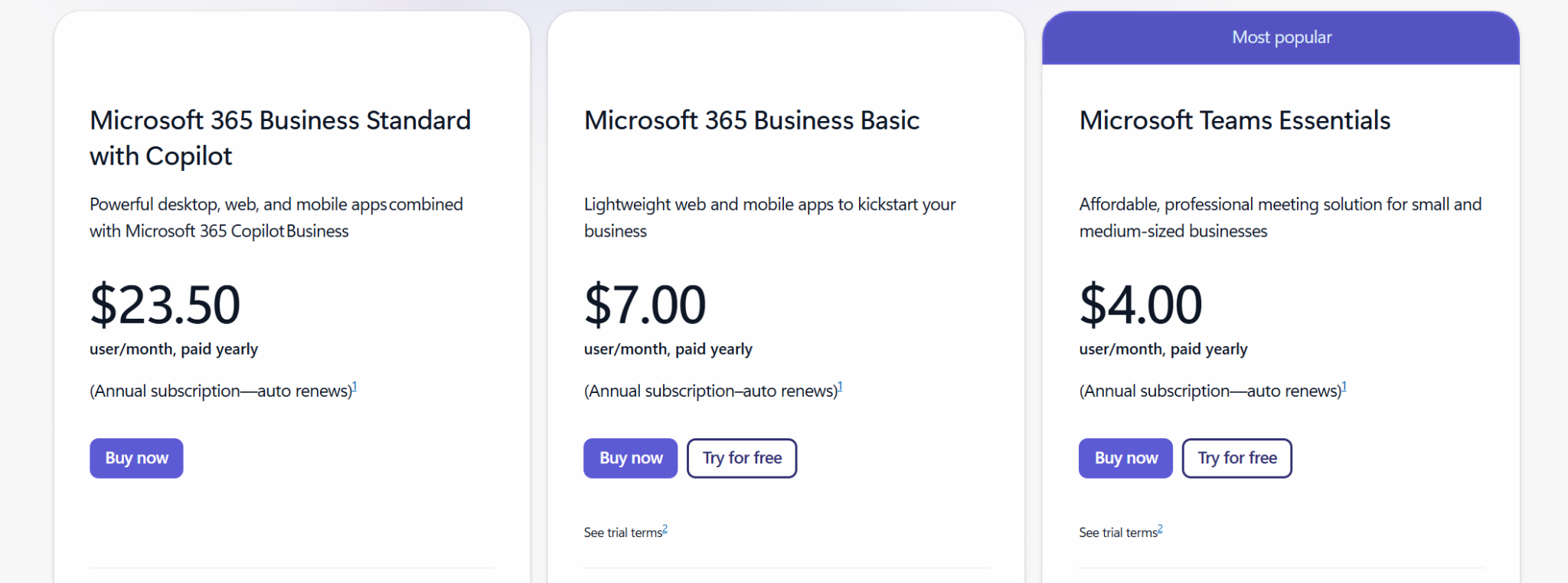
- Microsoft Teams Essentials: $4.00/user/month, billed annually.
- Microsoft 365 Business Basic: $7.00/user/month, billed annually.
- Microsoft 365 Business Standard with Copilot: $23.50/user/month, billed annually.
Pros
- Included at no extra cost for 365 subscribers.
- Native integration with SharePoint, OneDrive, and Outlook.
- Recorded meetings with transcripts for staff to review.
Cons
- Overlaps with SharePoint and OneDrive across Microsoft.
- Not built for shift-based or frontline environments.
- Standalone Teams plans don't include Word or Excel.
4. Staffbase
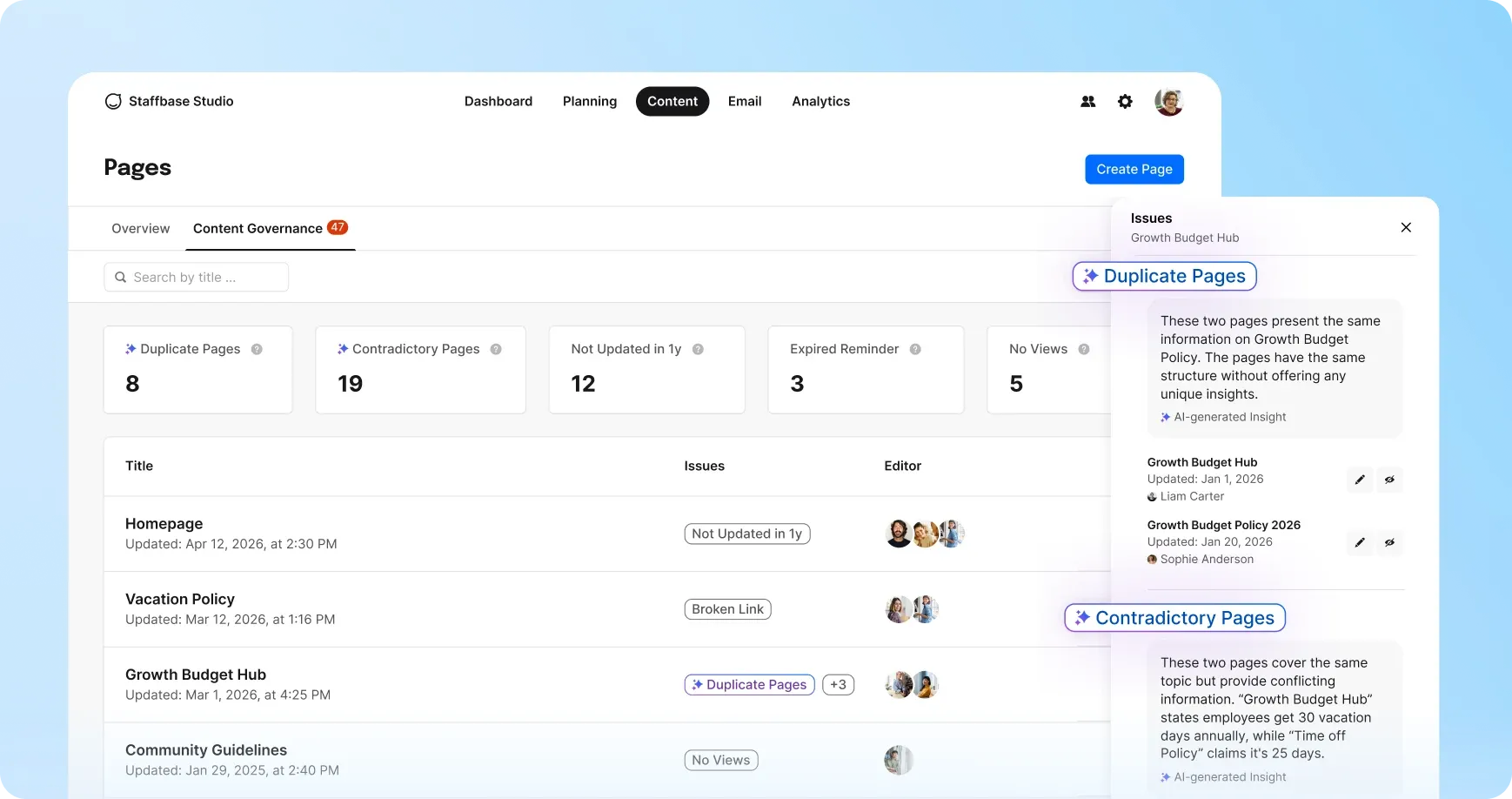
Staffbase is built specifically for large, distributed workforces, particularly organizations with a significant frontline component. It combines a mobile employee app, an intranet, and internal email newsletter tools in one platform, making it a practical option for HR and communications teams managing employees across manufacturing, healthcare, or logistics operations.
One thing to flag: pricing isn't published on their site and requires direct contact with their sales team. It's not a straightforward option for smaller organizations or teams without a dedicated internal communications function to manage it day-to-day.
Key Features
- Employee news feed: Post company news and social content to personalized feeds.
- Employee journeys: Automate content delivery for onboarding, campaigns, or policy rollouts.
- Multi-channel reach: Send updates through the app, intranet, email, SMS, and digital signage.
- Landing pages: Build custom pages for key documentation and resources.
- Enterprise integrations: Sync with Microsoft Teams, ServiceNow, Workday, and major HRIS platforms.
Pricing
- Staffbase does not publish pricing. Custom quotes are provided based on workforce size and configuration.
Pros
- Built to reach frontline and deskless workers directly.
- Customizable interface with company branding across channels.
- Strong analytics for campaigns and audience insights.
Cons
- No published pricing, requires sales conversation.
- No mobile app for administrators.
- Requires an established internal comms team.
5. Workvivo
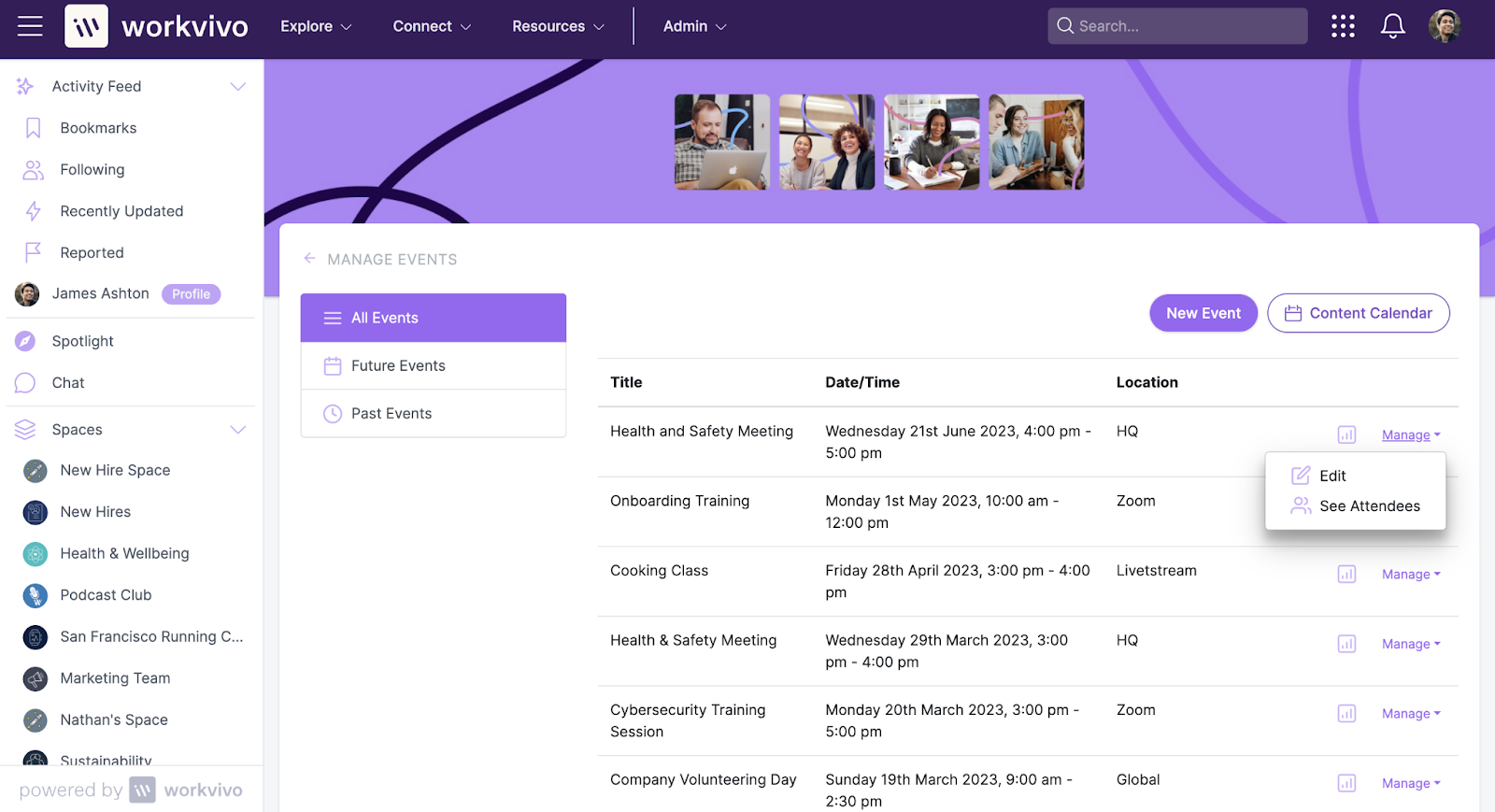
Workvivo, now part of Zoom, focuses on the culture and engagement side of internal communications. It operates something like a social feed: employees can share updates, recognize colleagues, and interact with company-wide posts. For remote or hybrid teams where maintaining culture and connection is an active concern, it offers something that pure messaging tools don't really provide.
The tradeoff is that it works best when employees participate regularly, which takes time to build. It's better suited as an engagement layer than as a primary channel for time-sensitive operational content.
Key Features
- Smart activity feed: Personalized feed with company news, updates, and peer recognition.
- Badges, awards, and shoutouts: Recognition tools for employee milestones and contributions.
- Livestreams and podcasts: Broadcast company-wide events or record internal podcasts.
- Modern intranet: Landing pages, document management, and people directory.
- Workvivo TV: Add-on that turns workplace screens into communication channels.
Pricing
- Workvivo does not publish pricing. Custom quotes are based on plan and add-ons selected. Add-ons include HQ Agent, Seer (people intelligence), Chat, and Workvivo TV.
Pros
- Strong for building culture across remote and hybrid teams.
- Intuitive social feed makes it easy to participate.
- Peer recognition drives authentic connection between colleagues.
Cons
- No published pricing, requires sales conversation.
- Works better as engagement layer than primary channel.
- Workvivo TV digital signage costs extra as add-on.
6. Connecteam
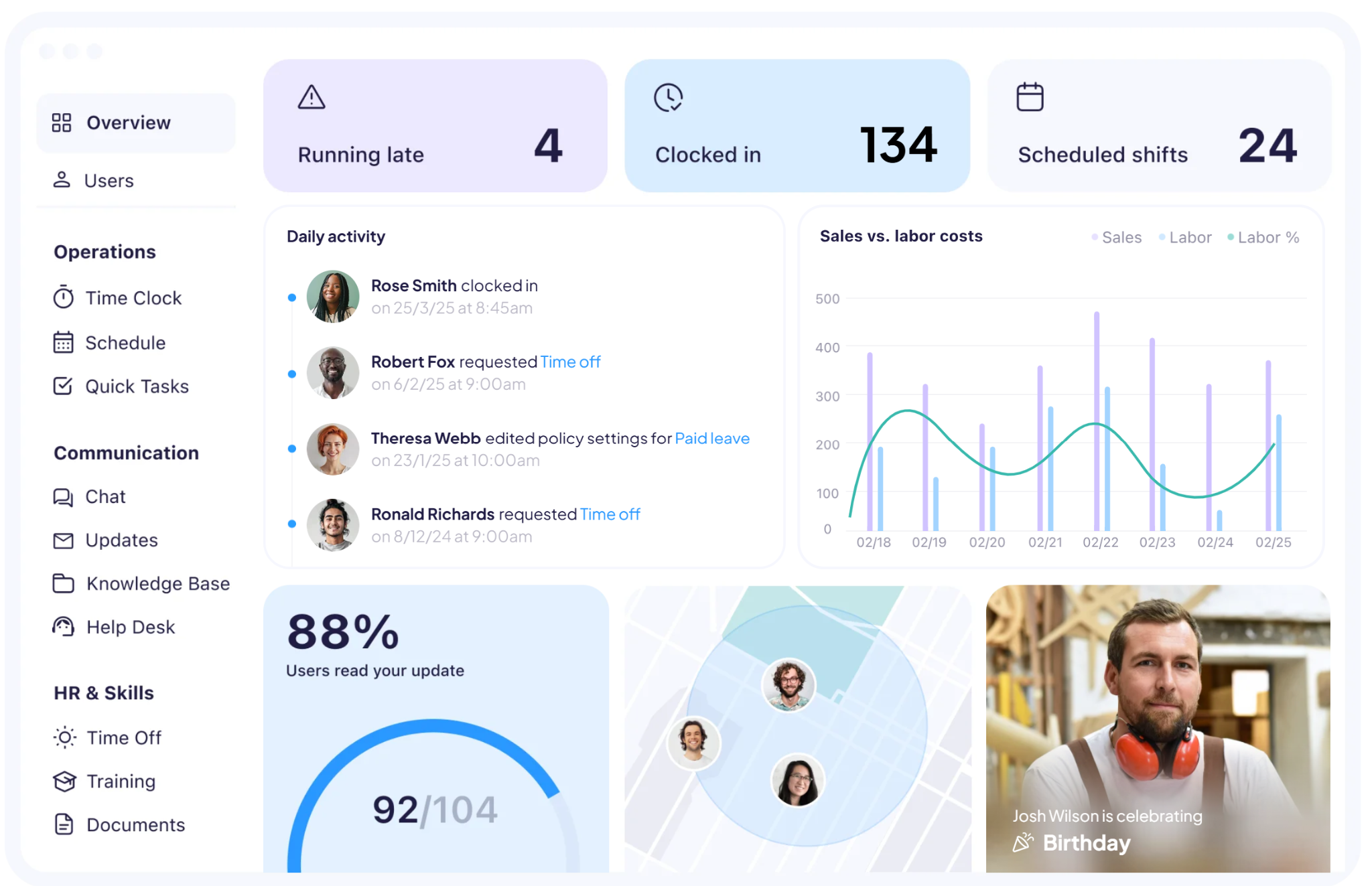
Connecteam is a workforce management platform built for deskless and field-based teams. Time tracking, scheduling, communication, task management, and HR tools all run inside its mobile-first app. Construction, retail, food service, and cleaning businesses use Connecteam to keep frontline staff informed and connected.
Connecteam organizes its features into three separate hubs called Operations, Communications, and HR and Skills. The platform's communication tools inside the Communications Hub include chat, updates, surveys, and a knowledge base for teams without corporate email. Each hub is priced separately.
Key Features
- Chat: Direct and group messaging designed for mobile-first frontline workers.
- Updates: Push announcements, targeted messages, and read receipts to specific teams.
- Directory: Employee contact list accessible from any mobile device.
- Knowledge base: Central location for policies, guides, and how-tos employees can search.
- Recognition and rewards: Celebrate milestones, birthdays, and achievements directly in the app.
Pricing
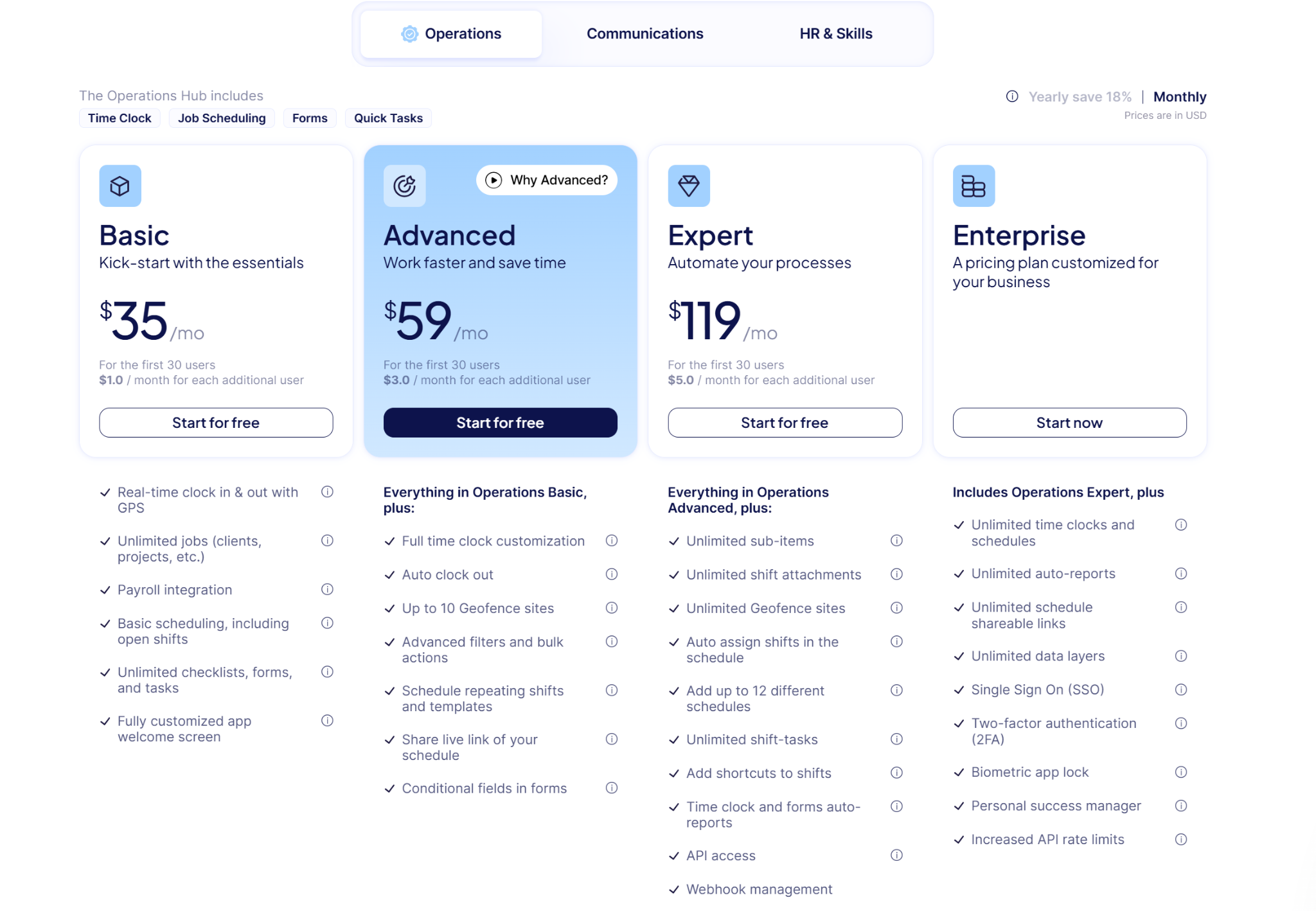
Connecteam prices each hub separately. Monthly billing:
- Free for small businesses up to 10 users.
- Basic: $35/month for the first 30 users.
- Advanced: $59/month for the first 30 users.
- Expert: $119/month for the first 30 users.
- Enterprise: custom pricing.
- Additional users cost $1 to $5 per user per month depending on tier. Annual billing saves 18%.
Pros
- Purpose-built for frontline and deskless workforces.
- Mobile-first design covers workers without corporate email.
- Free plan available for small teams up to 10 users.
Cons
- Features split across separate hubs increase total cost.
- Can feel overbuilt for teams needing only basic communication.
- No native payroll processing, relies on integrations.
7. Beekeeper (now part of LumApps)
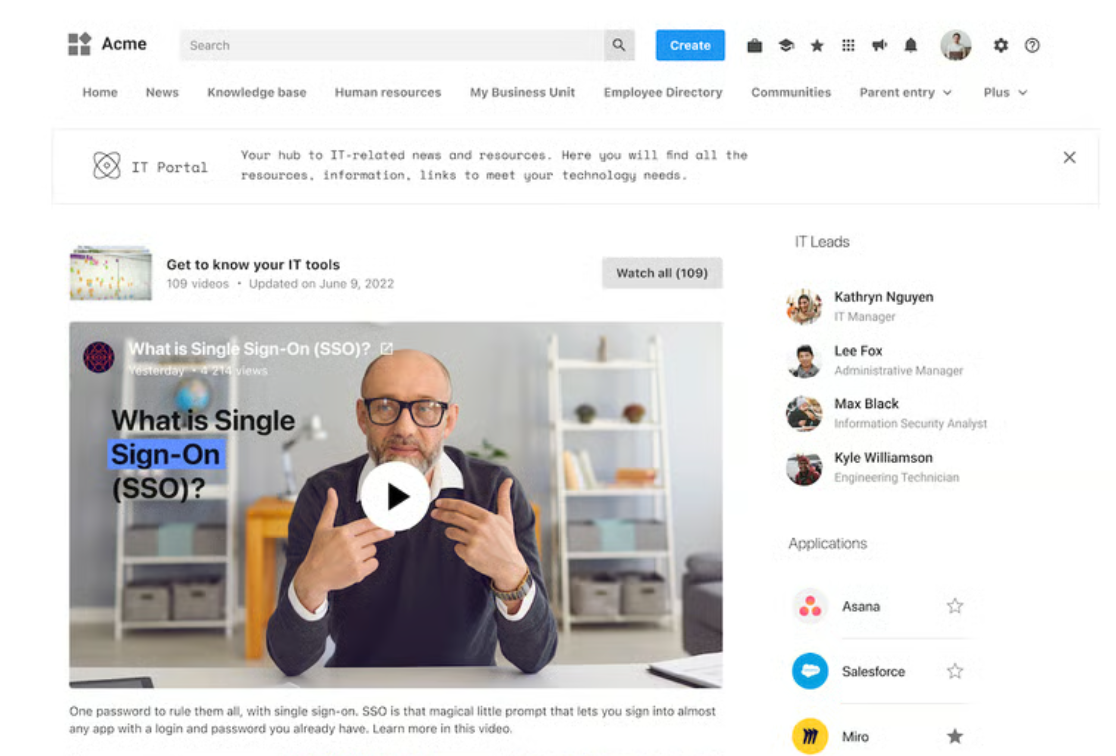
Beekeeper started as a mobile-first communication platform for frontline workers. In 2025 it joined LumApps, and the combined product is now called the AI Employee Hub. Existing Beekeeper customers still use the same mobile experience with the same login and support team.
The combined product covers HQ teams, field workers, and everyone in between. Communication, workflows, knowledge, and AI all sit inside one system. Native integrations with Workday, ServiceNow, SAP SuccessFactors, and 500+ other enterprise tools are one of the strongest reasons buyers pick it.
Key Features
- Frontline mobile app: Secure mobile login for workers without corporate email.
- Multi-channel reach: Send messages via mobile, desktop, and digital signage from one hub.
- Digital workflows: Replace paper checklists, forms, and incident reports with mobile-first workflows.
- AI Agent Hub: Governed AI agents that answer HR, IT, and operational questions instantly.
- Integrations: Native connections with Workday, ServiceNow, SAP SuccessFactors, and 500+ more.
Pricing
- LumApps does not publish pricing. Custom quotes are provided based on organization size and configuration. Billing details are shared during the sales conversation.
Pros
- Reaches HQ desk workers and frontline staff on one platform.
- Strong mobile experience for workers without corporate email.
- Native integrations with Workday, ServiceNow, and 500+ systems.
Cons
- No published pricing, requires sales conversation.
- Full functionality can require significant implementation effort.
- Users report integration issues and organizational challenges.
8. eXo Platform
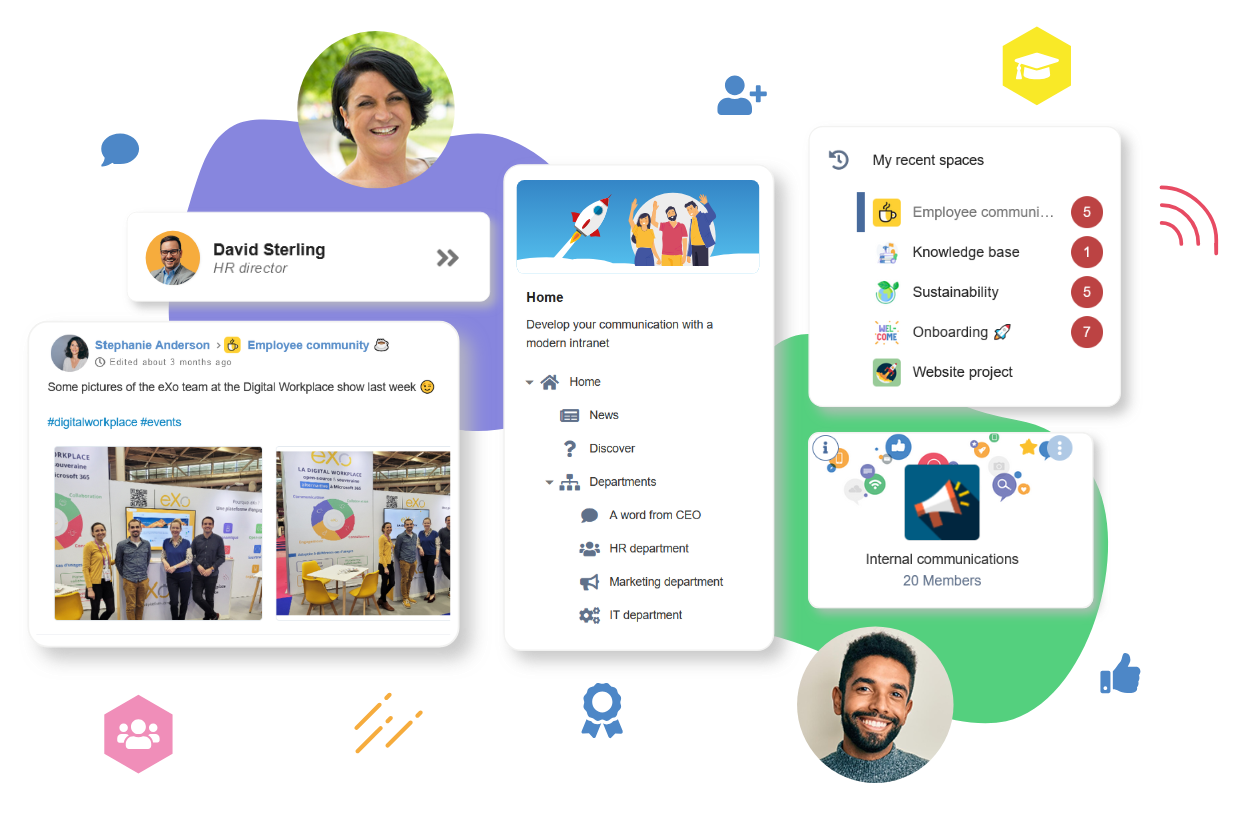
eXo Platform is an open-source digital workplace with communication, collaboration, and knowledge tools inside one system. The company positions it as an alternative to Microsoft 365 and Google Workspace. Organizations that want open-source control over their internal tools are eXo's typical customer.
On the communication side, you get social feeds, activity streams, community spaces, and mobile access. Public sector agencies, university IT departments, and enterprises wanting a self-hosted or private cloud option tend to pick eXo over the mainstream SaaS platforms.
Key Features
- Intranet and portal: Structured content, dynamic menus, and branded intranet pages.
- Social network: Activity feeds, community spaces, polls, mentions, and moderation tools.
- Collaboration spaces: Chat, video conferencing, projects, tasks, and document co-editing.
- Knowledge hub: Document management, articles, page trees, and unified search.
- Mobile app: Branded mobile app with notifications and personal workspace.
Pricing
eXo Platform uses quote-based pricing across all three offers.
- The offers are Intranet, Team Collaboration, and Digital Workplace. Billing is per-user annual subscription for cloud deployments. On-premise deployments use a server subscription or license model.
Pros
- Open-source alternative to Microsoft 365 and Google Workspace.
- Self-hosted, private cloud, or air-gapped deployment options available.
- AI features are governed with human-in-the-loop by design.
Cons
- No published pricing.
- Cloud, on-premise, or air-gapped deployment must be chosen upfront.
- Open-source updates require internal governance and maintenance.
9. Blink
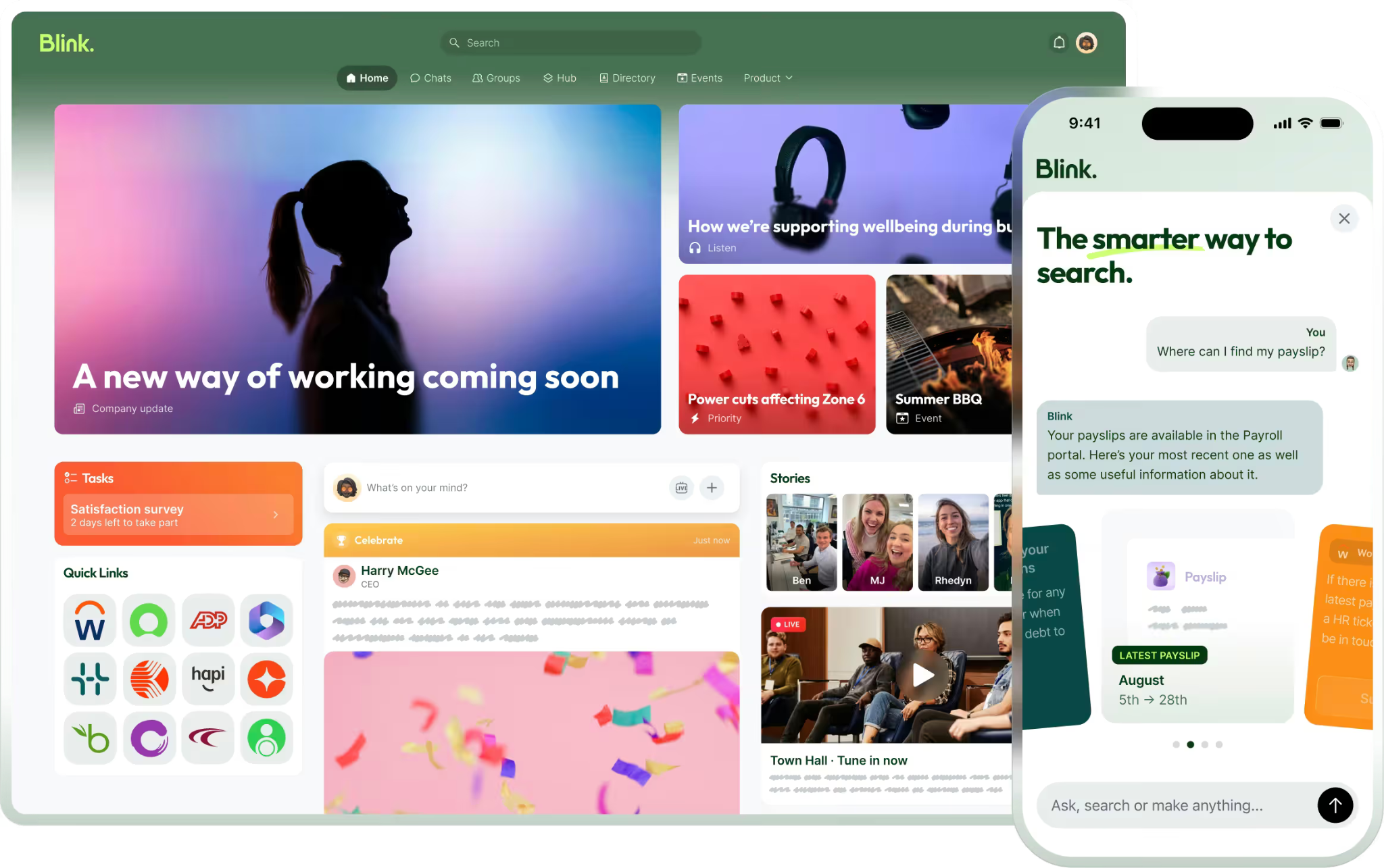
Blink is a mobile-first employee experience platform for frontline and deskless workers. Inside one app, you get a social-style news feed, secure chat, digital forms, and a content hub. Retail chains, hospitality groups, healthcare systems, and transit agencies use Blink to reach workers who don't sit at a desk.
The platform focuses on adoption. Content, chat, recognition, and surveys all sit in one place, so frontline workers aren't switching between apps to do their day. Single sign-on integrations mean the other software they need is accessible from the same login.
Key Features
- News feed: Social-style feed for company updates, employee posts, and reactions.
- Secure chat: Direct and group messaging with rich content and file history.
- Content hub: Central library for policies, procedures, and guides.
- Digital forms: Build, distribute, and automate forms across the workforce.
- Blink Assist: AI tool that helps employees write and refine posts.
Pricing
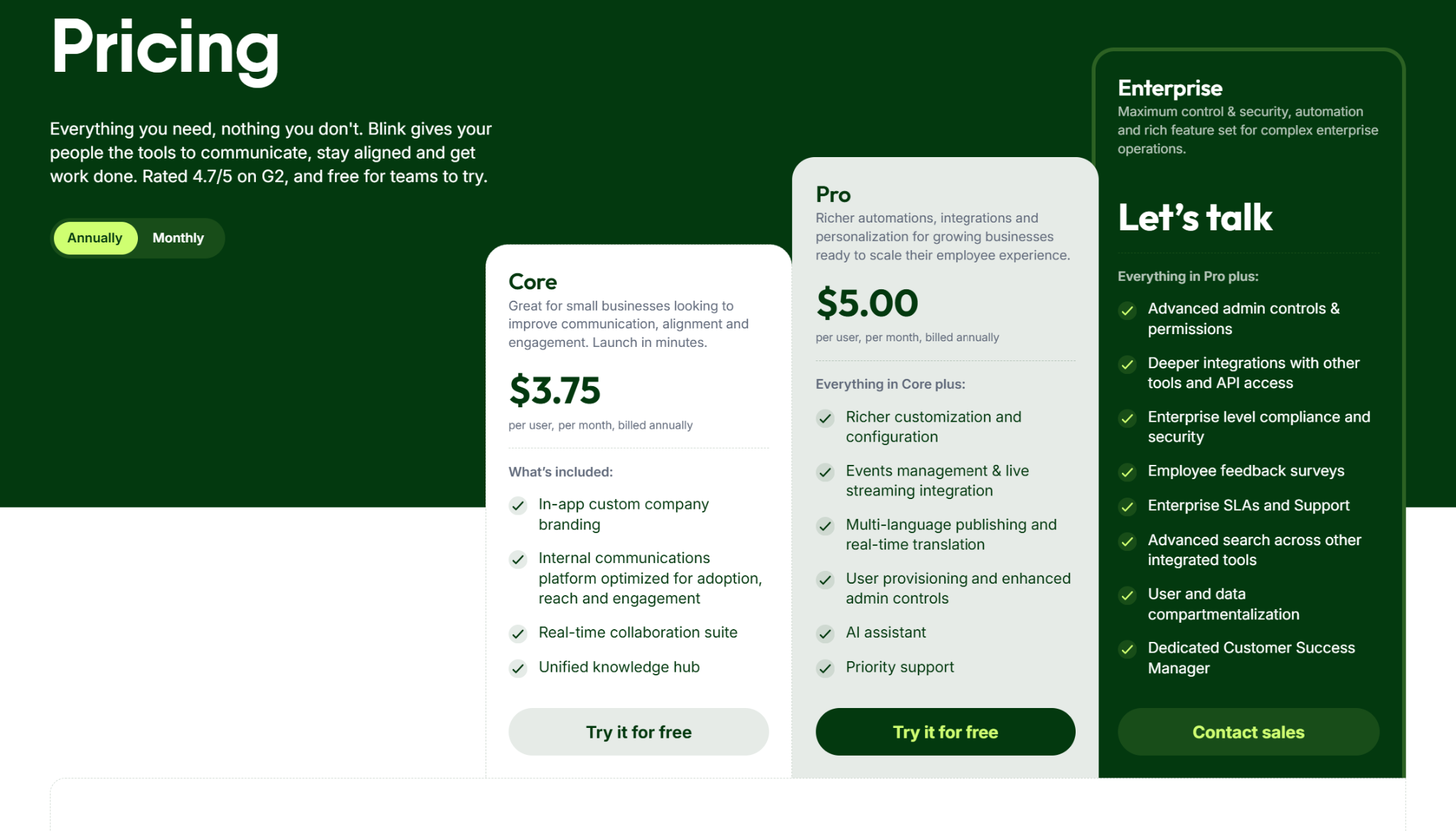
Blink offers monthly and annual billing.
- Core: $3.75 per user per month, billed annually.
- Pro: $5.00 per user per month, billed annually.
- Enterprise: custom pricing (contact sales).
Pros
- Purpose-built for frontline and deskless workforces.
- Social-style feed drives high adoption across teams.
- Publicly listed per-user pricing across Core and Pro.
Cons
- Advanced admin controls and API access require Enterprise plan.
- File sharing has reported sync and archiving issues.
- Limited API access and integration flexibility.
10. Simpplr
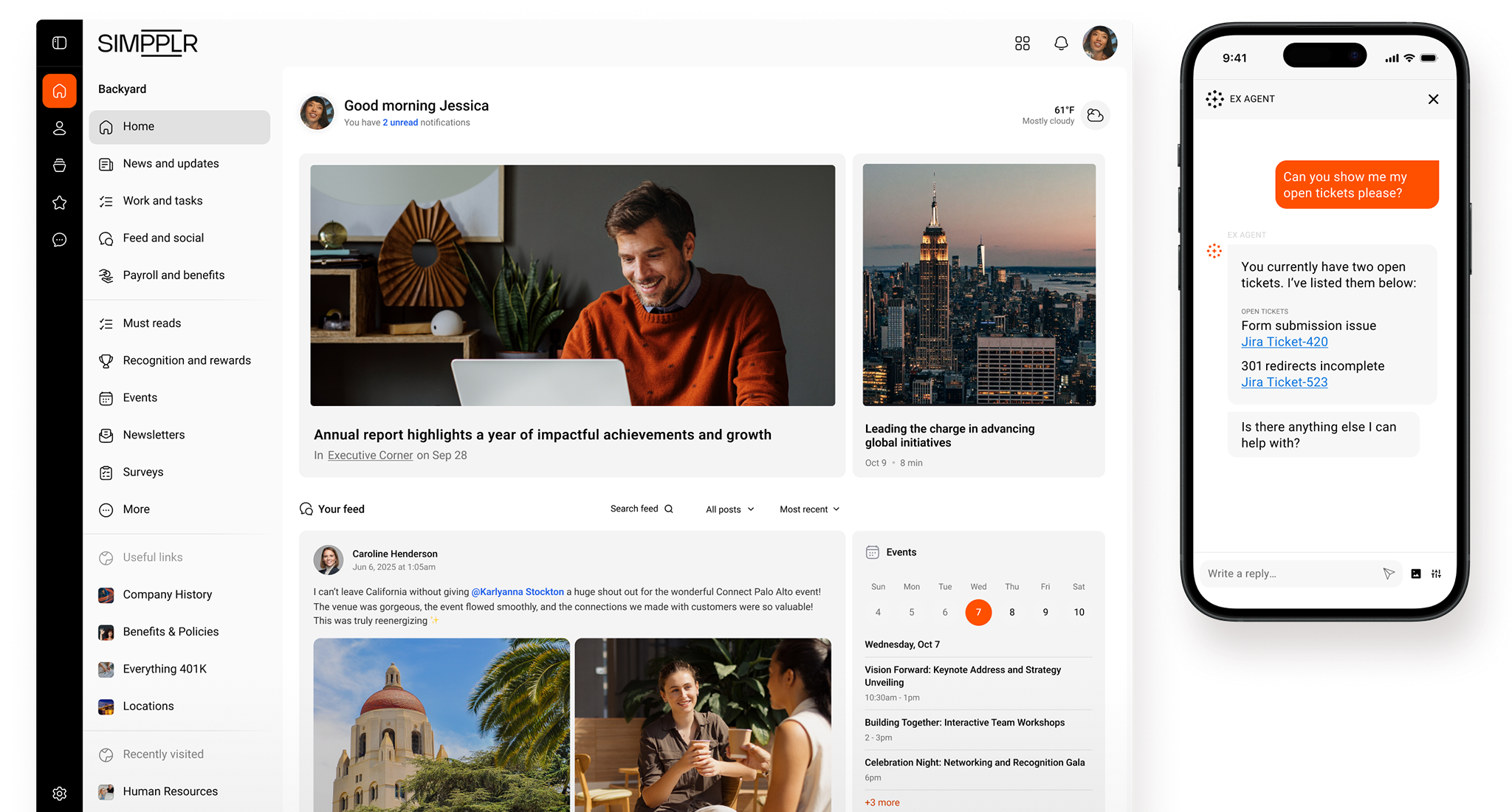
Simpplr is an AI-powered employee experience platform positioned as a modern intranet. It combines a company hub, internal newsfeed, newsletter builder, surveys, and employee recognition in one interface. AI personalizes content and search results for each employee based on their role and behavior.
Simpplr is a mid-to-large enterprise product. Organizations with a dedicated internal comms team get the most out of it. Smaller businesses without a specialized comms function tend to find it heavier than they need.
Key Features
- AI-powered intranet: Personalized content feeds for every employee based on role and behavior.
- Newsletter builder: Drag-and-drop editor with dynamic blocks that pull intranet content automatically.
- AI search: Natural language search across connected systems like SharePoint and Google Drive.
- Recognition and rewards: Peer-to-peer shoutouts tied to company values with redeemable points.
- Employee surveys: Pulse surveys, engagement surveys, and one-off feedback tools.
Pricing
- Simpplr does not publish pricing. Custom quotes are provided based on organization size and requirements. Billing details are shared during the sales conversation.
Pros
- AI personalizes content and search for every employee.
- Newsletter builder pulls intranet content dynamically.
- Strong content governance with automated stale-page prompts.
Cons
- No published pricing, requires sales conversation.
- Key features like enterprise search sit behind add-ons.
- Reviewers report limited customization for layouts and design.
11. Firstup
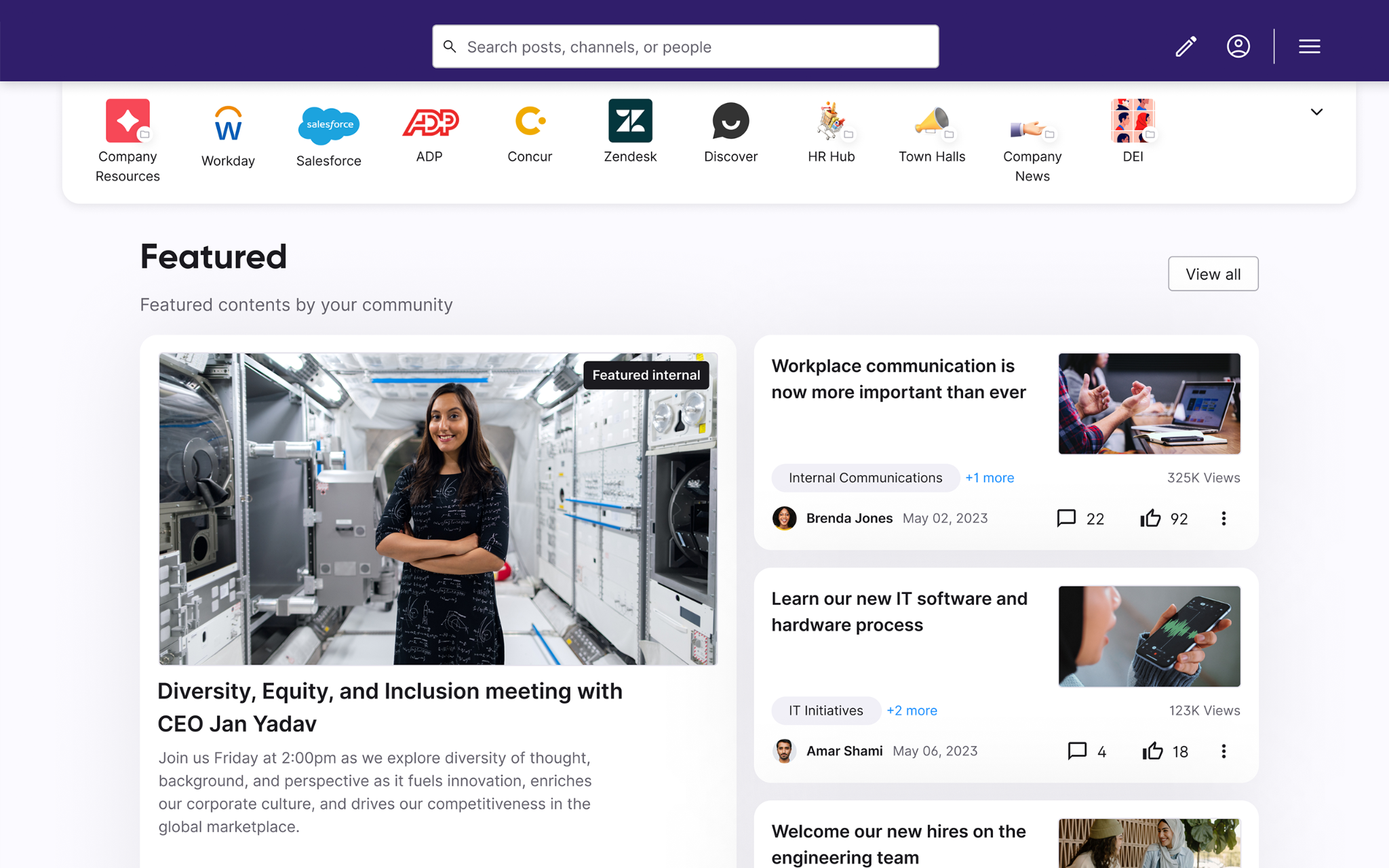
Firstup is an enterprise employee communication platform focused on personalized, omnichannel messaging. From one platform, comms teams deliver targeted messages across email, mobile, intranet, and digital signage. Large enterprises with distributed workforces across manufacturing, healthcare, hospitality, and retail are Firstup's core customer profile.
The platform organizes features around content creation, communication delivery, and journey orchestration. AI helps generate content, optimize delivery timing, and analyze engagement patterns across channels.
Key Features
- Omnichannel delivery: Publish once and reach employees on email, mobile, desktop, and digital signage.
- AI content creator: Generate campaign topics, titles, and tone with AI assistance.
- Intelligent delivery: AI optimizes channel and timing for each employee automatically.
- Journey orchestration: No-code visual builder for multi-step communication campaigns.
- Engagement insights: Track message reach, click-through rates, and employee sentiment.
Pricing
Firstup does not publish pricing.
- Plans are Essential, Professional, and Premier, with an optional employee intranet add-on. All plans require a sales conversation for a custom quote.
Pros
- Strong targeting and personalization across multiple channels.
- AI recommends best time and channel to reach each employee.
- Journey orchestration handles multi-step campaigns without coding.
Cons
- No published pricing.
- Intranet capability is a paid add-on, not included in base plans.
- Best fit for enterprises with a dedicated internal comms team.
12. happeo
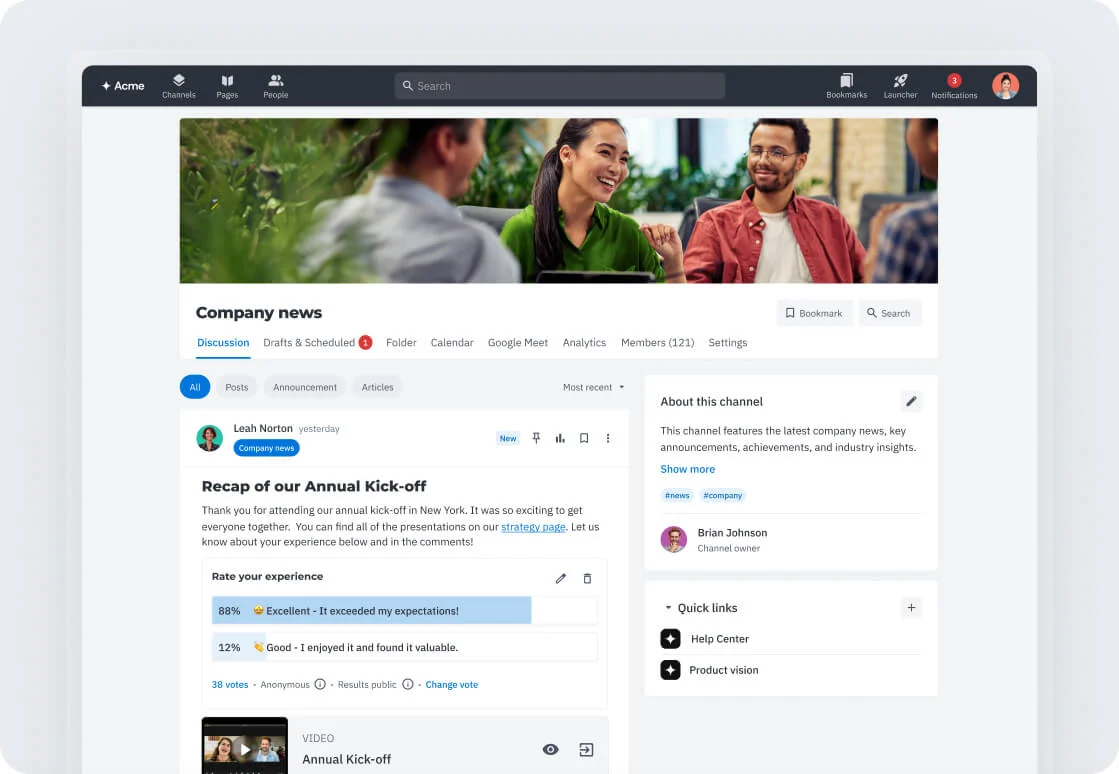
happeo is a social intranet built natively for Google Workspace and Microsoft 365 environments. Pages handle structured knowledge, Channels handle team collaboration, and Universal Search indexes content across every connected tool. Mid-to-large organizations that want their intranet to feel like part of the productivity suite they already use tend to pick Happeo.
On the communication side, you get a social feed, threaded discussions, polls, and reactions inside Channels. Google Workspace teams especially benefit from the native integration, which cuts the context switching between the intranet and daily productivity apps.
Key Features
- Pages: Drag-and-drop knowledge hub with templates, translations, and branding controls.
- Channels: Team spaces with threaded posts, reactions, and file sharing.
- Universal Search: Federated search across Google Drive, Gmail, Slack, and Happeo content.
- People directory: Auto-generated employee directory and org chart from user data.
- Analytics: Page, post, channel, and search analytics for engagement tracking.
Pricing
- happeo offers three plans (Starter, Growth, Enterprise). Pricing is not published. Custom quotes are provided based on user count and feature requirements.
Pros
- Native integration with Google Workspace and Microsoft 365.
- Federated search indexes content across connected productivity tools.
- Auto-generated employee directory and org chart from user data.
Cons
- No published pricing, requires sales conversation.
- Analytics features gated behind Growth and Enterprise tiers.
- Reviewers report limited page customization and widget options.
13. Poppulo
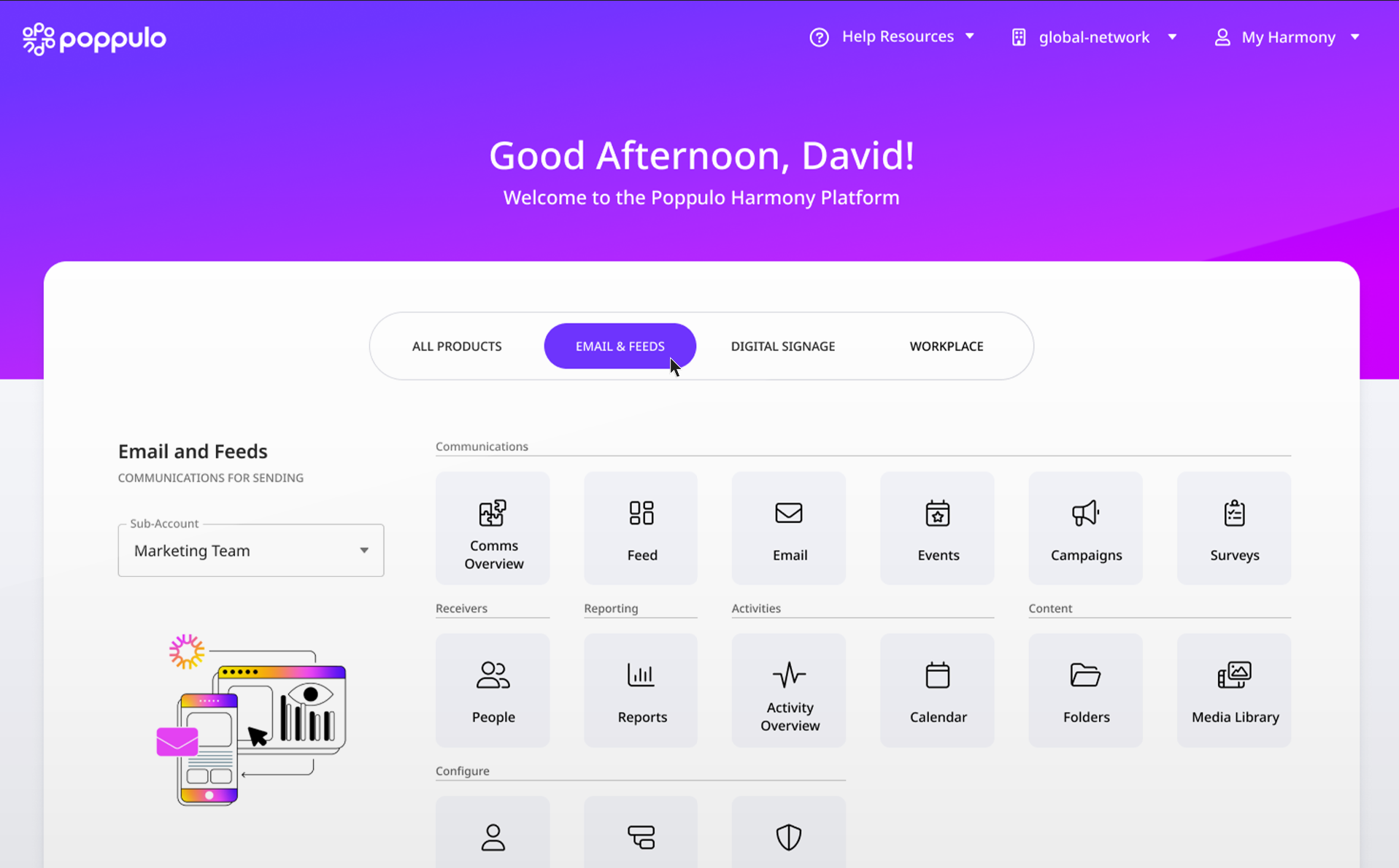
Poppulo is a multichannel employee experience platform for large enterprises. Email and newsletters, a mobile app, workplace digital signage, and Microsoft 365 integrations all run inside its system. The platform fits organizations with distributed workforces spanning desk-based and frontline employees.
Email and digital signage are Poppulo's two strongest capabilities. Both are among the most effective channels for reaching employees across desk and frontline environments.
Key Features
- Email and newsletters: Personalized email campaigns with advanced targeting and analytics.
- Mobile app: Reach frontline employees without corporate email through push notifications.
- Workplace digital signage: Broadcast content across screens with governance and brand controls.
- Microsoft 365 integrations: Publish content to SharePoint and Teams from one place.
- Analytics: Track engagement, click maps, and content performance across channels.
Pricing
- Poppulo does not publish pricing. Costs depend on employee count and selected channels.
Pros
- Multichannel reach across email, mobile, and signage.
- Strong analytics with click maps and engagement insights.
- 21-day free trial available on the email product.
Cons
- No published pricing.
- Reviewers report limited template and design flexibility.
- Content formatting can be time-consuming and frustrating.
How to Choose the Right Employee Communication Software
Before picking a platform, ask a few questions about your workforce and how they actually get information today. The answers usually point you at the right tool.
1. Who Are You Actually Trying to Reach?
A team of desk workers is well served by chat platforms like Slack or Teams. A team with a large shop floor, warehouse, or field component is not. Chat alone will miss them every time. A mobile app, digital signage, or both fills the gap depending on where those workers spend their day.
2. How Much of the Employee Experience Do You Want One Tool to Cover?
Some platforms specialize in one channel. Others bundle communication, recognition, surveys, and analytics into a single system. A leaner setup with two focused tools often costs less than one enterprise platform that does everything. But two tools also mean two logins and two invoices.
3. Do You Need Published Pricing to Get Approval?
Some of the tools we reviewed won't give you a price until you talk to sales. Enterprise buyers with dedicated procurement teams handle that fine. Smaller teams trying to move fast or compare against a fixed budget usually find it a real obstacle. Blink, Slack, Teams, and Connecteam all publish per-user pricing you can budget against directly.
4. What Does Your Existing Tech Stack Look Like?
A Microsoft 365 shop gets Teams included and natively integrated with everything else you use. A Google Workspace shop gets the same experience with Happeo. Whichever productivity suite your organization runs on, pick a communication tool that plugs into it rather than one you'd have to force alongside it.
Build a Setup That Reaches Everyone
Employee communication software works when it reaches every part of the workforce. That includes the office worker checking Slack, the shift worker on a factory floor, and the field employee between jobs.
Rise Vision handles the part most tools miss. Employees see updates on the screens already in your workplace, without needing to log in, open an app, or check a corporate email. On the same subscription, you also get digital signage, screen sharing in meeting rooms, and emergency alerts across every display.
You can try Rise Vision risk-free with a 30-day money-back guarantee. You can also book a demo to see how it fits alongside the chat and mobile tools your team already uses.
More From Our Blog
-
Yodeck vs ScreenCloud vs Rise Vision (2026 Comparison)
Yodeck is the cheapest way to run a few screens. ScreenCloud is the polished corporate pick. Rise Vision combines digital signage, screen sharing, and emergency alerts in one platform, and it's the[…]
Read More -
The Best Chrome Sign Builder Alternatives for Schools in 2026 (Free and Paid Options)
Google stopped supporting Chrome Sign Builder in kiosk mode after ChromeOS 150 in July 2026. So you'll need a replacement for any screen that's still running it. For schools that want to keep their[…]
Read More -
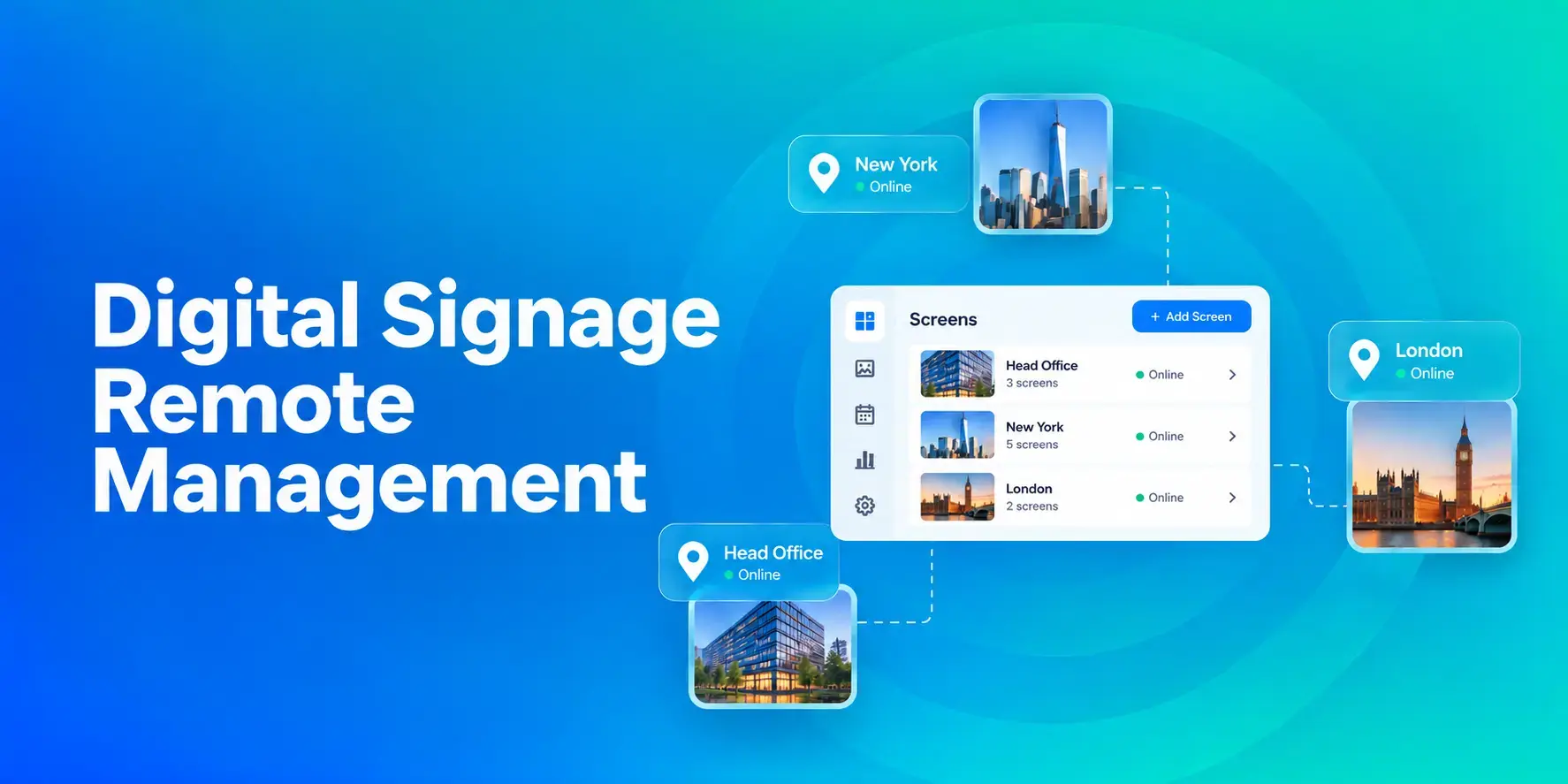
Digital Signage Remote Management: How to Run Every Screen From One Place
Digital signage remote management lets you control screens, schedules, and display health from an online platform. To get started, choose a hardware-agnostic platform, connect your media players or[…]
Read More
12,300+ Organizations Trust Rise Vision, You Can Too
































Schedule a Free Demo
You deserve the #1 all-in-one platform for digital signage, screen sharing, and emergency alerts.





