


Teaching today isn't just about talking at students; it's about engaging them. With the digital world constantly evolving, screen sharing has become an essential tool for teachers who want to make their lessons more interactive and engaging. It’s not just a "cool tool"; it’s a game-changer that can enhance how teachers present information and engage students.
In this article, we'll explore how screen sharing can work for you in the classroom, why it matters, and how it can help bring a new level of interaction to your teaching. Let’s dive in.
Why Screen Sharing is a Game-Changer for Teachers
As a teacher, you have to juggle a lot of tasks: presenting, explaining, answering questions, and keeping students engaged. Sometimes, words alone just aren’t enough to help students grasp a concept. That's where screen sharing comes in.
With screen sharing, you can directly show students what you’re talking about, whether it's a math problem, a website, or a video. Instead of explaining the concept verbally, you can visually demonstrate it. This not only helps keep students engaged but also makes it easier for them to follow along.
How Screen Sharing Works in the Classroom
At its core, screen sharing is simple. It lets you share whatever is on your device screen, whether it's a PowerPoint, a YouTube video, or a live webpage, directly to your students' screens or a classroom display.
Using Rise Vision, the process is straightforward and easy. You can wirelessly share your screen from your laptop, tablet, or smartphone, with no need for complicated setups or additional hardware. With just a few clicks, you can be sharing your screen in real-time.
The Big Benefits of Screen Sharing for Teachers
Screen sharing offers a range of benefits that can enhance your teaching and make learning more engaging for your students. From visual learning to greater collaboration, these advantages help create a more interactive and dynamic classroom environment. Let's explore some of the key benefits of incorporating screen sharing into your lessons.
-
Visual Learning
Not all students learn the same way. Some need visuals to better understand a concept. Screen sharing allows you to show your students exactly what you're teaching, which can make abstract concepts more concrete and easier to grasp. -
More Student Engagement
Students are more likely to stay engaged when they can see what’s happening. Screen sharing makes lessons interactive. They’re not just listening to you—they’re watching, interacting, and participating. When they can see the material, they’re more likely to retain the information. -
Flexible Teaching Tools
Rise Vision makes it easy to share content from any device. Whether you're teaching remotely, in a hybrid environment, or in a classroom, screen sharing is flexible. It integrates seamlessly into your existing teaching setup, making it easier to share a variety of materials. -
Collaboration and Student Involvement
One of the most powerful benefits of screen sharing is how it encourages collaboration. Students can share their own screens, work together, and present their ideas to the class. This helps them learn from each other, fosters teamwork, and builds problem-solving skills.
Tools Teachers Can Use for Screen Sharing
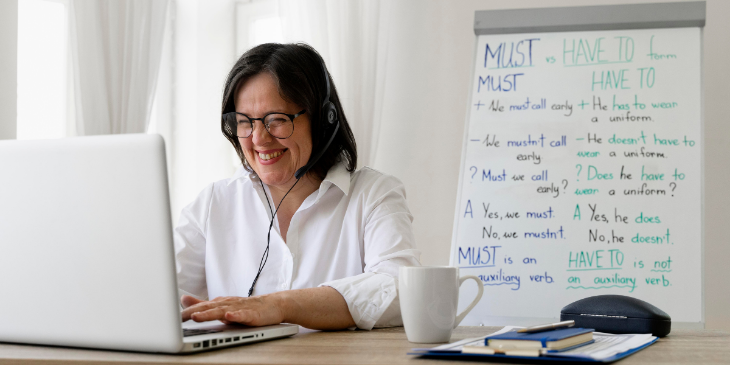
There are many tools available for screen sharing, but not all of them are created equal. You need a tool that’s easy to use, works reliably, and enhances the classroom experience.
With Rise Vision, you get a simple, cloud-based platform that doesn’t require any complicated software or hardware. It works seamlessly with your existing tech setup and allows you to share your screen effortlessly. Whether you’re teaching in person or online, it’s flexible and easy to use.
Tips for Effective Screen Sharing in the Classroom
Using screen sharing in the classroom can be a huge benefit, but only if it’s done effectively. Here are a few tips to make the most of screen sharing in your lessons:
-
Prepare Your Content: Make sure everything you want to share is ready to go. Having all your materials open ahead of time ensures that you don’t waste time looking for files during your lesson.
-
Use Interactive Features: If your tool allows it, try using interactive features like live annotations. This will help keep students engaged and add an extra layer of involvement.
-
Set Boundaries for Student Interaction: It’s helpful to let students know when they can take control of the screen and when they should focus on the content. This helps keep things organized and ensures the lesson flows smoothly.
-
Keep It Simple: While screen sharing is powerful, avoid overwhelming your students with too much information. Stick to a manageable amount of content per session and allow time for questions and discussion.
Why Rise Vision is the Best Choice for Classroom Screen Sharing
When it comes to screen sharing, Rise Vision is an excellent choice. Its cloud-based platform makes it simple for teachers to share content without the need for complicated tech setups. Whether you're teaching in-person or remotely, Rise Vision ensures a smooth, seamless experience every time.
What’s great about Rise Vision is that it’s designed with teachers in mind. It’s easy to use, reliable, and doesn’t require special equipment. Plus, because it's cloud-based, you can use it from any device, and there’s no need for heavy hardware.
Getting Started with Screen Sharing
Getting started with screen sharing is easy. Here’s how you can do it:
-
Sign Up for a Free Trial: If you’re not sure if screen sharing is right for you, sign up for a free trial of our cloud-based digital signage to give it a test run.
-
Prepare Your Lesson: Make sure your lesson materials are ready to go. This will help keep the lesson on track and save time during class.
-
Share Your Screen: When you’re ready, simply click to share your screen. It’s that easy. Your students will be able to see everything you’re doing in real time.
-
Encourage Student Participation: Let your students take control of the screen when appropriate. This keeps them engaged and makes them feel involved in the lesson.
Screen sharing is more than just a useful tool—it’s a way to transform the classroom. It allows teachers to engage students more effectively, make lessons more interactive, and create a space for collaborative learning. With Rise Vision, you can easily integrate screen sharing into your teaching routine, no matter the environment.
If you’re ready to take your classroom collaboration to the next level, try screen sharing today. It’s easy, flexible, and effective—just what every busy teacher needs.
More From Our Blog
-

Digital Signage Remote Management: How to Run Every Screen From One Place
Digital signage remote management lets you control screens, schedules, and display health from an online platform. To get started, choose a hardware-agnostic platform, connect your media players or[…]
Read More -
ScreenBeam Review 2026: Features, Pricing, and Limitations
ScreenBeam sells wireless display receivers that let people cast to a screen from any device without an app. You need one receiver per display, and they run from $299.99 to $1,199.99. Cloud-based[…]
Read More -

Interactive Touch Screen Digital Signage: How It Works and What You Need
Interactive touch screen digital signage lets viewers tap a display to find what they need. It pairs a commercial touch display with content software. Common uses include wayfinding, visitor[…]
Read More
12,300+ Organizations Trust Rise Vision, You Can Too
































Schedule a Free Demo
You deserve the #1 all-in-one platform for digital signage, screen sharing, and emergency alerts.





