


In today’s classroom, screen sharing is one of the easiest ways to engage students and make lessons more interactive. Instead of just writing on a board or showing static images, teachers can share real-time content, videos, and resources that help students understand concepts better. Whether you’re teaching in person or virtually, using the right screen-sharing tools can really make a difference.
There are a lot of screen-sharing options out there, but picking the right one can be overwhelming. Let’s explore how tools like Rise Vision can make your lessons more engaging, easier to manage, and ultimately more effective.
Why Screen Sharing is so Effective in the Classroom
Screen sharing isn’t just for presenting slideshows. It’s about making lessons dynamic and interactive. Teachers can share content in real-time, whether it’s a live demonstration, a video, or even a website, making lessons feel more hands-on. Instead of just talking at students, screen sharing lets them follow along, ask questions, and engage directly with the content.
For instance, in subjects like math or science, where visual learning is key, showing a process step-by-step on screen helps students grasp the material more easily. It’s more than just showing information—it’s creating an experience.
Why Rise Vision is a Great Choice for Classroom Screen Sharing
Rise Vision is a powerful digital signage platform that goes beyond traditional screen sharing. It’s known for its easy-to-use digital signage capabilities, but it also makes sharing your screen in the classroom incredibly simple. With Rise Vision, you can wirelessly share content from your device to a screen in seconds. No cables. No complex setup.
What makes Rise Vision even better for classrooms is its intuitive interface. Teachers can jump straight into the lesson without the usual tech struggles, and it’s compatible across a variety of devices—whether it’s a laptop, tablet, or phone. Plus, security features like password protection and moderator control ensure that only authorized users can share their screens, keeping everything secure.
Key Benefits of Screen Sharing Tools in the Classroom

Screen sharing tools are more than just convenient; they bring real value to the classroom. Here’s how:
-
Increased Engagement: When students see lessons in real-time, they’re more likely to stay focused. Whether it’s a demonstration or a video, sharing live content makes learning more interactive and interesting.
-
Better Collaboration: Many screen-sharing tools let students share their screens too. This creates an opportunity for collaborative learning, where students can present their work or discuss ideas directly with the class.
-
Instant Feedback: Teachers can give real-time feedback during lessons. If a student’s presentation is on screen, the teacher can point out areas to improve, add notes, or even adjust things on the fly. This speeds up the learning process and helps students get feedback when they need it most.
How to Choose the Best Screen Sharing Tool
When selecting a screen-sharing tool, here are a few things to consider:
-
Ease of Use: You don’t want to spend time setting up tech. The best screen-sharing tools are simple, intuitive, and quick to get started with. Rise Vision is a great choice because it’s straightforward and doesn’t require a complicated setup.
-
Device Compatibility: Whether students are using Chromebooks, tablets, or laptops, a screen-sharing tool should work smoothly across different devices. Rise Vision works on multiple platforms, ensuring your classroom stays connected no matter what technology you’re using.
-
Security: Ensuring that only the right people can share their screen is crucial. Rise Vision offers features like password protection and moderator controls, so teachers can ensure only authorized users can access the screen.
Why Choose Rise Vision as Your Screen Sharing Tool for Your Classroom
Screen sharing is no longer just a nice-to-have tool—it’s a necessity for today’s classroom. It allows teachers to engage students in ways that are interactive, effective, and efficient. With free digital signage tools like Rise Vision, teachers can share content quickly and securely, making lessons more engaging for everyone.
If you haven’t yet incorporated screen sharing into your teaching, now is the time. Whether you're in a traditional classroom or teaching remotely, the right screen-sharing tool will make your lessons more dynamic and help students learn better.
More From Our Blog
-

Interactive Touch Screen Digital Signage: How It Works and What You Need
Interactive touch screen digital signage lets viewers tap a display to find what they need. It pairs a commercial touch display with content software. Common uses include wayfinding, visitor[…]
Read More -
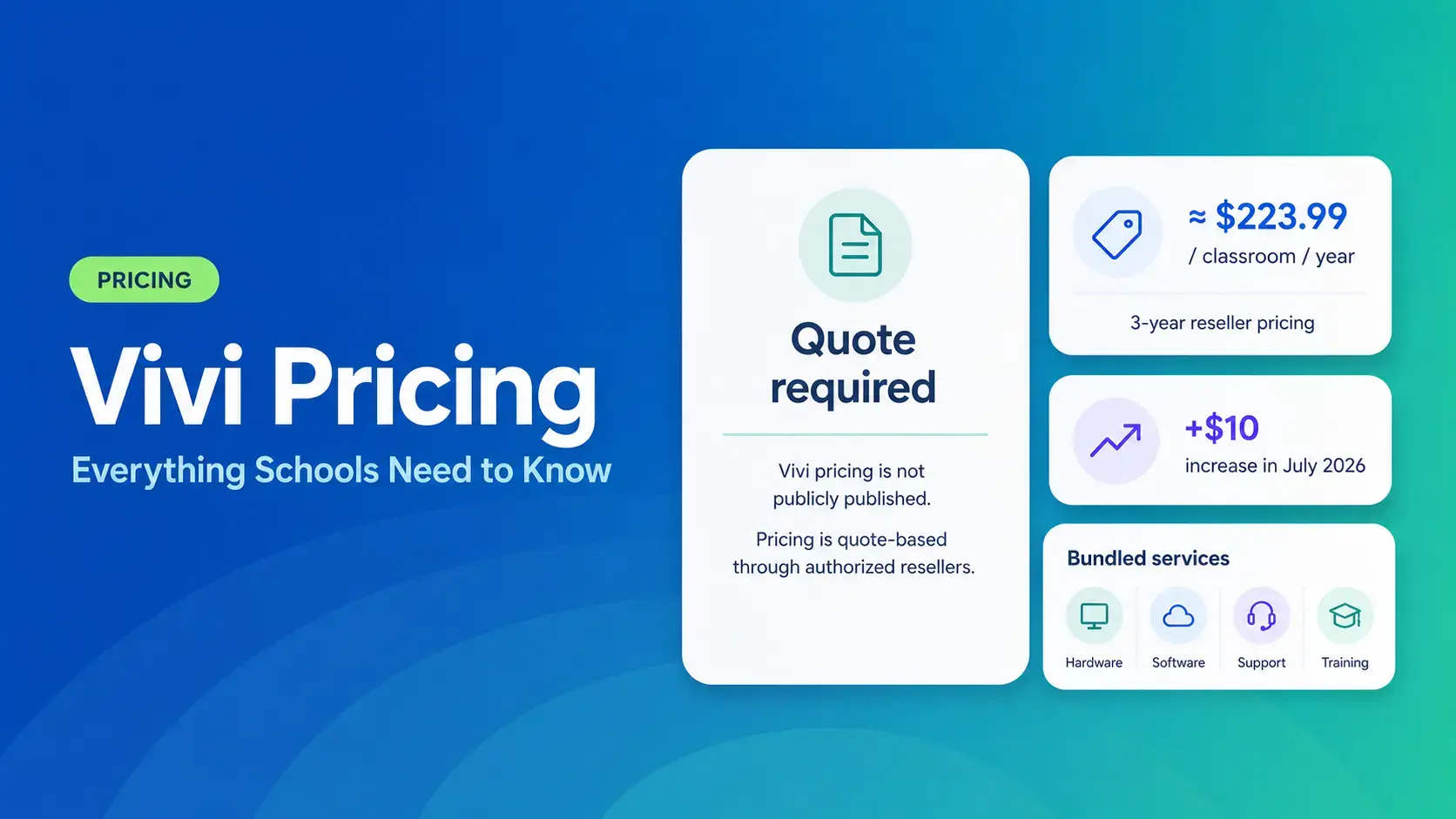
Vivi Pricing 2026: Everything Schools Need to Know Before Getting a Quote
If you're budgeting for Vivi, expect to call sales for a number. Pricing isn't published anywhere. Reseller data puts the 3-year subscription around $224 per classroom per year. That rate rose by $10[…]
Read More -
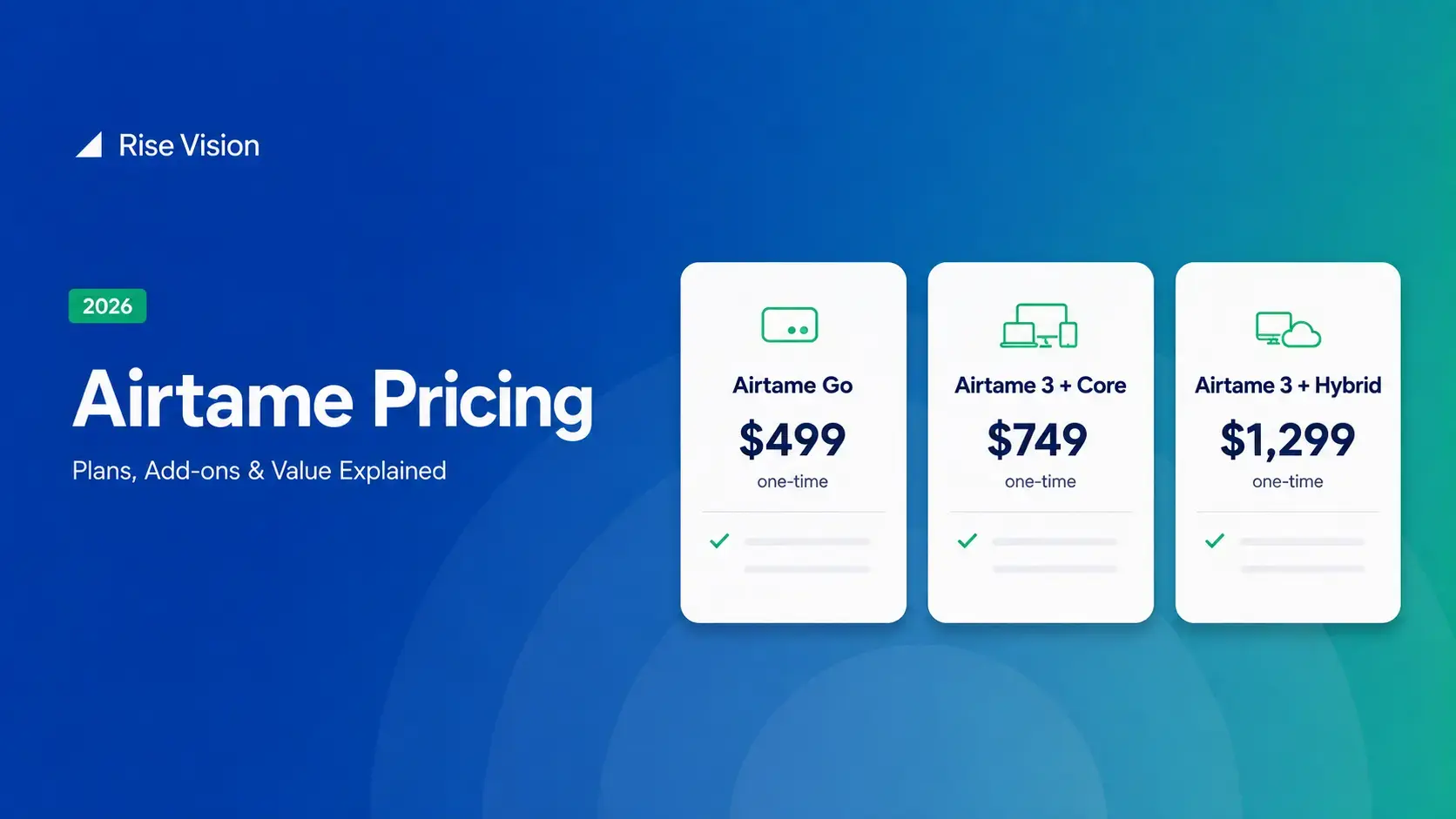
Airtame Pricing 2026: Plans, Costs & Renewal Fees
Airtame's 3-year bundles run $299 to $1,299 per display, then $120–$300/device/year to renew. Signage and alerts come standard on every tier, but only screen sharing survives if you skip renewal.[…]
Read More
12,300+ Organizations Trust Rise Vision, You Can Too
































Schedule a Free Demo
You deserve the #1 all-in-one platform for digital signage, screen sharing, and emergency alerts.





