

Quick Summary
OptiSigns is a solid digital signage platform, and for some teams, it may be more than enough. But it is also easy to see why some buyers keep exploring other options. Usually, it is not because of one major issue. It is because teams start to realize that what works well for a straightforward setup does not always scale as smoothly when they need tighter control, more consistency across locations, or a platform that supports broader communication needs.
If you are exploring alternatives, we reviewed eight options in this article. Here are the three strongest picks:
|
# |
Tool |
Best For |
|
1 |
Rise Vision |
Schools and multi-site teams needing stronger training, flexible hardware, and built-in alerts |
|
2 |
ScreenCloud |
Businesses needing app integrations and scalable cloud-based signage |
|
3 |
Yodeck |
Teams looking for low-cost digital signage with simple deployment |
Why Listen To Us?
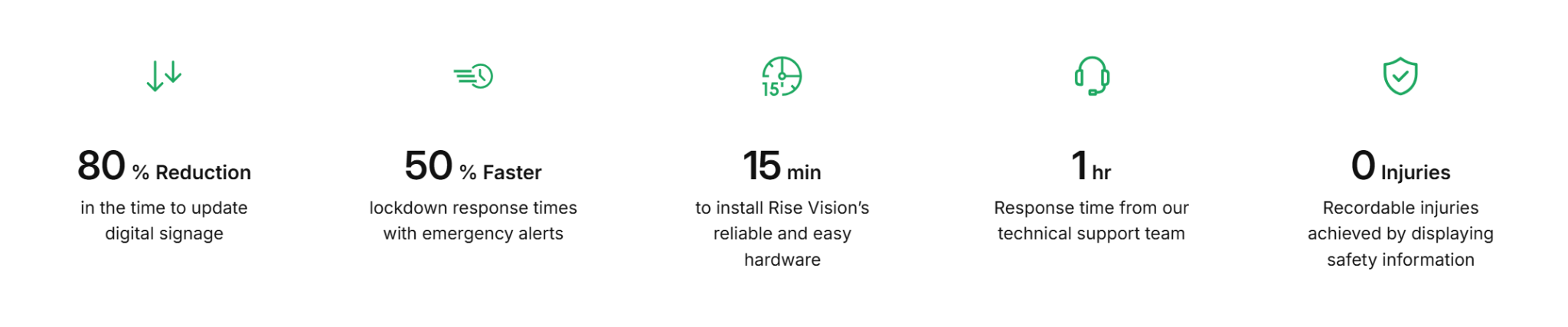
Rise Vision works with schools, workplaces, and multi-site organizations that rely on digital signage every day. Backed by a 99% customer satisfaction rating, we have a strong view of what matters when teams compare digital signage platforms (including OptiSigns), from usability and support to consistency across locations and user adoption.
What Is OptiSigns?
OptiSigns is a cloud-based digital signage platform that helps you manage content across TVs and other displays from one place.
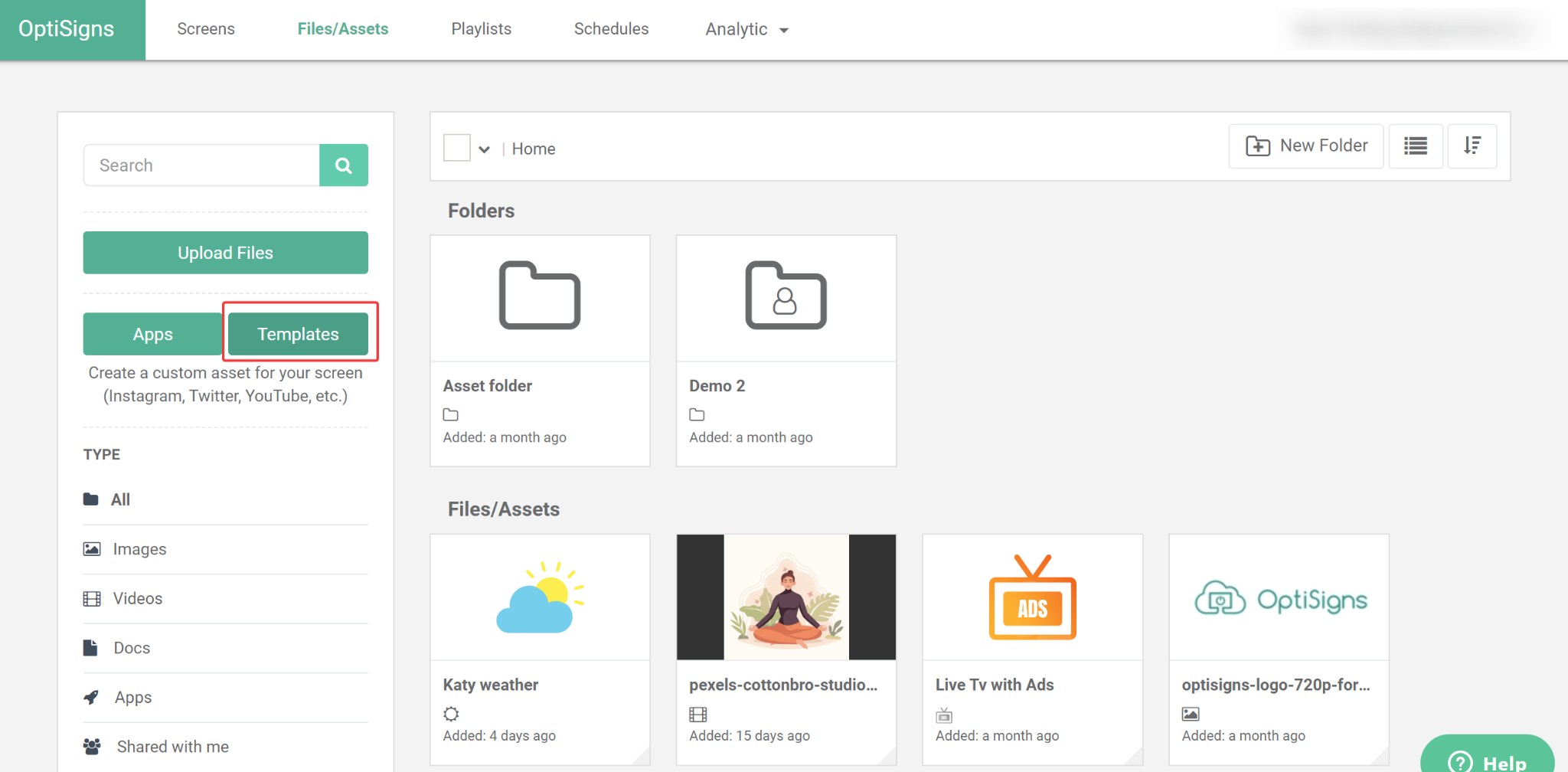
At its core, the software gives you the main pieces you would expect from a modern signage platform. You get cloud based content management, playlist scheduling, templates, integrations, remote publishing, and support for a broad range of hardware.
Key Features
- Support multiple hardware options: Let you run signage across a wide range of devices instead of forcing you into one hardware path.
- Manage content remotely: Let you control, update, and publish content to screens from one cloud based dashboard.
- Create content with templates: Help you build signage faster with ready made templates, stock assets, and drag and drop editing tools.
- Schedule playlists and screen content: Let you organise videos, images, messages, and other media into timed playlists.
What We Like About It
- Easy setup
- Remote screen management
- Broad hardware compatibility
- Strong app and integration library
- Flexible content scheduling
- Useful for straightforward signage rollouts
- Good review sentiment on usability and support
But…
Why Look for OptiSigns Alternatives?
Day-To-Day Content Updates Can Feel Too Manual
Setting things up is one thing. Maintaining it is another.
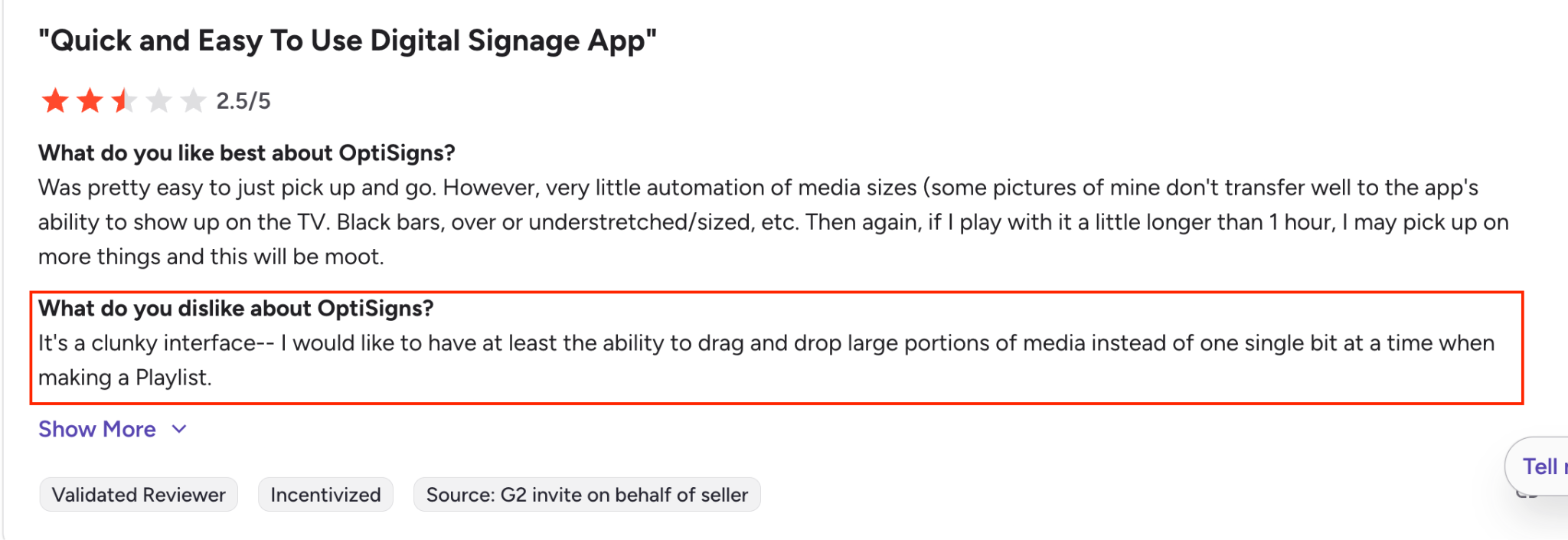
As content volume increases, updating playlists, pushing changes, and managing assets across screens can become repetitive. It is not that the platform cannot do it. It is that it does not always feel efficient when you are doing it every day.
Not Necessarily Built For Design-Heavy Workflows
OptiSigns is easy to work with when the goal is to get content on screen quickly.
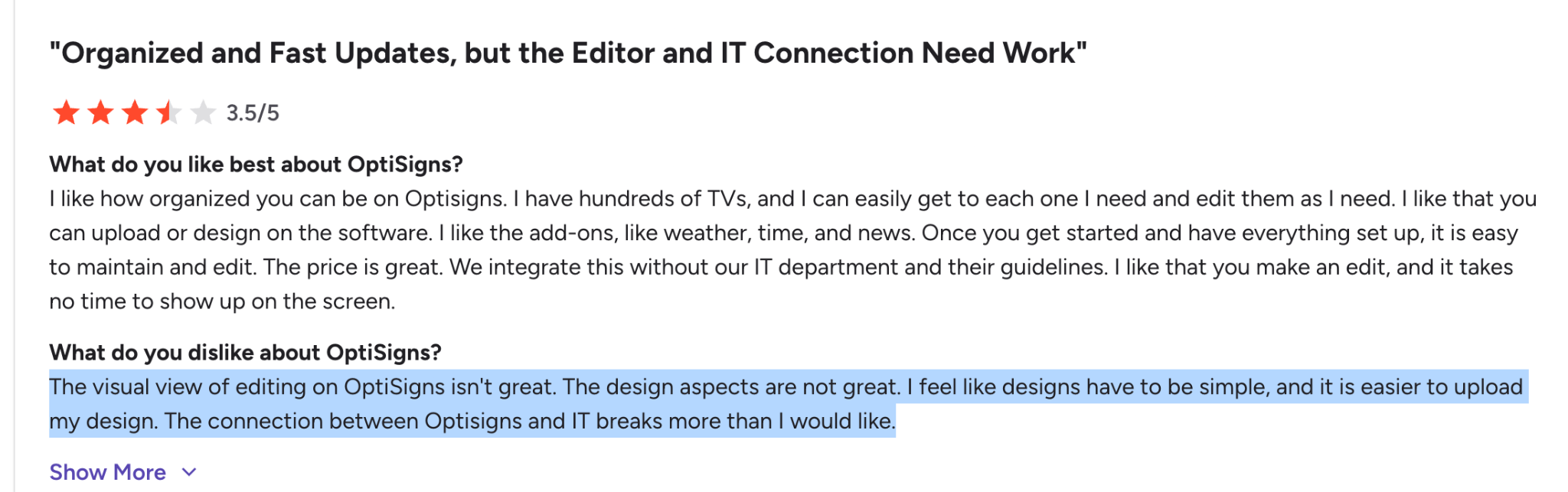
But if your team cares a lot about design quality, or wants to make more polished edits directly in the platform, it can feel a bit limiting. In practice, that often means creating assets elsewhere and using OptiSigns more as the place where content gets published.
That is not necessarily a problem for every team. But it is something people start noticing when visual standards are higher and the workflow needs to feel smoother day to day.
It Becomes Harder To Manage As The Setup Grows
Running a few screens is simple. Managing dozens across locations is not. At that point, the problem is no longer “how do we display content” but “how do we keep everything organized and consistent.”
Users often run into friction with playlists, asset organisation, and keeping messaging aligned across screens. It still works, but it starts taking more effort than it should.
8 Best OptiSigns Alternatives
|
# |
Tool |
Best For |
Key Strength |
Starting Price |
|
1 |
Rise Vision |
Industrial use cases and schools that want digital signage, screen sharing, and emergency alerts in one platform |
All-in-one platform with support for safety alerts, screen sharing, and content management |
$11/display/month |
|
2 |
ScreenCloud |
Businesses with scalable needs |
Seamless integration with over 80 apps, easy to use |
$20/screen/month |
|
3 |
Yodeck |
Small businesses, schools |
Low-cost, simple-to-deploy solution with free hardware |
$0 for 1 screen, $8/screen/month |
|
4 |
L Squared Hub |
Enterprises needing high security |
Full service with Microsoft integration and SOC 2 compliance |
$30/screen/month (Professional) |
|
5 |
NoviSign |
Small-to-medium-sized businesses |
Easy-to-use, template-based design for non-technical users |
$14/screen/month (Business) |
|
6 |
Skykit |
Large enterprises, real-time data needs |
Full-stack solution with Google integration and LTE-enabled hardware |
$16.50/screen/month (Base) |
|
7 |
Appspace |
Enterprises needing workplace management |
Combines digital signage with space booking and employee apps |
Custom pricing |
|
8 |
Mood Media |
Retail, hospitality, and entertainment |
Integrated AV, signage, and scent marketing for customer engagement |
Custom pricing |
Let’s now review a detailed breakdown of each tool, including its key features, pricing, and where it stands compared to OptiSigns.
1. Rise Vision
First on the list is Rise Vision (yeah, that’s us :))Rise Vision
Rise Vision is a cloud-based digital signage platform for organizations that need a better way to manage content across multiple screens. It is a strong choice for schools, industries, workplaces, and multi-site teams that want communication to stay clear, current, and consistent without creating more work behind the scenes.
More than 12,300 organizations across 100+ countries use Rise Vision for everything from announcements to dashboards to internal updates. And the results speak for themselves. For example:
- Louisiana-Pacific used Rise Vision to replace outdated bulletin boards with faster, more visible safety communication across a 24/7 manufacturing facility.
- A global distribution company rolled out Rise Vision across 40 screens in 35 US locations to manage safety, IT, and HR updates remotely.
It also fits into the tools your team already uses, which makes adoption easier from the start. You can pull in images, videos, webpages, live data, Google Slides, Google Sheets, Canva, and Power BI without rebuilding your whole content process around the platform.
That same idea carries through as your setup grows. Instead of updating screens one by one, you can group displays, set permissions, and manage content across locations from one system. So the workflow stays manageable, even when you have more screens, more teams, and more updates to handle.
And because Rise Vision includes wireless screen sharing and CAP-based emergency alerts, it can support more of your communication needs from the same place. That makes it easier to keep your screens useful, organized, and easier to manage over time.
Key Features
- Cloud-Based Digital Signage Management: Centralized dashboard to manage content and schedules across all screens in one or more locations.
- 750+ Templates and Built-In Design Tools: Pre-designed templates to help users create and update content quickly without design skills.
- Broad Integrations for Live Content: Seamlessly integrates with tools like Canva, Google Workspace, Microsoft 365, Power BI, and more for live content streaming.
- Wireless Screen Sharing: Enterprise and Unlimited plans support wireless sharing from devices to screens, enhancing collaboration.
- Emergency Alerts Support: Allows users to broadcast CAP-based emergency alerts to connected displays in real time.
- Flexible Device Support: Works across a wider range of desktop and mobile device types, with support for existing displays and optional dedicated hardware.
- Free Onboarding, Training, and Support: Includes documentation, videos, live online training, webinars, and technical support.
Pricing
Rise Vision offers transparent, tiered pricing depending on the organization’s needs, including educational, business, and government sectors.
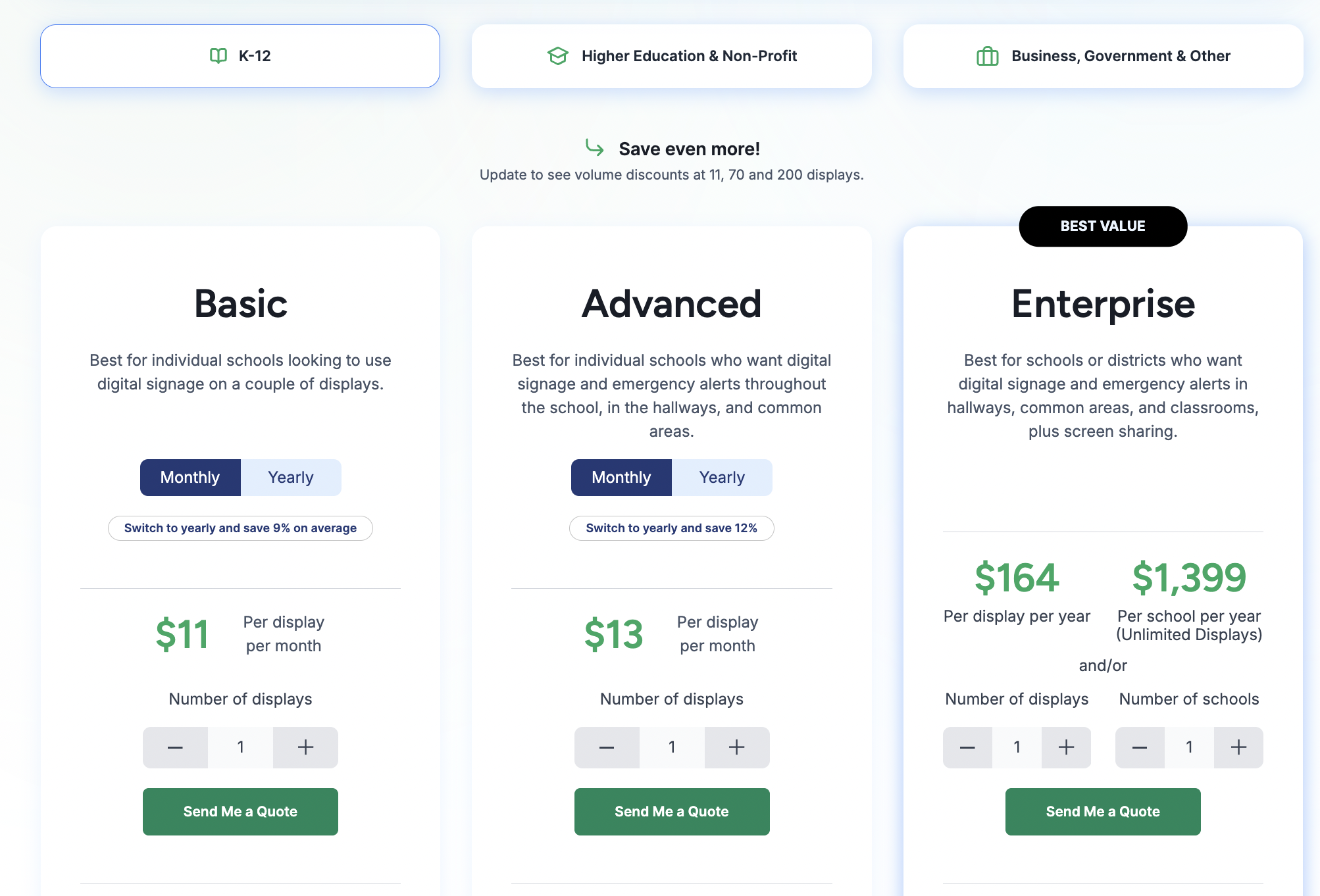
- Basic: $11 per display/month. Includes 750+ templates, unlimited storage, and core scheduling.
- Advanced: $13 per display/month. Adds emergency alerts, brand settings, and advanced integrations like Google/Microsoft calendars.
- Enterprise: $164 per display/year. Adds screen sharing, content approvals, and SSO.
- Unlimited: $1,399 per school/year. Includes unlimited displays for K-12 schools with Enterprise-level functionality.
Higher Education & Non-Profit
- Basic: $11 per display/month. Core signage and scheduling features.
- Advanced: $13 per display/month. Adds emergency alerts and company-wide scheduling overrides.
- Enterprise: $164 per display/year. Adds dashboards, authenticated web pages, screen sharing, approvals, SSO, and enterprise management.
Business, Government and Other
- Basic: $12 per display/month. Core signage, scheduling, storage, and user management features
- Advanced: $14 per display/month .Adds CAP-supported emergency alerts and social media integrations.
- Enterprise: $180 per display/year. Adds dashboards, authenticated web pages, screen sharing, approvals, SSO, and enterprise controls.
Add-ons
- Interactive Display License: $1,200 per display/year (requires an Advanced plan).
- Additional AI Credits: $300 per 600 credits/year for advanced content generation.
Pros
- Live training and onboarding resources are more extensive.
- Supports a broader mix of device types.
- Simple interface for non-technical users.
- Combines signage, screen sharing, and alerts in one platform.
- Works with existing hardware and flexible player options.
Cons
- Interactive features require a high-cost annual add-on licence.
2. ScreenCloud
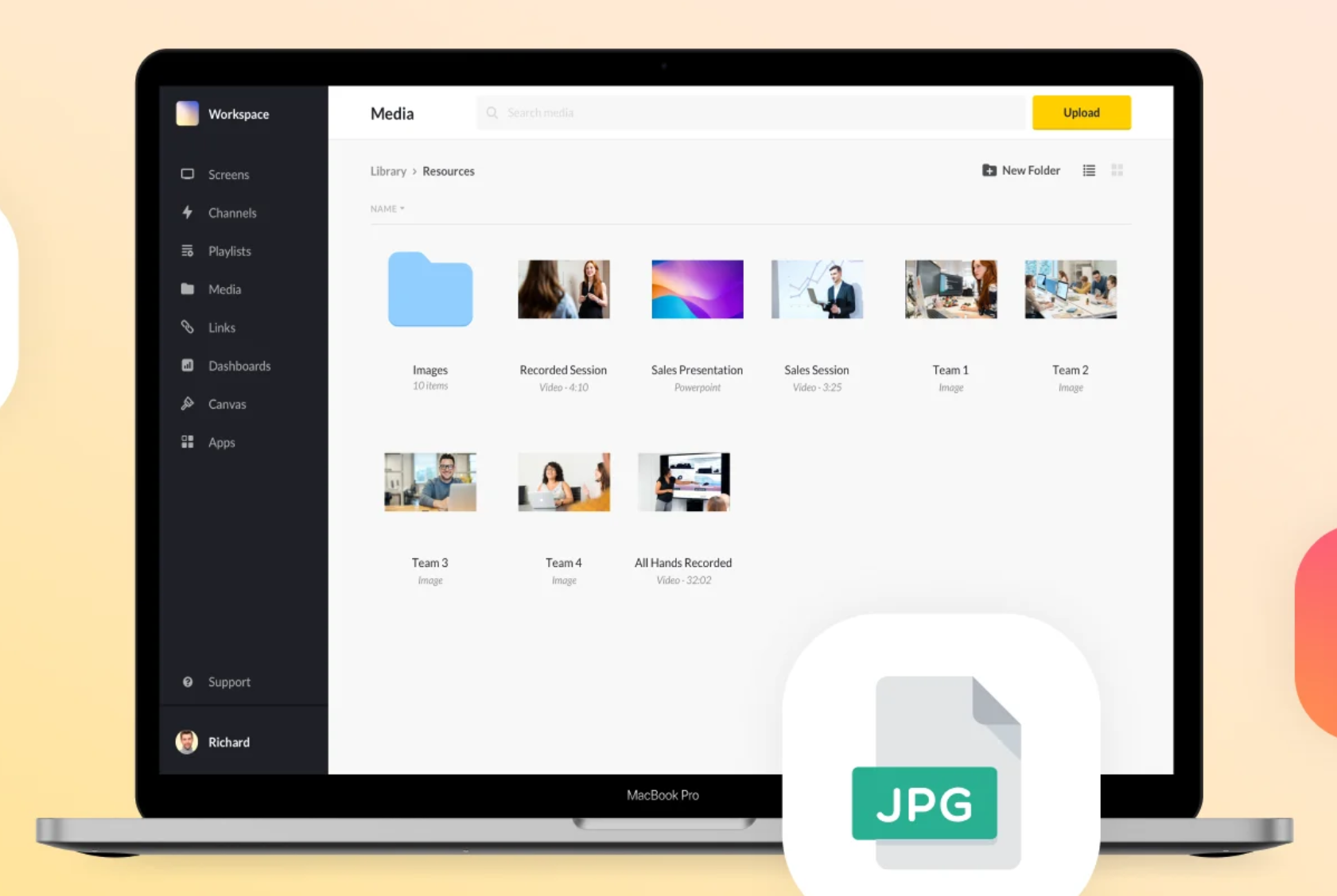
ScreenCloud is built for businesses that need cloud-based signage across multiple screens and locations. It stands out for broad app integrations and a platform that is relatively easy to manage, especially for teams that want centralized control without a heavy setup.
Key Features
- 80+ Free App Integrations: Supports live content integration from tools like Slack, Microsoft Teams, and Google Slides.
- Canvas Design Tool: A browser-based tool to create custom, branded posters and layouts easily.
- Emergency Casting: Broadcast critical safety alerts or live streams instantly to all screens.
- Centralized Screen Management: Remote management of screens across different locations from a single administrative portal.
- Enterprise Security: Secure access with Single Sign-On (SSO) and multi-factor authentication (MFA).
Pricing
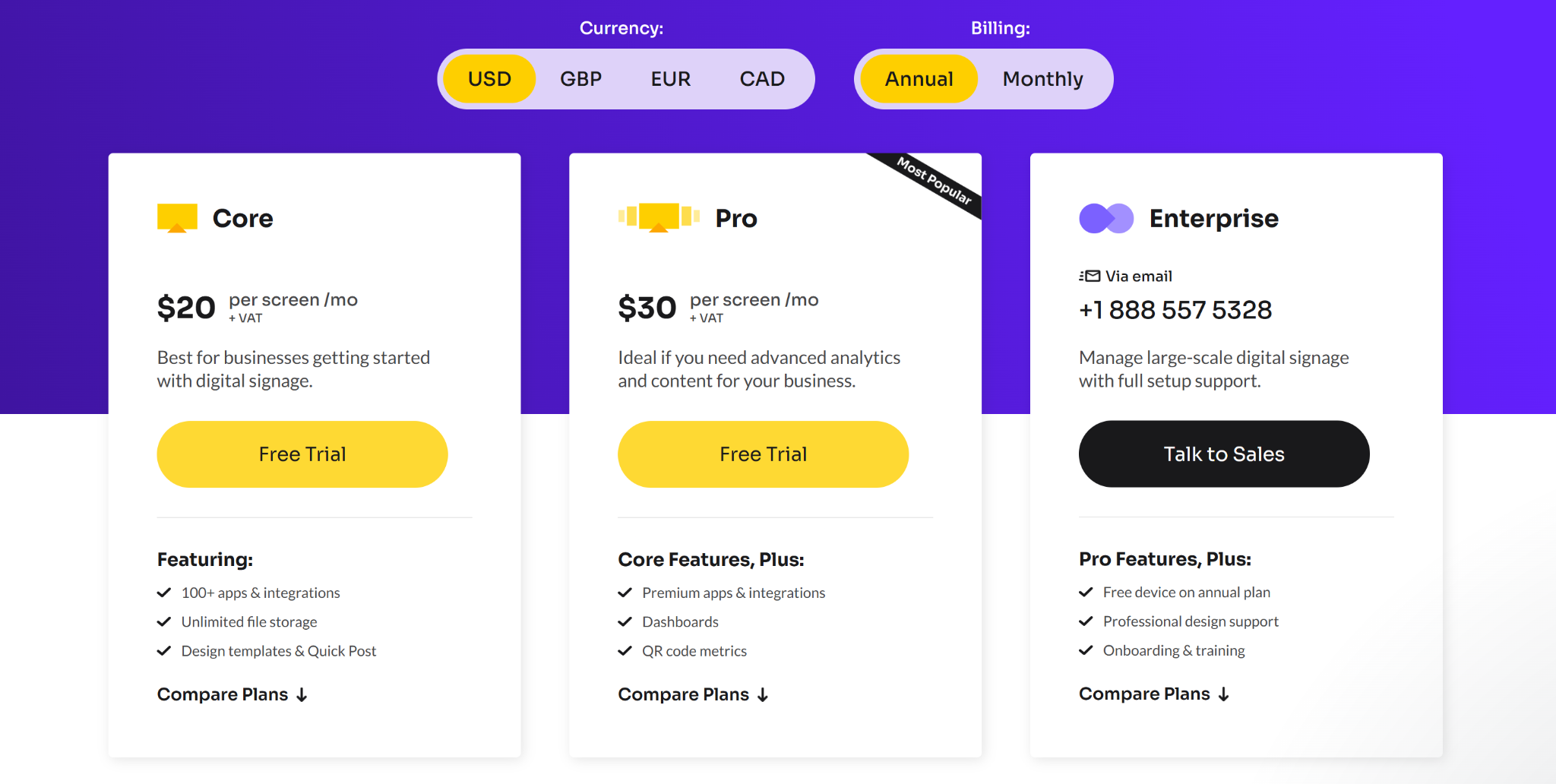
- Core: $20 per screen/month. Includes 100+ apps, unlimited storage, and basic design templates for digital signage.
- Pro: $30 per screen/month. Adds premium integrations, data dashboards, and QR code tracking for engagement metrics.
- Enterprise: Custom pricing via quote. Includes professional design support, dedicated onboarding, and free hardware on annual plans.
Pros
- Pairing new screens takes only seconds using simple activation codes.
- Content updates push instantly across all screens and various timezones.
- Boasts a 99.99% uptime SLA with offline playlist caching protection.
Cons
- Monthly per-screen pricing becomes expensive for large, multi-location deployments.
- Performance depends on stable internet; content may lag during network drops.
- Built-in templates can feel restrictive for users needing complex custom animations.
3. Yodeck
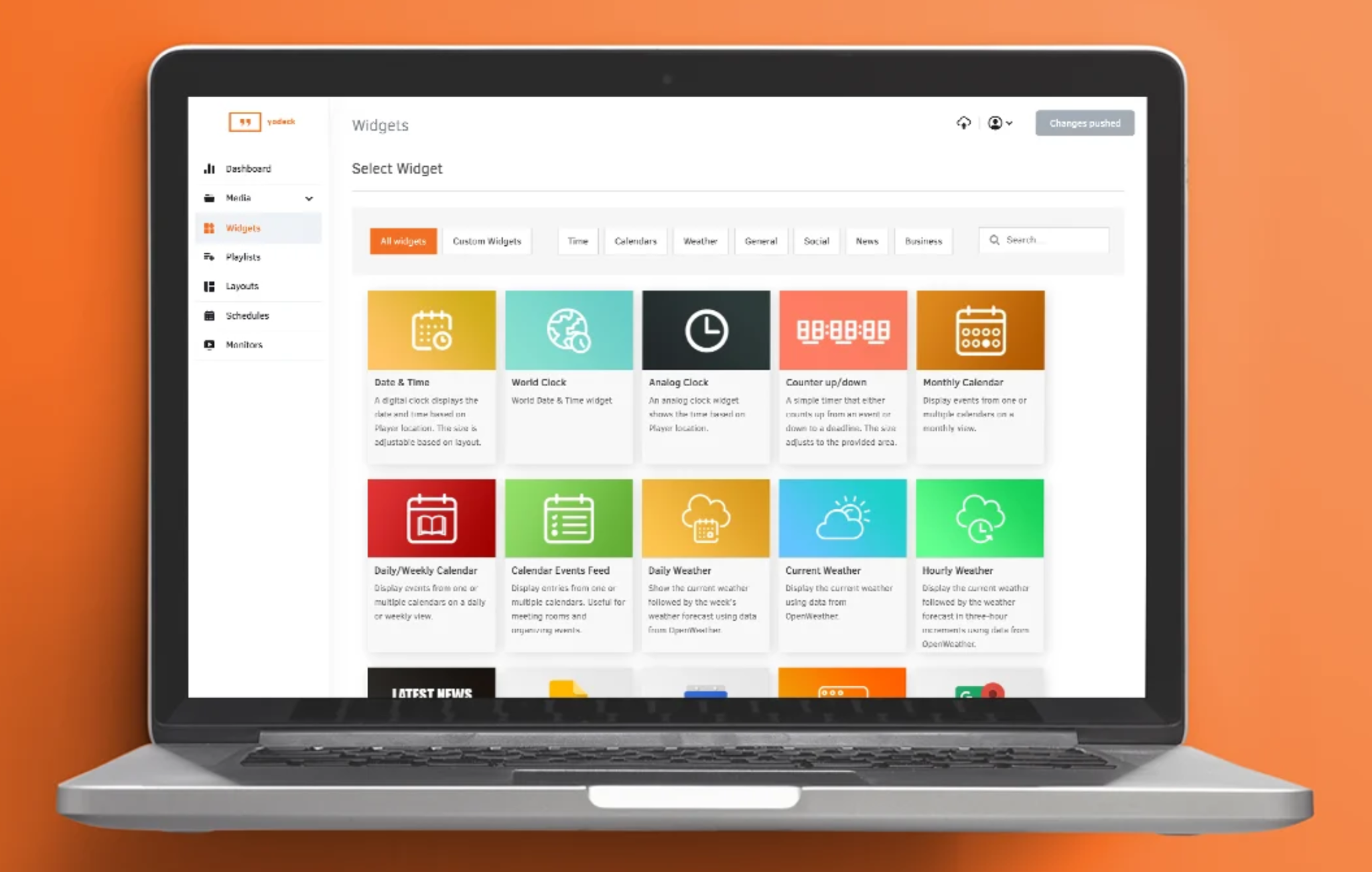
Yodeck is a good fit for small businesses and schools that want affordable digital signage with simple deployment. It offers core features such as scheduling, templates, and video walls at a lower price point than many enterprise-focused platforms.
Key Features
- Free Hardware Offer: Includes a Yodeck media player for free when committing to an annual subscription.
- One-Click Portrait Setup: Easy setup for vertical displays with a simple toggle.
- Remote Power Management: HDMI-CEC technology allows remote control of screen power, saving energy.
- Layout Zone Editor: Organize multiple content zones on a single screen for simultaneous media playback.
- Plug-and-Play Pairing: New screens can be connected quickly by entering a unique activation code.
Pricing
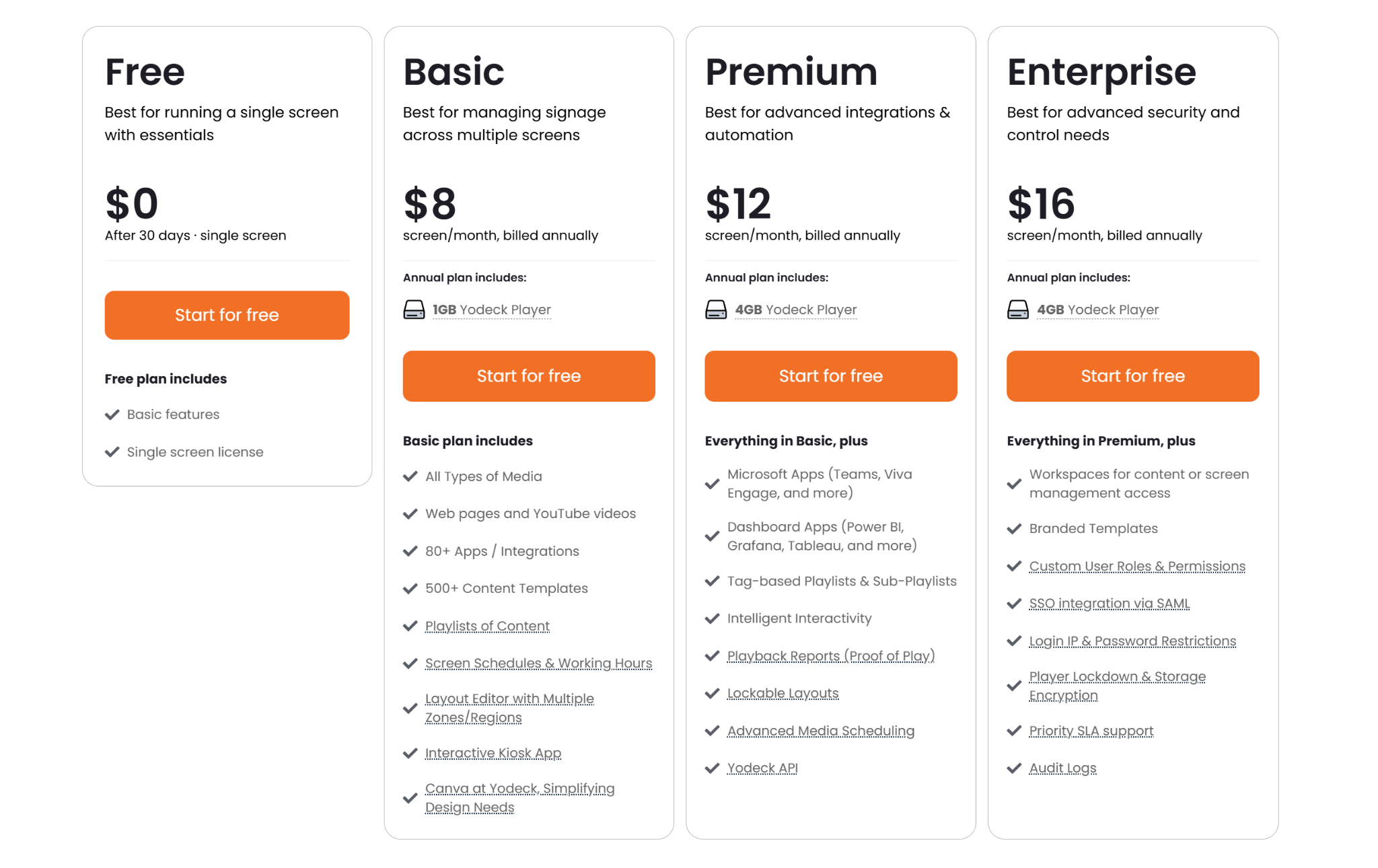
- Free: $0 for a single screen, includes basic features.
- Basic: $8/screen/month (billed annually), includes a free player and 500+ templates.
- Premium: $12/screen/month (billed annually), adds integrations with Microsoft Teams and Power BI.
- Enterprise: $16/screen/month (billed annually), includes SSO and advanced security features.
Pros
- Exceptional value with high-end features at a low price.
- Built on stable Raspberry Pi hardware for long-term reliability.
- Unlimited storage and bandwidth included with all paid plans.
Cons
- Free players are only owned after one year of continuous service.
- Advanced security and custom roles are locked behind the Enterprise tier.
- Layout editor is basic and requires external tools for complex designs.
4. L Squared Hub
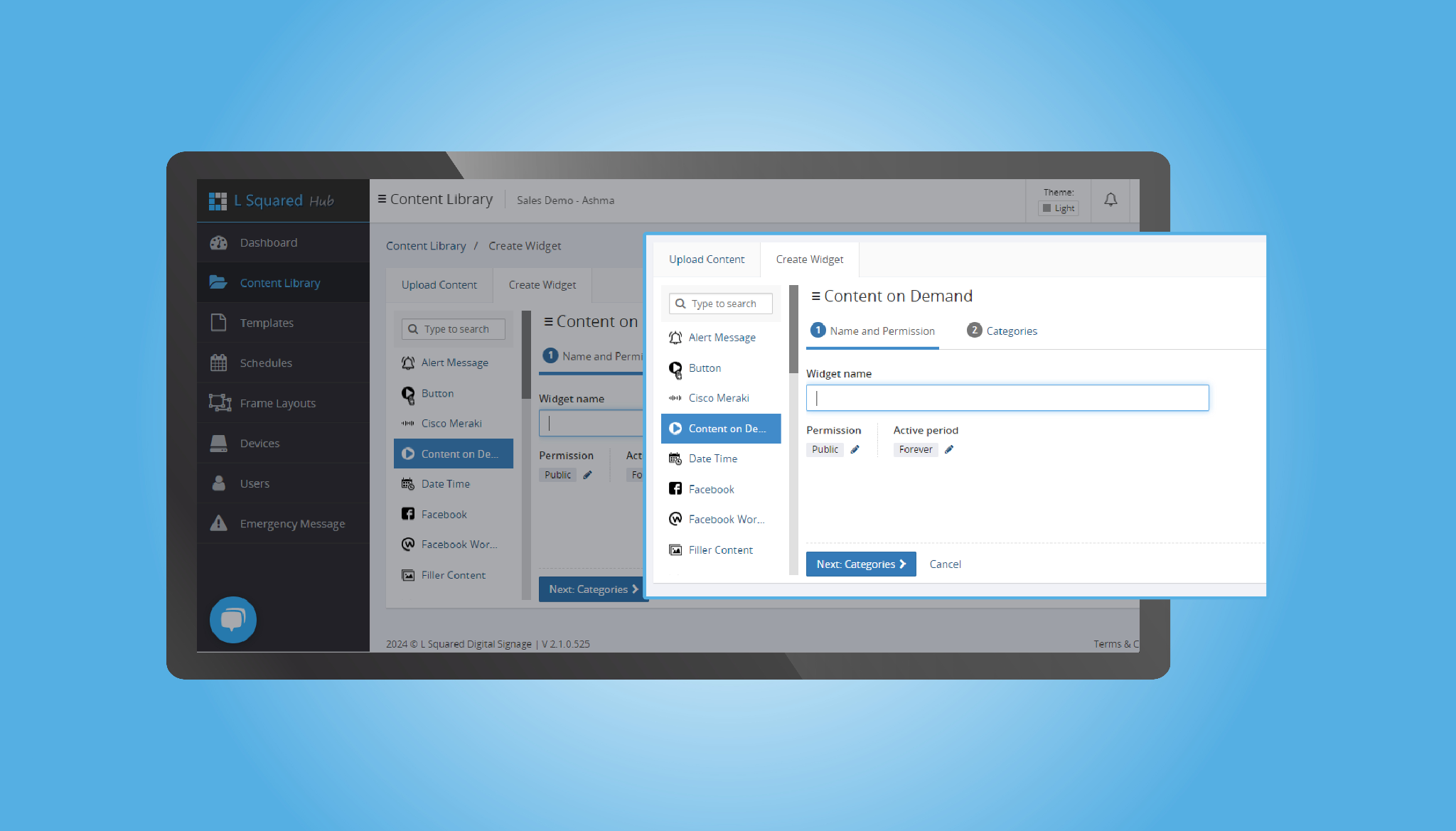
L Squared Hub is built for complex, multi-location environments that need high security and strong Microsoft integration. It combines digital signage software with managed services such as hardware procurement, deployment, and monitoring.
Key Features
- Microsoft Office Plugins: Direct integration with Microsoft PowerPoint and Power BI to streamline content creation.
- SOC 2 Security Compliance: Ensures high standards of security to protect corporate data and networks.
- Offline Playback Protection: Caching ensures that content plays even without internet connectivity.
- Content on Demand: Trigger specific content, like training videos, remotely or via touchscreen.
- Zero-Touch Management: Deploy and update screens across global locations without on-site visits, from one dashboard.
Pricing
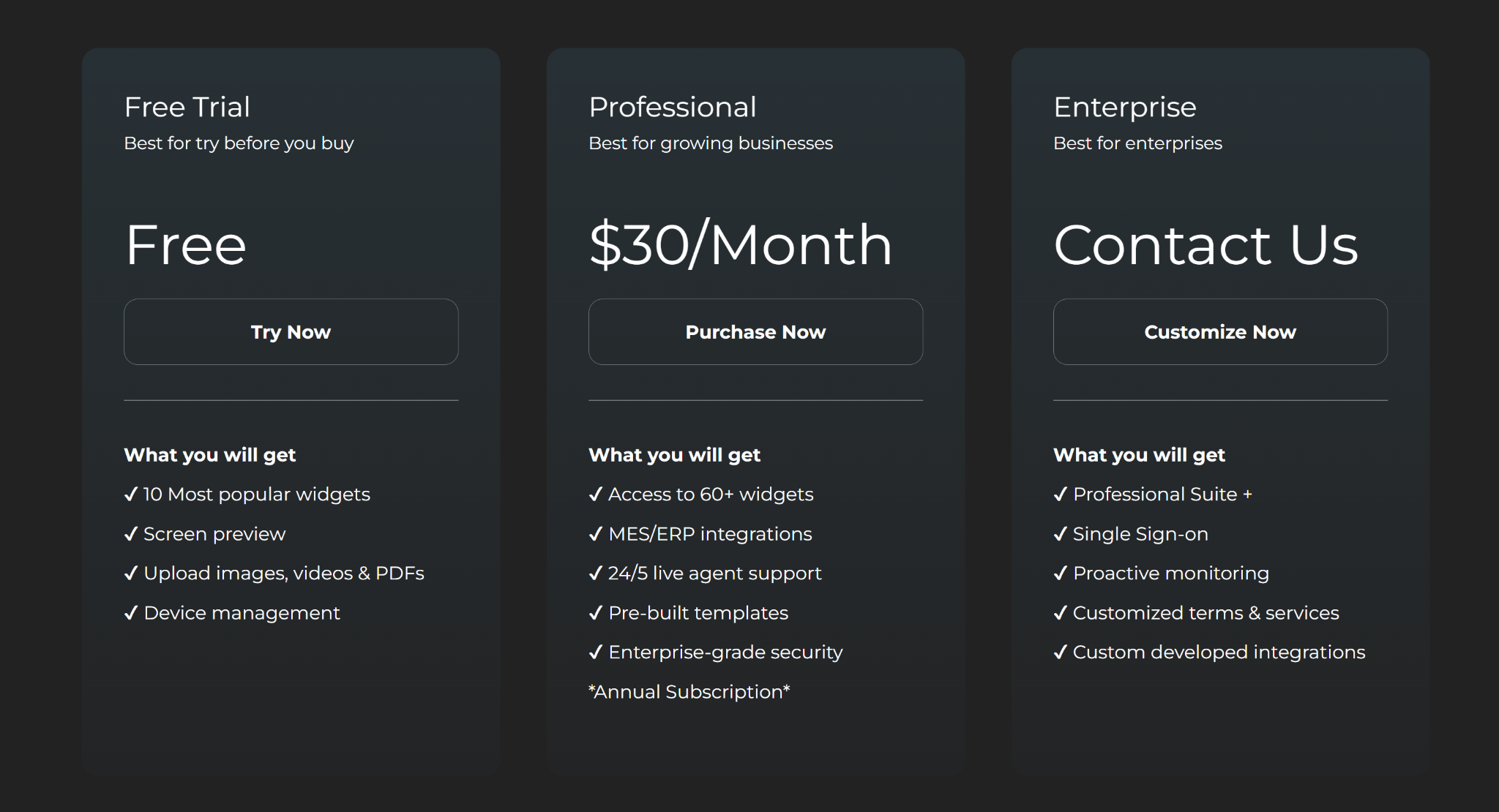
- Free Trial: $0 to test basic screen preview and popular widgets.
- Professional: $30/screen/month (annual) with 60+ widgets, ERP integrations, and 24/5 support.
- Enterprise
- Business: $14 per screen/month (annual). Includes drag-and-drop editor, 500+ templates, and scheduling tools.
Pros
- Direct integration with Microsoft tools like Power BI and PowerPoint.
- Turnkey service includes hardware installation and full support.
- Highly responsive, 24/5 customer support for proactive issue resolution.
Cons
- Higher starting price compared to budget digital signage platforms.
- Interface has a steeper learning curve than simpler competitors.
- Standard support is limited to business hours, excluding weekends.
5. NoviSign
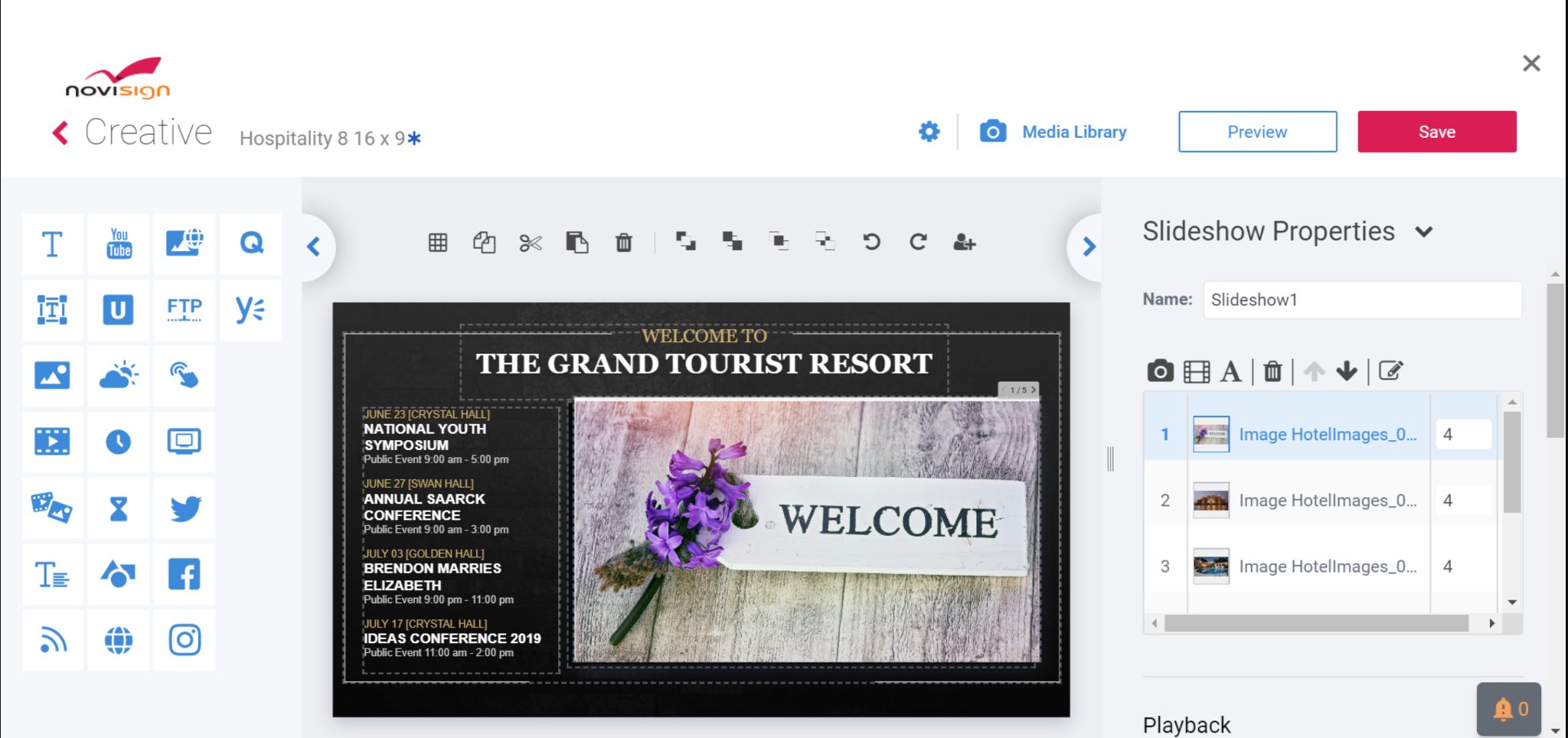
NoviSign is a digital signage platform built around template-driven content creation. Its drag-and-drop editor and broad hardware support make it a practical option for small and mid-sized teams, especially in retail, healthcare, and education.
Key Features
- Online Studio Editor: Drag-and-drop design suite with over 200 templates for rapid deployment across industries.
- Rich Widget Library: Includes over 20 widgets for streaming YouTube, displaying weather feeds, and live social media updates.
- Interactive Engagement Tools: Supports touch-screen directories, QR codes, and polls to foster customer interaction.
- Proof-of-Play Reports: Tracks content playback with detailed analytics, showing views and screen status.
- Hybrid Offline Playback: Ensures content continues to display offline by caching content on the player during internet outages.
Pricing
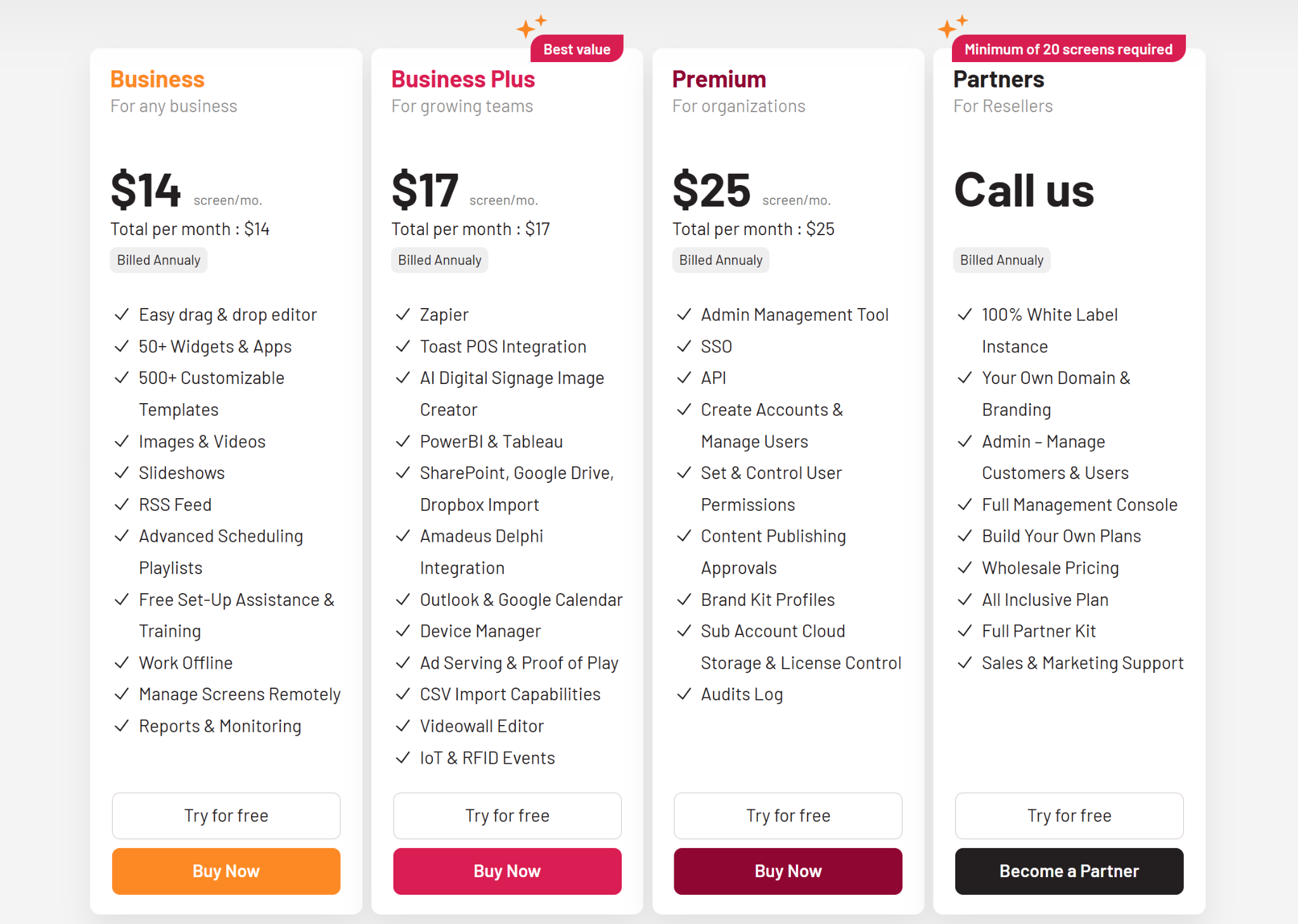
- Business: $14 per screen/month (annual). Includes drag-and-drop editor, 500+ templates, and scheduling tools.
- Business Plus: $17 per screen/month (annual). Adds AI-driven content creation, Power BI integrations, and advanced device management.
- Premium: $25 per screen/month (annual). Includes advanced administrative management, SSO, and content publishing approvals.
Pros
- Intuitive interface for easy content creation without graphic design expertise.
- Broad hardware support, including Amazon Fire TV, Android, and ChromeOS.
- Highly responsive customer support with comprehensive training videos.
Cons
- Backend interface can feel sluggish compared to newer platforms.
- Design discrepancies may occur between the editor and physical screens.
- Base plan pricing can be more expensive than budget-focused options.
6. Skykit
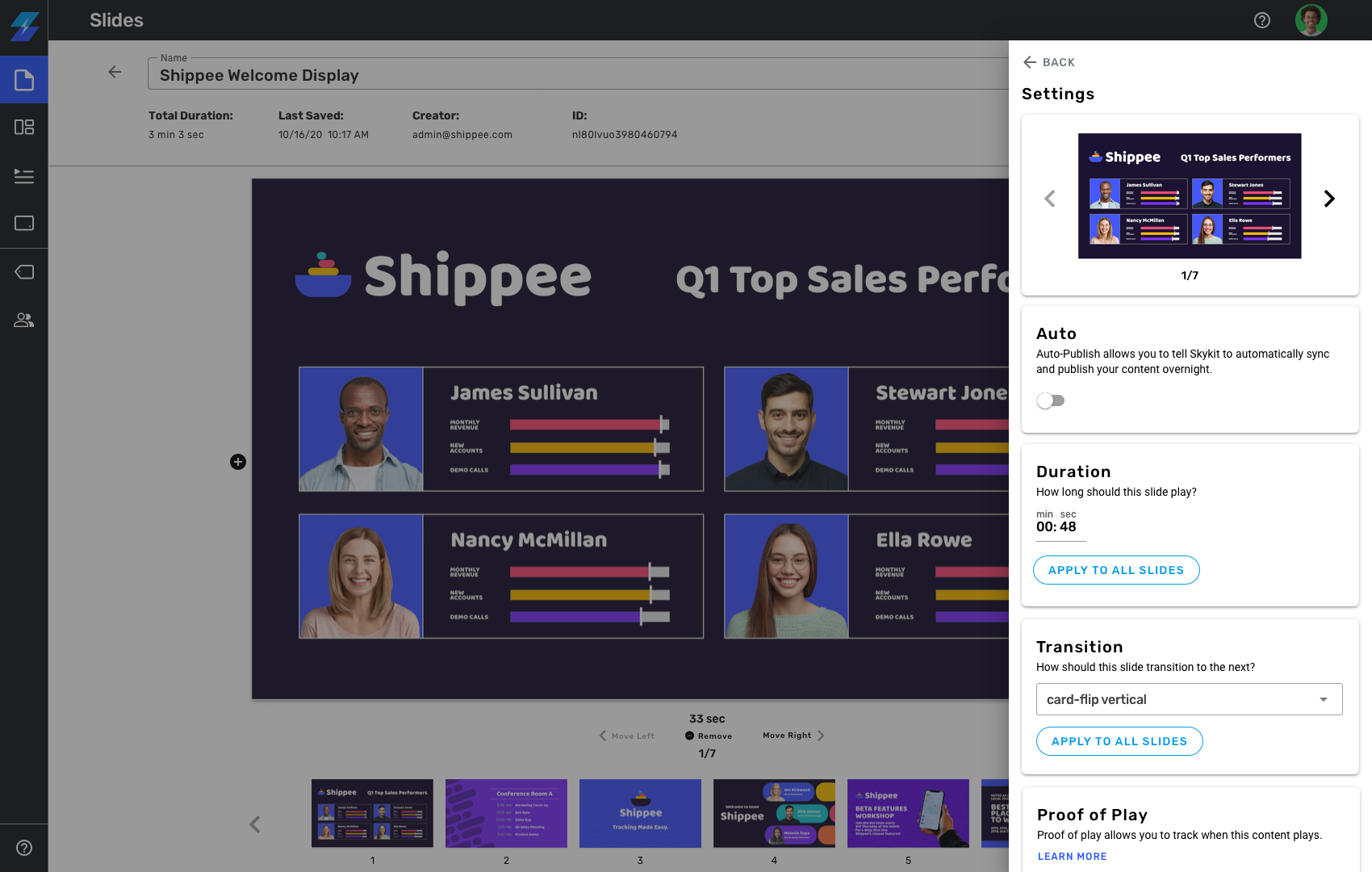
Skykit is built for businesses that need deeper control over hardware, playback, and live data integrations. It is best suited for enterprises managing large networks of screens across diverse environments like retail, manufacturing, and corporate offices.
Key Features
- Full-Stack Control: Proprietary hardware and software integration reduce crashes and enable deep troubleshooting.
- Skykit Beam (CMS): A cloud-based system for uploading media, creating playlists, and scheduling content seamlessly.
- Skykit Control (MDM): A tool for remote device management, enabling updates and troubleshooting without physical access.
- Native Google Integration: Google Slides and Power BI sync instantly with displays, ideal for Google users.
- LTE-Enabled Hardware: Supports media players with cellular connectivity, making it ideal for locations with unreliable Wi-Fi.
Pricing
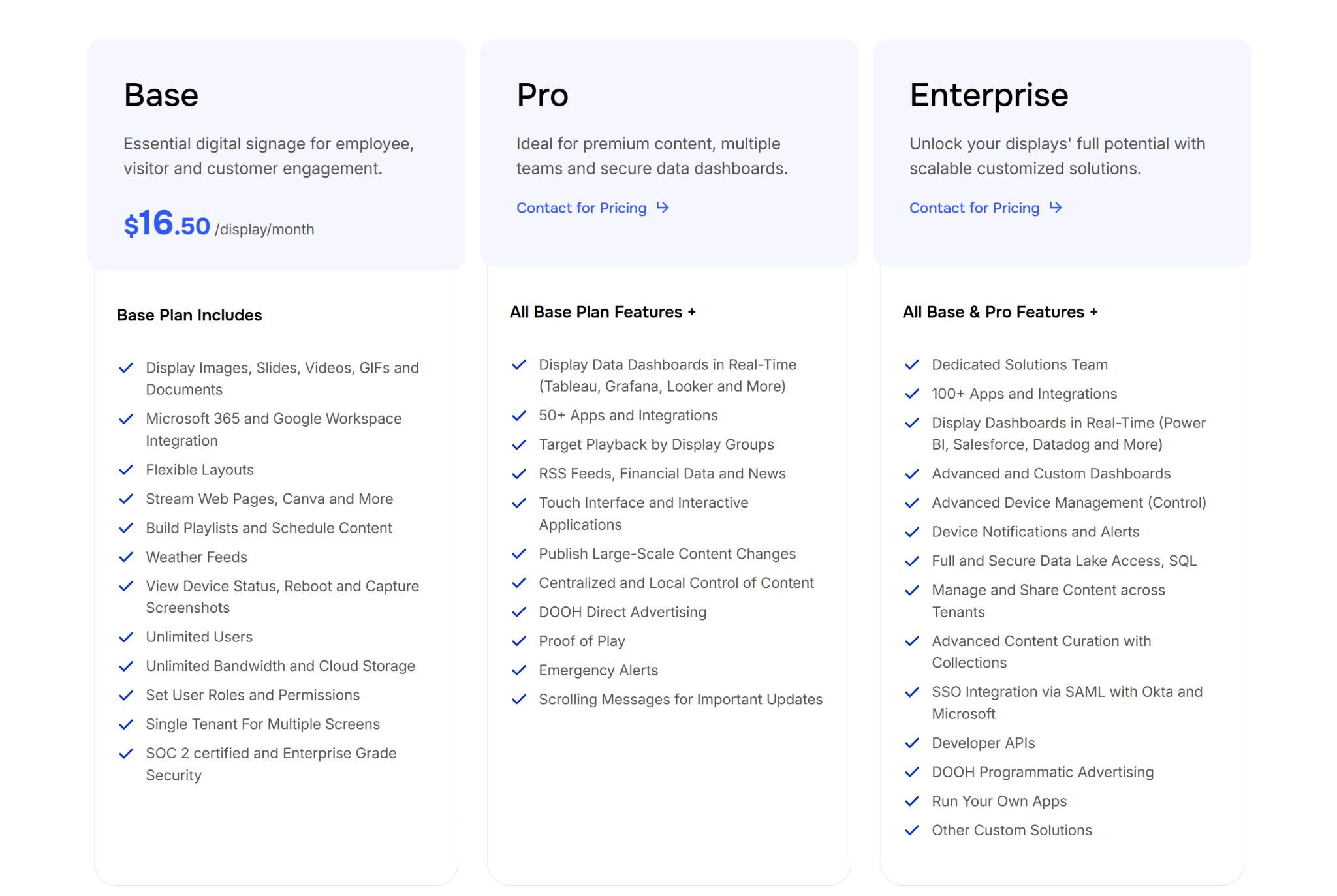
- Base: $16.50 per display/month. Includes Google/Microsoft integration, unlimited storage, and basic device monitoring.
- Pro: Contact for pricing. Includes real-time data dashboards (Tableau/Looker), emergency alerts, and proof-of-play reporting.
- Enterprise: Contact for pricing. Includes 100+ app integrations, SSO, and developer APIs for tailored solutions.
Pros
- Locked hardware and software reduce crashes and security risks significantly.
- Native support for Google Slides simplifies content for existing users.
- LTE-enabled players provide connectivity in areas with poor Wi-Fi signals.
Cons
- The interface has a steep learning curve and requires additional training.
- Higher total cost, particularly due to proprietary enterprise hardware.
- Bulk scheduling content for multiple screens can be time-consuming.
7. Appspace
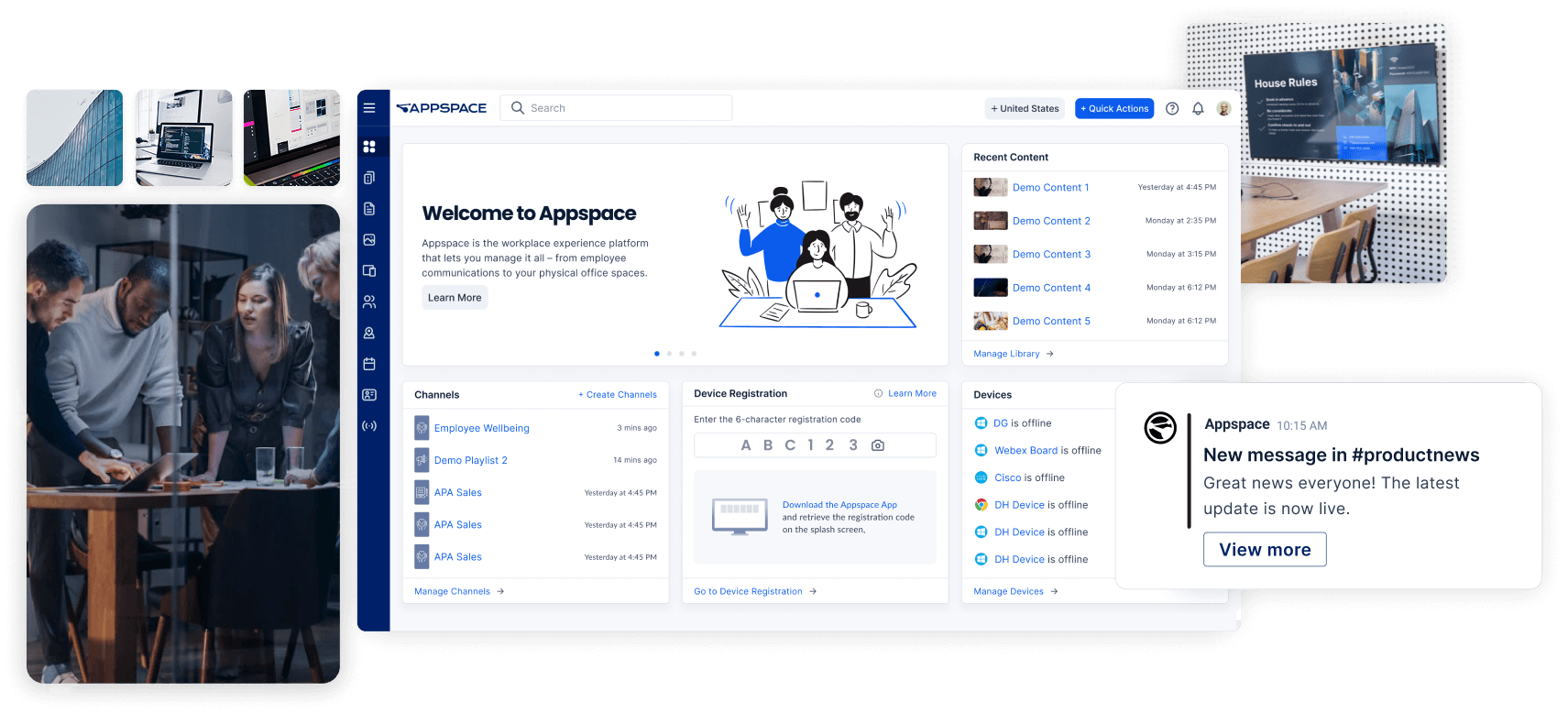
Appspace is an enterprise workplace platform built for internal communication, room booking, and employee messaging. It pushes content across screens, mobile devices, and intranets, which makes it a strong fit for corporate environments managing more than signage alone.
Key Features
- Appspace Orchestration: Unifies content across all channels, integrating with SharePoint, Teams, and other platforms.
- Space Reservation: An interactive interface for employees to book desks or meeting rooms directly from screens.
- Appspace Intelligence: AI-driven features for content writing, translations, and real-time engagement insights.
- Cards (Templates): Pre-designed templates for news, weather, and social media, ideal for non-designers.
- Cisco & Microsoft Integrations: Seamless integration with Microsoft 365 and Cisco Webex devices for efficient communication.
Pricing
Appspace uses custom pricing based on the products, user count, and workplace modules your organization needs.
Pros
- All-in-one platform for signage, desk booking, and internal communications.
- High-quality templates keep content professional and on-brand.
- Scalable for large companies with thousands of endpoints.
Cons
- Pricing details are not transparent.
- Initial configuration can be overwhelming compared to simpler systems.
- The admin dashboard has a steep learning curve due to feature volume.
8. Mood Media
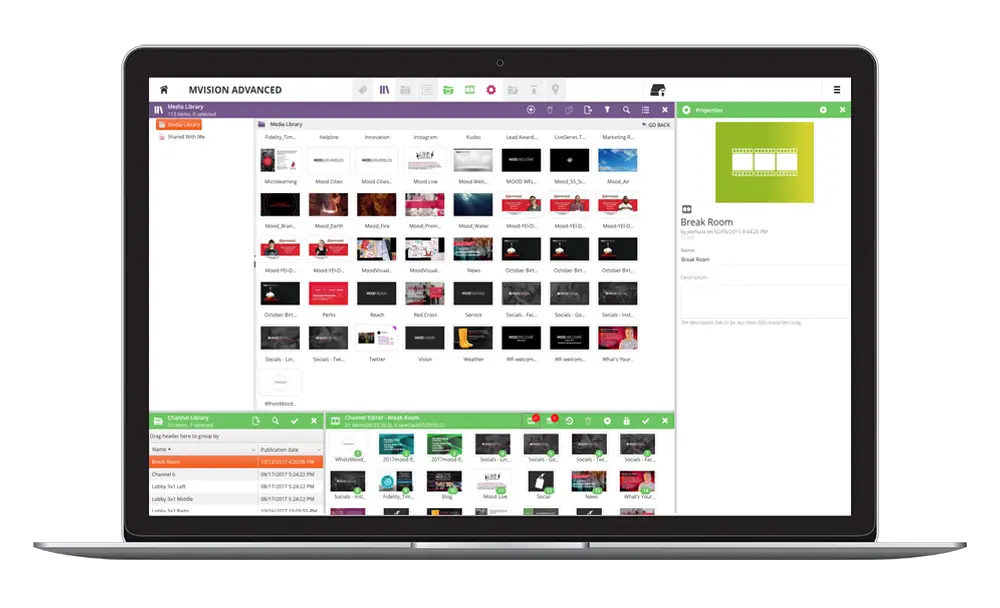
Mood Media is a managed digital signage and in-store media provider for retail, hospitality, and entertainment environments. It combines digital signage, music, scent marketing, and AV services for brands that want a more fully managed customer-facing experience.
Key Features
- Mood Harmony (CMS): A centralized system to control music, messaging, and digital signage from one platform.
- Mood TV: Integrates TV programming with branded ads to engage customers while promoting products.
- POS System Integration: Syncs digital menu boards with POS for real-time updates on prices and menu items.
- Curated Music Solutions: Provides playlists designed to influence shopping behavior based on in-store ambiance.
- Managed AV Services: Includes professional installation and ongoing maintenance for optimal display performance.
Pricing
- Custom Pricing: Mood Media offers tailored solutions with pricing based on locations and the specific services required.
- Full Managed Service: Includes hardware procurement, installation, and custom content strategy, with long-term contracts.
- Standard License: Typically based on locations, with commercial rights-cleared content and 24/5 support.
Pros
- End-to-end service, including hardware installation and content management.
- Rights-cleared content ensures legal compliance with music and visuals.
- Content designed to optimize customer engagement based on psychological triggers
Cons
- Premium pricing, particularly with long-term contracts and ongoing service fees.
- Making small, DIY changes can be bureaucratic due to agency structure.
- Proprietary hardware can be difficult to repurpose with other providers.
How We Evaluated OptiSigns Alternatives
We reviewed these digital signage platforms based on the areas that affect setup, content updates, support, and long-term usability for schools, workplaces, and multi-site organisations.
Our assessment focused on the practical needs of teams that manage screens across multiple buildings or departments. We prioritized platforms that reduce technical bottlenecks, support non-technical users, and make it easier to manage content, hardware, and user access from one place.
How To Choose The Best Digital Signage Platform
Choosing the right digital signage platform starts with the basics. It should fit your hardware, support the way your team works, and stay manageable as your screen network grows.
- Hardware compatibility: Prioritize platforms that work with common operating systems and your existing display hardware to reduce switching costs.
- Support reliability: Review how vendors handle onboarding, troubleshooting, and response times when issues affect live screens.
- Non-technical usability: Look for tools that let staff create, schedule, and update content without complex workflows.
- Safety and alert tools: Check whether the platform supports emergency overrides or alert workflows for time-sensitive communication.
- Total cost of ownership: Consider licence pricing, hardware needs, and the cost of key add-ons as your deployment grows.
Centralize Your Communication With A Platform Built For Reliability
The right platform should make digital signage easier to manage across all your screens, users, and locations. That includes clear pricing, flexible hardware support, and tools your team can use without adding unnecessary technical work.
Rise Vision offers a practical path forward for teams needing a stable, all-in-one solution that pairs simple content management with integrated safety alerts. It is especially relevant for schools, workplaces, and multi-site teams that want simpler content management and support that stays close to day-to-day needs.
Frequently Asked Questions
What Is The Alternative To OptiSigns?
While there are several options on the market, the best alternative depends on your organizational needs. Rise Vision is a top choice for schools and industrial sites due to its all-in-one platform and fast support. Other notable competitors include ScreenCloud for corporate integrations and Yodeck for small-scale, low-cost deployments.
How Long Does It Take To Get Started With Rise Vision?
You can get up and running in minutes. Rise Vision offers self-guided onboarding for smaller teams with in-app resources and weekly training webinars. For larger enterprise accounts, we provide personalized implementation, including hardware rollout assistance, branding setup, and IT training to ensure a smooth deployment across all locations.
When Should You Switch From OptiSigns?
You should start considering alternatives when managing screens becomes messy. That usually means you are handling multiple locations, struggling with consistency, or spending too much time on manual updates. That is the point where more structured platforms make a difference.
Is Rise Vision Better Than OptiSigns?
It depends on your use case. OptiSigns is easier to get started with. Rise Vision is stronger when you need to scale, manage multiple locations, and handle communication in a more structured way. It is less about “better” and more about fit.
Can I Use My Existing Hardware With Rise Vision?
Yes. Rise Vision is hardware-agnostic and designed to run on almost any device you already own, including Chrome OS, Windows, Linux, and smart TVs. This allows organizations to modernize their communication without the heavy upfront cost of purchasing proprietary media players or displays.
What Is The Best Digital Signage Software?
The best software is the one that your team can actually use without constant IT help. For organizations prioritizing reliability and safety, a platform that combines signage, screen sharing, and emergency alerts is ideal. Look for a provider with a high customer satisfaction rating and a guaranteed support response time to ensure long-term success.
More From Our Blog
-

Digital Signage Remote Management: How to Run Every Screen From One Place
Digital signage remote management lets you control screens, schedules, and display health from an online platform. To get started, choose a hardware-agnostic platform, connect your media players or[…]
Read More -
ScreenBeam Review 2026: Features, Pricing, and Limitations
ScreenBeam sells wireless display receivers that let people cast to a screen from any device without an app. You need one receiver per display, and they run from $299.99 to $1,199.99. Cloud-based[…]
Read More -

Interactive Touch Screen Digital Signage: How It Works and What You Need
Interactive touch screen digital signage lets viewers tap a display to find what they need. It pairs a commercial touch display with content software. Common uses include wayfinding, visitor[…]
Read More
12,300+ Organizations Trust Rise Vision, You Can Too
































Schedule a Free Demo
You deserve the #1 all-in-one platform for digital signage, screen sharing, and emergency alerts.





