

Meeting rooms have a persistent communication problem. Screens that show nothing useful, rooms that appear available when they're already booked, schedules that live somewhere no one remembers to check. Digital signage fixes all of that, but the platform has to fit the workflow. If it requires IT involvement every time someone needs to update a display, it creates more friction than it removes.
Rise Vision is the platform that handles this best for schools, universities, and corporate offices. Calendar integration, remote management across multiple rooms or buildings, and built-in screen sharing for presentations are all native to the platform. More on that below.
This list also covers other platforms worth knowing about, ranked by how well they handle the core workload: scheduling visibility, content updates, and keeping displays current without a dedicated admin on every floor.
What to Look for Before Picking a Platform

Calendar integration matters more than anything else here. If a platform can't pull live data from Google Calendar or Microsoft Outlook, you're back to manual updates, which defeats the point. Remote management is the other big consideration, especially across multiple rooms, floors, or campuses. Hardware flexibility is worth checking upfront too, particularly for digital signage for business setups: some platforms are tied to specific devices, others work with what you already have.
The Best Digital Signage Platforms for Meeting Rooms
Not every platform on this list will fit your situation. The right pick depends on how many rooms you're managing, what calendar platform your organization already uses, and whether you need screen sharing built in or can live without it. That said, one option here handles all three better than the others, which is why it's first.
1. Rise Vision
Rise Vision connects with Google Workspace and Microsoft Outlook, so meeting room displays pull live calendar data and show current bookings, upcoming reservations, and room status without manual input. That alone handles the biggest friction point in most meeting room setups.
The remote management side is what makes it practical at scale. You can manage displays across multiple rooms, buildings, or campuses from one account and push content updates without touching individual screens. The 750+ templates, and the AI presentation design and editing tool means you're not building room display layouts from scratch, and the screen sharing feature lets presenters share content wirelessly to the room display during meetings. Standard Mode and Moderator Mode give admins control over who can share and how, which matters in larger organizations with different needs by department or building.
Gary Lambert, an IT administrator at a K-12 district, put it plainly: "Rise Vision exceeded my expectations. The templates are professional, the centralized management saves time, and the support is outstanding."
Pricing starts at around $11 per display per month, with discounts available for schools and non-profits. The platform works with a range of media players and displays, including hardware you may already have on-site.
2. ScreenCloud
ScreenCloud is a cloud-based platform with a broad app marketplace that includes Google and Outlook calendar integrations. It works across a range of hardware and has a clean content management interface. The per-screen pricing can add up faster than some alternatives as you scale, and organizations that also need built-in screen sharing for presentations will likely need a separate tool for that.
3. Appspace
Appspace sits closer to the enterprise workplace communications category, with meeting room displays as one piece of a broader internal communications platform. If your organization is already running Appspace for employee communications, adding meeting room display management is a natural extension. As a standalone meeting room tool for a smaller organization, though, the setup complexity and pricing structure may be more than the job actually requires.
4. Yodeck
Yodeck is a budget-focused platform built around Raspberry Pi media players. The entry price is low, and for small offices running a single room or two with basic scheduling needs, it does the job. Calendar integrations are available but less deep than some other platforms on this list. Organizations running more complex scheduling across multiple rooms, or those that need more content flexibility, may find they outgrow it faster than expected.
5. Zoom Rooms and Microsoft Teams Rooms Displays
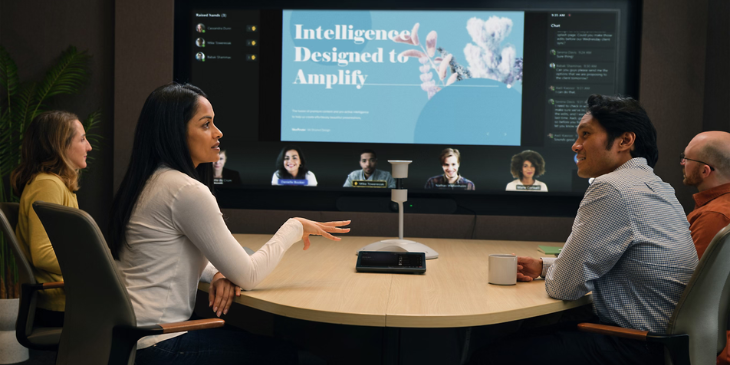
These come up often in meeting room conversations, so they're worth addressing. Both offer room availability displays tied to their respective platforms, which works if your organization runs entirely in one of those tools. But they're primarily video conferencing platforms, not digital signage platforms. For organizations that need broader content control, multi-zone layouts, or screen content beyond conference room status, they weren't built for that job.
Frequently Asked Questions
What is meeting room digital signage?
Meeting room digital signage refers to screens placed outside or inside conference rooms that display room availability, current bookings, upcoming reservations, or other relevant content. Most platforms connect directly to calendar integrations and update content automatically, so the information stays accurate without anyone manually changing it.
Does meeting room digital signage require special hardware?
Not always. Many platforms work with standard commercial displays and a variety of media players, and some support Android or Chrome-based devices you may already have. Hardware requirements vary by platform, so checking compatibility before purchasing saves headaches later.
Can digital signage integrate with Google Calendar or Microsoft 365?
Most modern platforms offer some level of calendar integration. The depth varies: some pull live room booking data automatically, others require more configuration per display. If calendar integration is central to how your organization manages rooms, it's worth confirming exactly how a platform handles it before committing.
How many screens do I need for meeting room signage?
The typical setup is one screen per room, mounted outside the door showing room status. Some organizations add another screen inside the room for agenda display or content during meetings. Larger buildings sometimes include lobby or hallway screens showing a directory of room availability across a full floor or campus.
Is meeting room digital signage difficult to manage ongoing?
With the right platform, not particularly. The bulk of the setup work is getting calendar integration configured correctly upfront. Once that's done, scheduling content updates automatically. Ongoing maintenance is mostly managing non-scheduling content, which most platforms handle through a web-based dashboard you can access from anywhere. If you're unsure whether a platform fits your workflow, starting with free digital signage lets you test the setup before committing to a full rollout.
What's the difference between room booking systems and meeting room digital signage?
Room booking systems handle the reservation logic: who has the room, when, and for how long. Meeting room digital signage displays that information on screens. Some digital signage platforms integrate directly with booking systems; others pull from calendar platforms like Google or Microsoft. The two categories overlap in function but serve different primary purposes, and some organizations run both.
More From Our Blog
-
Yodeck vs ScreenCloud vs Rise Vision (2026 Comparison)
Yodeck is the cheapest way to run a few screens. ScreenCloud is the polished corporate pick. Rise Vision combines digital signage, screen sharing, and emergency alerts in one platform, and it's the[…]
Read More -
The Best Chrome Sign Builder Alternatives for Schools in 2026 (Free and Paid Options)
Google stopped supporting Chrome Sign Builder in kiosk mode after ChromeOS 150 in July 2026. So you'll need a replacement for any screen that's still running it. For schools that want to keep their[…]
Read More -

Digital Signage Remote Management: How to Run Every Screen From One Place
Digital signage remote management lets you control screens, schedules, and display health from an online platform. To get started, choose a hardware-agnostic platform, connect your media players or[…]
Read More
12,300+ Organizations Trust Rise Vision, You Can Too
































Schedule a Free Demo
You deserve the #1 all-in-one platform for digital signage, screen sharing, and emergency alerts.





