


Quick Summary
Healthcare facilities have a lot to communicate (wait times, wayfinding, health alerts, staff updates, emergency notifications). Doing all of that efficiently, across multiple screens and locations, is exactly what the right digital signage software is built for. In this guide, we’ll review seven of the best platforms out there, and here are our top three picks.
|
# |
Tool |
Key Strength |
|
1 |
Rise Vision |
Digital signage, screen sharing, and alerts in one platform |
|
2 |
TelemetryTV |
Secure, scalable signage with strong device control |
|
3 |
Navori |
Advanced scheduling and analytics for large deployments |
But before we get into the tools…
Why Listen to Us?
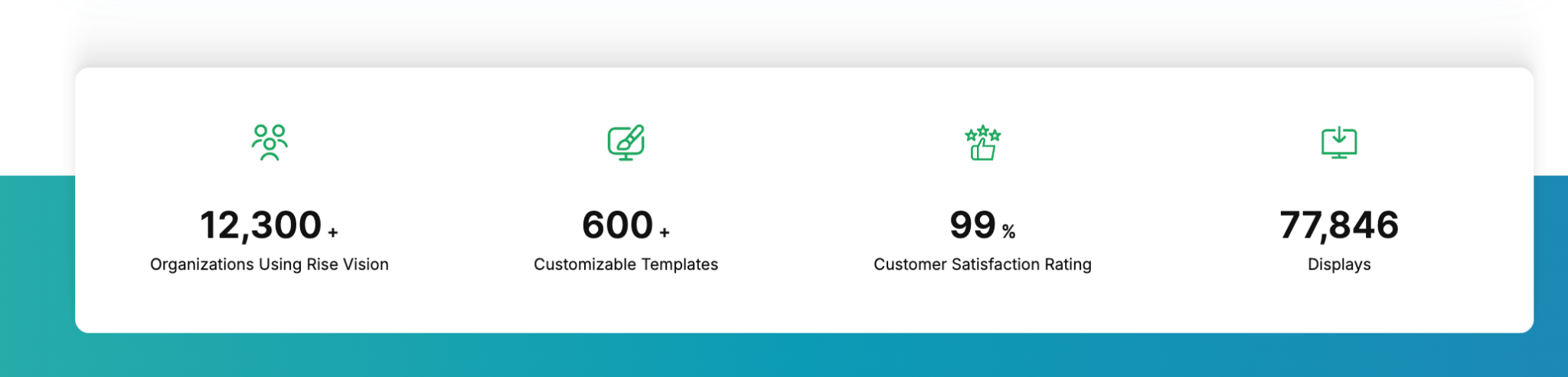
Rise Vision supports 12,300+ organizations across more than 100 countries, including healthcare teams. We’ve spent more than 30 years helping these organizations manage screen communication. That experience gives us a pretty clear view of what healthcare teams actually need from digital signage, from easier wayfinding to faster updates, safety reminders, and emergency alerts.
7 Best Digital Signage Software for Healthcare Teams
|
# |
Tool |
Best For |
Key Strength |
Starting Price |
|
1 |
Rise Vision |
Healthcare teams needing simple, all-in-one communication |
Combines signage, alerts, and screen sharing in one platform |
$11/display/month |
|
2 |
TelemetryTV |
IT-led healthcare teams managing large screen networks |
Strong device control with secure, cloud-based deployment |
$8/device/month |
|
3 |
Navori |
Large healthcare networks using real-time data and automation |
Advanced data integrations and scheduling control |
$14/player/month |
|
4 |
Scala |
Enterprise healthcare projects needing deep customization |
High stability with advanced scripting and control |
Custom pricing |
|
5 |
Spectrio |
Facilities wanting managed content and external support |
Managed services with built-in healthcare content |
Custom pricing |
|
6 |
Skykit |
Healthcare teams needing dashboard and device control |
Real-time data display with strong device management |
$16.50/display/month |
|
7 |
Yodeck |
Small clinics needing affordable, simple signage |
Low-cost setup with easy deployment and templates |
$8 per screen/month |
Below is a closer look at how each platform works in healthcare environments.
1. Rise Vision
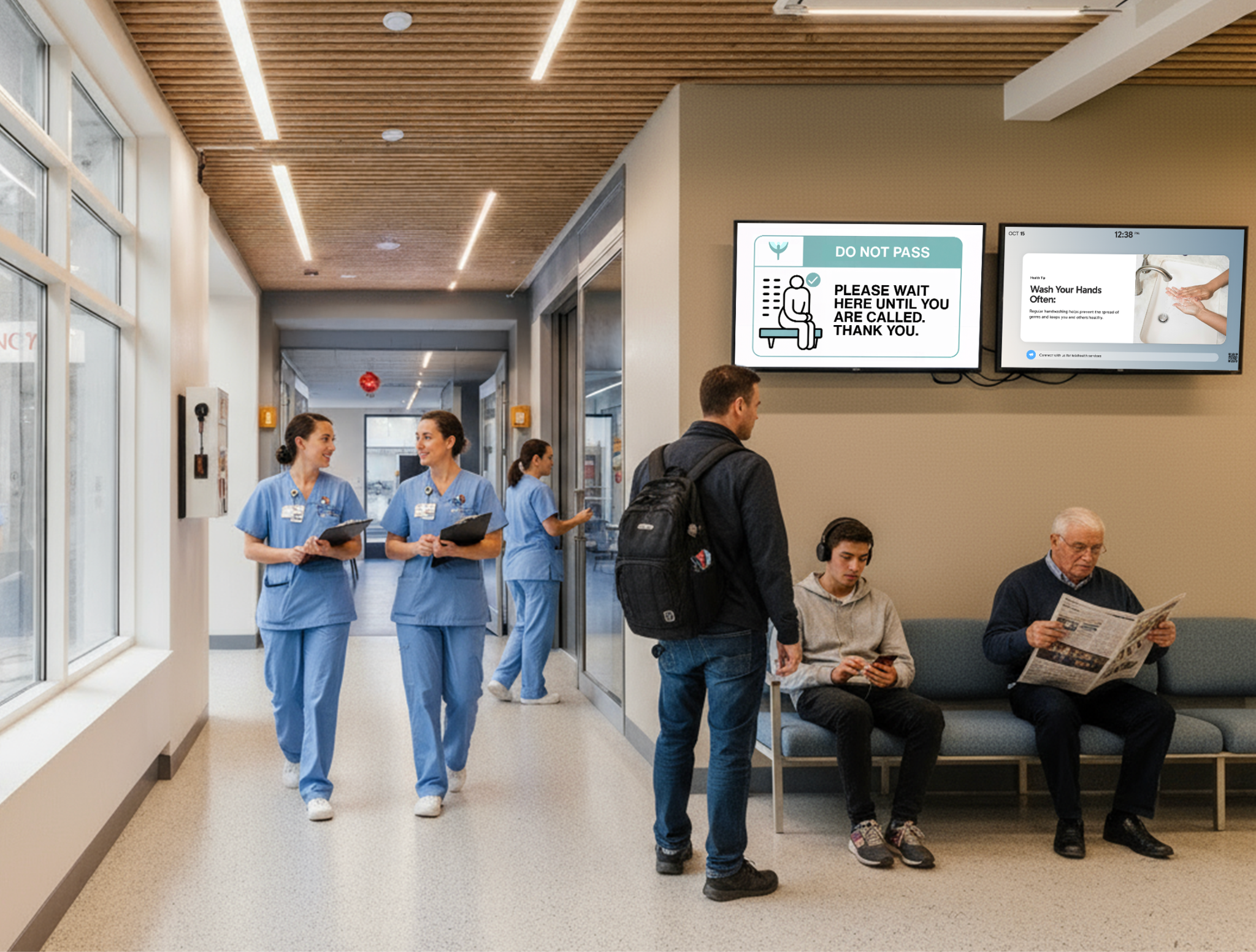
Rise Vision is a digital signage platform that's been battle-tested across hundreds of hospitals, clinics, and medical offices. We’ve been in the digital signage game since 1992— which means we’ve had over 30 years to figure out what actually works in complex, high-traffic environments.
And healthcare is easily one of the most demanding of those environments. But yes, we can proudly say we’ve built a platform that can genuinely handle it. Today, Rise Vision is an all-in-one platform for digital signage, screen sharing, and emergency alerts, trusted by more than 12,300 organizations to keep their teams informed, engaged, and safe.
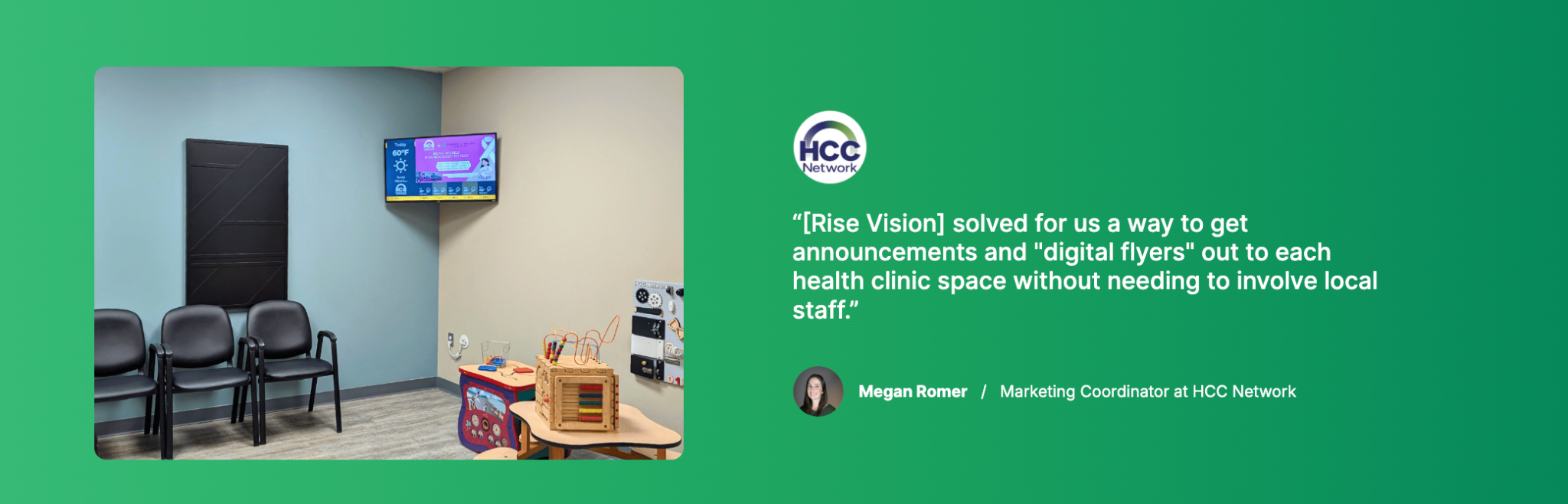
In healthcare specifically, our client list includes names like Mercy Medical Center, Foundation for Community Care, and HCC Network. That is a pretty strong signal that we are not just dipping our toes into healthcare. We have been here, we know the environment, and our customers have good things to say about us too.
One great thing about Rise Vision is that we do not try to lock you into proprietary hardware. The platform supports any digital signage player and smart TV, which means you can use your existing devices without needing to rip everything out and start again.
But if you do want hardware from us, we also offer commercial-grade Avocor displays ranging from 43 to 98 inches, plus a compact media player. You can buy them outright or use our Hardware-as-a-Service subscription, which includes warranty and replacement support.
Security is another big thing for us, because healthcare IT teams have to think about data protection differently from most teams. Rise Vision holds a SOC 2 Type 2 attestation, which independently verifies that we have strong controls and procedures in place to safeguard customer information.
Key Features
- All-in-one communication platform: Manage signage, screen sharing, and emergency alerts from one system instead of switching between tools.
- Centralized screen management: Control content across multiple departments and locations from a single dashboard.
- Emergency alert integration: Push urgent alerts to all screens using CAP-supported systems for fast communication.
- 750+ templates: Create announcements, directories, and updates quickly using ready-made layouts.
- Flexible hardware support: Use existing displays or supported devices without replacing current setups.
- Content scheduling and playlists: Schedule different content for specific areas like waiting rooms or staff zones.
- Integrations with Google and Microsoft tools: Sync calendars, slides, and dashboards for automatic content updates.
Pricing
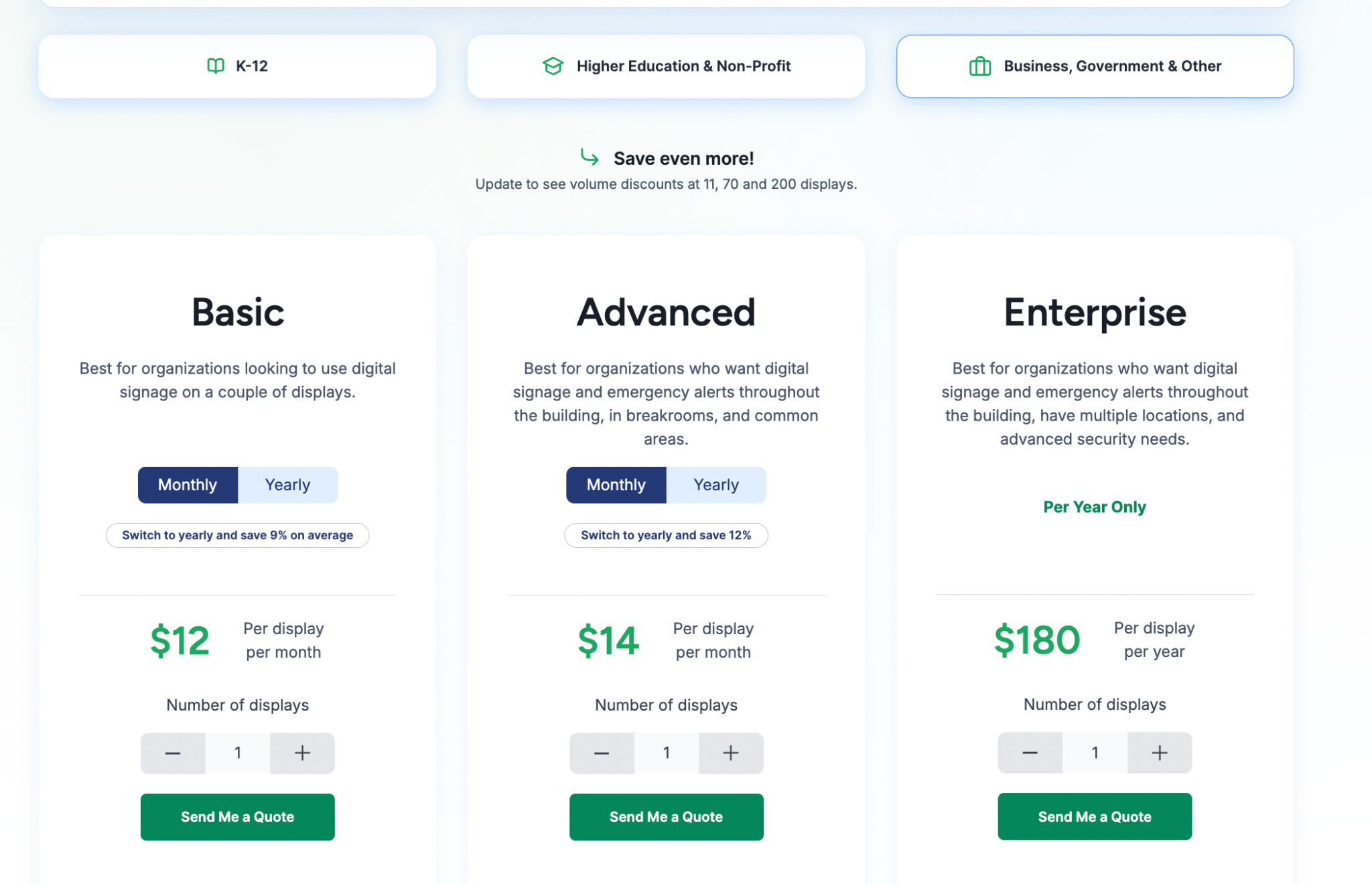
Business, Government, and Other
- Basic: $12 per display/month. Includes core scheduling, 750+ templates, and 1-business-hour support response.
- Advanced: $14 per display/month. Adds CAP-supported emergency alerts, Google/Microsoft integrations, and company-wide overrides.
- Enterprise: $180 per display/year. Adds Power BI/Domo dashboards, screen sharing, content approval workflows, and SSO.
Pros
- Easy for non-technical staff to manage daily content.
- Combines signage, alerts, and screen sharing in one.
- Works with existing hardware across different device environments.
- Centralized control across multiple departments and facilities.
- Fast setup with onboarding, training, and responsive support.
Cons
- Interactive display features require additional paid annual add-on.
2. TelemetryTV
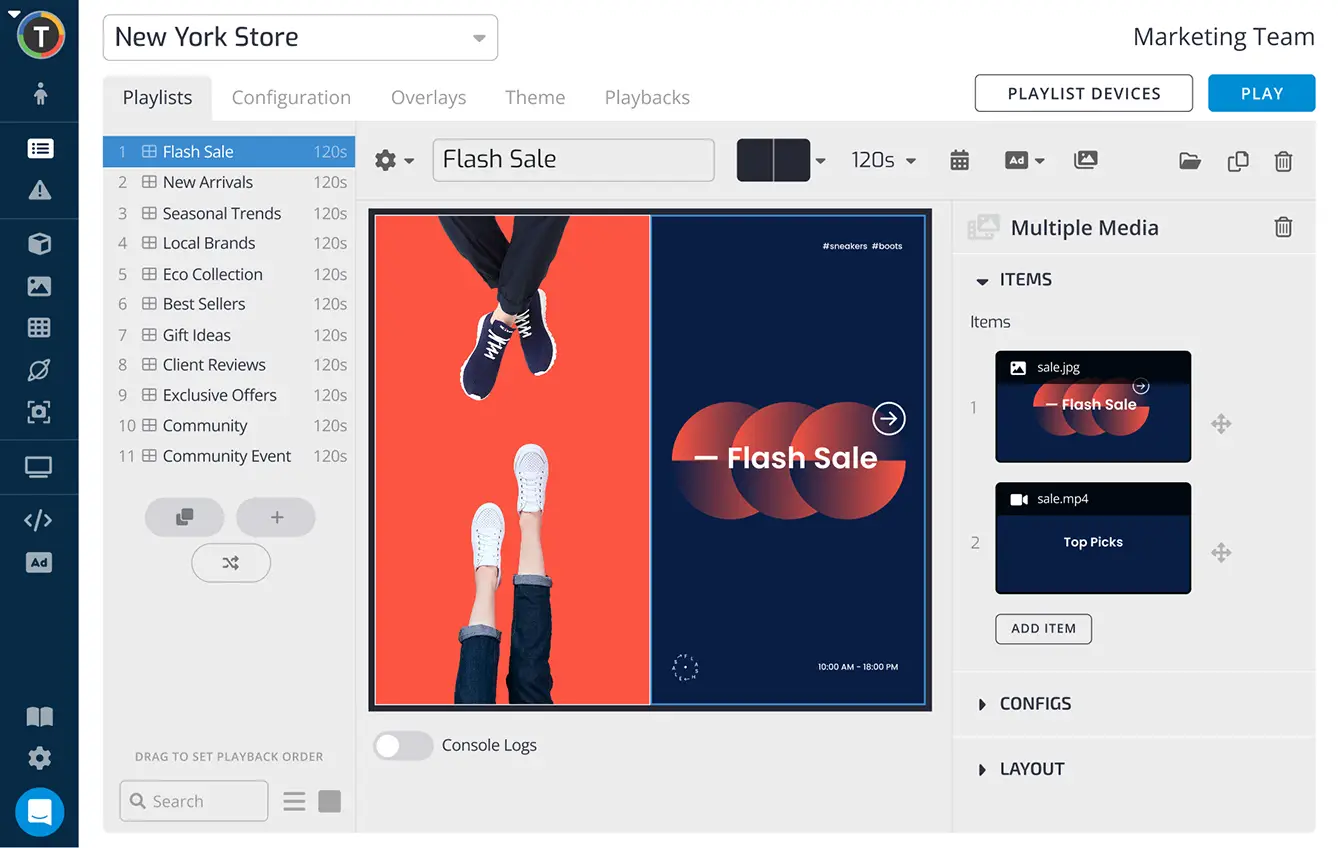
TelemetryTV is a strong fit for healthcare teams that want cloud-based digital signage with tighter device control and enterprise security. It uses a proprietary operating system called TelemetryOS that is designed to reduce maintenance issues and improve playback stability. This makes it a strong fit for IT-led hospital teams who need to manage large, distributed screen networks with precision and minimal maintenance.
Key Features
- TelemetryOS: Runs on a hardened operating system built to reduce maintenance issues and keep signage playback stable.
- Emergency overrides: Interrupts regular playlists to show urgent alerts across selected screens or the full network.
- App library: Includes 70+ apps, including Canva, Google Slides, and other tools for faster content creation.
- Automatic provisioning: Helps IT teams deploy and configure many devices at once instead of setting them up one by one.
- Proof of play logs: Tracks what was shown on screen, which is useful when teams need confirmation that critical notices were displayed.
Pricing
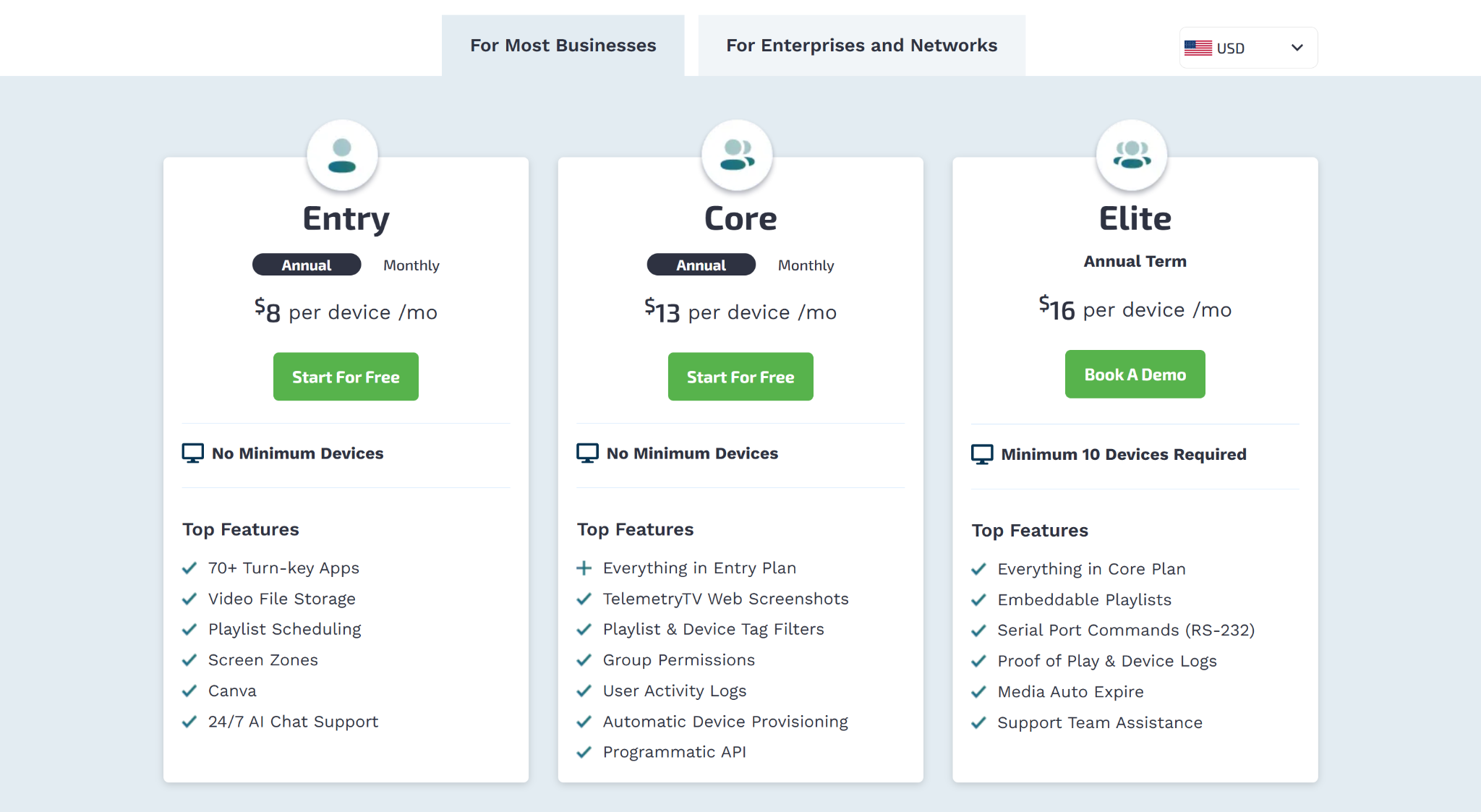
- Entry: $8 per device per month annually, or $9 monthly. Includes 70+ apps, playlist scheduling, and Canva integration.
- Core: $13 per device per month annually, or $15 monthly. Adds web screenshots, group permissions, and automatic provisioning.
- Elite: $16 per device per month annually. Requires a 10-device minimum and adds RS-232 commands and proof of play logs.
- Enterprise: $35 per device per month annually. Requires a 100-device minimum and adds Zoom integration, SAML and SCIM, and custom SLAs.
- Network: $9 per device per month annually. Designed for 500+ screens with ad campaign management and exportable proof of play reports.
Pros
- Strong security tools for regulated healthcare IT environments.
- Modern interface feels cleaner than many older competitors.
- Cloud deployment reduces hardware and maintenance overhead.
Cons
- Advanced plans are needed for deeper automation tools.
- Some features rely heavily on stable internet access.
- Multi-screen synchronization can be harder to fine-tune.
3. Navori
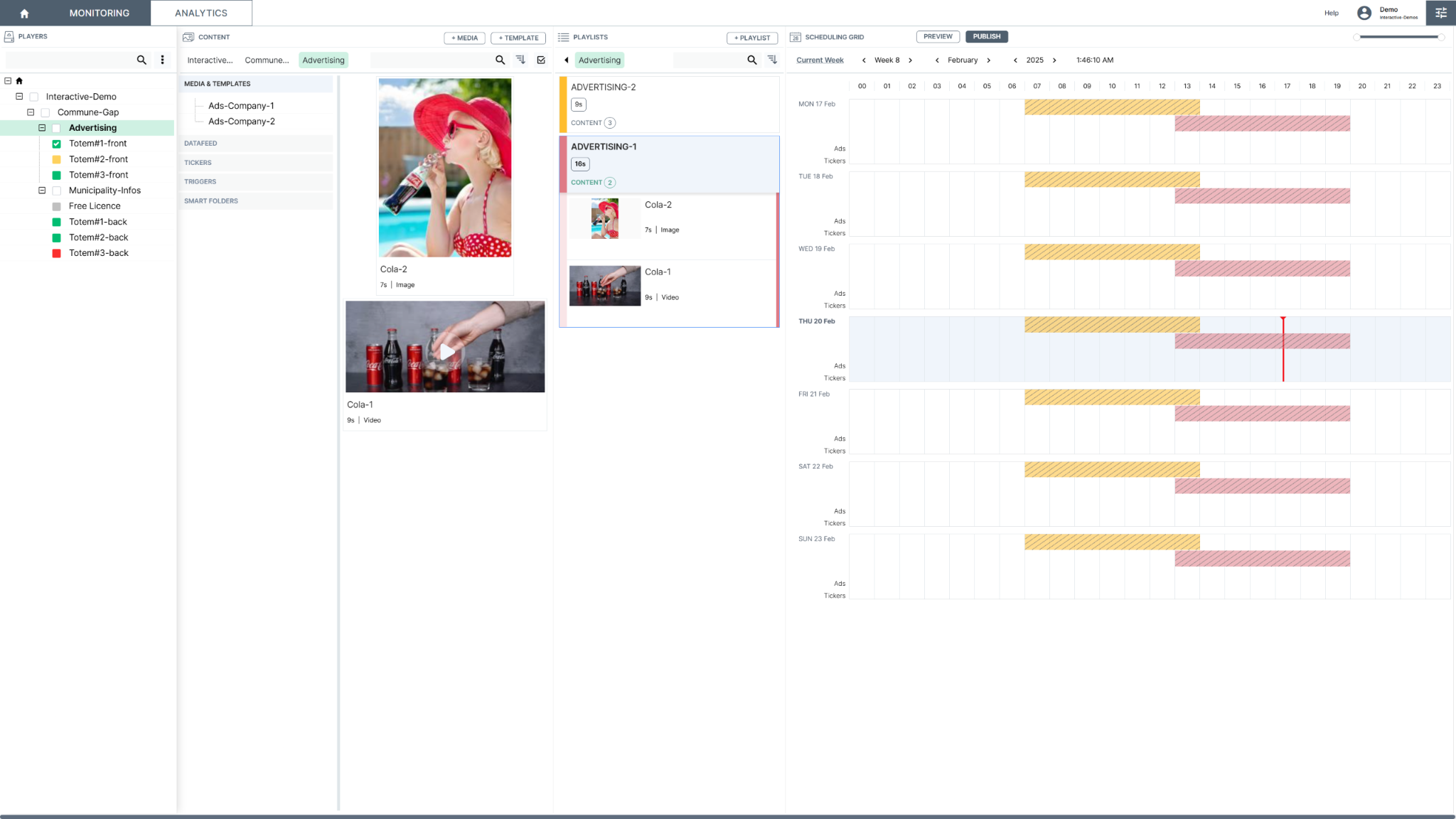
Navori focuses on large-scale health networks that require advanced data automation and AI-driven insights. Their platform is better suited to healthcare organizations that want to pull real-time data from internal systems for screen-based updates and operational messaging. It also offers optional audience analytics tools that can support more targeted content planning.
Key Features
- Data feed manager: Pulls real-time data from internal systems using sources like SQL, XML, and JSON.
- QL Player: Uses a native player engine to support smooth playback across different hardware environments.
- Tiered scheduling: Lets teams program content using more detailed timing rules, recurrence patterns, and validity windows.
- Emergency alerts: Supports rapid delivery of urgent notices across the network when fast communication is needed.
- Audience analytics: Offers optional analytics and personalization tools that can trigger content based on audience data.
Pricing
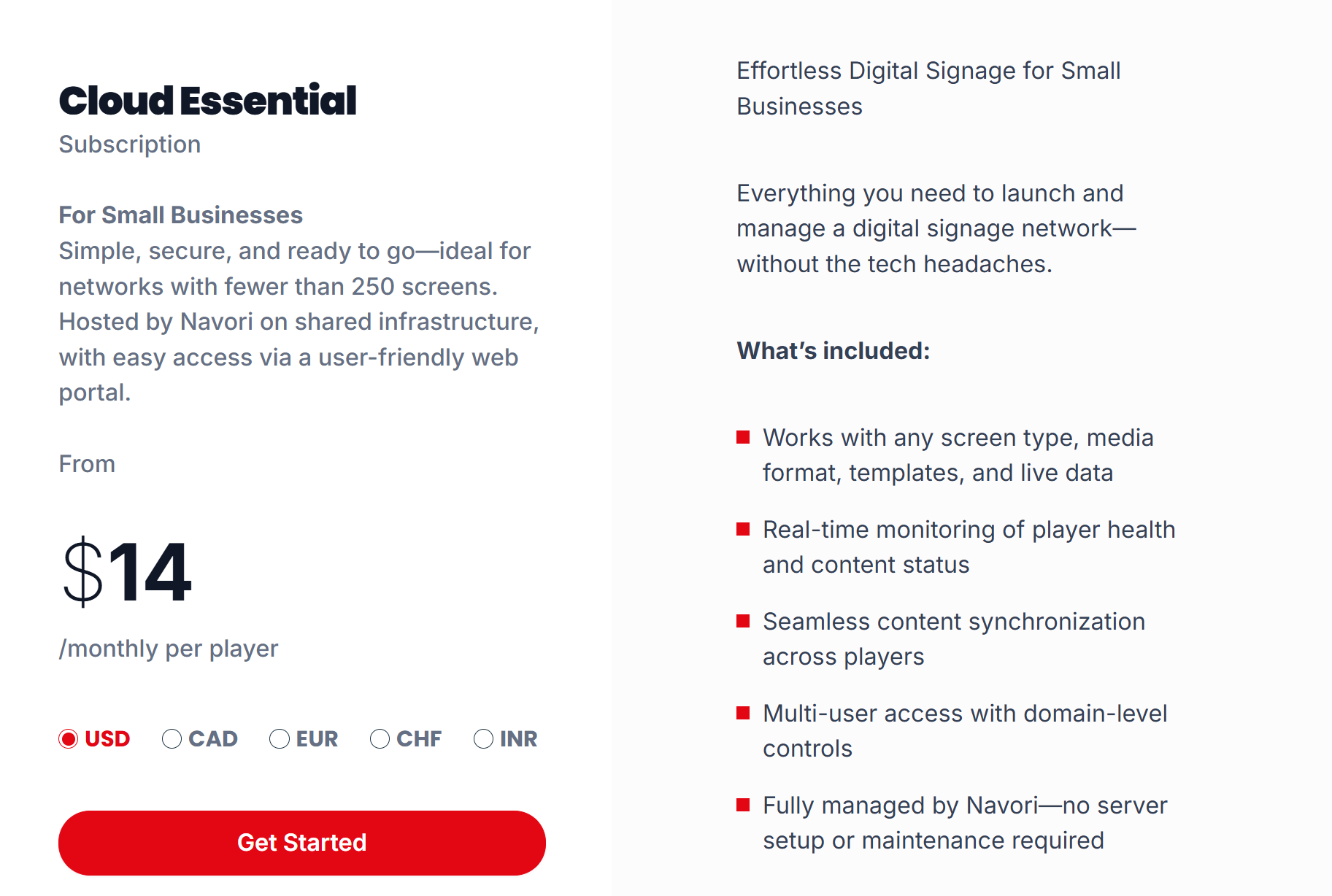
- Cloud Essential: From $14 per player per month. Designed for smaller cloud-based networks.
- Cloud Professional: Custom pricing. Adds more advanced business, compliance, automation, and API capabilities.
- Enterprise Self-hosting: Custom pricing. Available as subscription or perpetual license for organizations that want to host the system themselves.
Pros
- Strong fit for complex hospital communication workflows.
- Handles large networks with deeper scheduling control.
- Supports integration with internal healthcare data sources.
Cons
- Interface can feel dense for less technical teams.
- Advanced modules may increase total platform cost.
- Best results may require more training upfront.
4. Scala
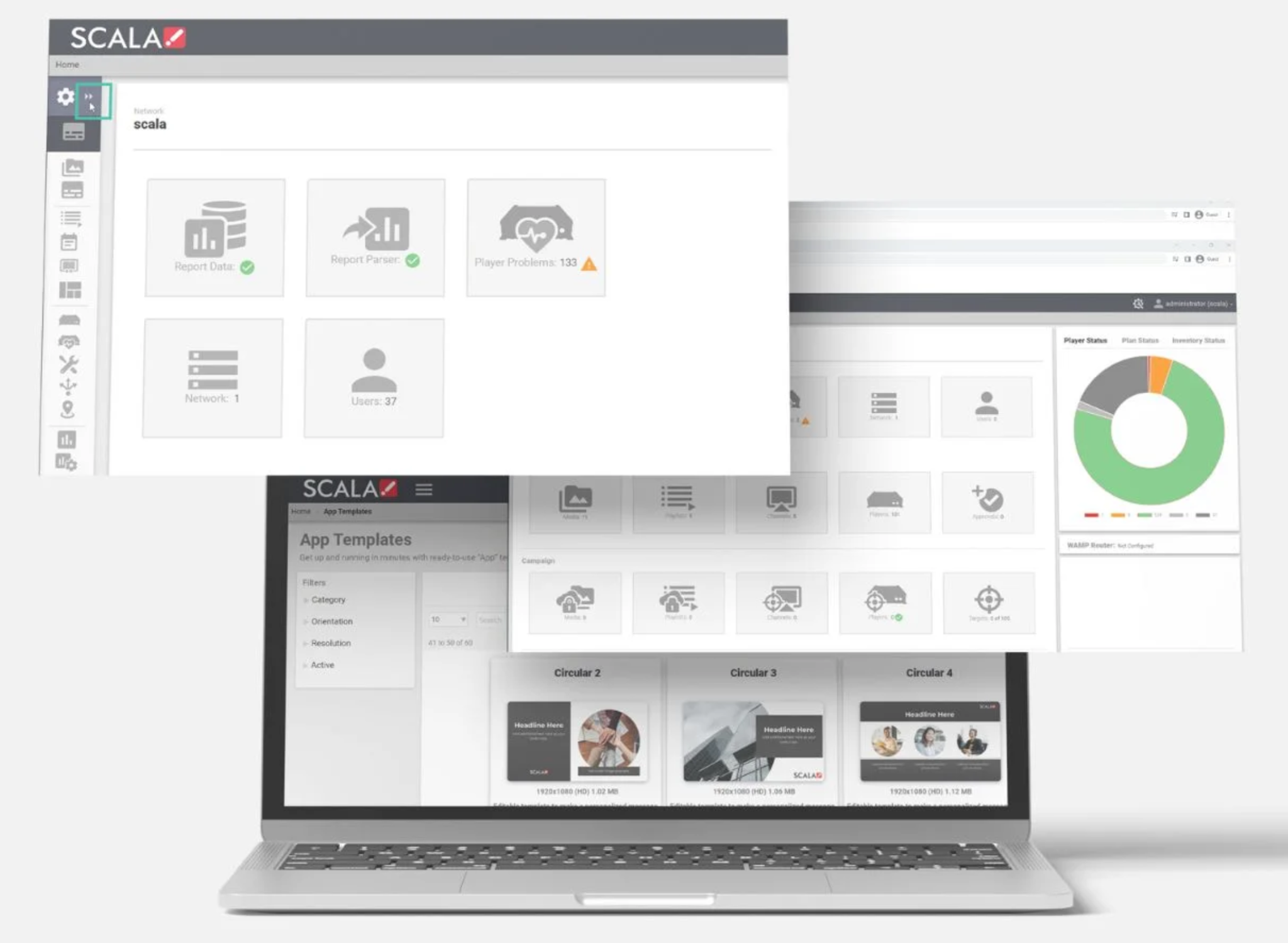
Scala has been a fixture in enterprise digital signage for decades, and in healthcare, its strength lies in one thing: stability at scale.
Scala powers thousands of healthcare digital displays worldwide and leads the wave of digital transformation in hospitals and pharmacies. That kind of deployment breadth matters when you're evaluating whether a platform can genuinely handle a multi-building hospital network running 24/
Key Features
- Content Manager: Centralises control across large screen networks and supports enterprise governance.
- Scala Designer: Gives teams detailed control over layouts, media, and screen design.
- Role-based access: Helps organizations control who can edit content, schedules, and deployments.
- Smart playlists and scheduling: Supports more advanced scheduling, triggers, and permission-based publishing.
- Stable playback engine: Designed for reliable 24/7 operation in environments where screens need to stay live.
Pricing
Scala does not publish standard plan pricing. Healthcare teams need to contact sales for project-based quotes.
Pros
- Strong stability for always-on healthcare display networks.
- Deep customization for complex signage deployments.
- Good fit for large enterprise healthcare environments.
Cons
- Platform complexity can exceed smaller clinic requirements.
- Setup often needs more technical support or partners.
- Pricing is less transparent than simpler competitors.
5. Spectrio
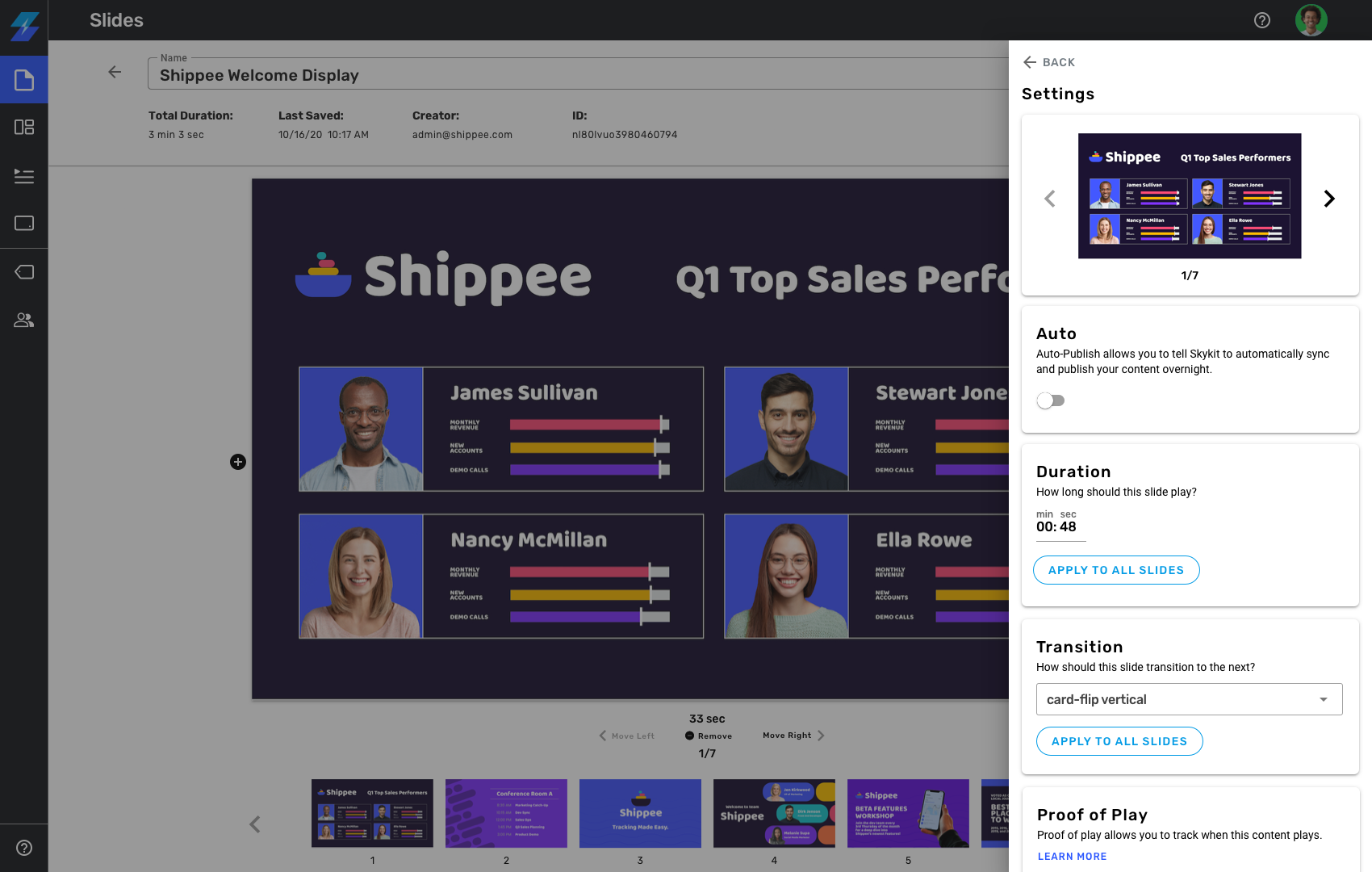
Spectrio takes a fundamentally different approach to healthcare digital signage compared to most platforms on this list. They work hand-in-hand with healthcare facilities to choose the most effective digital displays, then their creative team designs customized content centered on patients' needs — with all content going through an approval process and being HIPAA compliant.
It is a better fit for high-traffic waiting rooms and lobbies where healthcare teams want outside support for content and screen management.
Key Features
- Healthcare content library: Access a large library of healthcare-focused videos, wellness content, and patient-facing messaging.
- Spectrio Studio: Uses an in-house creative team to develop custom branded messaging and motion graphics for your facility.
- Unified Messaging: Combines your digital displays with overhead audio and on-hold marketing for a consistent patient experience.
- Interactive Wayfinding: Build touchscreen kiosks that help patients find physicians or browse treatment options without assistance.
- Spectrio Care: Provides tiered technical support and proactive monitoring to ensure your screen network stays operational.
Pricing
Spectrio uses custom, quote-based pricing depending on the level of creative service, hardware needs, and the scale of your deployment.
Pros
- Professional creative teams handle all your content needs.
- Unified platform manages both visual and audio messaging.
- Extensive library of clinically validated medical video content.
Cons
- Pricing is less transparent than simpler software platforms.
- Service model gives teams less direct platform control.
- Setup may take longer than lightweight DIY tools.
6. Skykit
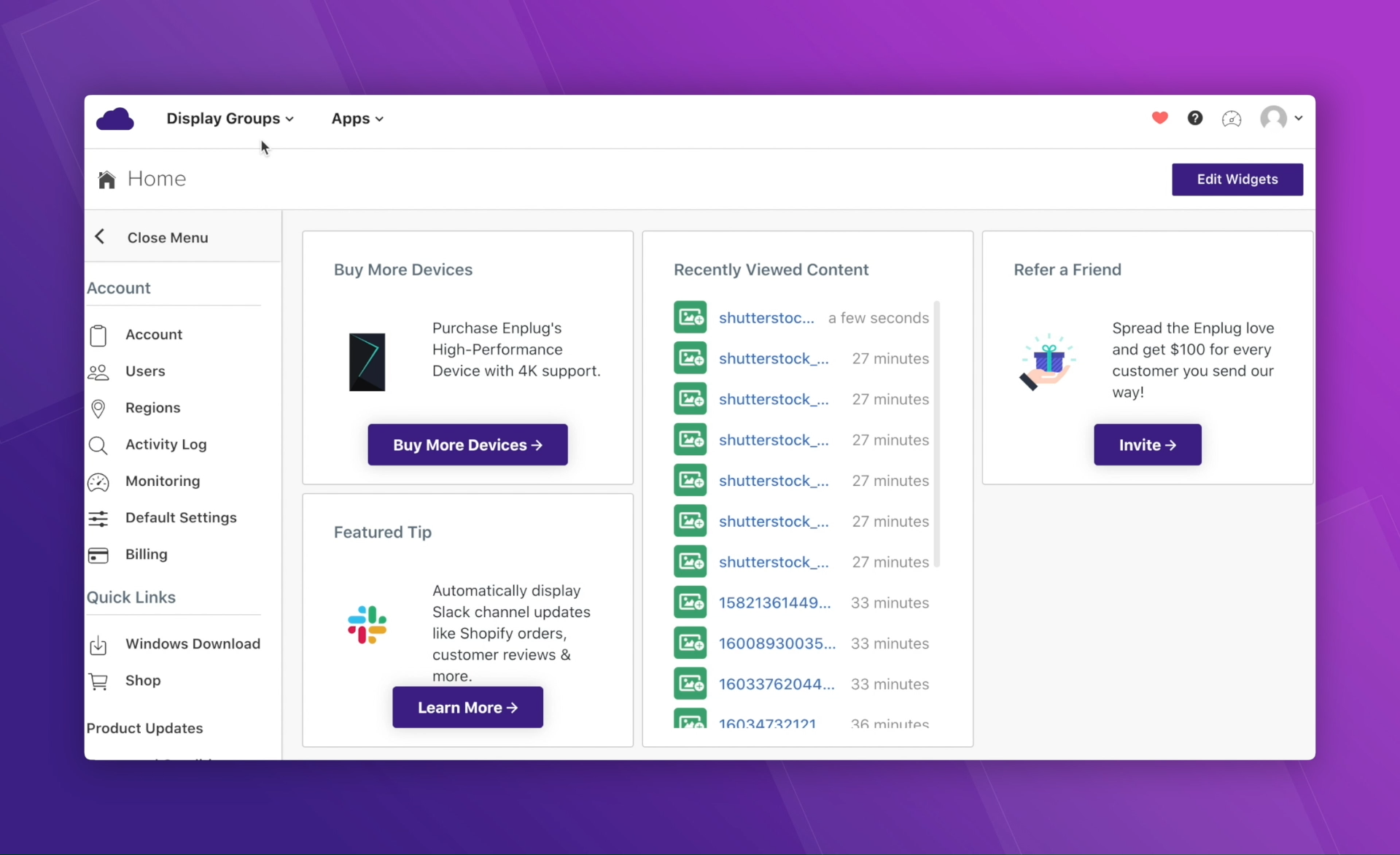
Skykit is aimed at healthcare teams that want stronger device management and more control over live dashboards, content, and network health across multiple sites. The platform is a stronger fit for teams that want to display live dashboards and operational data using tools like Google Workspace, SharePoint, Power BI, or Tableau.
Key Features
- Skykit Beam (CMS): A cloud-based content management system for uploading media and scheduling playlists across multiple locations.
- Skykit Control (MDM): A standalone tool for remote device management, allowing IT to reboot or monitor hardware without physical access.
- Native Google Integration: Syncs instantly with Google Slides to allow non-technical staff to update signage content effortlessly.
- Real-Time Data Dashboards: Securely displays live clinical and operational data from tools like SharePoint, Salesforce, and Power BI.
- LTE-Enabled Hardware: Supports media players with cellular connectivity, which is ideal for remote clinics or areas with unreliable Wi-Fi.
Pricing
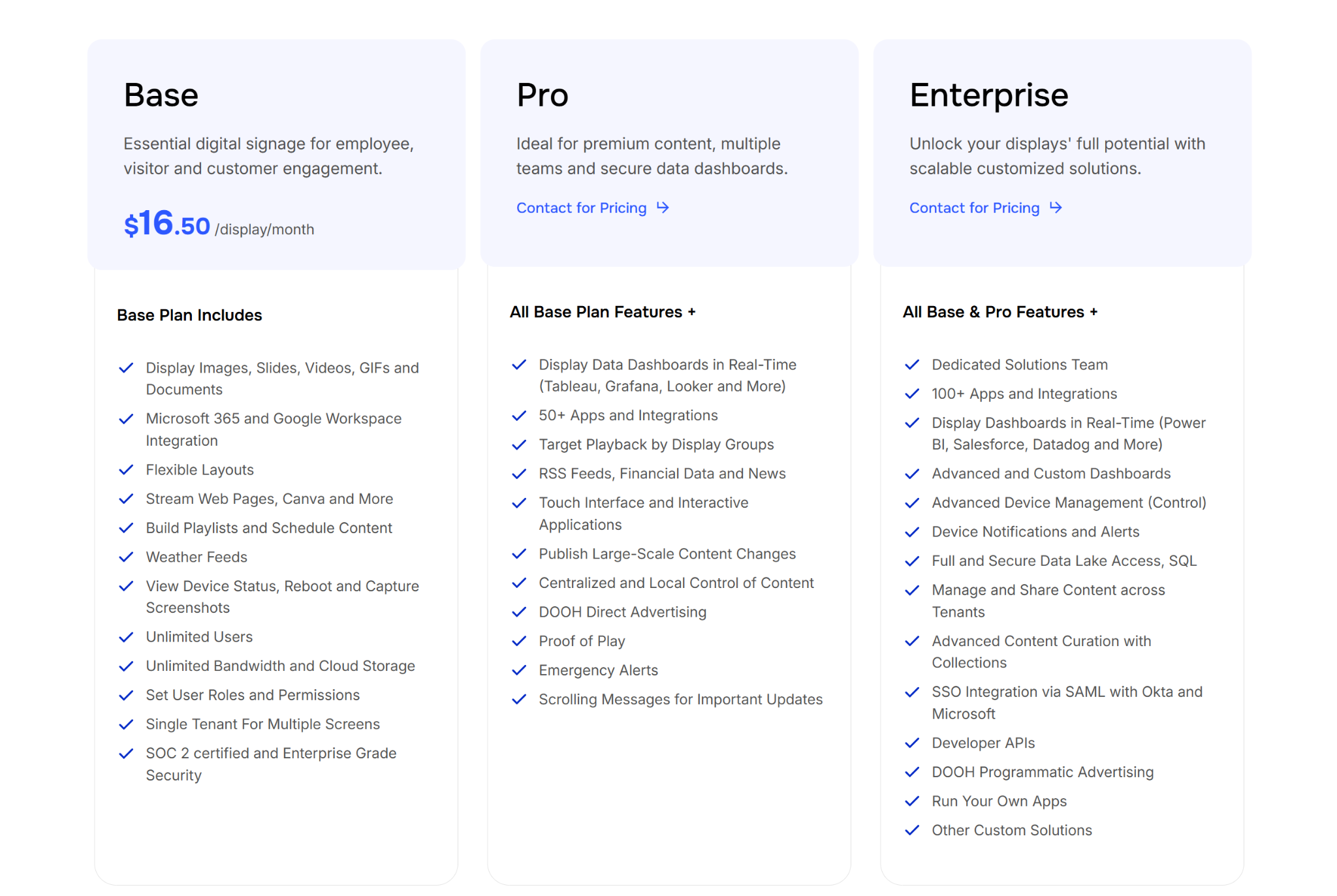
- Base: $16.50 per display/month. Includes Google/Microsoft integrations and basic device monitoring.
- Pro: Custom Quote. Adds real-time data dashboards, emergency alerts, and proof-of-play reporting.
- Enterprise: Custom Quote. Includes 100+ app integrations, SSO, and developer APIs.
Pros
- Native Google Workspace integration simplifies your content workflow.
- Cellular hardware options solve connectivity issues in hospitals.
- Built-in device management streamlines remote IT troubleshooting tasks.
Cons
- User interface requires extra training for non-technical staff.
- Total investment is higher with proprietary hardware requirements.
- Managing individual screen schedules can become time consuming.
7. Yodeck
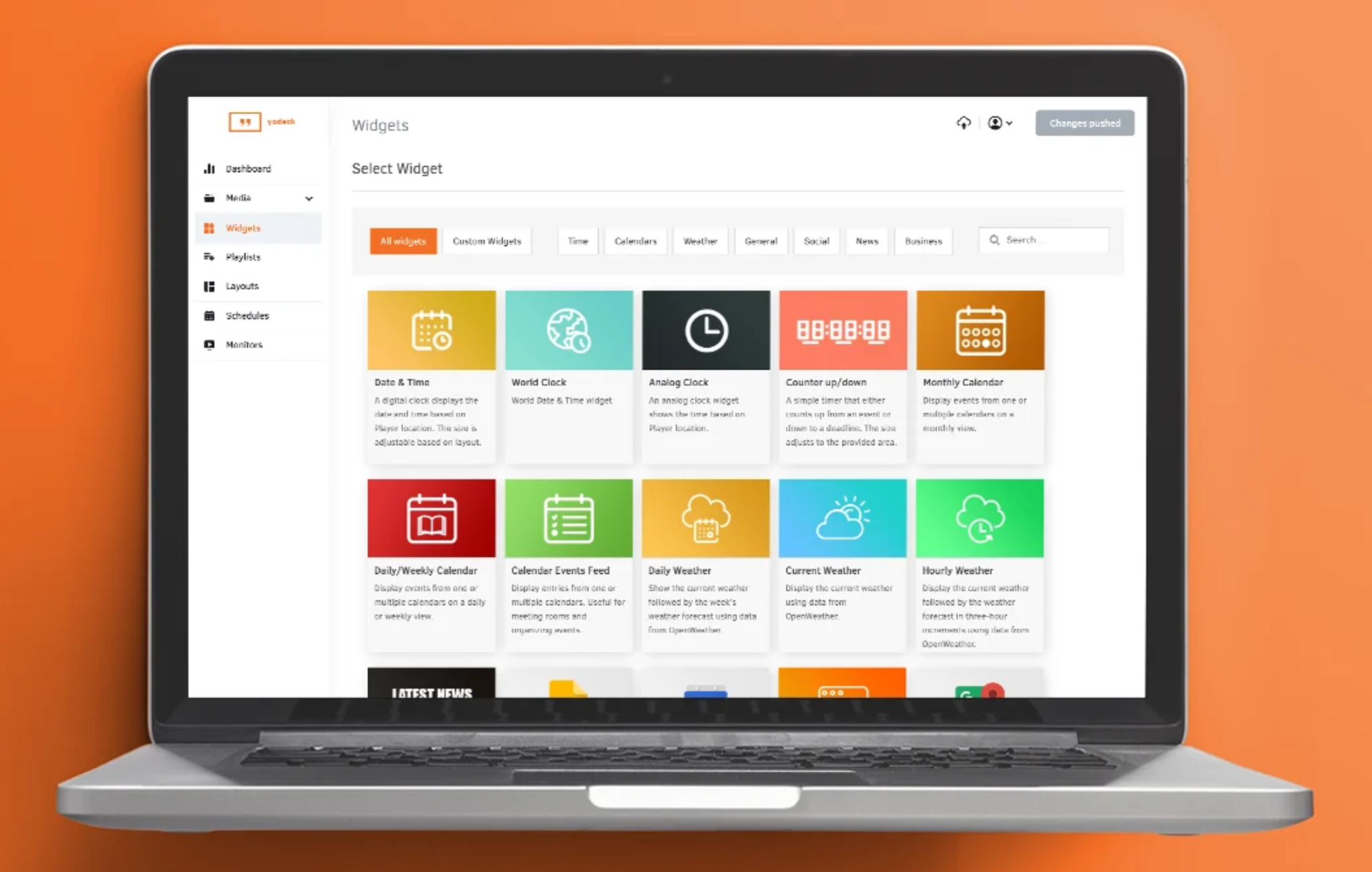
Yodeck is a practical option for smaller clinics, pharmacies, and healthcare teams that want lower-cost digital signage with straightforward setup. It is commonly used for wayfinding, waiting room communication, awareness campaigns, and screen scheduling. The platform includes healthcare templates that help staff publish content more quickly.
Key Features
- Free Hardware Program: Provides a pre-configured media player at no extra cost when you commit to an annual subscription.
- Healthcare Template Library: Access customizable designs for hand hygiene reminders, medical test offers, and hospital maps.
- Raspberry Pi Optimization: Engineered to run smoothly on low-cost, industrial-grade hardware for continuous 24/7 playback.
- Layout Zone Editor: Allows you to split a single screen into regions to show news feeds, weather, and health tips simultaneously.
- Offline Playback: Ensures your displays continue to show critical information even during internal hospital network outages.
Pricing
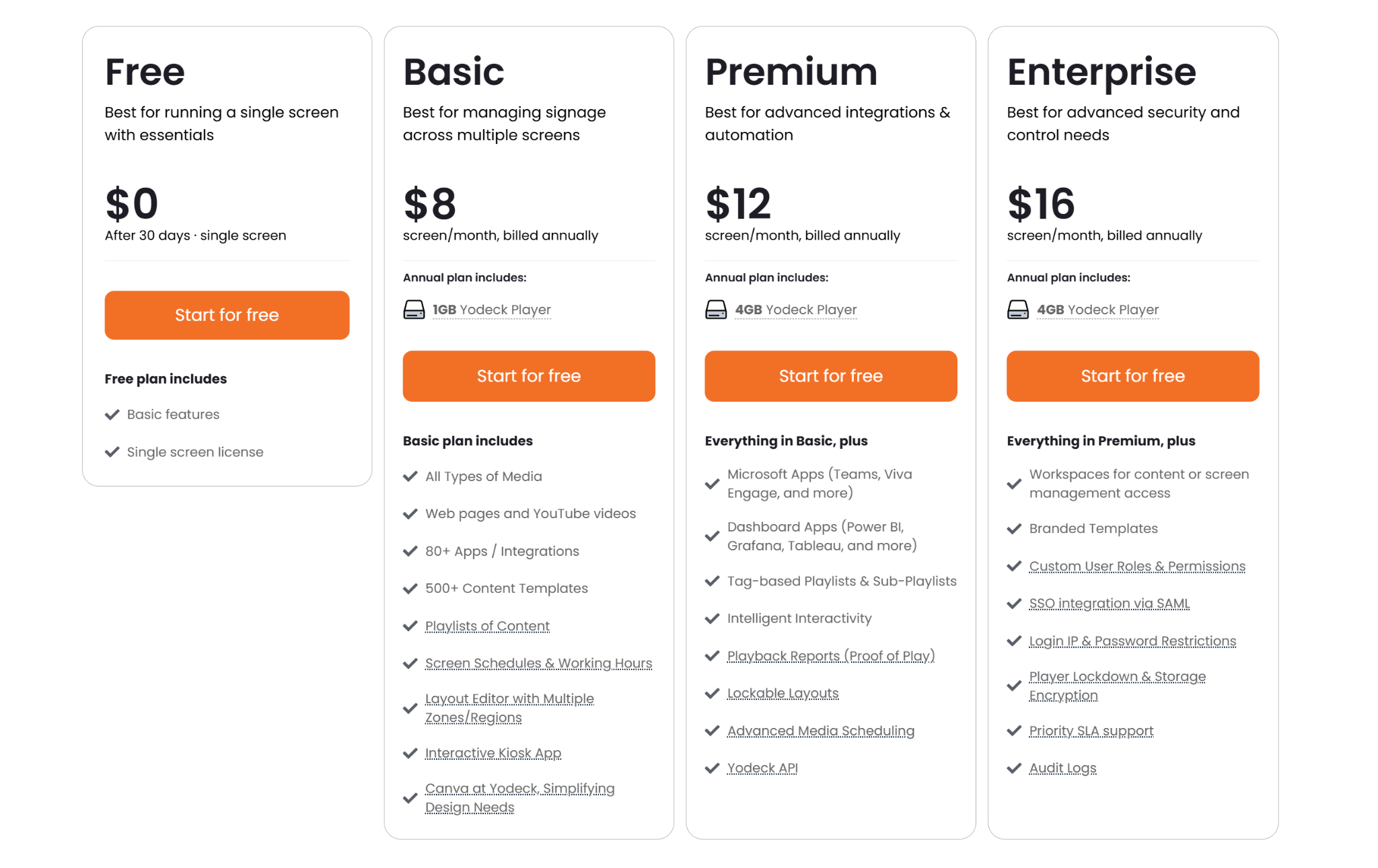
- Free: $0 for a single screen with core signage features.
- Basic: $8 per screen/month (annual). Includes free players, templates, and basic scheduling.
- Premium: $12 per screen/month (annual). Adds dashboard integrations and advanced scheduling.
- Enterprise: $16 per screen/month (annual). Adds SSO and advanced security audit logs.
Pros
- Affordable pricing works well for smaller clinic rollouts.
- Simple setup for teams with limited technical support.
- Free screen tier lowers trial and entry risk.
Cons
- Advanced security features sit behind higher-tier plans.
- Template customization can feel limited for some teams.
- No on-premise option for tightly controlled networks.
Why Healthcare Communication Is Different
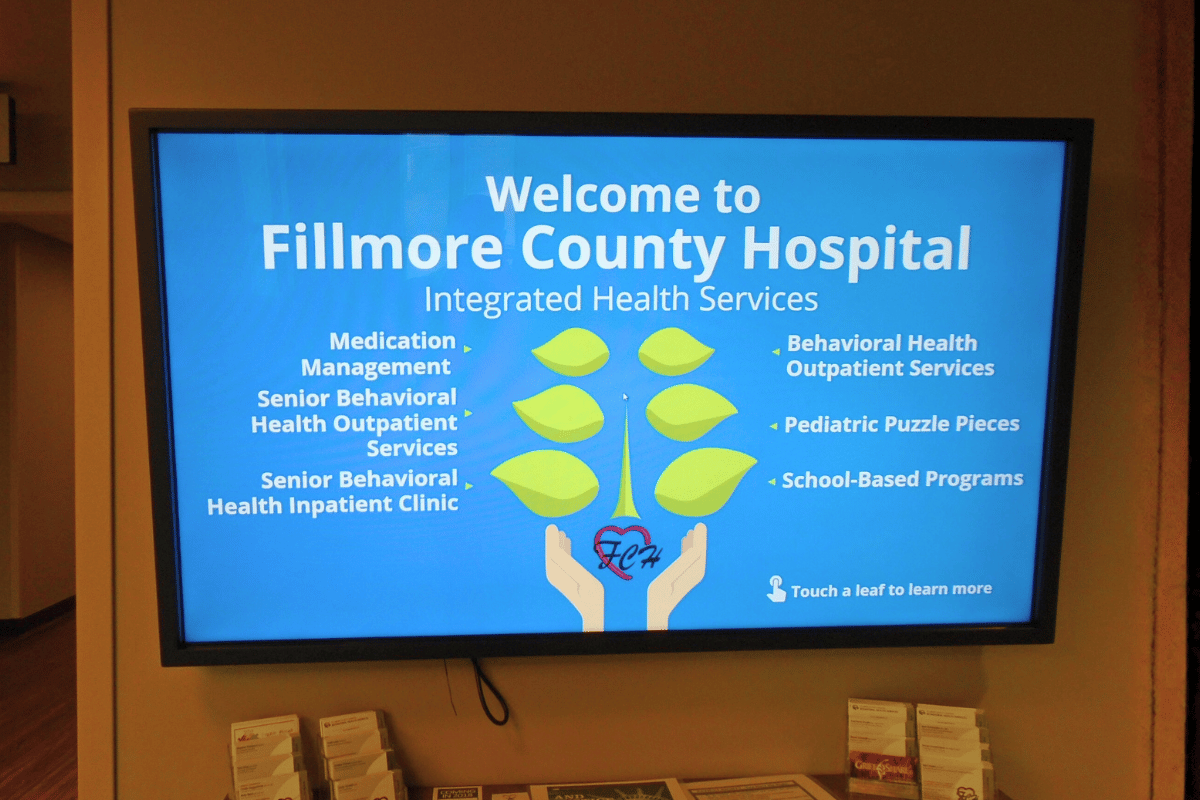
Most workplaces deal with one primary audience. Schools communicate with students and staff. Corporate offices talk to employees. But hospitals, clinics, and healthcare facilities juggle patients, visitors, medical staff, administrative teams, and contractors, all moving through the same hallways.
Here's what makes that tricky: each group needs different information. A doctor running between patient rooms doesn't have time to read a five-paragraph announcement. A visitor trying to find the cardiology department just needs clear arrows. A nurse starting a shift needs to see updated protocols immediately.
Paper signs can't do this. They're static, they get outdated fast, and updating them means someone physically walking around with a printer and tape. Email works for staff who have time to check it, but that's not everyone. And good luck reaching patients or visitors through email.
Digital signage solves this by letting you send specific content to specific screens. Post wayfinding info in lobbies and hallways. Share staff updates in break rooms and nursing stations. Display patient education content in waiting areas. All managed from one system.
Jessi Schmidt, Activities Director at Richardton Health, mentioned that "I can share upcoming information with all of my Residents, the staff taking care of them, and their families... I can set the dates that it will play through. And don't have to worry about going in and deleting it at the end of every month."
What Healthcare Facilities Actually Need
Not every digital signage platform works for healthcare settings. You can't just throw up some screens and call it done. Here's what actually matters:
Instant updates across all locations. If a protocol changes or there's an emergency, you need that information on every screen immediately. Not in an hour. Not after someone manually updates each display. Right now.
Role-specific content zones. Your cafeteria screens shouldn't show the same thing as your ICU nurse station. You need the ability to send different messages to different areas without creating separate systems for each department.
Reliable uptime. Healthcare doesn't stop. Your communication system can't either. If screens go dark during a shift change or an emergency, that's a real problem.
Easy content management. The person updating your displays probably isn't in IT. They might be in communications, HR, or facilities. The system needs to be simple enough that someone can make changes without calling for help every time.
Emergency alert capability. Lockdowns, severe weather, code situations. You need a way to override all regular content and push critical alerts to every screen instantly.
Rise Vision handles all of this without the usual headaches. You get a cloud-based system that updates in real-time, works on hardware you probably already have, and doesn't require constant IT support.
Nathaniel King, Network Administrator at Citizens Memorial Healthcare, said it directly: "In the past we have used Mini PCs for our patient rooms and have moved to the current Rise Vision Media Player boxes and I will recommend those to anyone I can. Many thanks to the Rise Vision team for making a great product and for making my job easier."
How Hospitals Use Digital Signage
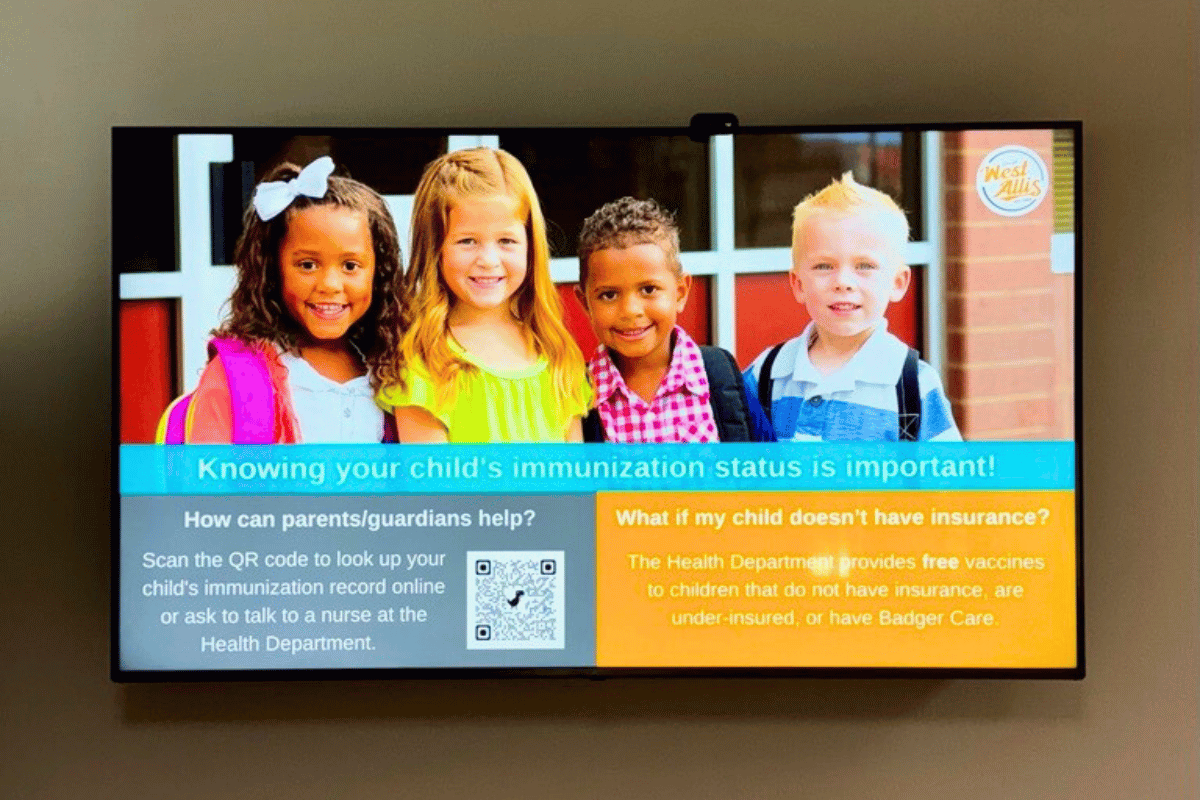
Let's get specific about what this looks like in practice.
Wayfinding and directories. Hospitals are confusing. Departments have names patients don't recognize. Wings get added over decades. Parking structures don't always connect logically to entrances. Digital directories in lobbies and at elevator banks help people actually find where they're going without stopping at every information desk.
Staff communication. Shift schedules, protocol updates, new policies, safety reminders. Instead of relying on email (which people may or may not check) or bulletin boards (which people definitely walk past), you can put time-sensitive updates on screens in break rooms, locker areas, and nursing stations.
Jessi Schmidt, Activities Director at Richardton Health, described exactly this: "I love that I can share upcoming information with all of my Residents, the staff taking care of them, and their families... I can set the dates that it will play through. And don't have to worry about going in and deleting it at the end of every month.”
Patient education. Patient education. Waiting rooms are where people sit with nothing to do but worry. A digital info board displaying health tips, procedure explanations, or wellness information gives patients something useful to focus on while they wait. It also reduces repetitive questions at the front desk.
Meeting room scheduling. Conference rooms, consultation rooms, and training spaces get booked constantly. Digital displays outside each room show current reservations and upcoming availability, cutting down on double-bookings and confusion. Jim Bologna, who uses Rise Vision for his business, noted it's a "great product for digital signage and room schedule displays."
Emergency alerts. If there's a lockdown, severe weather, or any code situation, you need to communicate instantly. Rise Vision's emergency alert feature lets you override all regular content and push critical information to every screen across your facility at once.
Setting Up Digital Signage That Actually Works
You don't need to rip out existing infrastructure or hire a consultant. Here's the realistic version of getting this running:
Start with the screens you have. Most healthcare facilities already have TVs or monitors scattered around. Break rooms, waiting areas, and lobbies. Rise Vision works with existing displays, so you're not buying all new hardware just to test this out. You can even try free digital signage on a single screen before rolling it out facility-wide.
Use Rise Vision's media players or bring your own hardware. You can use Rise Vision's recommended media players (plug-and-play setup) or run the software on compatible devices you already own. Either way, you're connecting to a cloud-based platform that manages everything centrally.
Pick templates or build custom content. Rise Vision provides over 600 templates for common use cases like announcements, schedules, directories, and alerts. If you need something specific to your facility's branding or layout, you can customize those or build from scratch. The platform integrates with Google Calendar, so the meeting room displays updates automatically when someone books a room.
Assign content to zones. This is where it gets useful. You're not just broadcasting the same content everywhere. You create zones (lobby screens, staff areas, patient education displays) and assign specific content to each. A protocol update goes to the nursing stations. Wayfinding stays in public areas. Wellness tips are shown in waiting rooms. Jill Stekel, who manages displays for an office, said Rise Vision "has made it easy to manage all digital displays from one laptop." The same centralized approach works whether you're managing five screens or fifty across multiple buildings.
Set up emergency override. Configure your emergency alert system so that when something happens, you can push a critical message to all screens (or specific zones) with a few clicks. No hunting through menus or figuring out settings during an actual emergency.
Gina Heckey from Foundation for Community Care saw that firsthand: "Our donor wall has been met with a lot of excitement. Our facility is the first in the area to have a digital donor display, so there has been a lot of interest around this 'cutting edge' technology."
Why Rise Vision Works for Healthcare

Healthcare facilities need systems that don't add complexity. You've got enough to manage without babysitting your communication displays.
Rise Vision runs in the cloud, which means updates happen automatically and you're not maintaining on-premise servers. The template library covers most common needs (announcements, schedules, alerts, directories), so you're not starting from zero every time you need new content. And because the platform works with Google Workspace, things like calendar integration happen without custom development work.
The emergency alert capability matters in healthcare more than most industries. If there's a code situation, severe weather, or a lockdown, you need to communicate instantly across your entire facility. Rise Vision lets you override regular content and push critical alerts to all screens at once. You're not hoping people see an email or hear an announcement over the PA system.
Carol Luth from Mercy Medical Center said "The entire team has been wonderful to work with throughout this project. We are very appreciative of the quality of your service and your ability to deliver." You can make changes quickly without technical help, and when you need support, it's there.
The platform scales whether you're running five screens or 50. You manage everything from one dashboard, so adding new displays or updating content across multiple buildings doesn't multiply your workload.
Frequently Asked Questions
What Type of Content Should We Display in Patient Waiting Areas?
Health education, wellness tips, procedure explanations, and general facility information work well. Avoid anything too clinical or anxiety-inducing. The goal is to inform and distract, not add stress. You can also include local weather, news headlines, or calming visuals.
Can Digital Signage Help With Staff Onboarding?
Yes. Use screens in training rooms and staff areas to display onboarding schedules, policy reminders, benefits information, and welcome messages for new hires. It keeps everyone on the same page without relying solely on printed materials or email.
How Do We Handle Multilingual Content?
You can create separate content in different languages and schedule when each version displays, or split the screen to show multiple languages simultaneously. If your patient population speaks several languages, this is a practical way to reach everyone.
What's the Best Screen Size for Hallway Wayfinding?
Depends on viewing distance and hallway width, but 43 to 55 inches works for most healthcare corridors. Larger screens (65+ inches) make sense in big lobbies or atriums where people view from farther away. Mount them at eye level and make sure the text is large enough to read while walking.
Can We Integrate With Our Existing Calendar System?
Yes. Rise Vision integrates with Google Calendar and Microsoft Calendar. It also supports iCal feeds, which means systems like EMS (Event Management Systems) and other calendar tools that export ICS links can connect through that route. If your facility uses one of these systems, you can display schedules and room availability on screens without manual updates.
Do We Need a Media Player for Every Screen?
Yes, each display needs its own media player or compatible device running the Rise Vision software. One media player can't drive multiple screens (unless you're just mirroring the exact same content, which defeats the purpose of targeted messaging).
How Do We Prevent Unauthorized People From Changing Content?
Set user permissions in the platform. You control who has access to edit content, manage displays, or configure settings. Most healthcare facilities limit editing rights to communications staff, IT, or department leads.
What if Our Facility Has Dead Zones With Poor WiFi?
You'll need network access for the media players to receive updates, but they cache content locally. If WiFi is spotty in certain areas, work with IT to add access points or use wired Ethernet connections for those displays. Once content is cached, brief connectivity drops won't take screens offline.
Can We Schedule Content to Change at Specific Times?
Absolutely. You might want staff-focused content during business hours and general health information after hours. Or rotate different messages throughout the day. Rise Vision's scheduling feature lets you automate all of this so you're not manually swapping content.
Is There a Limit to How Many Screens We Can Manage?
No hard limit. Healthcare systems with hundreds of screens across multiple buildings use centralized digital signage platforms. You'll pay based on the number of displays, but the software itself scales to whatever size your facility needs.
What Happens if a Screen Breaks or a Media Player Fails?
Replace the hardware. The content and settings are all cloud-based, so you're not losing anything. Plug in a new media player, assign it to the correct zone, and it picks up where the old one left off.
Can We Use Vertical (Portrait) Orientation Screens?
Yes. Vertical displays work well for wayfinding directories, menus, or narrow hallway spaces. You just need to design content that fits portrait orientation instead of the standard landscape layout.
More From Our Blog
-

Digital Signage Remote Management: How to Run Every Screen From One Place
Digital signage remote management lets you control screens, schedules, and display health from an online platform. To get started, choose a hardware-agnostic platform, connect your media players or[…]
Read More -
ScreenBeam Review 2026: Features, Pricing, and Limitations
ScreenBeam sells wireless display receivers that let people cast to a screen from any device without an app. You need one receiver per display, and they run from $299.99 to $1,199.99. Cloud-based[…]
Read More -

Interactive Touch Screen Digital Signage: How It Works and What You Need
Interactive touch screen digital signage lets viewers tap a display to find what they need. It pairs a commercial touch display with content software. Common uses include wayfinding, visitor[…]
Read More
12,300+ Organizations Trust Rise Vision, You Can Too
































Schedule a Free Demo
You deserve the #1 all-in-one platform for digital signage, screen sharing, and emergency alerts.





