

About Manor Independent School District
Manor Independent School District is a rapidly growing, diverse district that covers about 100 square miles and serves over 8,000 students at two high schools, two middle schools, seven elementary schools, and one alternative academy.
Challenge
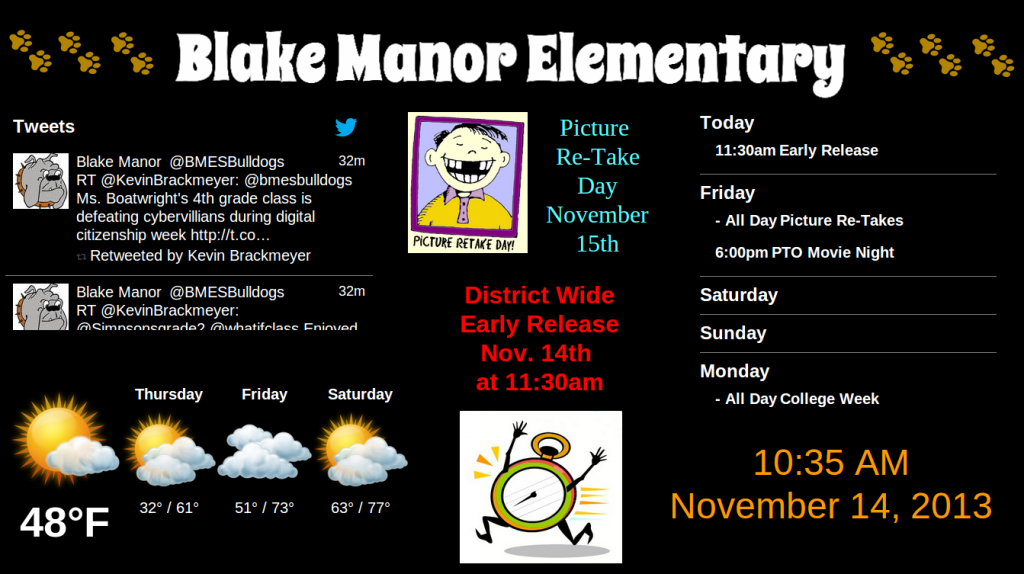
The Manor Independent School District has 20 digital signage displays located at 12 campuses and central administration buildings, with screens typically operated by netbook computers. The screens display district-wide announcements, lunchroom menus, upcoming events, and a live Twitter feed.
“To run the screens, we repurposed netbooks that were being retired from classrooms,” explains Wayne Fulton, assistant director of technology services for Manor ISD. “So they were already old technology when we put them to use on our screens, but since we’re always conscious of our budget, it made sense to try to reuse what we had instead of investing in new devices.”
However, the netbooks consumed a lot of power, Fulton says. “Energy use is a big cost in our district, and our superintendent is looking at all possible ways to cut down on energy consumption,” he says. In addition, the netbooks used cooling fans that were not only noisy, but also tended to fail, Fulton adds: “In some cases, when the fan died, the netbook itself would burn out and we’d have to replace it.”
The Campus Digital Signage Solution
Rise Vision, creator of the open-source digital signage software that Fulton and his colleagues use to manage their screen displays, advised Fulton to test Chromeboxes to operate the district’s digital signage screens. The Chromeboxes small size and streamlined operating system also make them efficient to operate. “We had no issues with installing the Chromeboxes and Rise Vision” Fulton says. “They were truly plug and play – we simply attached them to the screens, and they worked right away. Once we set them up on our network and connected to the displays, we didn’t have to touch them at all – and they seem much more stable than the netbooks.”
The Benefits
“We’re finding that the power consumption with Chromeboxes is much less than when we were using netbooks,” Fulton says. “They also run more quietly, since there are no fans or spinning hard drives – which means we don’t have to replace parts, or run the risk of the devices burning out.”
The power savings, and Rise Vision’s free platform, make this solution especially attractive for screen setups in school districts, Fulton says. Given the cost savings, Fulton is hoping to add more screens to other campus buildings, as budgets allow.
“Compared to other digital signage solutions on the market, Rise Vision paired with the Chromebox is much more affordable,” he says. “This is important for cash-conscious school districts that are trying to expand placements of their digital signage screens.”
Want to see how more schools use digital signage? Check out our Education Customers page with past clients, use cases, and the benefits of digital signage for schools universities and colleges!
More client stories:
More From Our Blog
-

Digital Signage Remote Management: How to Run Every Screen From One Place
Digital signage remote management lets you control screens, schedules, and display health from an online platform. To get started, choose a hardware-agnostic platform, connect your media players or[…]
Read More -

ScreenBeam Review 2026: Features, Pricing, and Limitations
ScreenBeam sells wireless display receivers that let people cast to a screen from any device without an app. You need one receiver per display, and they run from $299.99 to $1,199.99. Cloud-based[…]
Read More -

Interactive Touch Screen Digital Signage: How It Works and What You Need
Interactive touch screen digital signage lets viewers tap a display to find what they need. It pairs a commercial touch display with content software. Common uses include wayfinding, visitor[…]
Read More
12,300+ Organizations Trust Rise Vision, You Can Too
































Schedule a Free Demo
You deserve the #1 all-in-one platform for digital signage, screen sharing, and emergency alerts.





